




UK Gaming PCs — Buy a Gaming PC Online
Ginger6 builds gaming PCs in Wolverhampton where every machine is hand-assembled, stress-tested for 24 hours, and backed by a 3-year warranty. Whether you’re playing competitive shooters at 240fps, exploring open worlds at 4K, or running flight sims in VR, the person who answers your call is the same person who’ll build your machine.
We carry gaming desktops built around both Intel and AMD processors with NVIDIA GeForce RTX and AMD Radeon graphics cards. Ready-built systems ship next day. Custom configurations ship within 5 to 7 working days. Both get the same testing and warranty.
Browse the builds below or call Kevin on 01902 714533. Tell him your games, monitor, and budget and he will confirm the right build.



-
 Intel Core Ultra 7 265Kf RTX 5060 Ti Next Day Gaming PC - G6 ND1300
Intel Core Ultra 7 265Kf 20 Core
H810M Gaming Wifi6
32GB DDR5 Memory
1TB M.2 NVMe SSD Drive
8GB Nvidia RTX 5060 Ti Graphics
WIFI6 & Bluetooth
Windows 11 Home£1,890.04
£1,600.00
Intel Core Ultra 7 265Kf RTX 5060 Ti Next Day Gaming PC - G6 ND1300£1,890.04
£1,600.00
Intel Core Ultra 7 265Kf 20 Core
H810M Gaming Wifi6
32GB DDR5 Memory
1TB M.2 NVMe SSD Drive
8GB Nvidia RTX 5060 Ti Graphics
WIFI6 & Bluetooth
Windows 11 Home
-
 AMD Custom Built Gaming PC
AMD Ryzen CPU
Choice of Motherboard
Up to 128Gb Memory
FAST M.2 NVMe SSD
AMD & Nvidia Graphics
300mbps+ Wifi
Windows 11 Home£949.99
£949.99AMD Custom Built Gaming PCAMD Ryzen CPU
Choice of Motherboard
Up to 128Gb Memory
FAST M.2 NVMe SSD
AMD & Nvidia Graphics
300mbps+ Wifi
Windows 11 Home
-
 Intel Core i5 12400F Nvidia RX 7600 Gaming PC - G6 Infinity X4
Intel Core i5 12400F 6 core
H610M Motherboard
16GB+ DDR5 5200MHz
1TB+ M.2 NVMe SSD
8GB Radeon RX 7600 Graphics
300mbps Wifi
Windows 11 Home£1,139.99
£1,069.99
Intel Core i5 12400F Nvidia RX 7600 Gaming PC - G6 Infinity X4£1,139.99
£1,069.99
Intel Core i5 12400F 6 core
H610M Motherboard
16GB+ DDR5 5200MHz
1TB+ M.2 NVMe SSD
8GB Radeon RX 7600 Graphics
300mbps Wifi
Windows 11 Home
-
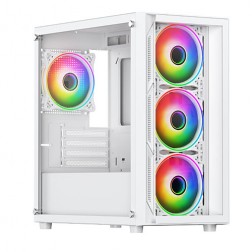 Intel Core i3 12100F RX 7600 Gaming PC - G6 Vortex X2
Intel Core i3 12100F Quad core
H610M Motherboard
16GB+ DDR5 5200MHz Memory
1TB+ M.2 NVMe SSD
8GB Radeon RX 7600 Graphics
300mbps Wifi
Windows 11 Home£1,079.99
£1,019.99
Intel Core i3 12100F RX 7600 Gaming PC - G6 Vortex X2£1,079.99
£1,019.99
Intel Core i3 12100F Quad core
H610M Motherboard
16GB+ DDR5 5200MHz Memory
1TB+ M.2 NVMe SSD
8GB Radeon RX 7600 Graphics
300mbps Wifi
Windows 11 Home
-
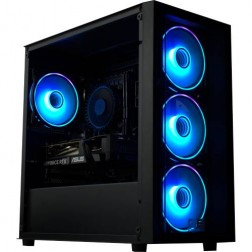 Intel Core i3 i5 i7 i9 Custom Gaming PC
Choice of Intel CPU
Choice of Motherboard
Up to 128Gb Memory
FAST M.2 NVMe SSD
AMD & Nvidia Graphics
300mbps+ Wifi
Windows 11 Home£910.00
£910.00Intel Core i3 i5 i7 i9 Custom Gaming PCChoice of Intel CPU
Choice of Motherboard
Up to 128Gb Memory
FAST M.2 NVMe SSD
AMD & Nvidia Graphics
300mbps+ Wifi
Windows 11 Home
-
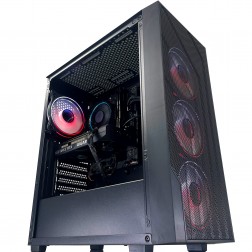 AMD Ryzen 7000 Custom Gaming PC
AMD Ryzen 7000 CPU
Choice of Motherboard
Up to 128Gb Memory
FAST M.2 NVMe SSD
AMD & Nvidia Graphics
300mbps+ Wifi
Windows 11 Home£949.99
£949.99AMD Ryzen 7000 Custom Gaming PCAMD Ryzen 7000 CPU
Choice of Motherboard
Up to 128Gb Memory
FAST M.2 NVMe SSD
AMD & Nvidia Graphics
300mbps+ Wifi
Windows 11 Home
-
 Intel Core Ultra 5 245Kf - RTX 5070 Golf Sim Gaming PC - G6 Birdie
Intel Core Core Ultra 5 245Kf 14 core
240mm Liquid Cooler
B860 Motherboard
32GB+ DDR5 5200MHz
2x 1TB+ M.2 NVMe SSD
12GB Nvidia RTX 5070 Graphics
FAST Wifi & Bluetooth
Windows 11 Home£1,930.00
£1,930.00Intel Core Ultra 5 245Kf - RTX 5070 Golf Sim Gaming PC - G6 BirdieIntel Core Core Ultra 5 245Kf 14 core
240mm Liquid Cooler
B860 Motherboard
32GB+ DDR5 5200MHz
2x 1TB+ M.2 NVMe SSD
12GB Nvidia RTX 5070 Graphics
FAST Wifi & Bluetooth
Windows 11 Home
-
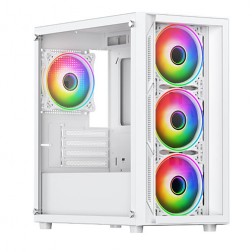 AMD Ryzen 5 7500f Nvidia RTX 5060 Gaming PC - G6 Fusion 600 X4
AMD Ryzen 5 7500f 6 core
A620M Motherboard
16GB+ DDR5 5200MHz
FAST 1TB M.2 NVMe SSD
8GB Nvidia RTX 5060 Graphics
300mbps Wifi
Windows 11 Home£1,180.00
£1,109.99
AMD Ryzen 5 7500f Nvidia RTX 5060 Gaming PC - G6 Fusion 600 X4£1,180.00
£1,109.99
AMD Ryzen 5 7500f 6 core
A620M Motherboard
16GB+ DDR5 5200MHz
FAST 1TB M.2 NVMe SSD
8GB Nvidia RTX 5060 Graphics
300mbps Wifi
Windows 11 Home
-
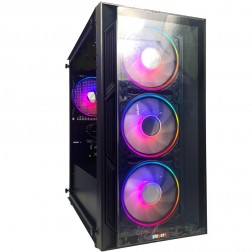 Intel Core i3 12100F RTX 3050 Gaming PC - G6 Vortex X1
Intel Core i3 12100F Quad core
H610M Motherboard
16GB+ DDR5 5200MHz Memory
1TB+ M.2 NVMe SSD
6GB Nvidia RTX 3050 Graphics
300mbps Wifi
Windows 11 Home£949.99
£889.99
Intel Core i3 12100F RTX 3050 Gaming PC - G6 Vortex X1£949.99
£889.99
Intel Core i3 12100F Quad core
H610M Motherboard
16GB+ DDR5 5200MHz Memory
1TB+ M.2 NVMe SSD
6GB Nvidia RTX 3050 Graphics
300mbps Wifi
Windows 11 Home
-
 AMD Ryzen 9 7900 RTX 5060 Ti 16GB Gaming PC - G6 Fusion 1200 X1
AMD Ryzen 9 7900 12 core
A620M Motherboard
16GB+ DDR5 5200MHz
FAST 1TB M.2 NVMe SSD
16GB Nvidia RTX 5060 Ti Graphics
300mbps Wifi
Windows 11 Home£1,600.00
£1,499.99
AMD Ryzen 9 7900 RTX 5060 Ti 16GB Gaming PC - G6 Fusion 1200 X1£1,600.00
£1,499.99
AMD Ryzen 9 7900 12 core
A620M Motherboard
16GB+ DDR5 5200MHz
FAST 1TB M.2 NVMe SSD
16GB Nvidia RTX 5060 Ti Graphics
300mbps Wifi
Windows 11 Home
-
 Intel i9 14900K - RTX 5080 Golf Sim Gaming PC - G6 Ace
Intel Core i9 14900Kf 24 core
240mm Liquid Cooler
Z790 D AX Motherboard
32GB+ DDR5 5200MHz
2x 1TB+ M.2 NVMe SSD
16GB Nvidia RTX 5080
1733mbps Wifi & Bluetooth
Windows 11 Home£3,010.00 Configure from: £583.01
£3,010.00 Configure from: £583.01Intel i9 14900K - RTX 5080 Golf Sim Gaming PC - G6 AceIntel Core i9 14900Kf 24 core
240mm Liquid Cooler
Z790 D AX Motherboard
32GB+ DDR5 5200MHz
2x 1TB+ M.2 NVMe SSD
16GB Nvidia RTX 5080
1733mbps Wifi & Bluetooth
Windows 11 Home
-
 Intel i5 12400f - RTX 5060 Golf Sim Gaming PC - G6 Par
Intel Core i5 12400F 6 core
240mm Liquid Cooler
B760M Motherboard
16GB+ DDR4 3200MHz
2x 1TB+ M.2 NVMe SSD
8GB Nvidia RTX 4060 Graphics
FAST Wifi & Bluetooth
Windows 11 Home (64 bit)£1,330.00
£1,330.00Intel i5 12400f - RTX 5060 Golf Sim Gaming PC - G6 ParIntel Core i5 12400F 6 core
240mm Liquid Cooler
B760M Motherboard
16GB+ DDR4 3200MHz
2x 1TB+ M.2 NVMe SSD
8GB Nvidia RTX 4060 Graphics
FAST Wifi & Bluetooth
Windows 11 Home (64 bit)
-
 Intel Core i9 Nvidia RTX 5060 Ti Gaming PC - G6 Typhoon X2
Intel Core i9 12900KF 16 core
H610M Motherboard
16GB+ DDR5 5200MHz Memory
FAST 1TB+ M.2 NVMe SSD
8GB Nvidia RTX 5060 Ti Graphics
300mbps Wifi
Windows 11 Home£1,510.00
£1,429.99
Intel Core i9 Nvidia RTX 5060 Ti Gaming PC - G6 Typhoon X2£1,510.00
£1,429.99
Intel Core i9 12900KF 16 core
H610M Motherboard
16GB+ DDR5 5200MHz Memory
FAST 1TB+ M.2 NVMe SSD
8GB Nvidia RTX 5060 Ti Graphics
300mbps Wifi
Windows 11 Home
-
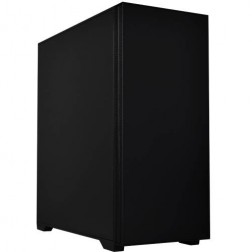 Intel Core i7 14700f RTX 5060 Ti Pre-Built Next Day PC - G6 ND 1500
Intel Core i7 14700f Twenty Core
Gigabyte B760M DS3H AX
32GB 5200mhz DDR5
1TB M.2 NVMe SSD Drive
16GB Nvidia RTX 5060 Ti Graphics
1733mbps Wifi & Bluetooth
Windows 11 Home£1,916.16
£1,750.00
Intel Core i7 14700f RTX 5060 Ti Pre-Built Next Day PC - G6 ND 1500£1,916.16
£1,750.00
Intel Core i7 14700f Twenty Core
Gigabyte B760M DS3H AX
32GB 5200mhz DDR5
1TB M.2 NVMe SSD Drive
16GB Nvidia RTX 5060 Ti Graphics
1733mbps Wifi & Bluetooth
Windows 11 Home
-
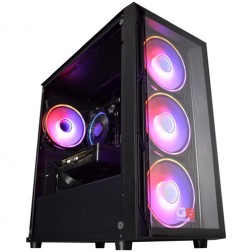 Intel Core i5 12400f RTX 5060 Pre Built Next Day Gaming PC - G6 ND 800
Intel Core i5 12400F 6 Core
H610 Motherboard
16GB DDR5 Memory
1TB M.2 NVMe SSD Drive
8GB Nvidia RTX 5060 Graphics
300MBPs Wifi
Windows 11 Home£1,121.95
£1,000.00
Intel Core i5 12400f RTX 5060 Pre Built Next Day Gaming PC - G6 ND 800£1,121.95
£1,000.00
Intel Core i5 12400F 6 Core
H610 Motherboard
16GB DDR5 Memory
1TB M.2 NVMe SSD Drive
8GB Nvidia RTX 5060 Graphics
300MBPs Wifi
Windows 11 Home
-
 AMD Ryzen 5 8400f RTX 5060 Ti PreBuilt Next Day Gaming PC - G6 ND 1000
AMD Ryzen 5 8400f 6 Core CPU
Gigabyte A620 Motherboard
16GB 5200mhz DDR5 Memory
FAST 1TB M.2 NVMe SSD Drive
Nvidia RTX 5060 Ti Graphics
300mbps Wifi
Win 11 Home£1,315.87
£1,150.00
AMD Ryzen 5 8400f RTX 5060 Ti PreBuilt Next Day Gaming PC - G6 ND 1000£1,315.87
£1,150.00
AMD Ryzen 5 8400f 6 Core CPU
Gigabyte A620 Motherboard
16GB 5200mhz DDR5 Memory
FAST 1TB M.2 NVMe SSD Drive
Nvidia RTX 5060 Ti Graphics
300mbps Wifi
Win 11 Home
-
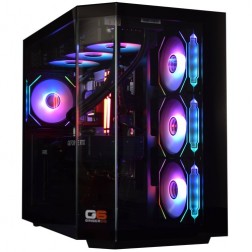 Intel Core Ultra 7 265K Nvidia RTX 5070 Ti Gaming PC - G6 Genesis U2
Intel Core Ultra 7 265Kf 20 core
B860 Motherboard
32GB+ DDR5 5200MHz Memory
FAST 1TB+ M.2 NVMe SSD
16GB Nvidia RTX 5070 Ti Graphics
FAST Wifi & Bluetooth
Windows 11 Home
Intel Core Ultra 7 265K Nvidia RTX 5070 Ti Gaming PC - G6 Genesis U2
Intel Core Ultra 7 265Kf 20 core
B860 Motherboard
32GB+ DDR5 5200MHz Memory
FAST 1TB+ M.2 NVMe SSD
16GB Nvidia RTX 5070 Ti Graphics
FAST Wifi & Bluetooth
Windows 11 Home
-
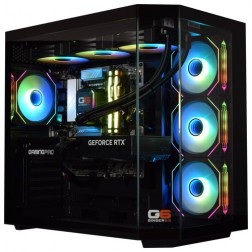 Intel Core Ultra 5 245K Nvidia RTX 5070 Ti Gaming PC - G6 Genesis U1
Intel Core Ultra 5 245Kf 14 core
B860 Motherboard
32GB+ DDR5 5200MHz Memory
FAST 1TB+ M.2 NVMe SSD
16GB Nvidia RTX 5070 Ti Graphics
FAST Wifi & Bluetooth
Windows 11 Home£2,369.99
£2,219.99
Intel Core Ultra 5 245K Nvidia RTX 5070 Ti Gaming PC - G6 Genesis U1£2,369.99
£2,219.99
Intel Core Ultra 5 245Kf 14 core
B860 Motherboard
32GB+ DDR5 5200MHz Memory
FAST 1TB+ M.2 NVMe SSD
16GB Nvidia RTX 5070 Ti Graphics
FAST Wifi & Bluetooth
Windows 11 Home
-
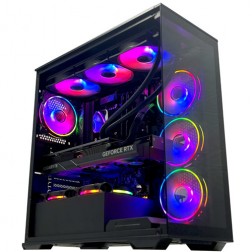 Intel Core i9 14900K Nvidia RTX 5080 Gaming PC - G6 Galactic U3
Intel Core i9 14900KF 24 core
Z790 Motherboard
32GB+ DDR5 5200MHz
FAST 1TB+ M.2 NVMe SSD
16GB Nvidia RTX 5080 Graphics
FAST Wifi & Bluetooth
Windows 11 Home
Intel Core i9 14900K Nvidia RTX 5080 Gaming PC - G6 Galactic U3
Intel Core i9 14900KF 24 core
Z790 Motherboard
32GB+ DDR5 5200MHz
FAST 1TB+ M.2 NVMe SSD
16GB Nvidia RTX 5080 Graphics
FAST Wifi & Bluetooth
Windows 11 Home
-
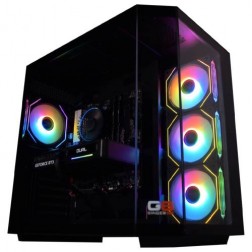 AMD Ryzen 7 8700f Nvidia RTX 5070 Gaming PC - G6 Fusion 800 X5
AMD Ryzen 7 8700f 8 core
A620M Motherboard
16GB+ DDR5 5200MHz
FAST 1TB M.2 NVMe SSD
12GB Nvidia RTX 5070 Graphics
300mbps Wifi
Windows 11 Home£1,579.99
£1,480.00
AMD Ryzen 7 8700f Nvidia RTX 5070 Gaming PC - G6 Fusion 800 X5£1,579.99
£1,480.00
AMD Ryzen 7 8700f 8 core
A620M Motherboard
16GB+ DDR5 5200MHz
FAST 1TB M.2 NVMe SSD
12GB Nvidia RTX 5070 Graphics
300mbps Wifi
Windows 11 Home
How to Choose a Gaming PC in
The right gaming PC depends on three things. What you play, what resolution your monitor runs, and whether you prioritise frame rate or visual fidelity. Everything else follows from those three answers.
What Do You Play?
Competitive shooters like Valorant, CS2, and Fortnite are lightweight and run well on almost any modern gaming PC. They care about frame rate, not visual detail. A mid-range build handles them at 300fps or more.
Open-world games like Cyberpunk 2077, Hogwarts Legacy, and Starfield push hardware much harder. They want a strong GPU for visual detail and a decent CPU for world simulation. These are the games where GPU tier makes the biggest visible difference.
Simulation games like Microsoft Flight Simulator 2024 and iRacing are the most demanding category. Flight sims are CPU-bound, not GPU-bound, which surprises most buyers. If simulation is your primary use case, call Kevin and tell him exactly what you fly.
What Resolution Is Your Monitor?
1080p (1920x1080) is the most common resolution. An RTX 5060 handles it well. Most competitive gamers play at 1080p because it allows the highest frame rates.
1440p (2560x1440) is the sweet spot in 2026. It offers a visible jump in image quality over 1080p without the hardware demands of 4K. An RTX 5060 Ti or RTX 5070 covers this resolution. This is where most Ginger6 gaming customers land.
4K (3840x2160) demands serious GPU power. You’ll want an RTX 5070 Ti or higher. The visual quality is stunning, but you need the hardware to drive it without dropping below 60fps.
Frame Rate or Visual Fidelity?
Competitive gamers want maximum frames per second, even if it means lowering settings. A lighter GPU at 1080p delivering 300fps gives a competitive advantage in Valorant or CS2 that no amount of visual detail can match.
Single-player gamers typically prefer higher visual quality at a steady 60 to 100fps. Ray tracing, ultra textures, and detailed draw distances make these games look their best, but they need stronger hardware.
Most gamers fall somewhere in between. The sweet spot handles 1440p at high settings with 100fps or more. That’s the configuration most Ginger6 customers choose.
Not sure where to start?
Call Kevin on 01902 714533 and tell him what you play, what monitor you have, and what matters most to you. He’ll narrow it down in five minutes.
Intel or AMD for Gaming in 2026
AMD Ryzen X3D processors are currently the strongest choice for pure gaming, while Intel Core Ultra processors perform better for mixed workloads that combine gaming with streaming, video editing, or productivity. Both platforms deliver excellent gaming performance. The right choice depends on what else you do with the machine.
AMD Ryzen
Best for pure gaming. The Ryzen 7 7800X3D and 9800X3D have extra 3D V-Cache that gives them a measurable advantage in games. The cache lets the CPU access game data faster, which translates to higher frame rates in CPU-limited scenarios.
AMD also tends to run cooler and draw less power than Intel at equivalent performance, which means quieter builds and lower electricity bills.
Intel Core Ultra
Best for gaming plus streaming, editing, or productivity. Intel Core Ultra processors have stronger multi-threaded performance, which matters if you stream while gaming, edit video, or run demanding applications alongside your games.
Intel also offers a wider range of processors at different price points, from the Core i3 for budget builds through to the Core Ultra 9 for workstation-class performance.
What We Recommend
We carry both platforms and recommend based on what you’ll actually use the machine for. We don’t favour one brand. Browse our AMD gaming PCs and Intel gaming PCs to compare configurations at every budget.
Which Graphics Card Do You Need
The graphics card determines how your games look and how fast they run at your monitor’s resolution. It’s the single most important component in a gaming PC and the one where spending more makes the most visible difference.
NVIDIA GeForce RTX 50 Series
NVIDIA’s current generation for gaming. Every card supports ray tracing for realistic lighting and DLSS for AI-boosted frame rates.
RTX 5060
Handles 1080p gaming at high settings across all current titles. Competitive shooters at 150fps or higher. The right card for budget builds under £1200.
RTX 5060 Ti
The step up into smooth 1440p. For roughly £100 to £150 more than the 5060, it opens up a significantly better gaming experience on a 27-inch monitor.
RTX 5070
The sweet spot for 1440p at high-ultra settings. Ray tracing looks genuinely impressive at this tier. The most popular choice among Ginger6 gaming customers.
RTX 5070 Ti
Bridges 1440p and 4K. Ultra settings at 1440p with headroom to spare. 4K becomes genuinely playable in most titles.
RTX 5080
The 4K card. Comfortable frame rates at ultra settings. Strong VR performance and enough power for creative work alongside gaming.
RTX 5090
The flagship. Maximum performance at any resolution. Diminishing returns versus the 5080, but the best available hardware in 2026.
AMD Radeon RX Series
Strong gaming performance, often at a lower price point. Uses FSR instead of DLSS. If ray tracing matters, NVIDIA is the stronger choice. If you want the best raw performance per pound, AMD is worth considering.
RX 9070 / XT
Competes with the RTX 5070 and 5070 Ti. Strong 1440p to 4K at competitive pricing.
Gaming Features Worth Paying For (and Ones That Aren’t)
▲ Worth Paying For
Ray Tracing
Simulates real-world lighting. Cyberpunk 2077 with ray tracing looks like a different game. RTX 5060 Ti and above handle it well at 1080p and 1440p.
DLSS / FSR
AI upscaling that gives you higher frame rates without visible quality loss. DLSS 4 with frame generation can effectively double your fps. Free in most modern titles.
144Hz+ Monitor
Your monitor caps how many frames you can see. 144Hz minimum for gaming, 165Hz ideal for 1440p. Match the monitor to your GPU tier.
Fast NVMe Storage
1TB minimum. Modern games exceed 100GB each. Faster storage means faster load times and less stuttering in open worlds.
▼ Doesn’t Matter as Much
RGB Lighting
Adds nothing to performance. Some love it, others turn it off after a week. Skip it if your budget is tight.
32GB vs 16GB RAM
No noticeable difference in the vast majority of games in 2026. 16GB DDR5 is enough. Exception is streaming while gaming.
Water Cooling on Mid-Range
A quality air cooler handles any Ryzen 5/7 or Core i5/i7 quietly. Liquid cooling makes sense with Ryzen 9 or Core i9 under sustained load.
4K Monitor + Budget GPU
A mismatch that wastes money. An RTX 5060 with a 1440p 144Hz monitor beats an RTX 5060 with a 4K 60Hz panel.
Ready-Built or Custom Gaming PC
Ginger6 sells both ready-built and custom-configured gaming PCs, and both get the same 24-hour stress test, 3-year warranty, and lifetime support. The right choice depends on how quickly you need the machine and how specific your requirements are.
Ready-Built
Proven configurations that balance performance and value. If you want a solid gaming PC without choosing every component, this is the fastest path. Best value under £1000.
Browse Ready-Built →Custom-Configured
Choose every component to match your exact use case. If you play specific demanding titles or need your build for gaming plus creative work, custom gives you control. Best above £1200.
Configure Custom →Gaming PCs Built for Your Favourite Games
Every game has different hardware demands, and the best gaming PC for Call of Duty isn’t the same as the best one for Microsoft Flight Simulator. We’ve created dedicated pages for the most popular titles.









Don’t see your game? Call Kevin on 01902 714533 and tell him what you play.
What Gamers Say About Ginger6
93% of Ginger6 customers leave five-star reviews on Trustpilot, compared to 80% for PCSpecialist and 84% for Chillblast. That gap comes down to one thing. The person who sells you the PC is the same person who builds it and supports it afterwards.
Kevin carefully chose the exact right components at extremely competitive prices. He took the time to design and build the ultimate PC and burn-in and test every component for excellent stability.
Verbal communication is very important to me when dealing with a lot of money for a PC I had no idea about. My teenage son was unsure what parts he would need for a gaming PC. With Ginger6 my son ordered his dream PC and I was kept fully informed through the whole process.
Can’t recommend Ginger6 highly enough. Kevin was brilliant at answering my questions and recommending the best machine for my budget and purpose. It was exactly one week between ordering and delivery.
I emailed Kevin to be sure if what I put down to order was suitable, Kevin supported me to change a few things around and since having the PC for a few weeks it is absolutely amazing and a stunning looking PC. Also fast service and delivery too. I recommend Ginger6 as I will be upgrading from them in the future.
Ginger6 has been building gaming PCs from the same Wolverhampton workshop since 2001. Same phone number. Same approach. Same focus on getting the right gaming PC into the right hands.
Gaming PC Questions
The best gaming PC is the one that matches what you’ll actually use it for at a price that makes sense. A £1200 build with an RTX 5060 Ti is the best gaming PC for someone playing at 1440p. A £2500 build with an RTX 5080 is the best for 4K and VR. Call Kevin on 01902 714533 and tell him what you play.
Most Ginger6 gaming customers spend between £1000 and £1800. Under £1000 handles 1080p well. The £1200 to £1800 range covers 1440p at high settings. Over £1800 is for 4K, VR, and professional workloads.
A prebuilt gaming PC from Ginger6 includes a 24-hour stress test, 3-year warranty, and lifetime support that you don’t get when building yourself. DIY can save 10 to 15% on component costs, but you take on the risk of compatibility issues, faulty parts, and troubleshooting without professional support.
AMD Ryzen X3D processors are currently the strongest choice for pure gaming thanks to extra 3D V-Cache that boosts frame rates. Intel Core Ultra processors perform better for mixed workloads that combine gaming with streaming or video editing. We recommend based on your actual use case.
An NVIDIA RTX 5060 Ti or RTX 5070 handles 1440p gaming at high settings in the majority of current titles. The RTX 5060 Ti delivers 60 to 100fps at high settings. The RTX 5070 adds headroom for higher frame rates and ray tracing.
No, 16GB of DDR5 RAM is enough for gaming in 2026. 32GB makes sense if you stream while gaming, run multiple monitors with background applications, or want to future-proof for 3 to 4 years.
A gaming PC includes a dedicated graphics card, a faster processor, and more RAM than a standard desktop, specifically configured to handle the demands of modern games. A regular home or office PC uses integrated graphics and is built for web browsing and office applications. Gaming PCs start at around £800.
Yes, gaming PCs handle office work, web browsing, and most productivity applications easily. The hardware that runs modern games is more than capable of running Microsoft Office, Zoom, and web browsers. A gaming PC also handles video editing and graphic design better than a standard office machine.
A well-built gaming PC lasts 4 to 6 years before you need to think about major upgrades. After 2 to 3 years, a GPU upgrade keeps you playing at higher settings without replacing the entire system. Every Ginger6 build uses a PSU with headroom for future GPU upgrades.
Yes, Ginger6 ships gaming PCs to all UK mainland addresses with free delivery. Custom builds ship within 5 to 7 working days. Ready-built gaming PCs ship within 1 to 2 working days.
Ginger6 is based in Wolverhampton, West Midlands. Our workshop is at 5 Shaw Park Business Village, Shaw Road, Wolverhampton WV10 9LE. Visits can be arranged by appointment. Call ahead on 01902 714533.
Yes, Ginger6 offers 0% finance through PayPal Pay in 3 on orders over £500. Finance is subject to status and approval. Call Kevin on 01902 714533 to discuss finance options before ordering.
Still have questions? Kevin’s on 01902 714533 during working hours, or email [email protected] anytime.
Ready to Find Your Gaming PC?
Whether you know exactly what GPU you want or you’ve got no idea where to start, there are three ways to begin.
Browse Gaming PCs
Find gaming PCs by platform, GPU, resolution, or game. Every build is stress-tested and warrantied.
Browse Gaming PCsTalk to Kevin
Tell him what you play. He’ll recommend a build that fits your games, your monitor, and your budget.
Call 01902 714533Email or Callback
Include what games you play, what resolution you want, and your budget. Kevin will come back with a recommendation.
Email [email protected]