




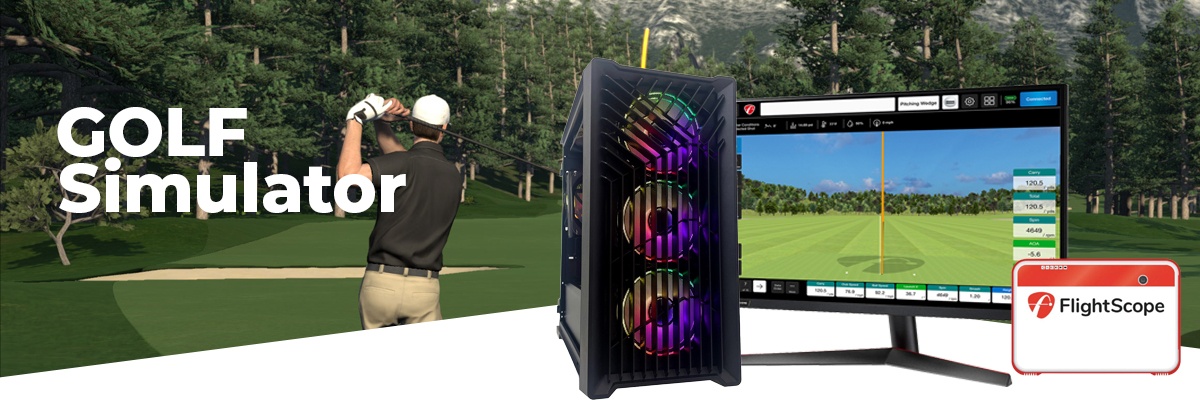
Gaming PCs for Indoor Golf Simulators
A golf simulator PC is not a standard gaming machine. It needs to process real-time ball tracking data, run physics calculations without hesitation, and deliver a consistent output to a projector or screen throughout an entire session. The CPU consistency matters as much as the GPU. Find the right build for your setup below.
Call Kevin on 01902 714533. Tell him which golf simulator software you use, whether you project or use a monitor, and how many bays you need to support.


Grid List
6 Item(s)
-
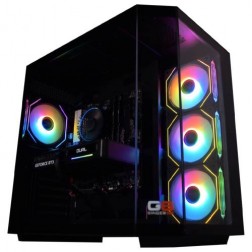 AMD Ryzen 7 8700f Nvidia RTX 5070 Gaming PC - G6 Fusion 800 X5
AMD Ryzen 7 8700f 8 core
A620M Motherboard
16GB+ DDR5 5200MHz
FAST 1TB M.2 NVMe SSD
12GB Nvidia RTX 5070 Graphics
300mbps Wifi
Windows 11 Home£1,579.99
£1,480.00
AMD Ryzen 7 8700f Nvidia RTX 5070 Gaming PC - G6 Fusion 800 X5£1,579.99
£1,480.00
AMD Ryzen 7 8700f 8 core
A620M Motherboard
16GB+ DDR5 5200MHz
FAST 1TB M.2 NVMe SSD
12GB Nvidia RTX 5070 Graphics
300mbps Wifi
Windows 11 Home
-
 Intel i5 12400f - RTX 5060 Golf Sim Gaming PC - G6 Par
Intel Core i5 12400F 6 core
240mm Liquid Cooler
B760M Motherboard
16GB+ DDR4 3200MHz
2x 1TB+ M.2 NVMe SSD
8GB Nvidia RTX 4060 Graphics
FAST Wifi & Bluetooth
Windows 11 Home (64 bit)£1,330.00
£1,330.00Intel i5 12400f - RTX 5060 Golf Sim Gaming PC - G6 ParIntel Core i5 12400F 6 core
240mm Liquid Cooler
B760M Motherboard
16GB+ DDR4 3200MHz
2x 1TB+ M.2 NVMe SSD
8GB Nvidia RTX 4060 Graphics
FAST Wifi & Bluetooth
Windows 11 Home (64 bit)
-
 Intel Core Ultra 5 245Kf - RTX 5070 Golf Sim Gaming PC - G6 Birdie
Intel Core Core Ultra 5 245Kf 14 core
240mm Liquid Cooler
B860 Motherboard
32GB+ DDR5 5200MHz
2x 1TB+ M.2 NVMe SSD
12GB Nvidia RTX 5070 Graphics
FAST Wifi & Bluetooth
Windows 11 Home£1,930.00
£1,930.00Intel Core Ultra 5 245Kf - RTX 5070 Golf Sim Gaming PC - G6 BirdieIntel Core Core Ultra 5 245Kf 14 core
240mm Liquid Cooler
B860 Motherboard
32GB+ DDR5 5200MHz
2x 1TB+ M.2 NVMe SSD
12GB Nvidia RTX 5070 Graphics
FAST Wifi & Bluetooth
Windows 11 Home
-
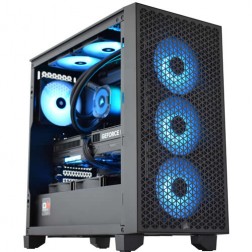 Intel Core Ultra 7 265Kf - RTX 5070 Ti Golf Sim Gaming PC - G6 Eagle
Intel Core Core Ultra 7 265Kf 20 core
360mm Liquid Cooler
B860 Motherboard
32GB+ DDR5 5200MHz
2x 1TB+ M.2 NVMe SSD
16GB Nvidia RTX 5070 Ti
FAST Wifi & Bluetooth
Windows 11 Home£2,578.99 Configure from: £230.00
£2,578.99 Configure from: £230.00Intel Core Ultra 7 265Kf - RTX 5070 Ti Golf Sim Gaming PC - G6 EagleIntel Core Core Ultra 7 265Kf 20 core
360mm Liquid Cooler
B860 Motherboard
32GB+ DDR5 5200MHz
2x 1TB+ M.2 NVMe SSD
16GB Nvidia RTX 5070 Ti
FAST Wifi & Bluetooth
Windows 11 Home
-
 Intel i9 14900K - RTX 5080 Golf Sim Gaming PC - G6 Ace
Intel Core i9 14900Kf 24 core
240mm Liquid Cooler
Z790 D AX Motherboard
32GB+ DDR5 5200MHz
2x 1TB+ M.2 NVMe SSD
16GB Nvidia RTX 5080
1733mbps Wifi & Bluetooth
Windows 11 Home£3,010.00 Configure from: £583.01
£3,010.00 Configure from: £583.01Intel i9 14900K - RTX 5080 Golf Sim Gaming PC - G6 AceIntel Core i9 14900Kf 24 core
240mm Liquid Cooler
Z790 D AX Motherboard
32GB+ DDR5 5200MHz
2x 1TB+ M.2 NVMe SSD
16GB Nvidia RTX 5080
1733mbps Wifi & Bluetooth
Windows 11 Home
-
 AMD Ryzen 5 8400f RTX 5060 Ti PreBuilt Next Day Gaming PC - G6 ND 1000
AMD Ryzen 5 8400f 6 Core CPU
Gigabyte A620 Motherboard
16GB 5200mhz DDR5 Memory
FAST 1TB M.2 NVMe SSD Drive
Nvidia RTX 5060 Ti Graphics
300mbps Wifi
Win 11 Home£1,315.87
£1,150.00
AMD Ryzen 5 8400f RTX 5060 Ti PreBuilt Next Day Gaming PC - G6 ND 1000£1,315.87
£1,150.00
AMD Ryzen 5 8400f 6 Core CPU
Gigabyte A620 Motherboard
16GB 5200mhz DDR5 Memory
FAST 1TB M.2 NVMe SSD Drive
Nvidia RTX 5060 Ti Graphics
300mbps Wifi
Win 11 Home
Grid List
6 Item(s)
What Does a Golf Simulator Need?
Golf simulator software is less demanding than triple-A games — but it runs all day in a commercial setting or through long sessions at home. CPU consistency matters more than peak performance. Projector output resolution requirements differ from gaming monitors.
What You Get at Each Price Point
Golf simulator software is well-optimised and not demanding by gaming standards. The tiers here reflect display output quality and commercial use requirements, not raw performance headroom.


What the PC Actually Does in Your Bay
Golf simulator software like E6 Connect, GSPro, and Creative Golf 3D does two things simultaneously. First, it receives data from your launch monitor — ball speed, launch angle, spin rate, face angle, club path — and feeds that into a physics engine that calculates where the ball will go, how it will bounce, and how it will roll. Second, it renders a 3D golf course in real time so you can watch the result.
The physics calculation is a CPU task. It must complete quickly and without interruption — a hesitation in the physics engine appears as a delay or a glitch in the ball flight. This is why CPU consistency matters more than raw power for golf simulator use. The rendering is a GPU task, and the demands here depend on your display. A projector — which most indoor golf bays use — typically runs at 1080p or 4K. These are lower resolutions than competitive gaming targets, which means the GPU demands are modest. A standard gaming GPU handles projector output easily.
One important distinction: projector resolution requirements are different from monitor gaming. A projector running at 1080p native does not need the same GPU headroom as a 1080p gaming monitor at 144fps. Golf simulator software typically targets a smooth 60fps display output — well within the reach of entry and mid-range GPUs. Where GPU demand increases is in 4K projector output, which requires proportionally more GPU resources to fill the higher pixel count. The full context on how this fits into the broader simulation gaming PC range is covered on the simulation hub page.
Standard vs Full Fidelity
The same course at standard settings on a home bay build, and at maximum fidelity on a club quality build. The difference is most visible in grass and water textures, and in course lighting.


Which Setup Are You Building?

The Home Bay
A dedicated indoor bay at home with a launch monitor, hitting mat, net, and projector or screen. You want the software to work every time without technical fuss. A home bay build covers E6 Connect, GSPro, and Creative Golf 3D at full fidelity for your 1080p projector. No gaming compromises, no unnecessary overhead.
Core Ultra 5 RTX 5070
The Commercial Venue
A pub, golf club, hotel, or entertainment venue running one or more bays commercially. The machine runs all day and needs to handle booking systems, payment software, and the simulator simultaneously. Call Kevin before ordering — commercial configurations vary and he will confirm the right spec for your specific software and hardware combination.
Call Kevin to Discuss
The Streamer
You stream your golf simulator sessions on YouTube or Twitch. Streaming adds CPU encoding overhead alongside the physics engine. A 4K projector or full-fidelity build with 32GB RAM gives the encoding process its own memory budget without competing with the ball tracking calculations.
Core Ultra RTX 5080Other Simulation Titles
Builds for Your Golf Simulator Bay
Every Ginger6 build is hand-assembled in Wolverhampton and stress-tested for 24 hours before dispatch. If you need the machine to run reliably in a commercial bay all day, every day, that is exactly what these builds are built for.
Ryzen 5 / RTX 5060 Ti
Full fidelity in E6 Connect, GSPro, and Creative Golf 3D at 1080p projector output. CPU consistent throughout a full round. A reliable machine that works without gaming-level overhead. 3-year warranty included.
From £999
golf-sim RTX 5060Ryzen 7 / RTX 5070
4K projector output at full fidelity. Handles commercial venue use with ancillary software running alongside the simulator. 32GB DDR5 for multi-process headroom. Call Kevin before ordering if this is for a commercial venue — configuration matters.
From £1499
Core Ultra 7 RTX 5070 Ti
Built to Run All Day
A golf simulator PC in a commercial venue needs to start reliably, run for hours without thermal degradation, and handle a day's worth of sessions without a restart. Ginger6 build quality starts with cable routing planned around airflow — not aesthetics. The 24-hour stress test confirms that the machine sustains performance at full load, not just for a short benchmark run.
The 3-year Ginger6 warranty covers parts and labour. Kevin is reachable directly by phone for the life of the machine. For commercial builds, he is also happy to advise on software configuration and launch monitor compatibility before you order.
Call Kevin on 01902 714533Built for Specialist Requirements
Kevin's strength is in matching hardware to a specific use case. Whether you describe a home bay setup or a commercial venue configuration, the result is a machine built for that exact purpose — not a generic spec that almost covers it.
"10 out of 10 for Ginger6. After a chat with Kevin and a few suggestions from him, I agreed on a very competitive price and a week later my new computer was ready. It has coped with everything I could throw at it with ease. Great product, great price, great company."
"Many thanks to Kevin and his team. With his guidance, I got the exact spec computer I required for my online flight simulator needs. Excellent courteous service with on-time delivery. Would recommend Ginger6 to anybody with specialist computer requirements or not."
"I would rate this pc builder as second to none. As I am a sim-racer I therefore need ultra quick responses which you get! Simply tell Ginger6 what you wish from your pc and I give my word you will not be disappointed!"
Questions About Golf Simulator PCs
All three major golf simulator software titles run on Windows PC, and all Ginger6 builds ship with Windows 11 installed. E6 Connect, GSPro, and Creative Golf 3D have relatively modest minimum requirements — any Ginger6 build covers them. The question is what visual quality setting you want and what display output resolution you are running. An entry-level home bay build runs all three at high settings on a 1080p projector. A 4K projector build runs all three at full fidelity at 4K. Call Kevin if you are unsure which software your launch monitor is compatible with.
The PC can be located in a separate room and connected to the projector and launch monitor via cabling. HDMI runs up to 10 metres reliably without signal degradation — longer runs need an active extension cable. USB connections to the launch monitor also have cable length limits depending on the device. If you are planning to install the PC outside the hitting bay, tell Kevin the distances involved before ordering — he can advise on cabling and whether a dedicated capture or relay device is needed for your specific launch monitor.
A projector in a golf simulator bay typically runs at 1080p or 4K native resolution with a refresh rate of 60Hz. Gaming monitors run at 144Hz or higher to deliver maximum frame rates for competitive gaming. Golf simulator software targets a smooth 60fps output — there is no benefit in driving a projector at 144fps, and most projectors do not accept signal above 60Hz in 4K mode. This means the GPU demand for projector-based golf sim setups is lower than for high-refresh gaming — the GPU is outputting 60 frames per second at the projector's native resolution, not 144fps at a gaming resolution.
A typical golf simulator setup requires USB connections for the launch monitor (usually one USB-A or USB-C), any webcam or replay camera, a keyboard and mouse for the software interface, and occasionally a USB dongle for software licensing. Most Ginger6 builds include eight or more USB ports across front and rear panels. A powered USB hub is a useful addition if you have a complex peripheral setup or if the launch monitor requires a consistent high-power USB connection.
Yes, with no technical issues — golf simulator software and gaming applications coexist on the same Windows 11 installation without conflict. If gaming is also important to you, size the build for your gaming target and the golf simulator software will run comfortably within that spec. The only consideration is display output: golf simulator sessions go to the projector, gaming goes to your gaming monitor. Both can be connected simultaneously and switched between via display settings.
It depends on the software. E6 Connect requires an internet connection for multiplayer, online tournaments, and software licensing verification. Offline play with locally installed courses is available but some features require connectivity. GSPro has offline capabilities and is popular in installations where a reliable internet connection is not guaranteed. Creative Golf 3D also has offline modes. For commercial venues, a wired ethernet connection is strongly recommended over Wi-Fi for consistency during competitive sessions.
Find the Right Build for Your Golf Simulator
Browse the range or call Kevin directly. Tell him your software, your launch monitor, whether you project or use a screen, and your budget. He will confirm the right spec for your bay.