




Intel Core i5 Gaming PCs 1080p High Settings and Beyond
The Core i5 12400F is the most versatile Intel processor for gaming. It handles 1080p high settings without bottleneck, reaches 1440p in optimised titles, and manages streaming workloads alongside play. Paired with RTX 5050 to RTX 5060 Ti graphics, hand-assembled in Wolverhampton, stress-tested for 24 hours, and backed by a 3-year warranty.
Browse the i5 builds below or call Kevin on 01902 714533. Tell him your games, monitor resolution, and whether you stream and he will confirm the right build.

Grid List
12 Item(s)
-
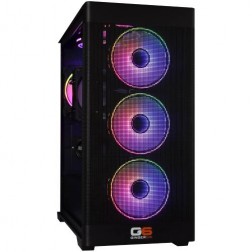
Intel Core Ultra Custom Gaming PC
Choice of Intel Core Ultra CPU
Choice of Motherboard
Up to 128Gb Memory
FAST M.2 NVMe SSD
AMD & Nvidia Graphics
433mbps+ Wifi
Windows 11 Home£1,289.39
£1,214.99
Intel Core Ultra Custom Gaming PC£1,289.39
£1,214.99
Choice of Intel Core Ultra CPU
Choice of Motherboard
Up to 128Gb Memory
FAST M.2 NVMe SSD
AMD & Nvidia Graphics
433mbps+ Wifi
Windows 11 Home
-
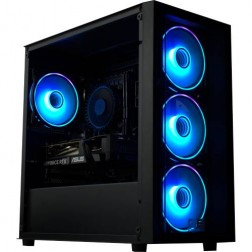
Intel Core i3 i5 i7 i9 Custom Gaming PC
Choice of Intel CPU
Choice of Motherboard
Up to 128Gb Memory
FAST M.2 NVMe SSD
AMD & Nvidia Graphics
433mbps+ Wifi
Windows 11 Home£1,205.46
£1,134.99
Intel Core i3 i5 i7 i9 Custom Gaming PC£1,205.46
£1,134.99
Choice of Intel CPU
Choice of Motherboard
Up to 128Gb Memory
FAST M.2 NVMe SSD
AMD & Nvidia Graphics
433mbps+ Wifi
Windows 11 Home
-

Intel i5 i7 i9 Custom Z790 DDR5 Gaming PC
Customise your Own Intel Gaming PC
Up to 24 Intel Cores
Z790 Motherboard
Up to 128Gb Memory
FAST M.2 NVMe SSD
Dedicated Graphics
Windows 11 Home or PRO£1,366.40
£1,284.99
Intel i5 i7 i9 Custom Z790 DDR5 Gaming PC£1,366.40
£1,284.99
Customise your Own Intel Gaming PC
Up to 24 Intel Cores
Z790 Motherboard
Up to 128Gb Memory
FAST M.2 NVMe SSD
Dedicated Graphics
Windows 11 Home or PRO
-
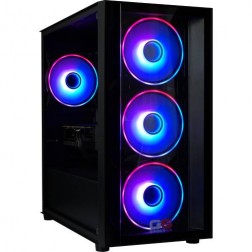
Intel Core i5 12400F RTX 3050 Gaming PC - G6 Infinity X1
Intel Core i5 12400F 6 core
H610M Motherboard
16GB+ DDR5 5200MHz
1TB+ M.2 NVMe SSD
6GB Nvidia RTX 3050 Graphics
433mbps Wifi
Windows 11 Home£1,231.98
£1,159.99
Intel Core i5 12400F RTX 3050 Gaming PC - G6 Infinity X1£1,231.98
£1,159.99
Intel Core i5 12400F 6 core
H610M Motherboard
16GB+ DDR5 5200MHz
1TB+ M.2 NVMe SSD
6GB Nvidia RTX 3050 Graphics
433mbps Wifi
Windows 11 Home
-
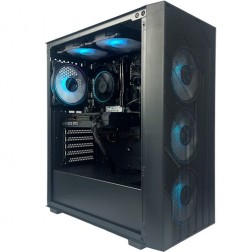
Intel Core i5 12400F RTX 5050 Gaming PC - G6 Infinity X2
Intel Core i5 12400F 6 core
H610M Motherboard
16GB+ DDR5 5200MHz
1TB+ M.2 NVMe SSD
8GB Nvidia RTX 5050 Graphics
433mbps Wifi
Windows 11 Home£1,396.56
£1,314.99
Intel Core i5 12400F RTX 5050 Gaming PC - G6 Infinity X2£1,396.56
£1,314.99
Intel Core i5 12400F 6 core
H610M Motherboard
16GB+ DDR5 5200MHz
1TB+ M.2 NVMe SSD
8GB Nvidia RTX 5050 Graphics
433mbps Wifi
Windows 11 Home
-
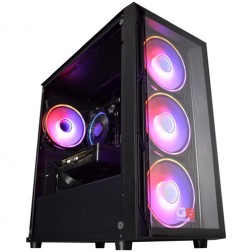
Intel Core i5 12400f RTX 5060 Pre Built Next Day Gaming PC - G6 ND 800
Intel Core i5 12400F 6 Core
H610 Motherboard
16GB DDR5 Memory
1TB M.2 NVMe SSD Drive
8GB Nvidia RTX 5060 Graphics
433MBPs Wifi
Windows 11 Home£1,403.58
£1,249.99
Intel Core i5 12400f RTX 5060 Pre Built Next Day Gaming PC - G6 ND 800£1,403.58
£1,249.99
Intel Core i5 12400F 6 Core
H610 Motherboard
16GB DDR5 Memory
1TB M.2 NVMe SSD Drive
8GB Nvidia RTX 5060 Graphics
433MBPs Wifi
Windows 11 Home
-

Intel i5 12400f - RTX 5060 Golf Sim Gaming PC - G6 Par
Intel Core i5 12400F 6 core
240mm Liquid Cooler
B760M Motherboard
16GB+ DDR4 3200MHz
2x 1TB+ M.2 NVMe SSD
8GB Nvidia RTX 4060 Graphics
FAST Wifi & Bluetooth
Windows 11 Home (64 bit)£1,707.37
£1,604.99
Intel i5 12400f - RTX 5060 Golf Sim Gaming PC - G6 Par£1,707.37
£1,604.99
Intel Core i5 12400F 6 core
240mm Liquid Cooler
B760M Motherboard
16GB+ DDR4 3200MHz
2x 1TB+ M.2 NVMe SSD
8GB Nvidia RTX 4060 Graphics
FAST Wifi & Bluetooth
Windows 11 Home (64 bit)
-
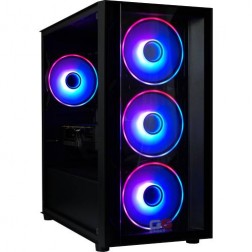
G6 GTA V 1080p Gaming PC - Intel Core i5 12400f RTX 5050
Intel Core i5 12400F 6 core
H610M Motherboard
16GB DDR5 5200MHz
1TB+ M.2 NVMe SSD
8GB Nvidia RTX 5050 Graphics
433mbps Wifi
Windows 11 Home£1,387.98
£1,304.99
G6 GTA V 1080p Gaming PC - Intel Core i5 12400f RTX 5050£1,387.98
£1,304.99
Intel Core i5 12400F 6 core
H610M Motherboard
16GB DDR5 5200MHz
1TB+ M.2 NVMe SSD
8GB Nvidia RTX 5050 Graphics
433mbps Wifi
Windows 11 Home
-
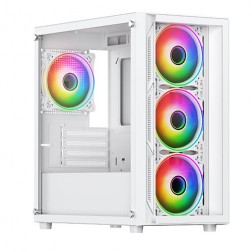
Intel Core i5 12400F Nvidia RTX 5060 Gaming PC - G6 Infinity X3
Intel Core i5 12400F 6 core
H610M Motherboard
16GB+ DDR5 5200MHz
1TB+ M.2 NVMe SSD
8GB Nvidia RTX 5060 Graphics
433mbps Wifi
Windows 11 Home£1,405.14
£1,319.99
Intel Core i5 12400F Nvidia RTX 5060 Gaming PC - G6 Infinity X3£1,405.14
£1,319.99
Intel Core i5 12400F 6 core
H610M Motherboard
16GB+ DDR5 5200MHz
1TB+ M.2 NVMe SSD
8GB Nvidia RTX 5060 Graphics
433mbps Wifi
Windows 11 Home
-

Intel Core i5 12400F RX 7600 Gaming PC - G6 Infinity X4
Intel Core i5 12400F 6 core
H610M Motherboard
16GB+ DDR5 5200MHz
1TB+ M.2 NVMe SSD
8GB Radeon RX 7600 Graphics
433mbps Wifi
Windows 11 Home£1,391.88
£1,309.99
Intel Core i5 12400F RX 7600 Gaming PC - G6 Infinity X4£1,391.88
£1,309.99
Intel Core i5 12400F 6 core
H610M Motherboard
16GB+ DDR5 5200MHz
1TB+ M.2 NVMe SSD
8GB Radeon RX 7600 Graphics
433mbps Wifi
Windows 11 Home
-

Intel Core i5 12400F Nvidia RX 9060 XT Gaming PC - G6 Infinity X5
Intel Core i5 12400F 6 core
H610M Motherboard
16GB+ DDR5 5200MHz
1TB+ M.2 NVMe SSD
AMD Radeon RX 9060 XT 8GB Graphics
433mbps Wifi
Windows 11 Home£1,540.08
£1,449.99
Intel Core i5 12400F Nvidia RX 9060 XT Gaming PC - G6 Infinity X5£1,540.08
£1,449.99
Intel Core i5 12400F 6 core
H610M Motherboard
16GB+ DDR5 5200MHz
1TB+ M.2 NVMe SSD
AMD Radeon RX 9060 XT 8GB Graphics
433mbps Wifi
Windows 11 Home
-
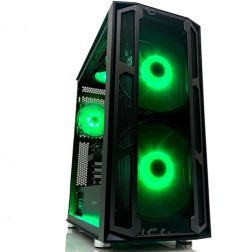
Intel Core i5 12400F RTX 5060 Ti Gaming PC - G6 Infinity X6
Intel Core i5 12400F 6 core
H610M Motherboard
16GB+ DDR5 5200MHz
1TB+ M.2 NVMe SSD
8GB Nvidia RTX 5060 Ti Graphics
433mbps Wifi
Windows 11 Home£1,527.60
£1,434.99
Intel Core i5 12400F RTX 5060 Ti Gaming PC - G6 Infinity X6£1,527.60
£1,434.99
Intel Core i5 12400F 6 core
H610M Motherboard
16GB+ DDR5 5200MHz
1TB+ M.2 NVMe SSD
8GB Nvidia RTX 5060 Ti Graphics
433mbps Wifi
Windows 11 Home
Grid List
12 Item(s)
What a Core i5 Gaming PC Gets You in 2026
The i5 12400F is a 6-core processor that handles 1080p and reaches into 1440p territory. Here is what the build delivers.
Which Resolution Is the Core i5 Built For?
The GPU you choose determines your resolution target. Here is where each pairing sits.
Games a Core i5 Gaming PC Runs Well
Typical frame rates at 1080p high settings on an RTX 5060 build. DLSS 4 enabled where supported.
How Ginger6 Builds, Tests, and Ships Your Core i5 PC
Every build follows the same process regardless of tier. No shortcuts at any price point.
Call 01902 714533, email [email protected], or configure a PC online. Kevin will ask about your games, monitor resolution, whether you stream, and your budget. No jargon. No upselling. If the i5 is right, he will confirm it. If a different tier serves you better, he will say so.
Your PC is assembled on the bench, with proper thermal paste application, clean cable routing, and GPU bracing for transit. Cable management supports better airflow inside the case, reduces dust build-up around components, and makes future maintenance simpler. Every build then runs for 24 hours under sustained CPU and GPU load. Before dispatch, BIOS settings, memory profiles, and firmware stability are confirmed to prevent configuration conflicts or startup issues. If a component fails the test, it is replaced and retested.
Free tracked delivery to all UK mainland addresses. A 3-year warranty covers parts and return postage in year one, labour for all three years. Lifetime technical support included at no extra cost. The same person who built your PC picks up the phone if anything goes wrong.
- Thermal behaviour under load
- Processor and graphics stability during extended use
- Memory responsiveness and system stability
- Storage performance and consistency
- BIOS and firmware stability
- System stability under extended use
Three Buyers Who Get Real Value from Core i5
Players Upgrading from Console
If you are moving from a PlayStation 5 or Xbox Series X to PC, Core i5 is the tier that makes the upgrade feel worthwhile immediately. Higher frame rates, access to a larger game library, and a machine that handles the games you already play alongside titles not available on console. A meaningful step up at a sensible price.
Gamers Who Also Stream
The i5 12400F manages OBS or stream tools running in the background without pulling frame rate away from the game. If you stream to Twitch or YouTube at 1080p, the extra two cores over the i3 make a noticeable difference. Pair with at least 16GB DDR5 and an RTX 5060 for comfortable streaming performance.
Buyers Who Want 3 to 4 Years of Relevance
Paired with an RTX 5060 or RTX 5060 Ti, this build handles everything at 1080p now and gives genuine headroom for the next generation of titles. When you are ready to step up, a GPU swap extends the machine without replacing the whole system. Kevin will advise on the upgrade path when that time comes.
Core i5 Gaming PC vs Current-Gen Console
A Core i5 gaming PC from Ginger6 around £1000 to £1200 compares well against console at the same outlay when you factor in the full picture.
Locked resolution and frame rate per title. No graphical control. Games cost more at launch. Limited PC-exclusive library. Annual online subscription required. Proprietary storage upgrades. Straightforward setup with no configuration.
1080p 100 to 144fps in most titles. Capable of 1440p at medium to high settings with RTX 5060 Ti. Full graphical control. Larger game library. Lower game prices through sales. Free online play in most titles. Upgradeable when needed. Kevin available after delivery for any setup questions.
Honest Comparison
Should You Build Your Own PC or Buy from Ginger6?
Building your own PC can save 10 to 15% on component costs if you have the experience, tools, and time to do it properly. That is a real saving.
What you trade for it: time to assemble and troubleshoot, no system-level warranty, no extended stress test, and no one to call if something fails six months later.
Still considering building yourself? Call Kevin and he will talk you through the pros and cons honestly. No pressure either way.
Call 01902 714533Future-Proof Design
Is a Ginger6 Core i5 PC Upgradeable Later?
Yes. Every Ginger6 build uses standard ATX components, cases with expansion room, and power supplies with wattage headroom. When you are ready to upgrade the GPU, the case and PSU handle it without a full replacement.
A typical Core i5 upgrade path: add a second NVMe drive in year one. Upgrade RAM to 32GB in year two if you stream more regularly. Swap the GPU in year three when next-gen cards arrive at sensible prices.
When you are ready to upgrade, call Kevin and he will tell you honestly whether the upgrade is worth the cost or whether a new build makes more sense at that point.
Not Sure Core i5 Is the Right Tier?
Four things that help Kevin recommend the right build:
- The games you play most often
- Your monitor resolution and refresh rate
- Whether you stream, record, or edit alongside gaming
- Your approximate budget
No charge for the conversation. No pressure to buy.
Not Sure This Is the Right Tier?
Four things that help Kevin recommend the right build:
- The games you play most often
- Your monitor resolution and refresh rate
- Whether you stream, record, or edit alongside gaming
- Your approximate budget
No charge for the conversation. No pressure to buy.
"I chose Ginger6 to build me a gaming PC and was given such a fantastic service from start to finish. They were never too busy to answer any questions or give me advice on my build. The build looks fantastic and runs like a dream."
"Good communication from the builder when I asked about shipping my own GPU. Overall the PC has been really good. Cable management was neat and tidy. Packaging was really good, everything well supported and nothing was out of place when it arrived."
"The price of my custom built PC was far less than the equivalent off the shelf PC from larger companies. Customer service is first rate and calls are answered expeditiously."
Intel Core i5 Gaming PC FAQ
Yes. The Core i5 12400F handles 1080p high settings in all mainstream titles with no bottleneck against RTX 5050 to RTX 5060 Ti graphics. It manages streaming tools running alongside gaming. At 1440p with an RTX 5060 Ti, it gives reliable high settings in most titles. A solid, well-rounded choice for most gamers.
Choose Core i5 if your primary focus is 1080p gaming with some streaming. Choose Core i7 if you target 1440p high-refresh, stream regularly, or run heavier background workloads. The G6 Storm X6, a Core i7 with an RTX 5070, is the build most i5 buyers step up to. Call Kevin on 01902 714533 and he will confirm which tier suits your games and setup.
For 1080p high settings: RTX 5050 or RTX 5060. For 1440p: RTX 5060 Ti. Ginger6 builds all three combinations and each pairing is matched to avoid bottleneck. The GPU drives your resolution and frame rate. The i5 keeps up with all three at their target resolutions.
Yes. The six-core i5 12400F manages OBS or streaming tools without a significant frame rate impact in most games. If streaming is a primary use case alongside demanding titles at 1440p, a Core i7 build gives more comfortable headroom. Call Kevin and he will confirm the right choice for your streaming setup.
In most multiplayer titles at 1080p, yes for frame rate and flexibility. Higher frame rates, full graphical control, a larger game library, lower game prices through sales, and free online play in most titles. The trade-off is more initial setup knowledge compared to a console. Kevin is available after delivery if you need help getting started.
Every Ginger6 PC includes a 3-year warranty. Parts and return postage covered for year one. Labour covered for all three years. Lifetime technical support at no extra cost. You call Kevin directly. Not a ticket queue. Not a chatbot.
More questions? Kevin is on 01902 714533 or email [email protected]
Intel Core i5 Gaming PCs: 1080p High Settings and Beyond
Hand-assembled in Wolverhampton. RTX 5050 to RTX 5060 Ti. 24-hour stress test. 3-year warranty. Call Kevin before you order if you have any questions.