




Developer Workstations for Visual Studio, Docker, and WSL2
Ginger6 builds custom developer workstations for software engineers, backend developers, and DevOps engineers who need fast compilation, enough RAM for multiple Docker containers and VMs simultaneously, and an NVMe build cache that keeps iteration speed high. Every build is hand-assembled in Wolverhampton, stress-tested for 24 hours, and backed by a 3-year warranty.
Developer productivity is directly affected by build times and the ability to run multiple environments simultaneously. A machine that compiles a large project in 3 minutes instead of 8 improves a developer's working day in ways that are measurable in both time and focus across every working week.
Browse the builds below or call Kevin on 01902 714533. Tell him your development stack, how many containers or VMs you run simultaneously, and your budget, and he will confirm the right spec.
.jpg)

Grid List
4 Item(s)
-
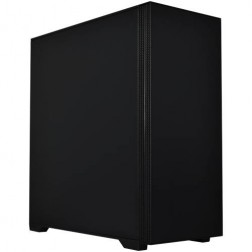
G6 Basalt — Software Development Workstation
An entry 12-core developer workstation for Visual Studio, Docker, WSL2, and light data science — built and stress-tested in Wolverhampton.
AMD Ryzen 9 9900X (12 Cores)
32GB DDR5 RAM
Nvidia RTX 5060 Ti 8GB
2TB NVMe SSD
Windows 11 Home
3-Year Warranty£2,173.27
£2,034.99
G6 Basalt — Software Development Workstation£2,173.27
£2,034.99
An entry 12-core developer workstation for Visual Studio, Docker, WSL2, and light data science — built and stress-tested in Wolverhampton.
AMD Ryzen 9 9900X (12 Cores)
32GB DDR5 RAM
Nvidia RTX 5060 Ti 8GB
2TB NVMe SSD
Windows 11 Home
3-Year Warranty
-

G6 Graphite — Engineering and Developer Workstation
A 16-core professional workstation for microservices development, engineering simulation, large data science workflows, and AI/ML entry-level fine-tuning — built in Wolverhampton.
AMD Ryzen 9 9950X (16 Cores)
64GB DDR5 RAM
Nvidia RTX 5060 Ti 16GB
2TB NVMe SSD
Windows 11 Pro
3-Year Warranty£3,187.00
£2,994.99
G6 Graphite — Engineering and Developer Workstation£3,187.00
£2,994.99
A 16-core professional workstation for microservices development, engineering simulation, large data science workflows, and AI/ML entry-level fine-tuning — built in Wolverhampton.
AMD Ryzen 9 9950X (16 Cores)
64GB DDR5 RAM
Nvidia RTX 5060 Ti 16GB
2TB NVMe SSD
Windows 11 Pro
3-Year Warranty
-
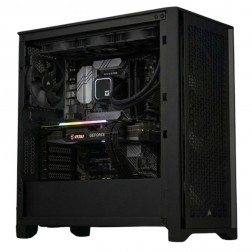
G6 Titanium — AI/ML and High VRAM Workstation
A high-VRAM professional workstation for PyTorch LoRA fine-tuning, large GPU rendering scenes, 8K video editing, and GPU-intensive development — powered by the Nvidia RTX 5080.
AMD Ryzen 9 9950X (16 Cores)
64GB DDR5 RAM
Nvidia RTX 5080 16GB VRAM
2TB NVMe + 2TB NVMe
Windows 11 Pro
3-Year Warranty£4,527.93
£4,249.99
G6 Titanium — AI/ML and High VRAM Workstation£4,527.93
£4,249.99
A high-VRAM professional workstation for PyTorch LoRA fine-tuning, large GPU rendering scenes, 8K video editing, and GPU-intensive development — powered by the Nvidia RTX 5080.
AMD Ryzen 9 9950X (16 Cores)
64GB DDR5 RAM
Nvidia RTX 5080 16GB VRAM
2TB NVMe + 2TB NVMe
Windows 11 Pro
3-Year Warranty
-
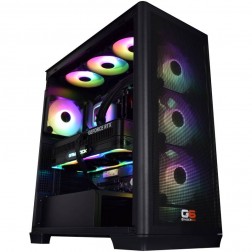
G6 Chromite — Large-Scale Engineering and Data Workstation
A high-capacity 16-core workstation for large ANSYS CFD simulation, very large data science datasets, local Kubernetes, and CPU rendering — built in Wolverhampton.
AMD Ryzen 9 9950X (16 Cores)
128GB DDR5 RAM
Nvidia RTX 5070 12GB
2TB NVMe + 2TB NVMe
Windows 11 Pro
3-Year Warranty£4,723.49
£4,434.99
G6 Chromite — Large-Scale Engineering and Data Workstation£4,723.49
£4,434.99
A high-capacity 16-core workstation for large ANSYS CFD simulation, very large data science datasets, local Kubernetes, and CPU rendering — built in Wolverhampton.
AMD Ryzen 9 9950X (16 Cores)
128GB DDR5 RAM
Nvidia RTX 5070 12GB
2TB NVMe + 2TB NVMe
Windows 11 Pro
3-Year Warranty
Grid List
4 Item(s)
What a Developer Workstation Actually Needs
Software development is a CPU and RAM workload. Core count drives compilation speed. RAM determines how many containers and VMs you can run simultaneously. Fast NVMe storage keeps the build cache responsive. GPU is rarely the relevant component.
How a Ginger6 Developer Workstation Handles Your Stack
Performance descriptors reflect typical development environment configurations. Actual build times depend on project size, language, toolchain, and incremental build state.
Performance descriptors are indicative. Actual performance depends on project complexity, settings, and system configuration.
Compilation Time Is Developer Time. The Right CPU Spec Returns It
A developer who compiles a large project 20 times per working day and waits 8 minutes each time spends over 2.5 hours waiting for the compiler. On a machine where the same build takes 3 minutes, that time drops to under an hour. The difference is not abstract, it is focus maintained between code changes, feedback loops tightened, and context that does not have to be rebuilt from scratch after each wait. CPU core count is the variable that determines compilation speed for most compiled languages, and it is the investment that returns measurable time to the developer each day.
Compilation scales with core count because modern build systems are designed for parallel execution. CMake, Cargo, Gradle, and MSBuild all distribute compilation units across available CPU threads. A Ryzen 9 9950X with 16 cores processes 16 compilation units simultaneously. An 8-core processor processes 8. For projects with hundreds of translation units, the difference is proportional and significant. For interpreted languages where build time is less of a constraint, the same core count benefit applies to test suite execution, which also parallelises across cores in most frameworks.
RAM determines how many development services can run simultaneously without the operating system paging to disk. A typical full-stack microservices development environment running 10 Docker containers, a WSL2 Linux session, a JetBrains IDE with active indexing, a browser with developer tools open, and a local database consumes 40 to 50GB of RAM under normal conditions. A machine with 32GB RAM handles this by paging the least-recently-used memory to disk, producing intermittent slowdowns at unpredictable moments. A machine with 64GB RAM keeps all of it in memory simultaneously. For developers working with local Kubernetes clusters or running multiple VMs, 64GB is the practical minimum and 128GB provides headroom as the environment grows. See also the data science workstations page if your development work involves Python data pipelines or large dataset processing alongside coding.
Build cache speed determines how much of the fast compilation benefit is retained between sessions. A build system that caches compiled artefacts to a slow drive produces the full compilation time on every run where cache reads are the bottleneck. On a fast NVMe SSD, cache reads are fast enough that incremental builds are near-instant even when only a small portion of the project has changed. Placing the build workspace on NVMe is one of the simplest configuration choices with the most consistent return across a working day.
Every Ginger6 developer workstation is built with the sustained load profile of compilation in mind. A full project rebuild runs the CPU at high utilisation for the duration. BIOS settings are confirmed to maintain CPU clock speeds throughout a long parallel compilation run rather than allowing thermal throttling to extend the build. The 24-hour stress test validates sustained performance before dispatch. Kevin is available after delivery, the 3-year warranty covers parts and return postage, and lifetime technical support means a direct conversation is available when toolchain updates or new project scale changes what the machine needs to handle.
Software development often overlaps with data science pipelines and AI/ML model integration work.
Tell Kevin your language, your IDE, how many containers you run, and whether you use VMs. He will confirm the right core count and RAM amount before you order.
01902 714533Developer Workstation Buyers at Ginger6
A microservices development environment with 10 to 15 Docker containers, IntelliJ IDEA, and a local database needs 64GB RAM to stay responsive simultaneously. A Ryzen 9 or Core i9 keeps the IDE fast during background indexing and reduces Gradle or Maven build times across repeated compilation cycles. Fast NVMe storage keeps build cache and container layers responsive.
Large C++ and Rust projects benefit most from high core count. A Ryzen 9 9950X with 16 cores cuts full rebuild times significantly on projects with hundreds of translation units. CMake and Cargo both parallelise across all available cores. NVMe storage keeps incremental build cache reads fast between compilation cycles.
Local Kubernetes with minikube or kind alongside active development containers and a WSL2 environment needs 64GB RAM as a minimum to stay usable. 128GB removes the constraint for engineers running complex multi-cluster setups or multiple OS environments simultaneously. A Ryzen 9 with high core count handles the parallel virtualisation workload without throttling.
Large ASP.NET Core solutions with multiple projects benefit from Core i9 parallel MSBuild and fast NVMe for build cache. 64GB RAM keeps Visual Studio, SQL Server Developer Edition, and IIS Express running simultaneously without memory pressure. Hot reload in development mode stays fast when the build cache sits on NVMe.
A development laptop that slows under simultaneous compilation, container, and IDE load is almost always thermal throttling. A desktop workstation with proper thermal management and a full-size PSU eliminates the constraint. The same compilation job that takes 8 minutes on a throttled laptop takes 3 minutes on a properly cooled desktop with the same nominal CPU spec.
No charge for the conversation. No pressure to buy.
- The software and languages you use
- How many containers or VMs you run simultaneously
- Whether you also do data science or AI work
- Your approximate budget
What Workstation Buyers Say About Ginger6
93% of Ginger6 customers leave five-star reviews on Trustpilot, compared to 80% for PCSpecialist and 84% for Chillblast. The person who advises you on the spec is the same person who builds the workstation and supports it afterwards.
"Kevin listened to what I wanted and talked me through all of my best options. I've ended up with a fantastic system, very powerful, quiet and remarkably fast."
"Great friendly service, added bonus of personal delivery as they are so local which means they can be on hand if there are any issues. No problems with the computer hardware we've purchased, very professional and thorough addressing our requirements. Highly recommended."
"Superb product and truly excellent communication. Helped me with some compatibility issues which were all resolved. Definitely a strong recommendation."
"Ginger 6 are always good! I have recommended them to various colleagues and friends over the years, they have always been happy with the products, service and pricing too."
Ginger6 has been building custom workstations from the same Wolverhampton workshop since 2001. Same phone number. Same approach. Same focus on getting the right spec into the right hands.
Developer Workstation Questions Answered
The answer depends on your project size and language. For mid-size C++, Rust, or Java projects, a Core i7 or Ryzen 7 with 8 cores is a meaningful improvement over a 4-core machine. For large solutions with hundreds of translation units, a Ryzen 9 with 16 cores or a Core i9 with 24 cores reduces full build times proportionally. The return on core count is directly measurable in compilation time, and the right amount depends on how often you do full builds versus incremental builds from cache.
32GB covers a simple single-service Docker environment with WSL2 and an IDE running simultaneously. 64GB is the practical amount for microservices environments with 10 or more containers, a JetBrains IDE actively indexing, and a browser with developer tools open. For local Kubernetes clusters or running multiple full virtual machines, 64GB is the minimum and 128GB adds comfortable headroom. Kevin will confirm the right amount based on your development environment.
A MacBook Pro with Apple Silicon is a capable development machine for macOS-targeted development and Unix-native workflows. A Ginger6 Windows workstation is the better choice for .NET, Windows-native development, large codebases where raw CPU core count matters for compilation, or Docker and WSL2 environments that need 64GB or more RAM. Windows hardware at the same price point typically delivers more RAM and storage than Apple equivalents. If your development is cross-platform or Linux-native and you are committed to macOS, the Mac is not the wrong choice. If you want Windows or want maximum RAM per pound spent, a Ginger6 workstation delivers more.
Not for most software development. A mid-range GPU handles display output for multiple monitors without bottlenecking development workflows. GPU matters for developers who also do ML model training, game development with GPU rendering, or mobile development with emulators that use GPU acceleration. For pure software development, the budget is better directed to CPU core count and RAM than to GPU tier. Kevin will confirm whether GPU is a relevant component for your specific stack.
Builds are completed in 3 to 5 working days from order confirmation. The 24-hour stress test runs before dispatch. Delivery is free to UK mainland addresses.
Every Ginger6 workstation includes a 3-year warranty covering parts and return postage, plus lifetime technical support.
Ready to Build Faster and Run More Services Simultaneously?
Whether you know exactly how many cores and how much RAM your development stack needs or want help working through the right configuration, Ginger6 is here to help. No sales pressure. No upselling. Honest advice from a team that has been building custom workstations in Wolverhampton since 2001.
Browse Developer Workstations
Browse our ready-configured developer workstations for Visual Studio, Docker, WSL2, and JetBrains IDEs. Each one lists the full spec.
Browse the BuildsTalk to Kevin
Tell him your language, your IDE, how many containers you run, and your budget. He will confirm the right core count, RAM, and storage configuration. No pressure to buy.
Call 01902 714533Email or Callback
Include your stack, container count, and budget. Kevin will come back with a recommendation and a quote.
Email Kevin