




Best Graphic Design PCs UK: Custom Desktop Computers for Creative Professionals
Ginger6 builds custom graphic design PCs for creative professionals: brand designers, graphic artists, agency creatives, and in-house design teams who need hardware that handles large Photoshop documents and multi-application Adobe Creative Suite sessions without slowdown. Every build is hand-assembled in Wolverhampton, stress-tested for 24 hours, and backed by a 3-year warranty.
Graphic design PCs are consistently mis-specced. RAM and storage speed determine day-to-day performance far more than CPU tier or GPU in most design workflows. Kevin specs the right balance for your document sizes and software combination.
Browse the builds below or call Kevin on 01902 714533. Tell him your software, your typical file sizes, and your budget, and he will confirm the right workstation for your design workflow.

Grid List
4 Item(s)
-
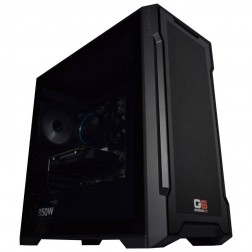
G6 Slate — Entry Professional Workstation
An entry-level professional workstation for AutoCAD 2D, Fusion 360, Lightroom Classic, and Photoshop.
Intel Core Ultra 5 245K
16GB DDR5 RAM
Nvidia RTX 5060 8GB
1TB NVMe SSD
3-Year Warranty£1,561.29
£1,444.99
G6 Slate — Entry Professional Workstation£1,561.29
£1,444.99
An entry-level professional workstation for AutoCAD 2D, Fusion 360, Lightroom Classic, and Photoshop.
Intel Core Ultra 5 245K
16GB DDR5 RAM
Nvidia RTX 5060 8GB
1TB NVMe SSD
3-Year Warranty
-
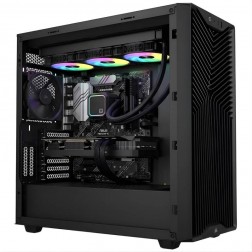
G6 Quartz — Photography and Graphic Design Workstation
An entry creative workstation for Lightroom Classic, Photoshop, Illustrator, and 4K H.264 video editing — Lightroom catalogue configured on the dedicated second NVMe as standard.
Intel Core Ultra 7 265K
32GB DDR5 RAM
Nvidia RTX 5060 Ti 16GB
1TB NVMe + 2TB NVMe (Lightroom drive)
Windows 11 Home
3-Year Warranty£2,640.78
£2,479.99
G6 Quartz — Photography and Graphic Design Workstation£2,640.78
£2,479.99
An entry creative workstation for Lightroom Classic, Photoshop, Illustrator, and 4K H.264 video editing — Lightroom catalogue configured on the dedicated second NVMe as standard.
Intel Core Ultra 7 265K
32GB DDR5 RAM
Nvidia RTX 5060 Ti 16GB
1TB NVMe + 2TB NVMe (Lightroom drive)
Windows 11 Home
3-Year Warranty
-
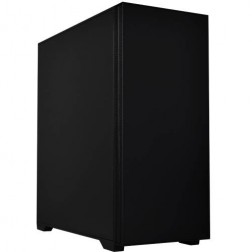
G6 Onyx — Video Editing and Creative Workstation
A mid-range creative workstation for 4K H.264/H.265 video editing in DaVinci Resolve and Premiere Pro, After Effects, GPU rendering, and graphic design — built in Wolverhampton.
Intel Core Ultra 7 265K
64GB DDR5 RAM
Nvidia RTX 5070 12GB
2TB NVMe + 2TB NVMe
Windows 11 Pro
3-Year Warranty£3,320.30
£3,094.99
G6 Onyx — Video Editing and Creative Workstation£3,320.30
£3,094.99
A mid-range creative workstation for 4K H.264/H.265 video editing in DaVinci Resolve and Premiere Pro, After Effects, GPU rendering, and graphic design — built in Wolverhampton.
Intel Core Ultra 7 265K
64GB DDR5 RAM
Nvidia RTX 5070 12GB
2TB NVMe + 2TB NVMe
Windows 11 Pro
3-Year Warranty
-
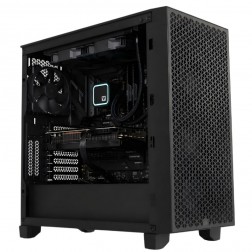
G6 Obsidian — Professional CAD and BIM Workstation
A high-performance professional workstation for SolidWorks large assemblies, Revit multi-discipline BIM, DaVinci Resolve, and orchestral music production — built in Wolverhampton.
Intel Core i9-14900KF
64GB DDR5 RAM
Nvidia RTX 5070 12GB
2TB NVMe + 2TB NVMe
Windows 11 Pro
3-Year Warranty£3,583.06
£3,364.99
G6 Obsidian — Professional CAD and BIM Workstation£3,583.06
£3,364.99
A high-performance professional workstation for SolidWorks large assemblies, Revit multi-discipline BIM, DaVinci Resolve, and orchestral music production — built in Wolverhampton.
Intel Core i9-14900KF
64GB DDR5 RAM
Nvidia RTX 5070 12GB
2TB NVMe + 2TB NVMe
Windows 11 Pro
3-Year Warranty
Grid List
4 Item(s)
What a Graphic Design PC Actually Needs
Graphic design is a RAM and CPU workload. The GPU matters for UI responsiveness and AI-accelerated features but does not need to be gaming-grade for 2D design work. Colour accuracy depends on the monitor, not the graphics card.
How a Ginger6 Graphic Design PC Handles Your Software
Performance descriptors reflect typical workflow configurations. Actual performance depends on document complexity, layer count, and linked asset volume.
Performance descriptors are indicative. Actual performance depends on project complexity, settings, and system configuration.
Most Graphic Design PCs Are Under-Specced on RAM
The pattern is consistent: a designer working with large Photoshop documents or running three Adobe applications simultaneously buys more CPU and ends up with 16GB RAM on a slow drive. The machine is fast at tasks that do not matter and slow at the ones that fill an eight-hour working day. The spec conversation Kevin has before an order is placed is specifically designed to catch this mismatch before it happens.
Photoshop performance scales with RAM in a way that is direct and measurable. The application uses as much RAM as it is given, up to the limit you set in Photoshop preferences. A 500MB PSD file with forty layers, smart objects, and adjustment layers needs physical RAM to operate without going to scratch disk. When Photoshop pages to scratch disk, every brush stroke, filter application, and history state involves a read or write to storage. On a machine with 16GB RAM, this happens constantly during a complex retouching session. On a machine with 64GB RAM, it does not happen at all.
InDesign with large multi-page documents and linked high-resolution print assets has similar RAM requirements at scale. A 200-page catalogue with linked 300dpi images across every spread requires enough RAM to hold the active view in memory without redrawing from disk on every page turn. 32GB is comfortable for most InDesign workflows; 64GB is appropriate for large-format production with extensive linked PSD and AI assets.
GPU matters less for graphic design than marketing often suggests. Photoshop uses GPU acceleration for canvas rendering, panning and zooming in large documents, and for specific AI features including Generative Fill and Neural Filters. An RTX 5060 Ti provides all of this. A gaming-grade RTX 5080 adds nothing to Photoshop's day-to-day performance that an RTX 5060 Ti does not. The budget is better allocated to RAM or storage speed. For designers who also produce video content or motion graphics in Premiere Pro or After Effects, the video editing workstations page covers how the GPU spec shifts when export and render time are the primary constraints.
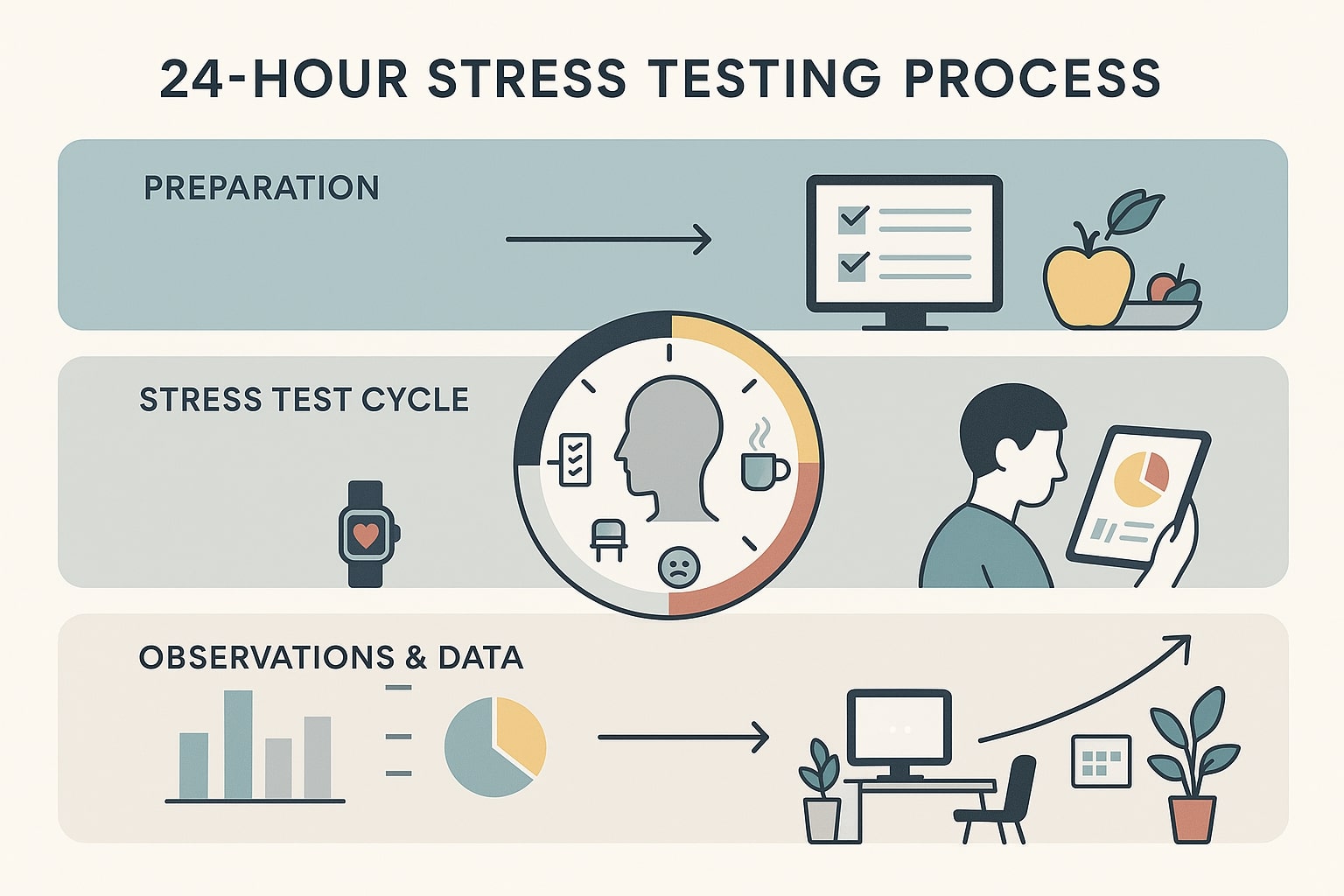
Ginger6 configures Photoshop's scratch disk to the fastest NVMe drive on the system as part of the build process, not left as a default setting. BIOS settings are confirmed to ensure memory runs at its rated speed. The 24-hour test runs sustained load across CPU and storage rather than a brief synthetic benchmark, confirming the machine performs consistently under the kind of extended workload a designer runs through a production day.
Photographers who use Lightroom Classic and Photoshop alongside design work should also read the photography editing workstations page: the storage and RAM requirements overlap, but the catalogue management and import speed considerations are specific to Lightroom's architecture. If your current machine already lags in design tools, how to avoid lag in design tools covers the settings fixes while you plan the replacement.
Kevin is available after delivery. If a Photoshop update changes GPU acceleration requirements, if an InDesign upgrade increases memory use, or if a project grows beyond what the original spec comfortably handles, he will advise on what changes are needed. The 3-year warranty and lifetime support mean a graphic designer does not manage hardware in isolation from the person who built it.
Photography editing and graphic design share RAM and storage requirements. Video editing adds GPU and codec considerations.
For colour-accurate design work, the monitor and its calibration determine colour reproduction, not the graphics card. Kevin can advise on monitor options alongside the workstation spec.
01902 714533Graphic Design PC Buyers at Ginger6
Large brand identity projects with multiple layered Photoshop comps and detailed Illustrator artwork need 64GB RAM and a fast NVMe scratch disk. A Core i7 or i9 handles most solo design workflows at this scale. Running Photoshop, Illustrator, and Chrome simultaneously without paging requires 64GB minimum. The G6 Forge S ISV-certified workstation is the proven build at this tier.
Teams producing print catalogues in InDesign alongside digital campaign assets in Photoshop and social graphics in Illustrator need workstations that can handle all three applications open simultaneously. 64GB RAM and a dual NVMe drive configuration keeps the working environment responsive across a full production day.
Figma runs in the browser and benefits from GPU acceleration in Chrome. Complex Figma files with many components and prototype connections are smoother with a capable GPU and sufficient RAM for the browser alongside Adobe tools. 32GB RAM covers most UI design workflows; 64GB if you also work with large Photoshop mockups and assets.
Marketing teams taking design work in-house often need a workstation that handles Photoshop and InDesign comfortably without investing in a flagship spec. A Core i7 with 32GB RAM and an NVMe SSD covers InDesign catalogue production, Photoshop image retouching, and Illustrator vector work at a practical price point.
Adobe Creative Suite runs on Windows identically to macOS for core design applications. Photoshop, Illustrator, InDesign, and Figma all function the same way. Kevin can spec a Windows workstation that matches or exceeds the performance of a Mac equivalent at the same budget, with component upgrade options that macOS does not offer.
No charge for the conversation. No pressure to buy.
- The software you use and the version
- Your typical file sizes and document complexity
- Whether you need to run multiple Adobe applications simultaneously
- Your approximate budget
What Design Buyers Say About Ginger6
93% of Ginger6 customers leave five-star reviews on Trustpilot, compared to 80% for PCSpecialist and 84% for Chillblast. The person who advises you on the spec is the same person who builds the workstation and supports it afterwards.
"The PC is excellent, with much speedier processing than I was previously experiencing. I have used Ginger 6 several times previously and will not hesitate to use them again as their service and follow up support is excellent."
"Great friendly service, added bonus of personal delivery as they are so local which means they can be on hand if there are any issues. No problems with the computer hardware we've purchased, very professional and thorough addressing our requirements. Highly recommended."
"Kevin has been above and beyond customer care taking the time to answer a problem I had installing a third party program which was at my end and nothing to do with the product which btw works and runs extremely well. Very satisfied and highly recommend."
"Great service and prices. Just had 2 new desktops built for the office. Kevin and the team were great advising me on the spec I would need for our needs."
Ginger6 has been building custom workstations from the same Wolverhampton workshop since 2001. Same phone number. Same approach. Same focus on getting the right spec into the right hands.
Graphic Design PC Questions Answered
32GB handles most single-application Photoshop workflows with files up to 500MB. For files above 500MB, complex smart objects, or running Photoshop alongside Illustrator and InDesign simultaneously, 64GB removes the main bottleneck. Photoshop's scratch disk usage drops significantly when it has more RAM to work with.
Photoshop uses GPU acceleration for canvas rendering and AI features including Generative Fill and Neural Filters. A mid-range GPU such as the RTX 5060 Ti provides all the GPU acceleration Photoshop needs. A high-end gaming GPU adds nothing to Photoshop's day-to-day performance that a mid-range card does not. The budget is better allocated to RAM and storage speed.
Adobe Creative Suite runs on Windows identically to macOS for core design applications. A Ginger6 workstation at the same price as an equivalent Mac provides more RAM, more storage, and a component upgrade path that macOS hardware does not support. If you need to run Windows-only software alongside Adobe tools, the choice is straightforward. If you are considering switching from Mac, Kevin can advise on the spec equivalent to your current setup.
Colour accuracy for design work depends entirely on the monitor and its calibration. The GPU outputs the signal; the monitor's panel, colour profile, and calibration determine whether that signal accurately represents the colours you are working with. For print production work, a monitor with a wide colour gamut and calibration software is more important than GPU tier. Kevin can advise on monitor options alongside the workstation spec.
Yes. With 64GB RAM and a fast NVMe drive, all three applications remain open and responsive simultaneously. Switching between Figma in Chrome, an active Photoshop document, and an InDesign layout is immediate rather than waiting for applications to reload from disk. Kevin can confirm the exact spec for your software combination before you order.
Ginger6 graphic design PCs start from £1375 for the G6 Slate entry professional workstation. Price ranges run to around £3000 for the top professional build, with the G6 Quartz photography and graphic design workstation covering heavier multi-application work in between. Call Kevin on 01902 714533 for a quote matched to your software and budget.
A Core i7 or Ryzen 7 with 32GB RAM and NVMe storage is the practical baseline for professional design work. Designers running Photoshop, Illustrator, and InDesign together should step to 64GB RAM. The same baseline serves graphic design students and majors through coursework and portfolio projects. For colour-critical work, budget for the monitor and its calibration alongside the PC itself: the monitor determines colour accuracy, not the graphics card.
A gaming PC will run design software, but the budget balance is wrong for design work. Gaming builds spend on the GPU; design performance comes from RAM and storage speed. A design-specced PC with a mid-range GPU and 64GB RAM outperforms a gaming build with a flagship GPU and 16GB RAM in Photoshop and InDesign sessions.
Plan at least 1TB NVMe SSD for Windows and design software, plus a second 1TB to 2TB drive for active projects and asset libraries. Photographers and designers with large image libraries should consider a mix of SSD and larger archive storage. Kevin will spec a drive layout suited to your current library with space to grow.
Builds are completed in 3 to 5 working days from order confirmation. The 24-hour stress test runs before dispatch. Delivery is free to UK mainland addresses.
Every Ginger6 workstation includes a 3-year warranty covering parts and return postage, plus lifetime technical support. Kevin is still the first call two years after delivery if a software update or driver change introduces unexpected behaviour.
Ready to Run Photoshop and InDesign Without Slowdown?
Whether you know exactly what spec you need or want expert guidance on RAM, storage, and GPU for your Adobe workflow, Ginger6 is here to help. No sales pressure. No upselling. Honest advice from a team that has been building custom workstations in Wolverhampton since 2001.
Browse Graphic Design PCs
Browse our ready-configured graphic design PCs for Photoshop, Illustrator, InDesign, and Figma.
Browse the BuildsTalk to Kevin
Tell him your software, your typical project scale, and your budget. He will confirm the right spec or suggest a better fit. No pressure to buy.
Call 01902 714533Email or Callback
Include your software, typical project scale, and budget. Kevin will come back with a recommendation and a quote.
Email Kevin