




Gaming PCs Built for
Hogwarts Legacy
Hogwarts Legacy is GPU and VRAM demanding, particularly with ray tracing enabled. The difference between medium and ultra settings in Hogwarts' corridors and grounds is one of the most visible in any open world game. DLSS or FSR is the practical tool for running ray tracing at 1440p and above without sacrificing frame rate.
Browse the builds below or call Kevin on 01902 714533. Tell him your target resolution, whether ray tracing matters to you, and your budget — he will confirm the right GPU and VRAM configuration for your setup.


Grid List
4 Item(s)
-
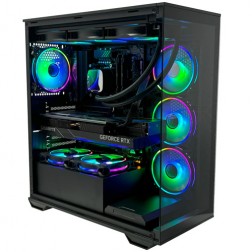
Intel Core Ultra 7 265KF RTX 5080 Gaming PC - G6 Galactic U2
Intel Core Ultra 7 265Kf 20 core
Z890 Motherboard
32GB+ DDR5 5200MHz
FAST 1TB+ M.2 NVMe SSD
16GB Nvidia RTX 5080 Graphics
FAST Wifi & Bluetooth
Windows 11 Home£3,287.72
£3,089.99
Intel Core Ultra 7 265KF RTX 5080 Gaming PC - G6 Galactic U2£3,287.72
£3,089.99
Intel Core Ultra 7 265Kf 20 core
Z890 Motherboard
32GB+ DDR5 5200MHz
FAST 1TB+ M.2 NVMe SSD
16GB Nvidia RTX 5080 Graphics
FAST Wifi & Bluetooth
Windows 11 Home
-
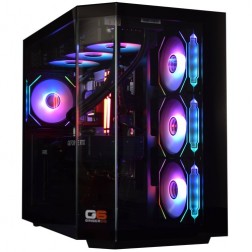
Intel Core Ultra 7 265KF RTX 5070 Ti Gaming PC - G6 Genesis U2
Intel Core Ultra 7 265Kf 20 core
B860 Motherboard
32GB+ DDR5 5200MHz Memory
FAST 1TB+ M.2 NVMe SSD
16GB Nvidia RTX 5070 Ti Graphics
FAST Wifi & Bluetooth
Windows 11 Home£2,926.86
£2,749.99
Intel Core Ultra 7 265KF RTX 5070 Ti Gaming PC - G6 Genesis U2£2,926.86
£2,749.99
Intel Core Ultra 7 265Kf 20 core
B860 Motherboard
32GB+ DDR5 5200MHz Memory
FAST 1TB+ M.2 NVMe SSD
16GB Nvidia RTX 5070 Ti Graphics
FAST Wifi & Bluetooth
Windows 11 Home
-

AMD Ryzen 5 8400f RTX 5060 Ti PreBuilt Next Day Gaming PC - G6 ND 1000
AMD Ryzen 5 8400f 6 Core CPU
Gigabyte A620 Motherboard
16GB 5200mhz DDR5 Memory
FAST 1TB M.2 NVMe SSD Drive
Nvidia RTX 5060 Ti Graphics
433mbps Wifi
Win 11 Home£1,587.61
£1,399.99
AMD Ryzen 5 8400f RTX 5060 Ti PreBuilt Next Day Gaming PC - G6 ND 1000£1,587.61
£1,399.99
AMD Ryzen 5 8400f 6 Core CPU
Gigabyte A620 Motherboard
16GB 5200mhz DDR5 Memory
FAST 1TB M.2 NVMe SSD Drive
Nvidia RTX 5060 Ti Graphics
433mbps Wifi
Win 11 Home
-
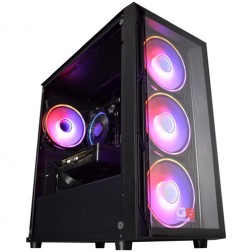
Intel Core i5 12400f RTX 5060 Pre Built Next Day Gaming PC - G6 ND 800
Intel Core i5 12400F 6 Core
H610 Motherboard
16GB DDR5 Memory
1TB M.2 NVMe SSD Drive
8GB Nvidia RTX 5060 Graphics
433MBPs Wifi
Windows 11 Home£1,403.58
£1,249.99
Intel Core i5 12400f RTX 5060 Pre Built Next Day Gaming PC - G6 ND 800£1,403.58
£1,249.99
Intel Core i5 12400F 6 Core
H610 Motherboard
16GB DDR5 Memory
1TB M.2 NVMe SSD Drive
8GB Nvidia RTX 5060 Graphics
433MBPs Wifi
Windows 11 Home
Grid List
4 Item(s)
What Does Hogwarts Legacy Need?
GPU and VRAM are the primary considerations in Hogwarts Legacy. Ray tracing adds a substantial load on top of an already GPU-demanding base game. DLSS or FSR is the tool that makes ray tracing practical above 1080p.
Figures are estimates based on available benchmark data. Actual performance varies by CPU pairing, RAM speed, and system configuration. Kevin will confirm expected performance for your setup before you order.
What Each Budget Delivers in Hogwarts Legacy
Four honest assessments. How ray tracing changes the recommendation at each tier and whether the visual improvement justifies the performance cost at your budget.
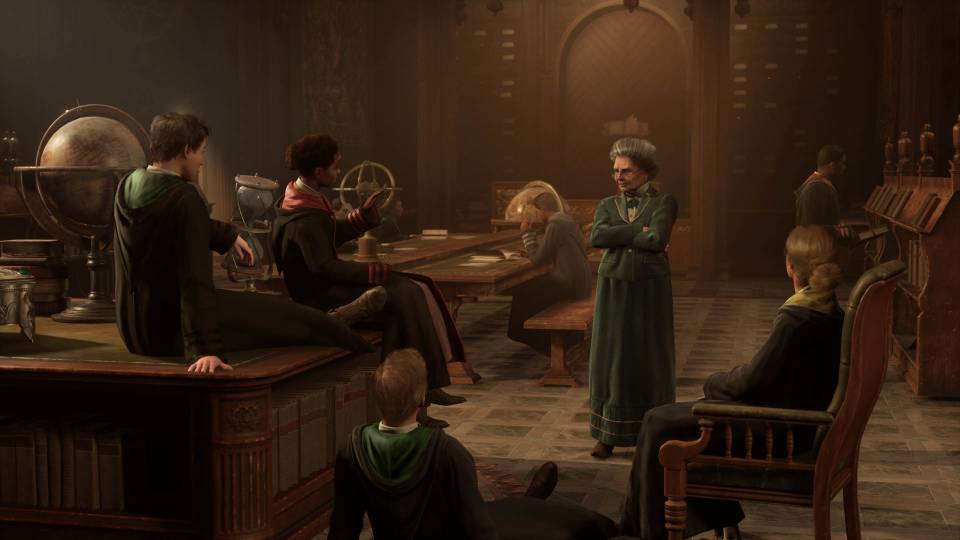
60 to 70fps at 1080p high settings with ray tracing off. Hogwarts Legacy at high settings without ray tracing is visually rich — the castle detail, foliage density, and character model quality are all impressive at this tier. Ray tracing at 1080p is achievable with DLSS enabled, but the frame rate drops to around 40 to 50fps. The better call at budget is to disable RT entirely and use the GPU headroom for consistent 60fps at high textures. A 1080p monitor is the right pairing here.

1440p high with ray tracing medium and DLSS Quality gives around 60fps. The 12GB VRAM on the RTX 5060 Ti handles 1440p ultra textures without VRAM pressure. Ray tracing at medium adds visible improvement to Hogwarts' candlelit interior scenes — reflections on stone floors and dynamic shadow casting in corridors are the most noticeable gains. This is where the ray tracing trade-off starts to feel justified. A 1440p monitor is the right pairing at this tier.
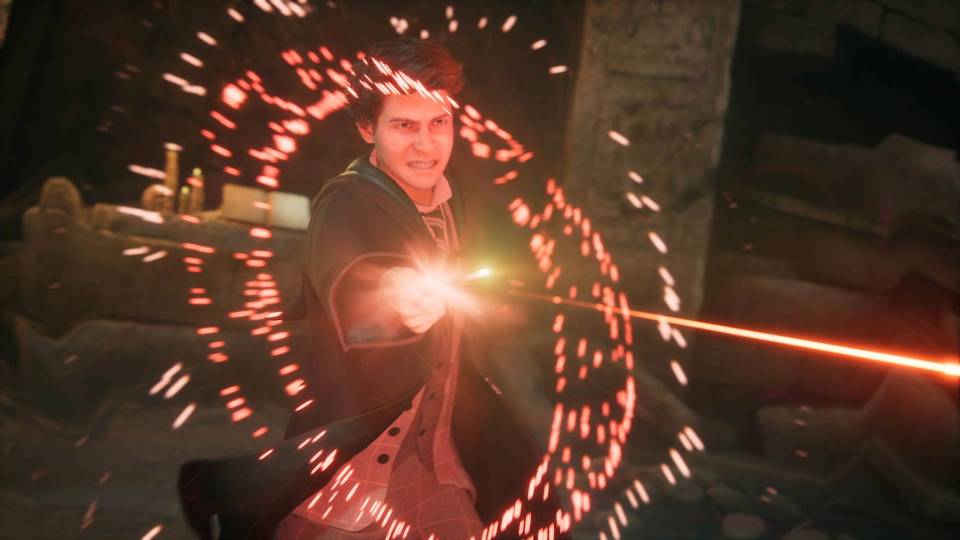
1440p ultra with ray tracing ultra and DLSS Quality at around 70 to 80fps. The RTX 5070 Ti's 16GB VRAM handles ultra texture packs and full ray tracing simultaneously without the VRAM pressure that affects lower-tier cards. Hogwarts' Great Hall, greenhouses, and Hogsmeade village at ultra quality with full ray tracing enabled are the settings that make the game's visual design intention clear. For buyers who also play Cyberpunk 2077 alongside Hogwarts Legacy, this GPU handles both at 1440p ultra with ray tracing without compromise.
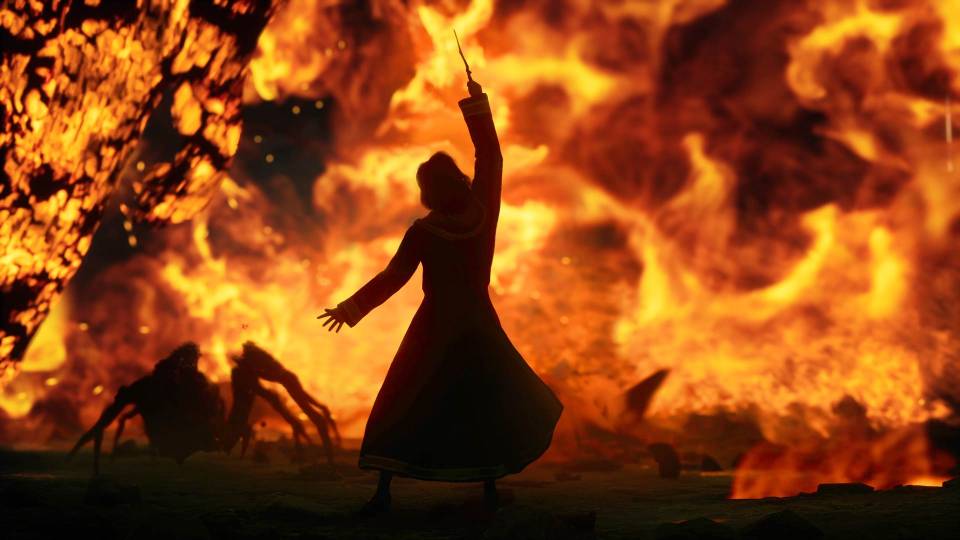
4K ultra with ray tracing ultra and DLSS Quality at consistent frame rates. Hogwarts Legacy at 4K ultra with full ray tracing is the target configuration for buyers with a 4K display who want the game running at its maximum fidelity without frame rate compromise. The RTX 5080's 16GB VRAM handles 4K ultra textures with full ray tracing load without hitting the VRAM ceiling that affects smaller cards at this resolution.
Why Hogwarts Legacy Needs a Strong GPU to Look Its Best
Hogwarts Legacy is built on Unreal Engine 4 with significant additions to handle the scale and detail of the Wizarding World. The castle itself is vast, rendered in full across interior corridors, outdoor battlements, and the surrounding grounds simultaneously. Dense foliage on the Hogwarts grounds, particle effects during spell combat, and a large draw distance all contribute to a GPU load that is higher than most open world games of equivalent visual complexity.
Ray tracing in Hogwarts Legacy adds real visual value in specific environments. The game's interior spaces — candlelit corridors, the Great Hall, the dungeons — benefit from ray-traced global illumination in a way that is visible at normal play distance. Dynamic reflections on flagstone floors and accurate shadow casting from moving light sources in the castle interiors are the changes that most players notice. In outdoor areas, the difference from ray tracing is subtler. The performance cost is consistent regardless of where you are, so the value of ray tracing varies by environment.
VRAM matters in Hogwarts Legacy more than in many comparably sized open world games. The ultra texture preset loads a substantial texture pool that pushes VRAM usage above 10GB at 1440p. 12GB VRAM is the comfortable minimum for 1440p ultra textures with ray tracing. At 4K ultra, 16GB is the threshold below which VRAM pressure produces texture streaming inconsistency.
Buyers considering Hogwarts Legacy alongside other open world and RPG titles will find the GPU and VRAM spec that handles Hogwarts Legacy at 1440p ultra also covers Cyberpunk 2077 at 1440p high with ray tracing and Black Myth: Wukong at 1440p with DLSS — both games share the same high-VRAM, GPU-primary profile.
Ray Tracing Off vs On: The Visual Difference
Drag the slider to compare the same castle corridor scene with ray tracing off and on. Shadow quality, indirect lighting, and floor reflections show the most visible change.

Three Types of Hogwarts Legacy Player
.jpg)
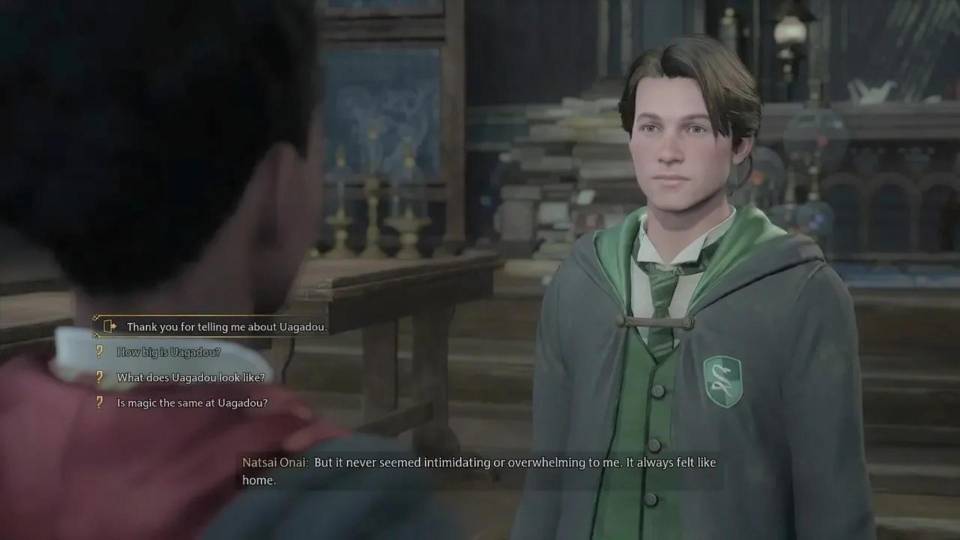
Wants Hogwarts Legacy to look exactly as the developers intended at maximum settings. The high-end build — RTX 5070 Ti, 16GB VRAM, Core i7 — at 1440p ultra with ray tracing ultra is the target. Every corridor, every outdoor vista, every spell effect is rendered at full fidelity. Kevin can confirm whether a 1440p or 4K monitor is the right pairing for your setup.
.jpg)
Bought a PC for Hogwarts Legacy and a handful of other titles. The mid-range build — RTX 5060 Ti, Core i7, 1440p — is the practical choice. Ray tracing at medium with DLSS Quality gives a noticeable improvement to the castle interiors without sacrificing frame rate. High textures throughout. The 3-year warranty covers the machine well beyond a single playthrough.
.jpg)
Both Hogwarts Legacy and Cyberpunk 2077 share the same GPU and VRAM profile with ray tracing enabled. A high-end build — RTX 5070 Ti with 16GB VRAM — covers both at 1440p ultra with ray tracing without needing to compromise on either. The GPU that handles Hogwarts' corridors at full ray tracing also handles Cyberpunk's Night City path tracing at 1440p with DLSS. One build, two of the most demanding games available.
Call Kevin on 01902 714533 or email [email protected]. Tell him:
1. The games you play most often
2. Your monitor resolution and refresh rate
3. Whether you stream, record, or edit alongside gaming
4. Your approximate budget
No charge for the conversation. No pressure to buy.
Will This Build Cover Your Other Games?
Recommended Ginger6 Builds for Hogwarts Legacy
Three builds matched to Hogwarts Legacy. Each one is sized for its ray tracing mode and resolution target.
RTX 5060 with Core i5. 1080p high at 60 to 70fps without ray tracing. The game looks excellent at these settings — ray tracing adds visual improvement but requires a stronger GPU to run comfortably. The right starting point for a 1080p monitor.
RTX 5060 Ti with Core i7. 1440p high with ray tracing medium and DLSS Quality at around 60fps. 12GB VRAM handles the texture load at 1440p without pressure. The most practical tier for buyers who want the Hogwarts Legacy experience with ray tracing enabled.
RTX 5070 Ti with Core i7 and 16GB VRAM. 1440p ultra with ray tracing ultra at 70 to 80fps with DLSS Quality. The build for buyers who want Hogwarts Legacy and a GPU-demanding library running at full settings without compromise.
.jpg)
Built for the GPU Load That Ray Tracing Actually Places on a System
Hogwarts Legacy with ray tracing enabled places a sustained, high thermal load on the GPU. A card running at maximum clock speed and temperature during a long castle exploration session is producing maximum performance, but it is also the condition most likely to produce thermal throttling if airflow is restricted. Every Ginger6 build for Hogwarts Legacy is configured with GPU thermals in mind — case fan configuration, cable routing, and GPU clearance are all handled to ensure the card sustains its rated performance across a full session.
Cable management inside the case is handled specifically to keep the airflow path between the intake fans and the GPU unobstructed. A GPU cooler receiving restricted airflow runs warmer than its specification assumes, which reduces sustained clock speeds and produces the same frame rate inconsistency during long outdoor exploration sequences as a lower-tier GPU. Clean routing is not cosmetic — it is the difference between a GPU running at full rated clock speed and one that is not.
Before dispatch, BIOS settings are confirmed and memory profiles enabled. Every build runs a 24-hour stress test covering GPU thermal behaviour under sustained load — the most relevant test for a ray tracing workload — alongside processor stability, memory responsiveness, storage performance, and BIOS firmware verification. The thermal test specifically confirms the GPU is maintaining rated boost clocks throughout, not throttling under extended load.
Kevin's 3-year warranty protects a significant GPU investment. For buyers at the high-end tier with an RTX 5070 Ti, the warranty means any component issue is handled without cost for three years. Kevin is reachable on 01902 714533 and can confirm the right VRAM tier for your specific resolution and ray tracing preference before you order.
What Do Ginger6 Customers Say?
Over 1,100 verified reviews with a 93% five-star rating.
Gaming buyers consistently highlight the same things: a build that performs as described, pre-sale advice that matches the spec to the actual game, and after-sale support when it matters.
Read All Trustpilot ReviewsI bought a gaming PC from Ginger6. And honestly, if I was going to buy a PC again, I'd definitely choose them. Quick service, great quality and the customer service is excellent. Can't recommend enough!
Bought computers from here for a while and custom PCs always come highest quality. Gaming PC I bought from them 6 years ago was still going strong with one or two part replacements at the 5 year point until I got a newer one. Great choice and customer service.
After 5-10 minutes on the phone I realised I had ordered things I didn't really need. They suggested better graphics cards and now I'm playing at much quicker speeds than before.
Common Questions About Hogwarts Legacy Builds
An RTX 5070 or RX 9070 XT handles 1440p ultra without ray tracing at a comfortable frame rate. With ray tracing ultra at 1440p, an RTX 5070 Ti or higher is the practical minimum. DLSS or FSR is recommended to recover the frame rate lost to ray tracing at 1440p and above.
8GB VRAM is the practical minimum for 1080p high settings. 12GB is recommended for 1440p ultra. At 4K, 16GB VRAM provides comfortable headroom for ultra textures. Hogwarts Legacy's detailed castle environments and dense foliage push VRAM usage higher than comparable open world games at equivalent settings.
Ray tracing produces noticeable improvements to reflections and global illumination — the game's interior candlelight scenes and castle corridors benefit significantly. The performance cost is substantial. DLSS or FSR is recommended alongside ray tracing at 1440p and above to recover frame rate. At 1080p, a mid-range build can run ray tracing at medium settings with DLSS enabled.
Yes. A budget build with an RTX 5060 runs Hogwarts Legacy at 1080p high settings without ray tracing at around 60 to 70fps. Ray tracing is not recommended at this tier — disable it and use the saved GPU headroom for higher texture quality or resolution instead. The game looks excellent without ray tracing at high settings.
Yes. Hogwarts Legacy supports both DLSS (Nvidia GPUs) and FSR (AMD and Nvidia GPUs). Both are effective. DLSS Quality mode at 1440p is the recommended pairing for ray tracing on a mid-range Nvidia build. FSR Quality provides similar headroom on AMD GPUs. Upscaling is particularly valuable in Hogwarts Legacy because the game's GPU demand with ray tracing is high relative to visual output.
At 1080p on a budget build: high settings, ray tracing off. At 1440p on a mid-range build: high to ultra settings, ray tracing medium with DLSS Quality. At 1440p on a high-end build: ultra settings, ray tracing ultra, DLSS Quality. At 4K: ultra with DLSS Quality or FSR Quality. Foliage quality and shadow distance have the largest individual performance impact.
GPU-primary. Hogwarts Legacy is more GPU-bound than CPU-bound at most settings. The open world exploration, dense foliage rendering, and ray tracing workload all fall on the GPU. The CPU matters for maintaining consistent frame delivery during combat with large numbers of enemies, but a Core i5 or Ryzen 5 is adequate for most players.
Both games are GPU and VRAM demanding with ray tracing enabled. An RTX 5070 Ti with 16GB VRAM covers both at 1440p ultra with ray tracing and DLSS. For 4K ultra with ray tracing across both titles, an RTX 5080 or RTX 5090 is the practical choice. Both games benefit from the same DLSS-enabled, high-VRAM GPU profile.
Find the Right Build for Hogwarts Legacy
Browse the gaming PC range or call Kevin directly. Tell him your target resolution, whether ray tracing matters to you, and your budget. He will confirm the right GPU and VRAM configuration for your playthrough.