




Small Business PCs for Sage, Microsoft 365, and Your Team
A small business PC needs to run reliably across a full working day with multiple applications open at once, and keep doing that for three to five years. Ginger6 builds business desktop computers in Wolverhampton for SME owners, office managers, and team leads who need machines that cope with the real workload: accounting software, CRM tools, email, video calls, and cloud-based business applications running simultaneously. Every build is stress-tested for 24 hours and backed by a 3-year warranty.
The spec priorities for a small business PC differ from a basic home machine. 32GB RAM handles concurrent application load without slowdown. A reliable processor handles the sustained use patterns of a working day rather than just performing well in short bursts. Kevin speccs each machine based on what the team actually runs, not a generic business configuration.
Browse the builds below or call Kevin on 01902 714533. Tell him the software your team uses, how many applications run at once, and your budget, and he will confirm the right build.

Grid List
3 Item(s)
-
-
-
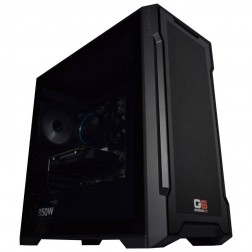
G6 Slate — Entry Professional Workstation
An entry-level professional workstation for AutoCAD 2D, Fusion 360, Lightroom Classic, and Photoshop.
Intel Core Ultra 5 245K
16GB DDR5 RAM
Nvidia RTX 5060 8GB
1TB NVMe SSD
3-Year Warranty£1,561.29
£1,444.99
G6 Slate — Entry Professional Workstation£1,561.29
£1,444.99
An entry-level professional workstation for AutoCAD 2D, Fusion 360, Lightroom Classic, and Photoshop.
Intel Core Ultra 5 245K
16GB DDR5 RAM
Nvidia RTX 5060 8GB
1TB NVMe SSD
3-Year Warranty


Grid List
3 Item(s)
What a Small Business PC Actually Needs
Small business use patterns are more demanding than the basic home office spec. The machine runs all day, with multiple business applications open simultaneously, often without being switched off between working days.
How a Ginger6 Small Business PC Handles Your Workload
Performance descriptors reflect typical concurrent business use patterns. Actual performance depends on the number of applications open simultaneously and data set sizes.
Performance descriptors are indicative. Actual performance depends on project complexity, settings, and system configuration.
A Business Machine That Fails During the Working Day Is Not a Cheap Machine
The total cost of a business PC includes the cost of the time lost when it does not perform. A machine that slows to a crawl when Sage, Teams, Outlook, and a browser are all open by 10am is not a cost saving — it is a recurring cost spread across every working day for three to five years. The right spec at purchase costs more upfront and less over its life. This is the straightforward argument for a properly specced small business machine over a budget alternative.
The specification that defines small business performance is RAM capacity. 32GB handles the real concurrent workload of a busy office machine — accounting software, email, video calls, cloud tools, and a browser with multiple tabs all open simultaneously — without the system resorting to paging. Paging means the machine writes to storage instead of RAM because RAM is full. On a machine with an NVMe SSD this is less catastrophic than on a spinning drive, but it still introduces delay at the moments when responsiveness matters most: during a client call, during a payroll run, during a month-end reconciliation.
Processor choice matters less than RAM at this tier, but it still matters for sustained load. A mid-range current-generation Core i5 or Ryzen 5 handles the all-day pattern of a business machine without thermal throttling. A budget processor from a previous generation may benchmark acceptably in isolation but slow under sustained multi-application load as it manages heat. Kevin speccs the processor based on the workload pattern and the expected service life, not the cheapest option that passes a benchmark at the time of sale. If your team also needs accounting software configured for a larger client database or payroll, the accounting and finance PCs page covers how that changes the recommended configuration.
Ginger6 builds each small business machine in Wolverhampton with a working day in mind. Cable management inside the case supports consistent airflow for a machine that stays on all day rather than being switched off and on. BIOS settings and memory profiles are configured and tested before dispatch — not in a controlled environment where temperatures are low, but under representative load conditions that reflect a busy office environment. The 24-hour stress test confirms thermal behaviour, memory stability, and storage performance before the machine reaches the desk.
When something does go wrong — and over a three to five year service life, something eventually does — Kevin is the person to call. Not a call centre. Not a repair booking system. For a machine that is a production tool rather than a personal device, direct support from the person who built it makes a practical difference. The 3-year warranty covers labour for 3 years and parts and postage for the first year, and lifetime technical support means the conversation does not end at delivery. Business buyers who need machines for a team should call before ordering: Kevin will advise on a consistent spec that works across multiple seats without over-speccing any individual machine.
Your specific workload may be better served by one of these categories.
Tell him the software your team runs, the typical concurrent load, and how many machines you need. He will advise on a consistent spec across all seats without over-spending.
01902 714533Small Business PC Buyers at Ginger6
You are buying for two to ten staff members who need machines that run reliably across the working day. Kevin will advise on a consistent spec that covers your team's software without over-spending on components that add no benefit for the workload. Team orders are discussed before placement to confirm the spec is correct across all seats.
The existing machines were fine three years ago and are now causing frustration — slow to start, slow under load, and unreliable when software updates arrive. A properly specced replacement with 32GB RAM and a fast NVMe SSD removes all three issues. Kevin can advise on the right time to replace versus upgrade based on what the existing machines are running.
Running Sage 50 alongside Outlook, Teams, and a browser with business tabs open is the real test of a business machine. 32GB RAM handles this combination without slowdown. The spec for Sage depends on database size — Kevin will confirm the right RAM and processor configuration for your client file volume and payroll cycle.
Your work machine runs from first thing to last thing. It needs to start quickly, run all your tools without slowing down mid-afternoon, and stay reliable for years without requiring attention. A properly specced small business PC rather than a basic consumer machine gives you a significantly better daily experience, particularly when running cloud-based business tools and video calls alongside local software.
The small business tier covers standard office software running concurrently across a working day. Workstation tiers are for users with specific professional software requirements: CAD, video editing, graphic design, or other CPU or GPU-intensive workloads. If your team runs standard business applications, this tier is the right fit. If any user has a specialist workload, call Kevin to discuss the right split across the team.
No charge for the conversation. No pressure to buy.
- The software you use most and the version
- The typical file sizes or data volumes you work with
- Whether you need to run multiple applications simultaneously and which ones
- Your approximate budget and whether this is for one machine or a team
What Business Buyers Say About Ginger6
93% of Ginger6 customers leave five-star reviews on Trustpilot, compared to 80% for PCSpecialist and 84% for Chillblast. Business buyers value post-sale support as much as the hardware itself.
"Great friendly service, added bonus of personal delivery as they are so local which means they can be on hand if there are any issues. No problems with the computer hardware we've purchased, very professional and thorough addressing our requirements. Highly recommended."
"Great service and prices. Just had 2 new desktops built for the office. Kevin and the team were great advising me on the spec I would need for our needs."
"Kevin has been above and beyond customer care taking the time to answer a problem I had installing a third party program which was at my end and nothing to do with the product which btw works and runs extremely well. Very satisfied and highly recommend."
"The PC is excellent, with much speedier processing than I was previously experiencing. I have used Ginger 6 several times previously and will not hesitate to use them again as their service and follow up support is excellent."
Ginger6 has been building custom business PCs from the same Wolverhampton workshop since 2001. Same phone number. Same team. Same commitment to getting the spec right before the order is placed.
Small Business PC Questions Answered
32GB is the recommended baseline for a business machine running Sage, Teams, Outlook, and a browser with multiple tabs simultaneously. 16GB handles lighter use patterns but becomes a constraint when multiple business applications are open concurrently. Kevin will advise on the right amount based on the specific applications your team runs and how many are typically open at the same time.
Yes. Kevin will discuss your team's software requirements before any order is placed and recommend a consistent spec across all seats. He will advise where it makes sense to use the same configuration for all machines and where individual requirements justify a different spec for specific users. Team orders are completed within the standard 3 to 5 working day build time per machine.
The small business tier speccs for heavier concurrent application load and a longer expected reliable service life. 32GB RAM versus 16GB, a higher-grade processor for sustained all-day use, and storage configured for business data volumes rather than personal file storage. If you run standard daily office tools without accounting software or multi-user workflows, the basic office PC tier may be sufficient. Kevin will advise on the right tier for your specific pattern.
Kevin is the first point of contact for any fault, not a support ticket system. The 3-year warranty covers labour for 3 years and parts and postage for the first year. Lifetime technical support means if a driver update or software conflict causes a problem two years after delivery, you call the same number and speak to the same person. For a machine that is a production tool, that directness matters.
Standard build time is 3 to 5 working days from order confirmation. The 24-hour stress test runs before dispatch. Delivery is free to UK mainland addresses. For team orders, Kevin will give a specific timeline for the full order at the point of confirmation.
A small business PC is the right choice for teams running standard business software: Office, accounting tools, CRM, email, and video calls. Workstations are the right choice when the primary application is professional software with specific hardware requirements — CAD modelling, video editing, 3D rendering, graphic design, or engineering simulation. If your team includes users with both workloads, Kevin will advise on the right split across the order.
Windows is pre-installed and activated before dispatch. Business software installations can be discussed with Kevin before the order is placed. BIOS settings and memory profiles are configured before dispatch to ensure the machine starts correctly from day one. The 24-hour stress test confirms the system is stable before it leaves Wolverhampton.
Ready to Spec Your Small Business PC?
Whether you are buying one machine or speccing for a team, Ginger6 will confirm the right build before the order is placed. No sales pressure. Honest advice from a team that has been building custom business PCs in Wolverhampton since 2001.
Browse Small Business PCs
Browse our configured small business desktops. Each lists the full spec so you can compare RAM, processor, and storage clearly.
Browse the BuildsTalk to Kevin
Tell him your software, your team size, and your budget. He will confirm the right spec — one machine or several. No pressure to buy.
Call 01902 714533Email or Callback
Include your software list, team size, and budget. Kevin will respond with a recommendation and a quote.
Email Kevin