




Engineering Workstations for ANSYS, COMSOL, and MATLAB
Ginger6 builds custom engineering workstations for structural engineers, CFD analysts, and research teams who run FEA, thermal simulation, and computational analysis software that demands sustained performance under continuous high-CPU load. Every build is hand-assembled in Wolverhampton, stress-tested for 24 hours, and backed by a 3-year warranty.
Simulation workloads run for hours continuously at maximum CPU utilisation. A machine that throttles thermally under sustained load extends every solve time across every project. Ginger6 configures thermal management, BIOS settings, and power delivery specifically for sustained simulation workloads, not for peak benchmark scores.
Browse the builds below or call Kevin on 01902 714533. Tell him your simulation software, your typical model complexity, and your budget, and he will confirm the right workstation for your workflow.
.jpg)

Grid List
4 Item(s)
-
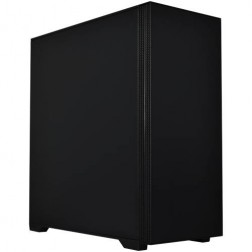
G6 Basalt — Software Development Workstation
An entry 12-core developer workstation for Visual Studio, Docker, WSL2, and light data science — built and stress-tested in Wolverhampton.
AMD Ryzen 9 9900X (12 Cores)
32GB DDR5 RAM
Nvidia RTX 5060 Ti 8GB
2TB NVMe SSD
Windows 11 Home
3-Year Warranty£2,173.27
£2,034.99
G6 Basalt — Software Development Workstation£2,173.27
£2,034.99
An entry 12-core developer workstation for Visual Studio, Docker, WSL2, and light data science — built and stress-tested in Wolverhampton.
AMD Ryzen 9 9900X (12 Cores)
32GB DDR5 RAM
Nvidia RTX 5060 Ti 8GB
2TB NVMe SSD
Windows 11 Home
3-Year Warranty
-

G6 Graphite — Engineering and Developer Workstation
A 16-core professional workstation for microservices development, engineering simulation, large data science workflows, and AI/ML entry-level fine-tuning — built in Wolverhampton.
AMD Ryzen 9 9950X (16 Cores)
64GB DDR5 RAM
Nvidia RTX 5060 Ti 16GB
2TB NVMe SSD
Windows 11 Pro
3-Year Warranty£3,187.00
£2,994.99
G6 Graphite — Engineering and Developer Workstation£3,187.00
£2,994.99
A 16-core professional workstation for microservices development, engineering simulation, large data science workflows, and AI/ML entry-level fine-tuning — built in Wolverhampton.
AMD Ryzen 9 9950X (16 Cores)
64GB DDR5 RAM
Nvidia RTX 5060 Ti 16GB
2TB NVMe SSD
Windows 11 Pro
3-Year Warranty
-
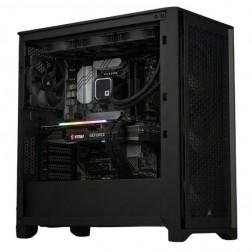
G6 Forge M — RTX 2000 Ada Mid Professional Workstation for SolidWorks Large Assemblies and CATIA
A mid-tier ISV-certified workstation for SolidWorks large assemblies, CATIA, ANSYS Mechanical, and COMSOL — with 12GB ECC VRAM and a professional GPU driver stack.
Intel Core Ultra 9 285KF
64GB DDR5 RAM
Nvidia RTX 2000 Ada 12GB (ECC, ISV Certified)
2TB NVMe + 2TB NVMe
Windows 11 Pro
3-Year Warranty
G6 Forge M — RTX 2000 Ada Mid Professional Workstation for SolidWorks Large Assemblies and CATIA
A mid-tier ISV-certified workstation for SolidWorks large assemblies, CATIA, ANSYS Mechanical, and COMSOL — with 12GB ECC VRAM and a professional GPU driver stack.
Intel Core Ultra 9 285KF
64GB DDR5 RAM
Nvidia RTX 2000 Ada 12GB (ECC, ISV Certified)
2TB NVMe + 2TB NVMe
Windows 11 Pro
3-Year Warranty
-
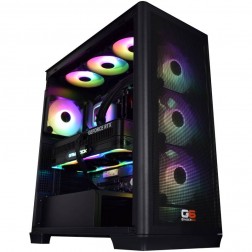
G6 Forge H — RTX 4000 Ada High Professional Workstation for ANSYS Fluent, CATIA, and COMSOL
A top-tier ISV-certified workstation for ANSYS Fluent GPU solver, CATIA V5/V6 complex surface modelling, COMSOL GPU-accelerated solver, and very large federated BIM.
Intel Core Ultra 9 285KF
128GB DDR5 RAM
Nvidia RTX 4000 Ada 20GB (ECC, ISV Certified)
2TB NVMe + 4TB NVMe
Windows 11 Pro
3-Year Warranty
G6 Forge H — RTX 4000 Ada High Professional Workstation for ANSYS Fluent, CATIA, and COMSOL
A top-tier ISV-certified workstation for ANSYS Fluent GPU solver, CATIA V5/V6 complex surface modelling, COMSOL GPU-accelerated solver, and very large federated BIM.
Intel Core Ultra 9 285KF
128GB DDR5 RAM
Nvidia RTX 4000 Ada 20GB (ECC, ISV Certified)
2TB NVMe + 4TB NVMe
Windows 11 Pro
3-Year Warranty
Grid List
4 Item(s)
What an Engineering Simulation Workstation Actually Needs
FEA and CFD simulation are CPU-dominant workloads. Core count drives solve speed. RAM determines the maximum model size. Sustained thermal stability throughout a multi-hour solve is what separates a production workstation from a machine that throttles and extends every deadline.
How a Ginger6 Engineering Workstation Handles Your Simulation
Performance descriptors reflect typical solver configurations at each spec tier. Actual solve times depend on mesh density, physics complexity, and convergence criteria.
Performance descriptors are indicative. Actual performance depends on project complexity, settings, and system configuration.
Simulation Workloads Run for Hours. Your Workstation Needs to Keep Up Throughout
The performance metric that matters most for FEA and CFD simulation is not peak benchmark speed, it is sustained throughput under continuous load. A workstation that achieves a high benchmark score for a few seconds and then throttles under the sustained power and thermal demands of a multi-hour ANSYS or COMSOL solve adds time to every job it runs. The solve that should take 3 hours takes 5. Multiply that across a project and across a year of work, and the cost of inadequate thermal configuration is measurable in lost time rather than abstract benchmark percentages.
Core count is the primary spec for simulation workloads because FEA and CFD solvers are explicitly designed to distribute computation across parallel threads. ANSYS Mechanical, ANSYS Fluent, COMSOL, and Abaqus all scale with the number of CPU cores available. A Ryzen 9 9950X with 16 cores running a structural solve completes the same analysis in roughly half the wall-clock time of an 8-core processor at the same frequency. For engineers who run multiple simulations per day or who are currently queuing solves because each one takes too long, core count is the correct investment. See also the CAD workstations page if your workflow combines simulation with parametric modelling in SolidWorks or Inventor.
RAM determines the upper limit of what can be solved in memory. A large ANSYS Fluent CFD case with a 10 million cell mesh will exceed 32GB of RAM during the solve. When physical RAM runs out, the solver writes to virtual memory on disk, a process that can extend a 3-hour solve to 8 hours or cause it to fail entirely. 64GB removes the constraint for most mid-scale engineering simulation; 128GB is appropriate for large mesh domains or for teams running multiple concurrent simulations on a single workstation.
GPU certification is relevant for ANSYS and COMSOL users running GPU-accelerated solver modes and for SolidWorks Simulation. These applications have certification requirements that go beyond the standard gaming GPU driver stack. Kevin confirms whether ISV-certified GPU drivers apply to your specific solver configuration and software version before the order is placed, not as an afterthought after delivery.
Every Ginger6 engineering workstation is built for the sustained load profile of simulation work. The 24-hour stress test runs the machine at continuous maximum CPU utilisation, the same demand profile as a long ANSYS or COMSOL solve, confirming that thermal management keeps the processor at its rated frequency throughout. BIOS power limits are configured to prevent the CPU from downclocking under extended load. Cable management and case airflow are set up specifically to sustain performance over hours rather than for peak burst output.
Kevin is reachable after delivery. For an engineer whose workstation is a production tool tied to project deadlines, a problem mid-solve is not a minor inconvenience. The 3-year warranty covers parts and return postage. Lifetime technical support means Kevin is still the first call when a solver update or a larger project scale changes what the machine needs to handle.
Engineering simulation often combines with CAD modelling and, for aerospace and automotive teams, with data science workflows.
GPU solver modes and some simulation configurations require certified drivers. Kevin confirms whether ISV certification applies to your solver and version before the order is placed.
01902 714533Engineering Workstation Buyers at Ginger6
Static, modal, and non-linear structural analyses benefit directly from core count. A Ryzen 9 9950X or Core i9 with 64GB RAM covers most structural simulation workflows. For teams running large non-linear models with fine mesh, 128GB RAM removes the out-of-memory risk during complex contact and plasticity analyses.
Large-domain CFD with multi-million cell meshes requires both high core count and significant RAM. 64GB covers most mid-scale turbulent flow cases; 128GB is appropriate for large domains or multi-physics coupling. If you use ANSYS Fluent's GPU solver mode, an RTX 5070 or above adds meaningful iteration speed when the mesh fits within VRAM.
MATLAB with the Parallel Computing Toolbox distributes numerical computation across CPU cores. GPU Computing Toolbox accelerates array operations on Nvidia RTX hardware. A Core i9 with an RTX 5060 Ti or RTX 5070 covers most research computing workflows without the overhead of a server-grade platform.
SolidWorks Simulation runs FEA within the SolidWorks environment, which adds GPU certification requirements to the CAD workstation spec. A Core i9 with 64GB RAM and a certified GPU covers both the parametric modelling and the FEA workflow. Kevin confirms the GPU recommendation for your SolidWorks version before the order.
A shared simulation workstation benefits from the highest core count and RAM that budget allows, since different engineers running different solver types all gain from the same underlying resources. Kevin can advise on a spec that covers the range of simulation types your team runs without over-speccing for workloads that are not part of your workflow.
No charge for the conversation. No pressure to buy.
- The software you use and the version
- Your typical model or mesh complexity
- Whether you run GPU-accelerated solver modes
- Your approximate budget
What Simulation Buyers Say About Ginger6
93% of Ginger6 customers leave five-star reviews on Trustpilot, compared to 80% for PCSpecialist and 84% for Chillblast. The person who advises you on the spec is the same person who builds the workstation and supports it afterwards.
"10 out of 10 for Ginger6. I needed to upgrade my PC to handle the 4K ultra graphics in my MS flight sim. After a chat with Kevin and a few suggestions from him, I agreed on a very competitive price and a week later my new computer was ready. It has coped with everything I could throw at it with ease. Great product, great price, great company."
"I would rate this pc builder as second to none, I have had no problems with my pc. Simply tell Ginger6 what you wish from your pc and I give my word you will not be disappointed!"
"Great service and prices. Just had 2 new desktops built for the office. Kevin and the team were great advising me on the spec I would need for our needs."
"The 2 PCs bought by myself and my son have been top class. My son has had contact with the team and been happy with the response. I am now ordering another one. Thank you for top class service."
Ginger6 has been building custom workstations from the same Wolverhampton workshop since 2001. Same phone number. Same approach. Same focus on getting the right spec into the right hands.
Engineering Workstation Questions Answered
64GB covers most mid-scale CFD cases with mesh sizes up to around 10 million cells. Above that, or for multi-physics coupling that holds multiple solution fields simultaneously, 128GB removes the paging risk. When ANSYS Fluent pages to disk during a solve, a 3-hour case can extend to 8 hours or fail entirely. Kevin will advise on the right amount for your typical mesh density and case complexity.
GPU certification requirements depend on the specific solver module and version. ANSYS Fluent GPU solver and some COMSOL GPU-accelerated modules have recommendations that go beyond standard consumer driver stacks. Kevin confirms whether ISV-certified GPU drivers apply to your specific software version and solver configuration before the order is placed. This is flagged as a mandatory pre-deployment check for engineering workstations.
The same hardware performs the same. The difference is in configuration and validation. A Ginger6 engineering workstation arrives with BIOS power limits set to sustain performance under continuous load, thermal configuration confirmed for extended solver runs, and a 24-hour stress test completed at maximum CPU utilisation before dispatch. A self-build requires the engineer to identify and resolve these settings themselves, time that is usually better spent on the engineering work.
ECC (error-correcting code) memory detects and corrects single-bit memory errors, which is relevant in environments where calculation integrity is critical and where a memory error producing a subtly incorrect result is more damaging than a crash. For most engineering simulation workloads on consumer-grade hardware, ECC is a recommendation rather than a hard requirement. Kevin will advise on ECC platform availability and whether it is appropriate for your specific use case.
Yes, if configured correctly. Ginger6's 24-hour stress test runs at sustained maximum CPU utilisation specifically to confirm that thermal management keeps the processor at its rated frequency throughout. BIOS power limits are set to prevent performance reduction under extended load. The test validates that the machine performs at the end of a long solve the same way it does at the beginning.
Builds are completed in 3 to 5 working days from order confirmation. The 24-hour stress test runs before dispatch. Delivery is free to UK mainland addresses.
Every Ginger6 workstation includes a 3-year warranty covering parts and return postage, plus lifetime technical support. For engineers running time-sensitive simulation work, that post-sale relationship matters.
Ready to Spec Your Engineering Workstation?
Whether you know exactly what core count and RAM your solver needs or want expert guidance on the right spec for your simulation type, Ginger6 is here to help. No sales pressure. No upselling. Honest advice from a team that has been building custom workstations in Wolverhampton since 2001.
Browse Engineering Workstations
Browse our ready-configured engineering workstations for ANSYS, COMSOL, Abaqus, and MATLAB. Each one lists the full spec.
Browse the BuildsTalk to Kevin
Tell him your solver, your mesh complexity, and your budget. He will confirm the right core count, RAM tier, and whether GPU certification applies. No pressure to buy.
Call 01902 714533Email or Callback
Include your simulation software, typical model scale, and budget. Kevin will come back with a recommendation and a quote.
Email Kevin