




Gaming PCs Built for Valheim
In vanilla Valheim, the CPU determines how smoothly the world generates as you explore new biomes. With graphical mods loaded, the GPU takes over — mods transform the visual fidelity of the game in a way that vanilla assets cannot. Find the right build for how you actually play.
Browse the builds below or call Kevin on 01902 714533. Tell him whether you play vanilla or with mods, your monitor resolution, and your budget — he will confirm the right build for your playthrough.


Grid List
4 Item(s)
-
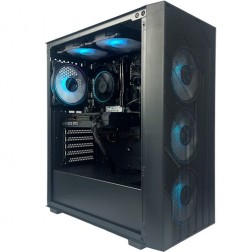
Intel Core i5 12400F RTX 5050 Gaming PC - G6 Infinity X2
Intel Core i5 12400F 6 core
H610M Motherboard
16GB+ DDR5 5200MHz
1TB+ M.2 NVMe SSD
8GB Nvidia RTX 5050 Graphics
433mbps Wifi
Windows 11 Home£1,396.56
£1,314.99
Intel Core i5 12400F RTX 5050 Gaming PC - G6 Infinity X2£1,396.56
£1,314.99
Intel Core i5 12400F 6 core
H610M Motherboard
16GB+ DDR5 5200MHz
1TB+ M.2 NVMe SSD
8GB Nvidia RTX 5050 Graphics
433mbps Wifi
Windows 11 Home
-

AMD Ryzen 7 8700f RTX 5060 Ti Gaming PC - G6 Fusion 800 X3
AMD Ryzen 7 8700f 8 core
A620M Motherboard
16GB+ DDR5 5200MHz
FAST 1TB M.2 NVMe SSD
8GB Nvidia RTX 5060 Ti Graphics
433mbps Wifi
Windows 11 Home£1,659.81
£1,559.99
AMD Ryzen 7 8700f RTX 5060 Ti Gaming PC - G6 Fusion 800 X3£1,659.81
£1,559.99
AMD Ryzen 7 8700f 8 core
A620M Motherboard
16GB+ DDR5 5200MHz
FAST 1TB M.2 NVMe SSD
8GB Nvidia RTX 5060 Ti Graphics
433mbps Wifi
Windows 11 Home
-
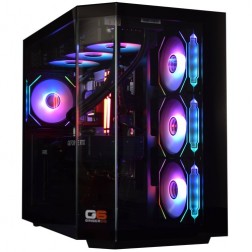
Intel Core Ultra 7 265KF RTX 5070 Ti Gaming PC - G6 Genesis U2
Intel Core Ultra 7 265Kf 20 core
B860 Motherboard
32GB+ DDR5 5200MHz Memory
FAST 1TB+ M.2 NVMe SSD
16GB Nvidia RTX 5070 Ti Graphics
FAST Wifi & Bluetooth
Windows 11 Home£2,926.86
£2,749.99
Intel Core Ultra 7 265KF RTX 5070 Ti Gaming PC - G6 Genesis U2£2,926.86
£2,749.99
Intel Core Ultra 7 265Kf 20 core
B860 Motherboard
32GB+ DDR5 5200MHz Memory
FAST 1TB+ M.2 NVMe SSD
16GB Nvidia RTX 5070 Ti Graphics
FAST Wifi & Bluetooth
Windows 11 Home
-
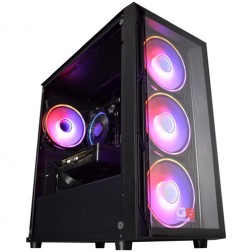
Intel Core i5 12400f RTX 5060 Pre Built Next Day Gaming PC - G6 ND 800
Intel Core i5 12400F 6 Core
H610 Motherboard
16GB DDR5 Memory
1TB M.2 NVMe SSD Drive
8GB Nvidia RTX 5060 Graphics
433MBPs Wifi
Windows 11 Home£1,403.58
£1,249.99
Intel Core i5 12400f RTX 5060 Pre Built Next Day Gaming PC - G6 ND 800£1,403.58
£1,249.99
Intel Core i5 12400F 6 Core
H610 Motherboard
16GB DDR5 Memory
1TB M.2 NVMe SSD Drive
8GB Nvidia RTX 5060 Graphics
433MBPs Wifi
Windows 11 Home
Grid List
4 Item(s)
What Does Valheim Actually Need?
Vanilla Valheim demands a fast CPU for world generation and smooth exploration. Graphical mods shift the load to the GPU. The right build depends on which version of Valheim you play.
Figures are estimates based on available benchmark data as at . Actual performance varies by mod collection, render distance, and CPU configuration. Kevin will confirm expected performance for your setup before you order.
What Each Budget Delivers in Valheim
Four honest assessments. What each tier achieves in vanilla and with graphical mods, and where the practical limits are for each play style.
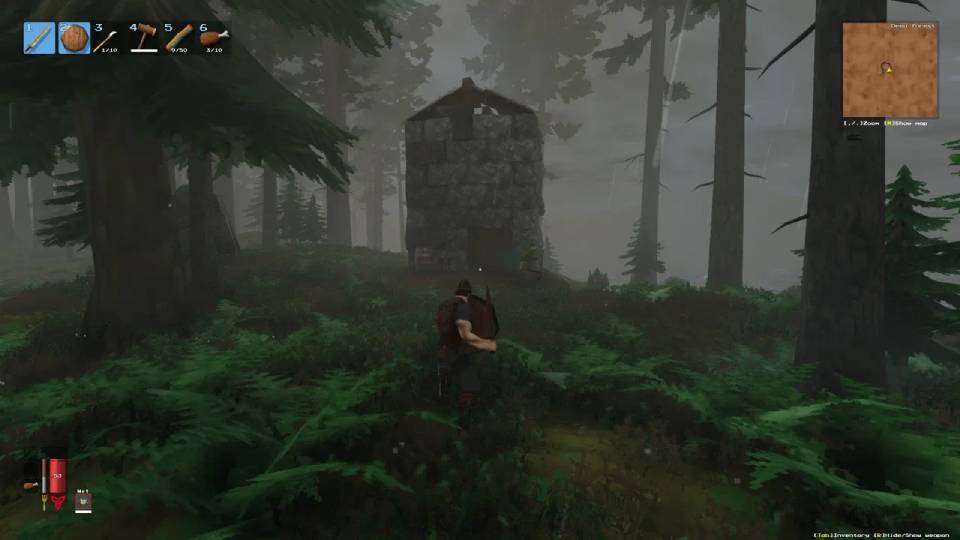
Vanilla Valheim runs well at this tier — 60fps+ at 1080p medium-high settings with stable frame delivery across most biomes. Biome transitions produce brief loading pauses with slower CPUs, which a fast Core i5 or Ryzen 5 minimises noticeably. Combat encounters with multiple enemies are smooth. Light graphical mods, such as basic HD texture replacers, are manageable at this tier at 1080p. Full graphical overhaul mods that replace all environmental assets begin to strain the GPU at medium-high settings. If you play vanilla exclusively or with light texture mods, the budget build covers the experience well.
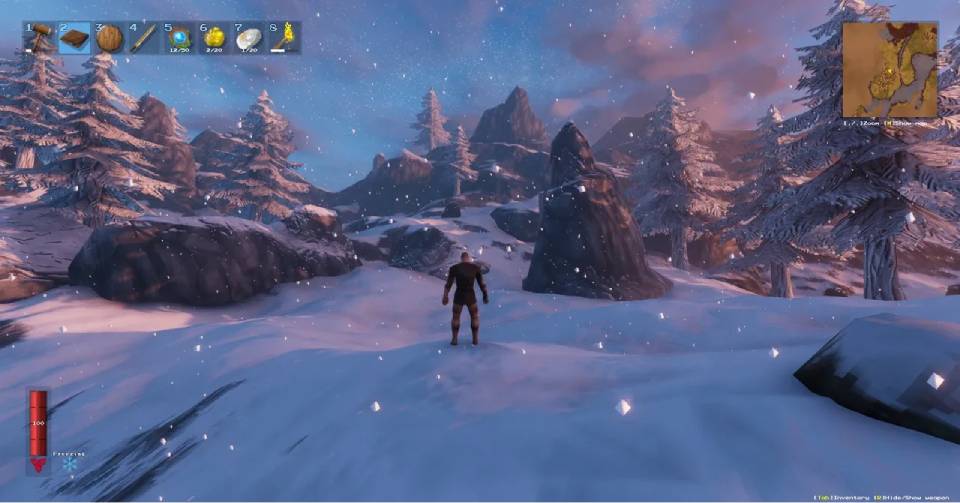
The build that covers Valheim across both modes without compromise. Vanilla Valheim runs at 1440p high settings with consistent frame delivery during biome transitions — the Core i7 or Ryzen 7 handles world generation without the stutter that affects slower processors. Full graphical overhaul mods run smoothly at 1080p and, with FSR or DLSS enabled at Quality mode, comfortably at 1440p. This is the practical starting point for players who run visual mods and want the full transformation Valheim modding offers without visual settings trade-offs. It also covers other games in the sandbox category without limitation.
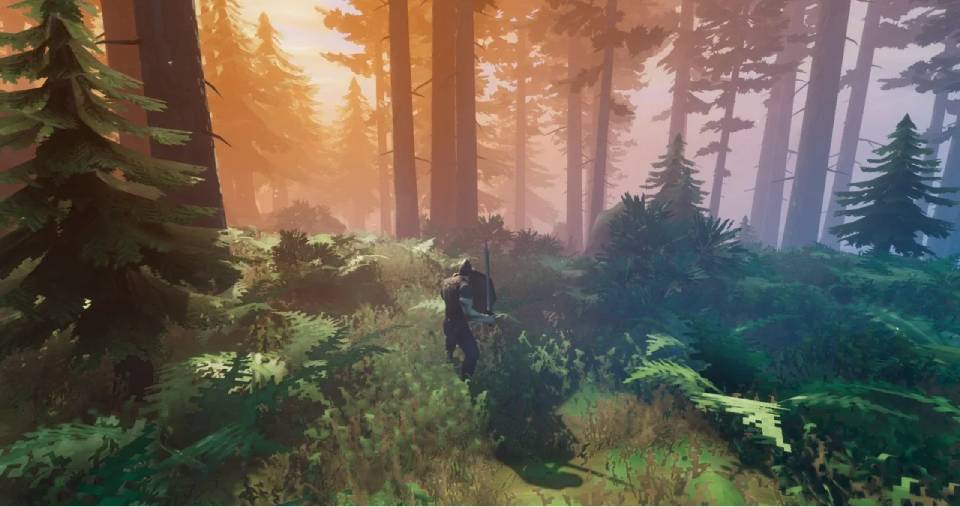
Full graphical mods at 1440p ultra without upscaling enabled. 4K with FSR or DLSS at Quality mode is smooth with most mod collections. This tier is appropriate for players who record or stream Valheim content and want the game at maximum visual quality, or for those who play Valheim alongside other GPU-intensive titles. For Valheim alone at modded 1440p, the mid-range tier covers the experience well — the high-end step up is most justified by the broader library or content creation context.
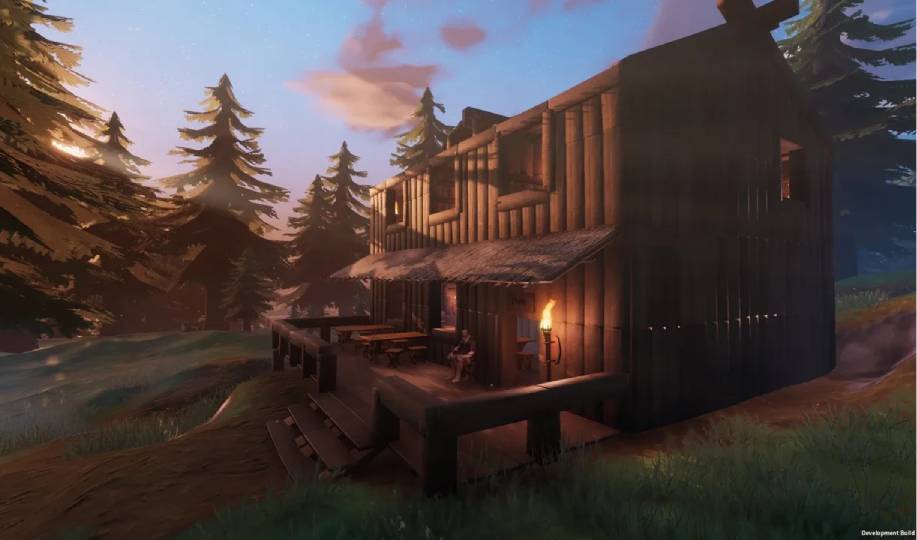
4K native rendering with full graphical mods — no upscaling required for smooth performance at maximum settings. Difficult to justify for Valheim alone. The RTX 5080 is significantly ahead of what even the most demanding Valheim mod collections require at 4K. This tier makes sense only if Valheim shares a machine with GPU-intensive titles at 4K — Cyberpunk 2077, Black Myth: Wukong, or upcoming high-end releases — where the GPU earns its cost across the full library.
Why Valheim Needs Two Different Hardware Profiles
Valheim's world is procedurally generated and streamed in real time as you explore. When you cross into a new biome, the game generates the terrain, populates it with vegetation, spawns creatures, and loads environmental assets — all in the background while you are still playing. This process runs on the CPU. A fast single-core processor completes the generation work quickly enough that it is invisible to the player. A slow processor produces the brief frame-rate dips that are most noticeable the moment you cross a biome boundary or sail towards an unexplored coastline.
In vanilla Valheim, the GPU is responsible for rendering a game with relatively modest visual assets. The art direction is intentionally stylised — the low-polygon aesthetic is part of the game's identity, not a technical compromise. A mid-range GPU at budget price handles vanilla rendering with capacity to spare at any practical resolution. This places Valheim alongside Minecraft in a category of games where the CPU matters more than the GPU for the base experience.
Graphical mods change this balance significantly. High-resolution texture packs, environment overhauls, enhanced water and sky shaders, and lighting mods collectively replace Valheim's original renderer with something that demands GPU resources at a level the base game never approaches. A modded Valheim installation at 1440p high settings places GPU and VRAM load that is comparable to other open world titles at similar quality settings. The CPU requirement remains similar to vanilla — the world generation workload does not change because the textures are higher resolution.
Both FSR and DLSS work within Valheim's graphics settings when enabled. At 1440p with a mid-range GPU and a graphical mod collection loaded, enabling FSR Quality mode recovers frame rates to the same range as playing without mods — making the visual upgrade effectively free from a performance standpoint at that tier.
Vanilla vs Modded Valheim — The Visual Transformation
The same biome. The same game. Graphical mods change not just the resolution of the textures but the lighting, environment, and atmosphere entirely. Drag to compare.


Three Types of Valheim Player

Plays Valheim as it comes, occasionally adds a quality-of-life mod but nothing that changes the visual profile. Focuses on exploration, building longhouses, and defeating the bosses in sequence. The budget build with a fast Core i5 or Ryzen 5 covers vanilla Valheim without compromise at 1080p and handles biome transitions without stutter.

Has spent time curating a graphical mod collection that transforms how Valheim looks. Plays for exploration and atmosphere as much as for the survival gameplay. The mid-range build — RTX 5060 Ti, Core i7 — delivers modded Valheim at 1440p with FSR or DLSS enabling smooth frame rates throughout. The visual difference over vanilla at 1440p is significant. This player has no interest in running vanilla once a good mod collection is set up.
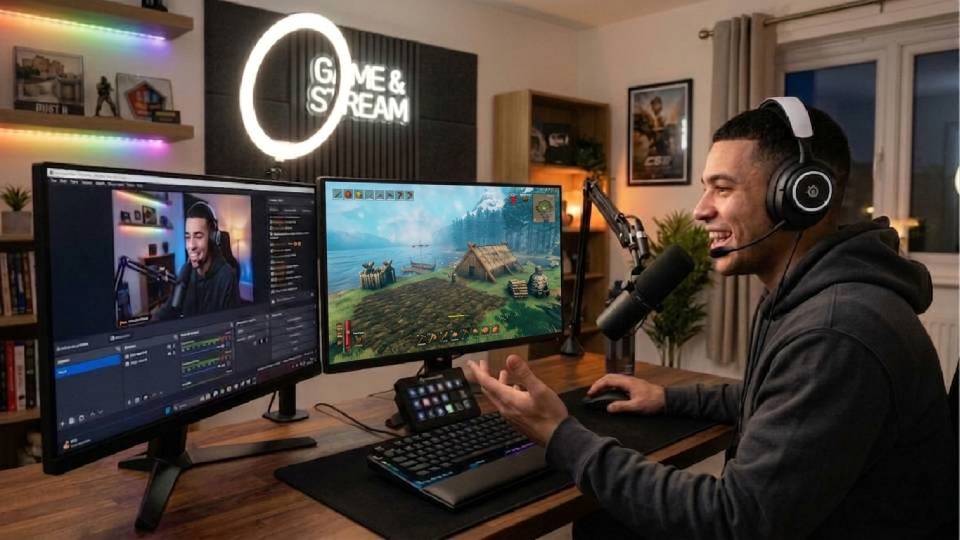
Uses Valheim as a creative and content platform. Builds elaborate constructions, records video or takes screenshots, and wants the game at maximum visual quality for that purpose. The high-end build handles full graphical mods at 4K with FSR or DLSS at Quality mode. Also covers other games in the library at 4K without needing a separate machine for content creation and casual gaming.
Call Kevin on 01902 714533 or email [email protected]. Tell him:
1. The games you play most often
2. Your monitor resolution and refresh rate
3. Whether you stream, record, or edit alongside gaming
4. Your approximate budget
No charge for the conversation. No pressure to buy.
Will This Build Cover Your Other Games?
Recommended Ginger6 Builds for Valheim
Three builds matched to how you play Valheim — vanilla exploration, modded 1440p, or 4K content creation.
Core i5 or Ryzen 5 with 16GB DDR5 and an RTX 5060. Handles vanilla Valheim at 1080p high settings with smooth biome transitions. Light graphical mods run at 1080p medium. The right starting point if you play vanilla or have a modest mod collection without full environment overhauls.
Core i7 or Ryzen 7 with 16GB DDR5 and an RTX 5060 Ti. Full graphical overhaul mods at 1440p with FSR or DLSS enabled. Smooth biome transitions across all biomes including the Plains and Mistlands. The build that covers both vanilla and fully modded play on the same machine without settings compromises.
Fast Core i7 or Ryzen 7 X3D with 32GB DDR5 and an RTX 5070 Ti. Full graphical mods at 4K with FSR or DLSS at Quality mode. For players who record Valheim content, build elaborate creations for screenshots, or want the game at maximum visual quality on a 4K monitor. Also covers Minecraft and Palworld at 4K high settings without compromise.
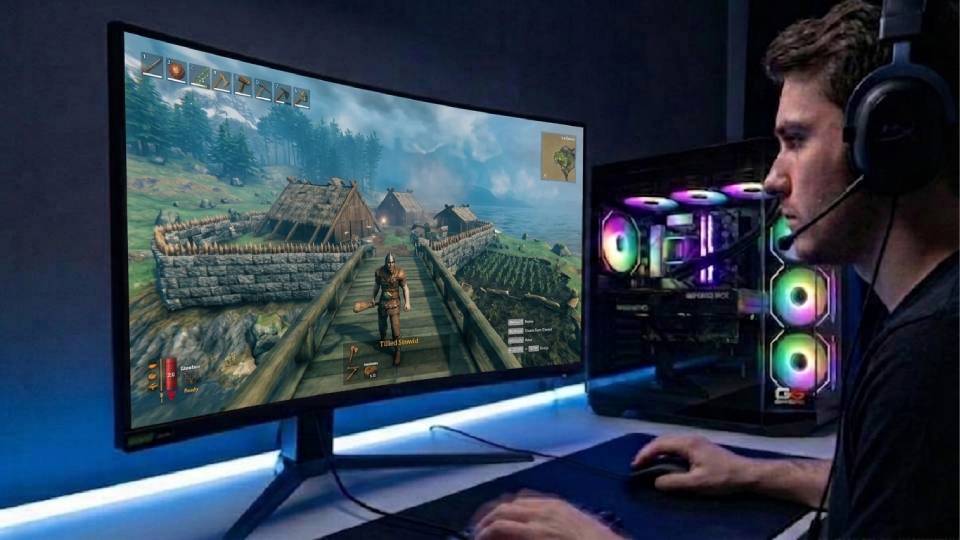
Built for the World You Choose to Explore
Valheim's world generation places a specific kind of load on the CPU: it is not continuous, but it is sudden. Entering a new biome triggers a burst of generation work that a slow processor handles with a visible stutter and a fast processor handles invisibly. The thermal situation matters here differently to a game with a sustained load — the CPU needs to be capable of hitting its boost clock quickly and maintaining it through the generation burst, not just sustaining a moderate average temperature. A build with good airflow and clean cable routing responds to those bursts consistently throughout a long session.
Cable management reduces the resistance on airflow inside the case, which keeps both the CPU and GPU operating closer to their sustained performance levels. For a Valheim build with a graphical mod collection loaded, the GPU is rendering enhanced assets throughout the session. Clean airflow means it does so at or near its boost clock rather than throttling back as case temperatures accumulate.
BIOS settings, memory profiles, and firmware stability are confirmed before dispatch. XMP and EXPO DDR5 profiles are enabled and tested for stability — faster memory improves the data throughput that supports world streaming during biome generation. The 24-hour stress test covers thermal behaviour under load, processor and graphics stability during extended use, memory responsiveness, storage performance and consistency, and BIOS firmware stability across the complete system.
Valheim mod collections occasionally produce incompatibilities with new game updates, particularly after major patches. Kevin is reachable on 01902 714533 when that happens. The 3-year warranty covers the hardware. For a modded game that you have invested time curating, knowing you have a builder to call when something breaks — not a ticket queue — is the practical difference between a Ginger6 build and a retail alternative.
What Do Ginger6 Customers Say?
Over 1,100 verified reviews with a 93% five-star rating.
Long-term reliability and post-delivery support are among the most common themes in Ginger6 reviews — exactly what a modded game player needs from the people who built their machine.
Read All Trustpilot ReviewsBought computers from here for a while and custom PCs always come highest quality. Gaming PC I bought from them 6 years ago was still going strong with one or two part replacements at the 5 year point until I got a newer one. Great choice and customer service.
Purchased a gaming PC for my teenage son. Superb value, advice and service. Kevin and his team at Ginger 6 were extremely helpful and patient. The PC arrived well packaged and promptly. My son is absolutely delighted with it. Would highly recommend to anyone.
Inside looks super neat, runs very quiet and the fans keep the computer super cool. Haven't had a problem with it.
Common Questions About Valheim Gaming PCs
A mid-range build with an RTX 5060 Ti or RX 9070 and a Core i7 or Ryzen 7 is the practical starting point for a full graphical overhaul mod collection at 1440p. With FSR or DLSS enabled at Quality mode, frame rates are comfortable throughout including during combat encounters with particle-heavy effects. The GPU tier is the primary specification for modded play — the CPU requirement is similar to vanilla and a Core i7 covers both without being overspecified for the vanilla workload.
Valheim generates terrain, populates creatures, and loads assets in real time when you cross into unexplored biome territory. This burst of work runs on the CPU. A fast single-core processor completes it quickly enough to be invisible. A slow processor produces a brief frame-rate dip that is most noticeable when entering the Plains, Mistlands, or sailing towards new coastlines. Upgrading from a Core i5 to a Core i7 — or choosing one with a higher boost clock — resolves this more effectively than any GPU upgrade would.
No. Vanilla Valheim uses a stylised low-polygon art style that is not GPU-intensive by modern standards. A budget GPU handles vanilla rendering at 1080p high settings with frame rates well above 60fps. The CPU and its single-core speed are more relevant to vanilla play than the GPU tier. If you have no intention of adding graphical mods, you do not need to invest in a high-end GPU for Valheim — that budget is better spent on CPU speed and matching it to the rest of your game library.
Yes. Valheim's built-in graphics settings include FSR support, which works alongside graphical mod collections. DLSS is available via a mod on NVIDIA hardware. Enabling FSR Quality or DLSS Quality mode recovers meaningful frame rates when running a full graphical overhaul at 1440p — enough to make the modded experience smooth on a mid-range GPU that would otherwise struggle at native resolution with a heavy mod collection active.
16GB DDR5 is sufficient for Valheim in both vanilla and modded configurations. The game does not place the RAM pressure that Cities Skylines or large Minecraft modpacks do. If you run Valheim alongside Discord, a browser, and OBS simultaneously — for streaming or co-op communication — 32GB provides comfortable headroom for background applications. For Valheim alone, 16GB is the practical specification across all play styles.
Running a Valheim dedicated server alongside the game client on the same machine significantly increases CPU and RAM demand. For small groups of two or three players, a mid-range or high-end build handles both simultaneously. For larger groups or for performance-sensitive sessions, a separate server machine or a rented cloud server produces better results. Call Kevin on 01902 714533 if you plan to host — he can advise on the right configuration for your group size and play style.
Valheim updates have historically been well-optimised and have not significantly increased hardware requirements with major content additions. The Mistlands update and subsequent biome additions ran comparably to earlier areas of the game on equivalent hardware. A mid-range build chosen today for Valheim modded play is unlikely to be made insufficient by future content updates — the game's engine is stable and the developers have consistently maintained good PC optimisation. If a future update does change requirements materially, Kevin is reachable to advise on the right response without pressure to upgrade unnecessarily.
A mid-range Valheim build covers the full sandbox category without compromise. The same build runs Minecraft with BSL or Complementary shaders at 1440p, and Palworld at 1440p high to ultra settings across all activity types. For GPU-heavy open world titles like Cyberpunk 2077 at 4K ultra or Black Myth: Wukong at maximum settings, the GPU tier in a Valheim build may not reach maximum settings — call Kevin to discuss your full game list and confirm the best single build to cover everything you play.
Find the Right Build for Valheim
Browse the gaming PC range or call Kevin directly. Tell him whether you play vanilla or with mods, your monitor resolution, and your budget. He will confirm the right build for your playthrough.