




AMD Ryzen 9 9900X: Twelve Cores, and When Not to Buy It
The short answer: the Ryzen 9 9900X is twelve Zen 5 cores and twenty-four threads at 120W, and it is not a gaming processor. There is no 3D V-Cache on it, so in games it finishes behind the eight-core Ryzen 7 9800X3D, which costs £71.40 more on the same Ginger6 machine and is worth that if playing is the point of the PC. Buy the 9900X when the machine renders, encodes or compiles and you want twelve cores without paying flagship money for them. In a G6 Fusion 800 X2 it comes to £1424.59, hand-built in Wolverhampton, stress-tested for 24 hours, free UK mainland delivery.
Twelve cores is a decision about your work, not your games. Call Kevin on 01902 714533, tell him what the machine has to finish and how long you wait for it now, and he will say whether the 9900X earns its place or whether that money belongs in the graphics card.
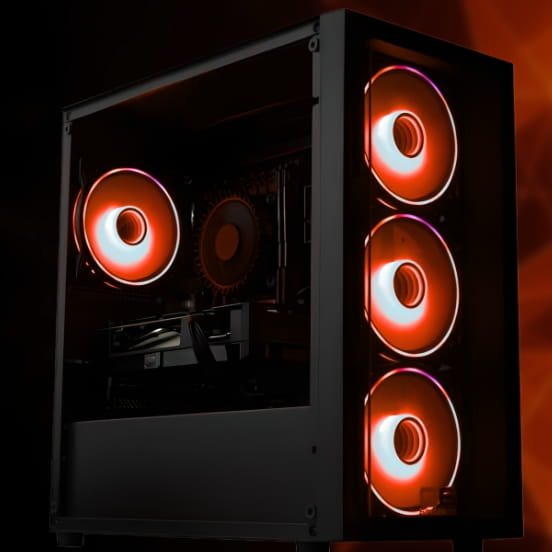
Twelve Cores of Zen 5, and What Each Number Buys
Four figures decide whether this processor belongs in your machine. Here is what each one changes about the finished PC rather than about a benchmark chart.
Twelve cores, twenty-four threads
Cores are workers, and a job only gets faster if it can be split between them. A video export, a 3D render, a software build or a stack of virtual machines hands work to all twelve at once. Game code cannot: it leans on a handful of threads and leaves the rest idle. That one difference is the whole argument of this page, and it is why we fit this chip for people who wait on jobs rather than people chasing frame rates.
4.4GHz base, 5.6GHz boost, and a label we owe you a correction on
AMD publishes a 4.4GHz base clock for this processor. Our own dropdown on the Fusion 800 X2 currently prints 4.60GHz beside it, and that figure is wrong. Where our configurator and the manufacturer datasheet disagree, the datasheet is what we quote and build from, so 4.4GHz is the number and the product label is on the list to be fixed. The 5.6GHz boost is the top speed one core reaches, and it is what keeps the machine feeling quick between the heavy jobs.
76MB of cache, and none of it stacked
64MB of L3 plus 12MB of L2 makes 76MB. That is an ordinary amount for a twelve-core chip, and ordinary is the point: the 9900X is a competent gaming processor rather than a fast one. AMD's X3D parts bond a second slab of cache underneath the cores, which holds far more of a game's working set on the processor. Without that, this chip goes out to system memory more often, and the waiting shows up as lower minimum frame rates rather than a lower headline average.
120W, which makes it an easy chip to live with
120W is modest for twelve cores, and the standard cooler included with a Fusion build copes with it. If you want it quieter through a long render, the G6 ARGB 240mm liquid cooler is £51.00 on the same machine and the 360mm is £64.99. It sits on the AM5 socket with DDR5 memory and PCIe 5.0, so a processor upgrade in three years is a chip and a BIOS update rather than a new motherboard.
A Narrow Buy. And We Will Say So.
Put the processors people cross-shop onto one machine and the 9900X lands somewhere awkward. On the G6 Fusion 800 X2 it configures to £1424.59. The eight-core Ryzen 7 9800X3D on the same build is £1495.99. Choosing the 9900X saves you £71.40 and hands you four more cores, at the cost of the thing most buyers of a £1400 gaming PC came for.
£71.40 on a machine at this price is not a saving worth taking if you mainly play games. That is an odd sentence to write, because normally the chip with more cores costs more and does more. Here the cheaper option is the better gaming buy, because stacked cache decides frame rates and core count does not.
The 9900X earns its money in one situation. The machine has real multi-core work in it, exports, renders, software builds, virtual machines, and you would rather pay £144.60 over the standard Ryzen 7 8700F than £307.20 for the sixteen-core Ryzen 9 9950X. Twelve cores at that price is a reasonable middle, and it still games perfectly well, which is a different claim from games fast.
If the work is genuinely heavy, look up instead. The Ryzen 9 9950X is £1587.19 on the same build, £162.60 more for four more cores and eight more threads. Measured per core that is a better step than the one you are considering, and if exports fill an afternoon it is the chip to buy.
If the work is light, look down. The Ryzen 7 9700X is £1372.99 and the standard Ryzen 7 8700F costs nothing over the £1279.99 base. Eight Zen 5 cores clear most of what people describe as heavy, and the £144.60 saved buys a real step of graphics card, which changes frame rates at every resolution above 1080p. Kevin says this on 01902 714533 before he sells anyone a Ryzen 9.
The Two Machines That Take the 9900X
This chip is an option in the processor dropdown rather than a standard fitment, and it appears on fewer builds than most of the range. Both of these are in stock with a live add-to-cart button.
The 9900X is not offered on the G6 Fusion 600 range, and it is on none of the three AMD configurators: those lists carry the Ryzen 9 7900X and the Ryzen 9 9950X but skip this chip. The Apex range takes X3D processors only. Browse the tier on the Ryzen 9 gaming PC page, or specify a machine from the ground up in the AMD custom PC builder. Prices were read from the live configurators for this guide, and the figure in the dropdown on the product page is always the current one.
Three Times We Would Sell You Something Else
Two of these three cost us margin on the order. They are still the right answer, and they are what Kevin says on the phone.
Buy the Ryzen 7 9800X3D
£1495.99 on the G6 Fusion 800 X2, which is £71.40 above the 9900X. Eight cores with stacked cache beat twelve without it in games, and in the titles that lean hardest on a processor it is not close.
What you give up: four cores. If the machine never renders or compiles, you will not notice them missing.
Buy the Ryzen 9 9950X
£1587.19 on the same build, £162.60 more for sixteen cores and thirty-two threads. Per core that is a better buy than the 9900X, and jobs that split cleanly finish in noticeably less time.
What it asks for: 170W of cooling. Budget the 360mm liquid cooler at £64.99 alongside it.
Buy Eight Cores and a Bigger Card
£1372.99 puts a Ryzen 7 9700X in the same machine, and the standard Ryzen 7 8700F costs nothing over the £1279.99 base. Both are strong eight-core chips for everyday work.
Where the money goes: the graphics card. It moves frame rates further than any processor choice on this page.
Not sure which of those four you are? Call Kevin on 01902 714533 or email [email protected] with four things and he will name the processor and the build to put it in:
1. What the machine has to finish, and how long you wait for it now. 2. The games you play and your monitor resolution. 3. Whether anything runs in the background while you play. 4. Roughly what you want to spend.
Prefer to specify it yourself? Every option sits in the AMD custom PC builder. 0% finance available via PayPal Pay in 3 on orders over £500. Subject to status.
Why Core Count Stopped Deciding Frame Rates, and What Twelve Cores Still Fix
For most of the last decade the advice was straightforward: buy more cores and everything gets faster. It stopped being true for games somewhere around the point AMD began stacking cache under the cores. A game engine is a stream of small, awkward requests, the position of things, the state of the world, what happens in the next few milliseconds, and it hands almost all of that to a small number of threads. Adding a fifth, sixth or twelfth worker to a job that only two people can hold does nothing. What does something is keeping the data those two threads want close by, which is exactly what the X3D chips do and the 9900X does not.
So the 9900X is a work processor that plays games competently. That is not a criticism, it is a category. Rendering, encoding, compiling and running several virtual machines are jobs that genuinely split, and on those the difference between eight cores and twelve is time you get back every day. If you export video weekly, build software daily or run a couple of machines alongside your own desktop, twelve cores is a real answer to a real problem. If you do none of those things, the 9900X is four cores of idle silicon that cost you £144.60 and made your games slower than the alternative.
The number that should decide it is not the core count, it is the wait. If you can name a job you sit through, time it. If the answer is a few seconds, no processor on this page will change your life. If the answer is twenty minutes, twice a day, then the arithmetic works and you should probably be reading about the sixteen-core Ryzen 9 9950X instead of this chip. If you want the whole Ryzen 9 tier weighed up side by side, including the X3D parts, our guide to which Ryzen 9 is best for gaming covers the decision, and the Ryzen 9000 processors guide puts all ten of the chips we build with in order.
Fitting one properly is where our part of the job starts. The 9900X is an easy processor to cool at 120W, so the standard cooler on a Fusion build is honest rather than a compromise, and the 240mm and 360mm liquid options at £51.00 and £64.99 buy quiet rather than speed. Two sticks of memory go in as a dual-channel pair rather than one, because a single stick leaves twelve cores sharing half the memory bandwidth they were designed around. The memory profile is enabled and confirmed on the bench, the case airflow is planned around the graphics card, and the finished machine runs for a full 24 hours under load in Wolverhampton so anything marginal announces itself here rather than at your desk in week three.
Then the person who built it answers the phone. Kevin has been building these machines since 2001, and the Trustpilot score sitting at 4.9 across more than 1100 reviews is mostly people saying he picked up. If something needs attention inside the 3-year warranty you speak to him directly, and if the honest answer to your question is a cheaper processor, that is the answer you get. It has cost us orders. It is still the answer.
Common Questions About the Ryzen 9 9900X
The Ryzen 9 9900X is a twelve-core, twenty-four-thread desktop processor from AMD's Ryzen 9000 range, built on the Zen 5 architecture. AMD publishes a 4.4GHz base clock and a boost of up to 5.6GHz, with 64MB of L3 and 12MB of L2 for 76MB of cache in total, a 120W default TDP, and the AM5 socket alongside DDR5 memory and PCIe 5.0. It has no 3D V-Cache, which is the single fact that decides who should buy it.
It is competent rather than fast. The 9900X plays every current title well at 1440p and 4K, where the graphics card sets the pace, but it finishes behind AMD's X3D processors because those carry stacked cache and this one does not. On the G6 Fusion 800 X2 the eight-core Ryzen 7 9800X3D is £1495.99 against £1424.59 for the 9900X, so the better gaming chip is £71.40 more. If gaming is the reason you are buying the machine, pay it.
Answer one question: does the machine do work that uses every core, such as video exports, 3D renders, software builds or virtual machines? If it does, the 9900X gives you twelve cores for £71.40 less than the 9800X3D on the same build. If it does not, buy the 9800X3D, because in games it is the faster processor and the four extra cores on the 9900X will sit idle. We would rather lose the difference than sell you the wrong one.
The cheapest Ginger6 machine with a 9900X is the G6 Fusion 800 X2 at £1424.59, which is the £1279.99 base build with an RTX 5060 plus the £144.60 processor upgrade. The G6 Fusion 1200 X1 with an RTX 5060 Ti 16GB comes to £1653.99, a £24.00 step over its standard Ryzen 9 7900. Both prices include free UK mainland delivery, a 24 hour stress test and a 3-year warranty.
The Fusion 800 range and the Fusion 1200 range carry it in the processor dropdown, and the two we would point you at are the Fusion 800 X2 at £1424.59 and the Fusion 1200 X1 at £1653.99. It is not offered on the Fusion 600 range and it does not appear on any of the three AMD configurators, which carry the Ryzen 9 7900X and the Ryzen 9 9950X but skip this chip. The Apex range takes X3D processors only.
No. At 120W it is one of the easier Ryzen 9 chips to cool, and the standard cooler fitted to a Fusion build handles it with the fan curve set on the bench before dispatch. Liquid cooling is worth having for noise rather than for speed: the G6 ARGB 240mm is £51.00 on those machines and the 360mm is £64.99. If you render for hours at a time, the 360mm keeps the fans calmer and the clocks steadier through a long job.
It depends entirely on whether your work scales. On the G6 Fusion 800 X2 the 9950X is £1587.19 against £1424.59 for the 9900X, so four extra cores and eight extra threads cost £162.60. If the jobs you wait on split cleanly across every core, that is better value per core than the 9900X and the right buy. If they do not, you are paying £162.60 for cores that never wake up, and the 9900X is the more sensible chip.
Every machine is assembled by hand in Wolverhampton, cable-managed for airflow, fitted with dual-channel memory as a matched pair rather than a single stick, and has its memory profile and BIOS settings confirmed on the bench. It then runs for a full 24 hours under load before it is boxed. Delivery to UK mainland addresses is free, a 3-year warranty is standard with longer parts cover available at checkout, and the person who answers 01902 714533 is the person who built it.
The Rest of the Ryzen 9 Tier
Ryzen 9 9950X
Sixteen cores at 170W, the same missing cache, and an honest look at which jobs genuinely need them.
Read the GuideRyzen 9 9900X3D
The same twelve cores with stacked cache added, at £1597.99 on the Fusion 800 X2. The version of this chip that games.
Read the GuideEvery Ryzen 9000 Chip Explained
The whole Zen 5 desktop line ranked by what each chip is for, so you can see how narrow the gap either side of the 9900X really is.
Read the GuideWeighing the 9900X against the sixteen-core flagship with cache? The Ryzen 9 9950X3D guide covers the chip that does both jobs, and which Ryzen 9 is best for gaming takes the decision from the top.
Twelve Cores, Built Around Your Work?
Pick the machine, choose the 9900X in the processor dropdown, and it is assembled by hand in Wolverhampton, stress-tested for 24 hours and backed by a 3-year warranty. If your answers point at a different chip, Kevin will say so before you pay.