




AMD Ryzen 9 9900X3D: Specs, Price and the Narrow Case For It
The short answer: twelve Zen 5 cores at 5.5GHz with 140MB of cache, but the 3D V-Cache sits under only half of them. Games run on that half, so in games this chip lands about level with the eight-core Ryzen 7 9800X3D rather than ahead of it. What the other six cores buy is everything running behind the game, and multi-core work once the game is closed. That makes the 9900X3D a narrow recommendation rather than a general one, and this page draws the band precisely. The cheapest sensible route is the G6 Fusion 800 X2 at £1597.99, built by hand in Wolverhampton with free UK mainland delivery.
This is the chip Kevin talks people out of most often. Call him on 01902 714533, describe what the machine does besides gaming, and he will tell you whether the twelve cores earn their money or whether the eight-core chip and a bigger graphics card is the better buy.
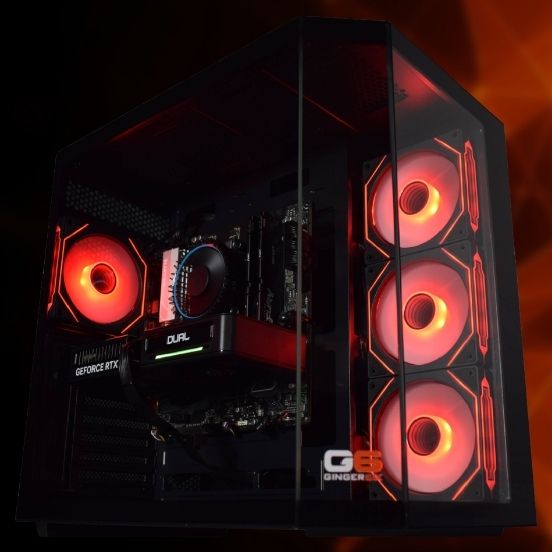
Most People Reading This Should Buy Something Else
The 9900X3D sits between two chips that are each better at one job. There are three honest answers to the question that brought you here, and only the middle one is this processor. All three prices below are the same machine, the G6 Fusion 800 X2, so the comparison is like for like.
If You Only Game, Buy the 9800X3D
The Ryzen 7 9800X3D is £102.00 less than the 9900X3D in the Fusion 800 X2 and it games just as well, because a game runs on a cache-carrying cluster in both chips. Spending the difference on the graphics card does more for frame rates than the four extra cores ever will.
This is most gamers. If you play, close the game and shut the machine down, stop here.
The 9900X3D Fits a Specific Week
You game most evenings and you want the frame rates an X3D chip gives, but the machine is never doing only that. Capture software, a stream, a voice server, a browser full of tabs, a game server for friends, a compile finishing in the background, a virtual machine left running.
And the heavy jobs are occasional. A render or an export now and then, not every day. That is the band, and it is narrower than the marketing suggests.
If You Render or Compile Seriously, Stretch Up
The Ryzen 9 9950X3D adds four more cores for £105.60 over the 9900X3D in the same machine. If you wait on exports, renders or compiles as part of the job, those four cores are worth the step and the payback is measured in hours a week rather than frames.
Twelve cores is an awkward place to stop if multi-core work is genuinely your reason for buying.
Twelve Cores, and Your Game Uses Six of Them
The 9900X3D is built as two clusters of six cores. AMD stacks 64MB of extra cache beneath one cluster and leaves the other without it. Add the 32MB already on each cluster and the sums land where AMD publishes them: 128MB of L3, 12MB of L2, 140MB in total.
A game does not spread across all twelve. Windows and the AMD chipset driver park it on the cluster with the cache, because that is where frames are won, and the six cores on the other side sit out of the way. So the number that decides your frame rate is not twelve cores. It is 96MB of L3 across six cores, which is the same cache pool a Ryzen 7 9800X3D gives a game across eight.
That is why this chip is not a faster gaming processor than the 9800X3D. It is about level, and in the handful of titles that genuinely put eight cores to work it can sit a shade behind. Anyone selling you the 9900X3D as the gaming step up from the 9800X3D has the mechanism the wrong way round.
What the second cluster is genuinely good for is everything that is not the game. Encoding a stream on the processor, a capture running, a compile chewing away, a virtual machine, a game server, twenty browser tabs. On an eight-core chip that load has to share the same cores the game is using. Here it has six cores of its own, and the game never notices. That is a real benefit, it is worth money to some people, and it is not a frame rate benefit.
The same six spare cores shorten the jobs that use every core, so a render or an export finishes faster than it would on the 9800X3D. Just not as much faster as sixteen cores would, which is the argument for the Ryzen 9 9950X3D and against this chip for anyone doing that work daily.
The Machines We Would Put a 9900X3D In
No Ginger6 build ships with this chip as standard. It is a choice in the processor dropdown, and what it costs depends on the machine you start from. These four are in stock, and the price shown is the finished machine with the 9900X3D fitted.
There is a cheaper 9900X3D than any of those, and we will talk you out of it. The G6 Fusion 600 X1 will fit this processor for £1453.99, which is £144.00 below the Fusion 800 X2 route. The catch is the graphics card in front of it, an RTX 3050. Putting a £318.00 processor upgrade behind an entry-level card is the most expensive way to buy frames we sell: the card runs out long before the processor does, so the money buys a number on a spec sheet and nothing you can see. If £1450 is the budget, the honest build spends it the other way round, with a modest processor and the best card that fits. Kevin will spec that on the phone in five minutes.
The 9900X3D is also an option on the G6 Apex 1, Apex 2, Apex 3, Apex 3 Radeon, Apex 6, the Sonic FSX3, the rest of the Fusion 800 and Fusion 1200 ranges and the Fusion 600 range. Browse the range on the Ryzen 9 gaming PC page, or specify one from scratch on the AMD custom PC builder. Prices were read from the live configurators on the day of writing, and the current figure is always in the dropdown on the product page.
The Middle Child of the X3D Range, and What That Costs You
AMD released the 9900X3D in March 2025 alongside the sixteen-core 9950X3D, and it inherited the same clever, slightly awkward design: two clusters of cores, one carrying stacked cache, one not. On the sixteen-core chip that split is easy to defend, because eight cores with cache handle the game and eight more without it handle the render, and both halves are full-size. On the twelve-core chip the halves are six and six, which means the gaming half has fewer cores than a Ryzen 7 9800X3D has, and the working half has fewer cores than most people who buy for work want.
It is a real processor with a real use, and it is also the chip most likely to be bought for the wrong reason. The reason is a number. Twelve is more than eight, 9900 is a bigger model number than 9800, and it costs more, so it reads as the upgrade. Every one of those signals points the wrong way for a gamer, because the part of the chip a game touches did not change. We would rather write that down than take the extra £102.00 and let you find out later.
Where it earns its money is load that runs alongside the game. If you encode a stream on the processor rather than the graphics card, keep capture software running, host a server for friends, leave a compile or a virtual machine going while you play, or you have the kind of desktop that never has fewer than thirty things open, then six spare cores mean none of that lands on the cores your game is using. On an eight-core chip it does, and you feel it as the occasional dropped frame rather than a lower average. That is worth paying for, and it is a different benefit from the one the model number implies.
Where it does not earn its money is at either end. If gaming is the whole point of the machine, the Ryzen 7 9800X3D is £102.00 less in the Fusion 800 X2 and £100.80 less on both the Apex 4 and the Fusion 1200 X1, and it gives you the same frames. If exporting, rendering or compiling is a daily part of your week, the 9950X3D is £105.60 more in the Fusion 800 X2 for four more cores, and it is the standard chip in the Apex 5, so you are not paying an upgrade at all. And if the machine never plays a game, drop the cache entirely: the Ryzen 9 9900X has the same twelve cores without the stacked die at £1424.59 in the Fusion 800 X2, which is £173.40 less than the 9900X3D. Our guide to which Ryzen 9 is best for gaming walks the whole tier if you want the comparison in one place.
Fitting one well matters as much as choosing it. The 9900X3D draws 120W, which sounds modest, and AMD's own specification recommends a liquid cooler for it because the heat comes out of a small area rather than spread across the package. On the Apex builds from the Apex 2 up that is settled for you, since a 360mm liquid cooler is standard and the fan curve is set on the bench. On a Fusion build the standard cooler will run the chip, and the 360mm liquid upgrade at £64.99 is the box we would tick for a processor at this level. The Fusion boards are a Gigabyte A620M H, so Wi-Fi arrives via the included USB adapter, and stepping the board up to a B650M D3HP AX for £54.00 or a B650 Eagle AX for £73.20 brings Wi-Fi 6E and Bluetooth onto the board itself.
Memory goes in as a matched pair in dual channel on every machine we build, never a single stick, because one stick halves the bandwidth the processor has to work with and a chip that is already asking a lot of memory feels it. The Fusion 800 X2 ships 16GB DDR5 5200MHz (2x8GB) Dual Channel with 32GB DDR5 5200MHz (2x16GB) Dual Channel a £210.00 upgrade, and the Apex 4 ships the 32GB kit as standard. The profile is enabled and confirmed on the bench rather than left for you to find in the BIOS, and then the finished machine runs for a full 24 hours under load in Wolverhampton, which is where a marginal part or a lazy cooler mount shows itself instead of on your desk a fortnight later.
Ginger6 has been building these machines since 2001, and the reason any of the advice above is worth reading is that the person giving it also builds and supports the result. Kevin fits X3D chips every week, answers 01902 714533 himself, and would rather sell you a cheaper processor and a better graphics card than take a larger order you regret. Every build carries a 3-year warranty, delivery to UK mainland addresses is free, and the 4.9 rating from more than 1100 Trustpilot reviews is mostly people saying the machine did what they were told it would do.
Four Questions That Settle It in Five Minutes
These are the questions Kevin asks when somebody rings up asking for a 9900X3D. Answer them honestly and the chip picks itself.
1. What is running while you play?
If the answer is nothing much, a game and a chat window, the 9900X3D has nothing to give you that the 9800X3D does not. If the answer is a stream encoded on the processor, capture software, a server, a compile, a virtual machine, that is exactly what the second cluster of six cores is for and it is the strongest reason to choose this chip.
2. How often do you wait on a render?
Once a month is not a reason to buy cores. Once a day is, and at that point twelve is the wrong number to stop at: the sixteen-core 9950X3D finishes those jobs meaningfully sooner for £105.60 more in the Fusion 800 X2, and it is the standard processor in the Apex 5 so there is no upgrade to pay at all.
3. Is the graphics card where you want it?
Above 1080p the card sets the frame rate and the processor keeps up. If the card is a step below where you would like it, the processor upgrade is the wrong place for that money every time. Take the 9800X3D, move the £102.00 into the card, and the machine is quicker in the thing you look at.
4. Does the machine ever stop gaming?
Some people buy a gaming PC and then find it has quietly become the work machine as well, and those are the people the 9900X3D suits. If that has not happened and there is no sign it will, buy for what the machine does now. You can change the processor later on the same AM5 board without replacing anything else.
Still on the fence? Call Kevin on 01902 714533 or email [email protected] with four things and he will name the build and the processor that goes in it, including the times the cheaper chip is the right answer:
1. The games you play most often. 2. Your monitor resolution and refresh rate. 3. What else the machine does, and how often. 4. Your approximate budget.
Prefer to specify it yourself? Every option is on the AMD custom PC builder. 0% finance available via PayPal Pay in 3 on orders over £500. Subject to status.
Common Questions About the Ryzen 9 9900X3D
The Ryzen 9 9900X3D is a twelve-core, twenty-four-thread desktop processor released by AMD in March 2025. It runs at 4.4GHz base and 5.5GHz boost, carries 128MB of L3 cache and 12MB of L2 for 140MB in total, draws 120W, and fits the AM5 socket alongside DDR5 memory. It is a Zen 5 chip with second-generation 3D V-Cache, and the important detail is that the twelve cores sit in two clusters of six with the stacked cache beneath only one of them.
No, it is about level. A game is placed on the cluster that carries the stacked cache, and on the 9900X3D that cluster is six cores with 96MB of L3, which is the same cache pool the eight-core Ryzen 7 9800X3D gives a game. The four extra cores sit on the other cluster and a game does not use them, so in the few titles that genuinely scale to eight cores the 9900X3D can even sit a shade behind. If gaming is the only demanding thing the machine does, buy the 9800X3D and put the £102.00 saved in the Fusion 800 X2 towards the graphics card.
Buy the 9900X3D if the extra cores are there to keep background work off your game, and buy the 9950X3D if the extra cores are there to finish a job faster. In the G6 Fusion 800 X2 the 9900X3D comes to £1597.99 and the 9950X3D to £1703.59, so the sixteen-core chip is £105.60 more for four more cores, which is good value if you wait on renders, exports or compiles regularly. The 9950X3D is also the standard processor in the G6 Apex 5 at £3209.99, where choosing the 9900X3D instead takes £90.00 off the price. In games the two are level, so the decision is entirely about the work.
The cheapest sensible Ginger6 build with this processor is the G6 Fusion 800 X2 at £1597.99, which is the £1279.99 base machine with an RTX 5060 plus the £318.00 processor upgrade. The G6 Fusion 1200 X1 with an RTX 5060 Ti 16GB comes to £1826.79, the G6 Apex 4 with an RTX 5070 Ti to £2700.79, and the G6 Apex 5 with an RTX 5080 to £3119.99, which is £90.00 less than that machine's standard specification. A cheaper route exists on the Fusion 600 X1 at £1453.99, and we would advise against it because the RTX 3050 in front of the processor sets the frame rate long before the processor does.
No Ginger6 machine ships with the 9900X3D as standard, so it is always a choice in the processor dropdown. It appears on the G6 Apex 1 to Apex 6, the G6 Sonic FSX3, and the whole Fusion 600, Fusion 800 and Fusion 1200 ranges. What it costs depends on the machine: £318.00 on the Fusion 800 X2, £196.80 on the Fusion 1200 X1, £100.80 on the Apex 4, and £90.00 off the price on the Apex 5, where it replaces a sixteen-core chip. Every one is built to order by hand in Wolverhampton.
An air cooler will run it, and AMD's own specification recommends a liquid cooler for best results, which is the line we would follow. The 120W figure understates the job because the heat leaves a small area rather than spreading across the package, so cooling holds the boost clock higher for longer rather than merely keeping the chip alive. On the G6 Apex 2 and above a 360mm liquid cooler is standard and the fan curve is set on the bench before dispatch. On a Fusion build the standard cooler is fitted by default and the 360mm liquid upgrade costs £64.99, which is the box we would tick for a processor at this level.
For streaming while gaming it is a strong choice, particularly if you encode on the processor or run capture software and overlays, because the six cores that are not carrying your game absorb that work instead of stealing from it. For video editing it depends on how much of it you do. Short projects and occasional exports are comfortable on twelve cores. If you export long timelines or render most days, sixteen cores finish those jobs noticeably sooner and the Ryzen 9 9950X3D is the better buy at £105.60 more in the G6 Fusion 800 X2.
Every Ginger6 machine ships with a 3-year warranty as standard, with longer parts cover available at checkout. Before it leaves, the build is assembled by hand in Wolverhampton, cable-managed so the cooler and the graphics card both get clean air, has its memory profile and BIOS settings confirmed on the bench, and runs for a full 24 hours under load so that a marginal component fails here rather than at your desk. Memory always goes in as a matched dual-channel pair rather than a single stick. Delivery to UK mainland addresses is free, and the person who answers 01902 714533 is the person who built it.
The Chips on Either Side of This One
Two of these three are more likely to be your answer than the 9900X3D is. The sixteen-core option is covered in full on the Ryzen 9 9950X3D guide.
Ryzen 7 9800X3D
The eight-core chip that games at the same speed for £102.00 less in the Fusion 800 X2. The right answer for most people who came here.
Read the GuideWhich Ryzen 9 Is Best for Gaming?
The twelve and sixteen-core chips weighed against each other, and an honest look at when a Ryzen 9 is more processor than the machine needs.
Read the GuideEvery Ryzen 9000 Chip Explained
All ten chips we build with, side by side, with the whole ladder priced against the machine most people buy.
Read the GuideThe same twelve cores without any stacked cache are on the Ryzen 9 9900X guide, and the sixteen-core part that carries cache on both clusters is the Ryzen 9 9950X3D2.
Ready to Build Around the 9900X3D?
Pick the machine, choose the processor in the dropdown, and it is assembled by hand in Wolverhampton, stress-tested for 24 hours, and backed by a 3-year warranty. If the honest answer is a cheaper chip, that is what you will be told before you spend the money.