




AMD Ryzen 9000 Series: Every Chip, and Which One to Buy
The short answer: ten chips in the range we build with, all Zen 5, all on the AM5 socket with DDR5 memory. Five of them carry 3D V-Cache and those are the gaming chips. For gaming, buy the Ryzen 7 9800X3D. For rendering and encoding, buy cores instead: the Ryzen 9 9950X. If the machine does both for a living, the Ryzen 9 9950X3D is the one that does not compromise either. Every chip on this page goes into a machine hand-built in Wolverhampton, from £1279.99, with free UK mainland delivery.
Ten chips is more choice than most people need. Call Kevin on 01902 714533 with your games, your monitor and your budget and he will narrow it to one.
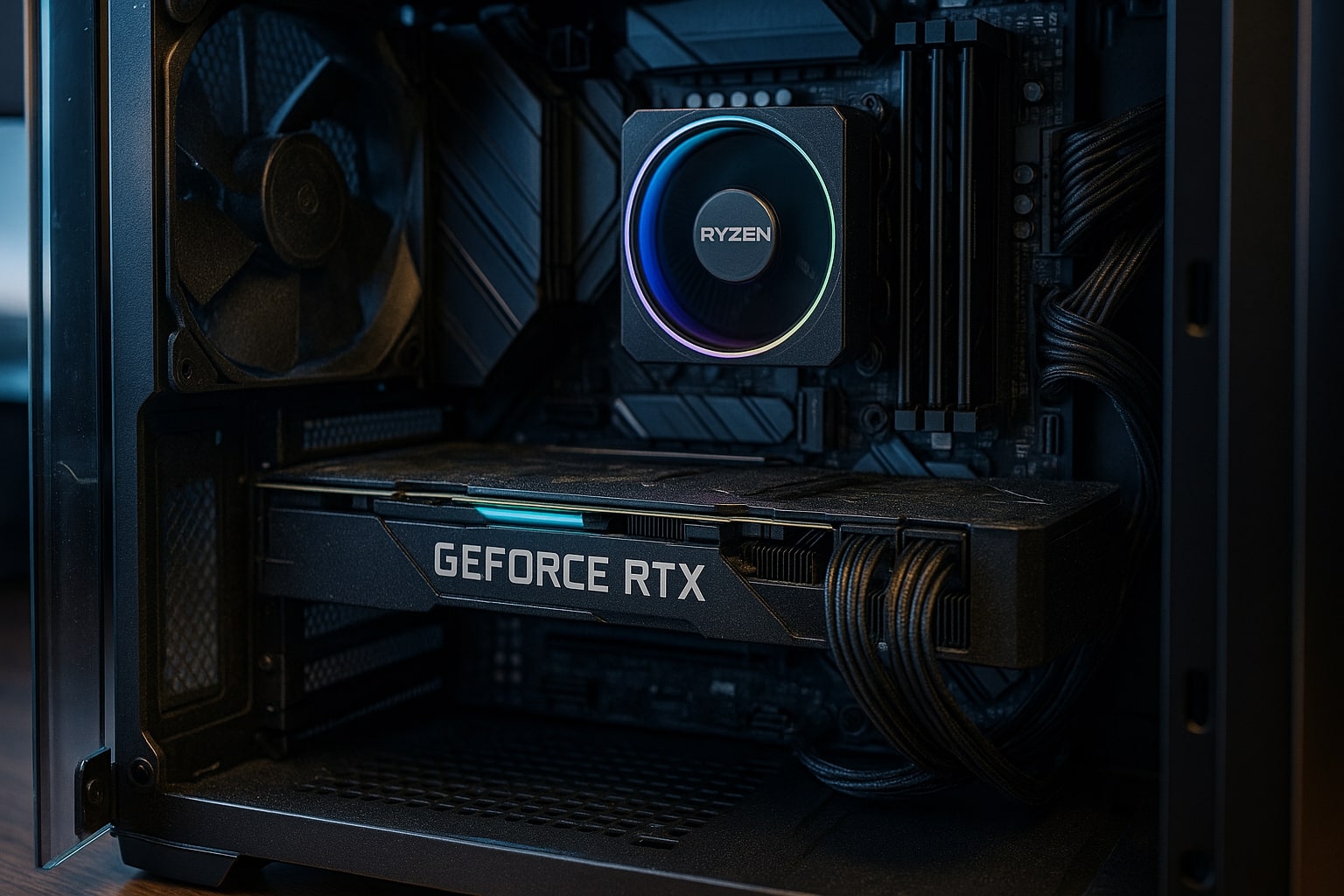
What Ryzen 9000 Changed
Four things separate this generation from the Ryzen 7000 chips it followed, and one of them is the reason the gaming crown moved.
Zen 5 cores on a 4nm process
AMD quotes an average 16% instructions-per-clock improvement over the Zen 4 cores in the Ryzen 7000 series, which is a real generational step rather than a clock speed increase dressed up as one. In practice it shows up most in work that keeps every core busy, and least in games, where the cache change below does the heavy lifting.
Second-generation 3D V-Cache
The stacked cache moved underneath the cores rather than sitting on top of them. Heat escapes more easily as a result, so the X3D chips in this generation hold higher clock speeds than the Ryzen 7000 X3D parts did and lost the overclocking restrictions those chips carried. This is the change that made the Ryzen 7 9800X3D the fastest gaming processor on sale.
Lower power at the same performance
TDP is the heat a cooler has to remove, quoted in watts. The Ryzen 5 9600X and Ryzen 7 9700X sit at 65W where their Ryzen 7000 equivalents drew 105W, and the twelve-core Ryzen 9 9900X dropped from 170W to 120W. Less heat means quieter fans and more headroom in a case, which matters more day to day than a benchmark margin.
The same AM5 socket
Ryzen 9000 uses the AM5 socket and DDR5 memory introduced with Ryzen 7000, so a Ryzen 7000 machine takes a Ryzen 9000 chip after a BIOS update rather than a new motherboard. AMD has committed to AM5 for years yet, which is the practical case for building on it now. Our comparison of AM5 against AM4 covers what that means for an older machine.
All Ten Ryzen 9000 Chips, Side by Side
Cores, cache, and what each chip is honestly for. The final column is the price of that chip in the G6 Fusion 800 X2, the cheapest machine we build that offers the whole range.
Cores are listed as cores and threads. Cache is the total of L2 and L3 on the chip. Prices are the live configured prices at the time of writing on the G6 Fusion 800 X2, except the 9950X3D2, which is offered on the G6 Apex 5 and Apex 6 only. The current figure is always on the product page.
The X3D Ladder, Priced Against the Chip Most People Buy
Every X3D chip we fit, measured as a price difference against the Ryzen 7 9800X3D in the G6 Apex 4 at £2599.99. This is the ladder in one place, and most people should stop climbing at the second rung.
Read on the live G6 Apex 4 configurator at the time of writing. Deltas differ on other machines, and the current figures are always in the dropdown on the product page.
Ryzen 9000 Made the Gaming Choice Simple and the Work Choice Harder
Ten chips sounds like a lot of deciding. For gaming it is not. Five of the ten carry 3D V-Cache, and the gap between the best of those and the rest of the range is wider than the gaps within it. An eight-core Ryzen 7 9800X3D beats a sixteen-core Ryzen 9 9950X in games while costing less, because games live on cache rather than core count. So the gaming shortlist is short: the 9800X3D, the 9850X3D if the small premium suits you, and the 9950X3D if the machine has a second job. Everything else in the range is a productivity chip that happens to play games well.
Where this generation made things harder is the work side, and it is worth being straight about it. The 9600X and 9700X dropped to 65W and gained efficiency, which is genuinely useful in a quiet build, but the generational gain over the Ryzen 7000 equivalents is modest enough that a 7600 or 7700 at a lower price is often the better buy. The twelve and sixteen-core chips are a clearer step, particularly the 9950X, and the 9950X3D2 with cache stacked on both halves is the first AMD desktop part that stops asking you to choose between frames and cores. It also draws 200W and costs accordingly, which is why we offer it on two machines rather than ten.
The other question this generation settles is when to stop. There is a version of this page that recommends the 9950X3D2 to everybody and sells more expensive machines. It would be wrong. If you play games at 1440p on a 165Hz monitor, the 9800X3D will not hold you back and the difference between it and the chip at the top of the ladder will not be visible while you play. Put the money into the graphics card instead, because that is where frame rates live at every resolution above 1080p. Saying that costs us margin on some orders and it is the same advice we give on the phone.
A Ryzen 9000 build asks a couple of things of the person assembling it. The X3D chips concentrate heat in a small area, so the cooler has to be right, which is why 360mm liquid cooling is standard from the Apex 2 up rather than an upsell. DDR5 memory goes in as a matched pair in dual channel, never a single stick, and the memory profile is enabled and confirmed before the machine leaves the bench, because an unstable profile is the most common cause of a new AM5 build that seems fine and then is not. Then every build runs 24 hours under load in Wolverhampton, which is the point at which a marginal chip or a lazy cooler mount announces itself.
After that, Kevin answers the phone on 01902 714533. He has been building these machines since 2001, fits these chips every week, and is the person who picks up if something needs attention inside the 3-year warranty. That is the practical difference between buying a processor and buying a machine.
Pick the Tier, Then Pick the Chip
Three tiers, three answers. Every machine behind them is hand-built to order in Wolverhampton and every processor above is available on all of them.
- Ryzen 5 9600 and 9600X
- 32GB DDR5 5200MHz (2x16GB) Dual Channel typical
- Paired with: RTX 5060 to RX 9060 XT
- Best for: 1080p and high refresh 1440p
- Ryzen 7 9700X, 9800X3D, 9850X3D
- 96MB of L3 cache, 64MB of it stacked
- Paired with: RTX 5070 to RTX 5080
- Best for: high refresh 1440p and 4K
- Ryzen 9 9900X, 9950X, 9900X3D, 9950X3D, 9950X3D2
- Up to 208MB of total cache
- Paired with: RTX 5080 to RTX 5090
- Best for: creators, streamers, simulation
Want a specific chip in a specific machine? Build it yourself on the AMD custom PC builder, or call Kevin on 01902 714533 or email [email protected] with four things:
1. The games you play most often. 2. Your monitor resolution and refresh rate. 3. Whether you stream, record or edit alongside gaming. 4. Your approximate budget.
0% finance available via PayPal Pay in 3 on orders over £500. Subject to status.
Common Questions About Ryzen 9000
Ryzen 9000 is AMD's current generation of desktop processors, built on the Zen 5 architecture and a 4nm process. Ten chips make up the range Ginger6 builds with, from the six-core Ryzen 5 9600 to the sixteen-core Ryzen 9 9950X3D2. All of them use the AM5 socket and DDR5 memory, and five of them carry 3D V-Cache, AMD's stacked cache technology that raises gaming frame rates. AMD quotes an average 16% instructions-per-clock gain over the Ryzen 7000 generation.
The Ryzen 7 9800X3D. Eight cores, 5.2GHz and 96MB of L3 cache with 64MB of it stacked, which is what games respond to. The Ryzen 7 9850X3D adds 400MHz for a small premium and is a few percent quicker. Above those, the Ryzen 9 9950X3D matches them in games and adds sixteen cores for work, and the Ryzen 9 9950X3D2 stacks cache on both halves of the chip. Ginger6 fits the 9800X3D in the G6 Apex 4 at £2599.99, and every AMD machine offers the rest of the ladder as an option.
They are the same six-core chip with different clock speeds: 5.2GHz on the 9600 against 5.4GHz on the 9600X, which is a difference of a few percent at most in games. On the G6 Fusion 800 X2 the 9600 costs nothing over the standard processor and the 9600X is £12 less again, so the price gap is small enough that either is a sound choice. Both are 65W chips, both run cool and quiet, and neither will hold back a graphics card up to an RTX 5060 Ti.
The X3D chips have an extra layer of cache memory stacked with the processor cores, which AMD calls 3D V-Cache. Cache is fast memory the processor reaches without going out to system RAM, and games ask for small pieces of data constantly, so more of it on the chip means higher and steadier frame rates. A standard Ryzen 9000 chip has 38MB to 80MB of total cache; the X3D versions run from 104MB to 208MB. For video exports, 3D rendering and compiling, the extra cache does little and core count decides the result instead.
Not if the machine is already on the AM5 socket. Ryzen 9000 uses the same AM5 socket and DDR5 memory as Ryzen 7000, so a Ryzen 7000 machine takes a Ryzen 9000 chip after a BIOS update. Coming from the older AM4 socket is a different matter: AM4 used DDR4 memory, so the motherboard and the memory both change. Ginger6 builds Ryzen 9000 machines on A620, B650 and X870 boards depending on the tier. The Apex range carries Wi-Fi 6E or Wi-Fi 7 and Bluetooth onboard, and the Fusion builds use an A620M board with Wi-Fi supplied by an included 433Mbps USB adapter.
32GB DDR5 5200MHz (2x16GB) Dual Channel is the sensible standard for a Ryzen 9000 gaming PC in 2026, and it is what Ginger6 fits as standard on the AMD range. Memory always goes in as a matched pair rather than a single stick, because a single stick halves the bandwidth available to the processor and costs frame rates. 64GB (2x32GB) is worth the upgrade for video editing, 3D rendering or large simulation work. Faster 6000MHz kits are available and the gain in games is small.
Match the monitor to the graphics card, not the processor. A Ryzen 5 9600 or 9600X build with an RTX 5060 suits 1080p or 1440p at 144Hz to 180Hz. A Ryzen 7 9800X3D with an RTX 5070 Ti suits 1440p at high refresh, or 4K at 60Hz and above. A Ryzen 9 build with an RTX 5080 or RTX 5090 is where a 4K 144Hz panel earns its price. Adaptive sync, sold as FreeSync or G-Sync, is worth having at every tier because it removes tearing when frame rates move around.
Every machine is assembled by hand in Wolverhampton, cable-managed for airflow, has its memory profile and BIOS settings confirmed before dispatch, and runs for a full 24 hours under load so a marginal component fails on the bench rather than at your desk. It ships with a 3-year warranty as standard and free delivery to UK mainland addresses. Ginger6 has been building PCs since 2001, and the person who answers 01902 714533 is the person who builds the machines.
Go Deeper on the Chips That Matter
Ryzen 7 9850X3D
The newest eight-core X3D chip, what the £36 upgrade buys, and the machines that take it.
Read the GuideRyzen 9 9950X3D
Sixteen cores and gaming speed in one chip. Who needs it, and who should buy the eight-core instead.
Read the GuideAll AMD Ryzen Processors
The three generations we build with, what separates them, and where the older chips still win on price.
Read the GuideReady to Build on Ryzen 9000?
Every chip on this page goes into a machine assembled by hand in Wolverhampton, stress-tested for 24 hours, and backed by a 3-year warranty. The person who answers your call is the person who builds it.