




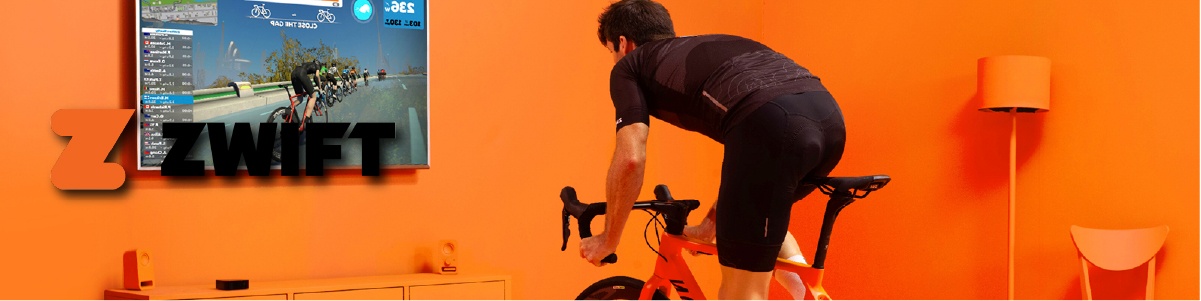
Gaming PCs for Zwift
Zwift has low hardware requirements. A budget gaming build is more than enough to run it at 4K ultra. Most buyers looking at this page are not just running Zwift — they want a single machine that handles Zwift alongside gaming, streaming, or other tasks. That combined workload is what this page helps you size correctly.
Call Kevin on 01902 714533. Tell him what else you do on the machine alongside Zwift — gaming, streaming, content creation. He will size it correctly for the combined workload.


Grid List
6 Item(s)
-
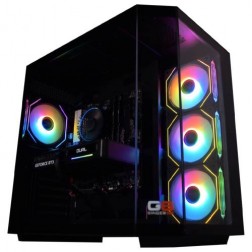 AMD Ryzen 7 8700f Nvidia RTX 5070 Gaming PC - G6 Fusion 800 X5
AMD Ryzen 7 8700f 8 core
A620M Motherboard
16GB+ DDR5 5200MHz
FAST 1TB M.2 NVMe SSD
12GB Nvidia RTX 5070 Graphics
300mbps Wifi
Windows 11 Home£1,579.99
£1,480.00
AMD Ryzen 7 8700f Nvidia RTX 5070 Gaming PC - G6 Fusion 800 X5£1,579.99
£1,480.00
AMD Ryzen 7 8700f 8 core
A620M Motherboard
16GB+ DDR5 5200MHz
FAST 1TB M.2 NVMe SSD
12GB Nvidia RTX 5070 Graphics
300mbps Wifi
Windows 11 Home
-
 Intel Core i3 12100F RX 7600 Gaming PC - G6 Vortex X2
Intel Core i3 12100F Quad core
H610M Motherboard
16GB+ DDR5 5200MHz Memory
1TB+ M.2 NVMe SSD
8GB Radeon RX 7600 Graphics
300mbps Wifi
Windows 11 Home£1,079.99
£1,019.99
Intel Core i3 12100F RX 7600 Gaming PC - G6 Vortex X2£1,079.99
£1,019.99
Intel Core i3 12100F Quad core
H610M Motherboard
16GB+ DDR5 5200MHz Memory
1TB+ M.2 NVMe SSD
8GB Radeon RX 7600 Graphics
300mbps Wifi
Windows 11 Home
-
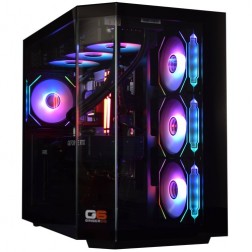 Intel Core Ultra 7 265K Nvidia RTX 5070 Ti Gaming PC - G6 Genesis U2
Intel Core Ultra 7 265Kf 20 core
B860 Motherboard
32GB+ DDR5 5200MHz Memory
FAST 1TB+ M.2 NVMe SSD
16GB Nvidia RTX 5070 Ti Graphics
FAST Wifi & Bluetooth
Windows 11 Home
Intel Core Ultra 7 265K Nvidia RTX 5070 Ti Gaming PC - G6 Genesis U2
Intel Core Ultra 7 265Kf 20 core
B860 Motherboard
32GB+ DDR5 5200MHz Memory
FAST 1TB+ M.2 NVMe SSD
16GB Nvidia RTX 5070 Ti Graphics
FAST Wifi & Bluetooth
Windows 11 Home
-
 AMD Ryzen 5 8400f RTX 5060 Ti PreBuilt Next Day Gaming PC - G6 ND 1000
AMD Ryzen 5 8400f 6 Core CPU
Gigabyte A620 Motherboard
16GB 5200mhz DDR5 Memory
FAST 1TB M.2 NVMe SSD Drive
Nvidia RTX 5060 Ti Graphics
300mbps Wifi
Win 11 Home£1,315.87
£1,150.00
AMD Ryzen 5 8400f RTX 5060 Ti PreBuilt Next Day Gaming PC - G6 ND 1000£1,315.87
£1,150.00
AMD Ryzen 5 8400f 6 Core CPU
Gigabyte A620 Motherboard
16GB 5200mhz DDR5 Memory
FAST 1TB M.2 NVMe SSD Drive
Nvidia RTX 5060 Ti Graphics
300mbps Wifi
Win 11 Home
-
 Intel Core i5 12400f RTX 5060 Pre Built Next Day Gaming PC - G6 ND 800
Intel Core i5 12400F 6 Core
H610 Motherboard
16GB DDR5 Memory
1TB M.2 NVMe SSD Drive
8GB Nvidia RTX 5060 Graphics
300MBPs Wifi
Windows 11 Home£1,121.95
£1,000.00
Intel Core i5 12400f RTX 5060 Pre Built Next Day Gaming PC - G6 ND 800£1,121.95
£1,000.00
Intel Core i5 12400F 6 Core
H610 Motherboard
16GB DDR5 Memory
1TB M.2 NVMe SSD Drive
8GB Nvidia RTX 5060 Graphics
300MBPs Wifi
Windows 11 Home
-
 Intel Core i7 12700F 16GB RX 9060 XT Gaming PC - G6 Storm X4
Intel Core i7 12700F 12 core
H610 Motherboard
16GB+ DDR5 5200MHz
1TB+ M.2 NVMe SSD
16GB Radeon RX 9060 XT Graphics
300mbps Wifi
Windows 11 Home£1,469.99
£1,390.00
Intel Core i7 12700F 16GB RX 9060 XT Gaming PC - G6 Storm X4£1,469.99
£1,390.00
Intel Core i7 12700F 12 core
H610 Motherboard
16GB+ DDR5 5200MHz
1TB+ M.2 NVMe SSD
16GB Radeon RX 9060 XT Graphics
300mbps Wifi
Windows 11 Home
Grid List
6 Item(s)
Sizing for Zwift and Everything Else
Zwift alone needs very little. The grid below shows hardware requirements based on what you run alongside it — which is almost always the actual reason for the purchase decision.
Sizing for Your Full Setup
All tiers run Zwift comfortably. The differences are about what else the machine does, not about Zwift performance.


What Zwift Actually Needs
Zwift is not a demanding application. Its 3D world is deliberately designed to run on a wide range of hardware, including tablets and older laptops. A budget gaming PC delivers 4K ultra in Zwift with GPU headroom to spare. This is worth saying clearly because it shapes the right buying decision.
Most people who arrive at this page already know this. What they actually need help sizing is the rest of what they do on the machine — gaming alongside cycling, streaming rides to Twitch, or running professional applications on the same PC. In those cases, the Zwift workload is irrelevant to the spec. The gaming or streaming workload sets it entirely.
The one scenario where combined sizing matters is running Zwift with a game simultaneously on a dual-monitor setup — one screen for Zwift, one for a game. Even then, the gaming GPU demand is the larger load. If you use Zwift on a companion device like an iPad while gaming on a separate PC, neither machine needs to account for the other's workload. For more context on simulation PC sizing across all titles, the simulation hub covers the full range.
Ultra Low vs 4K Ultra
Zwift's graphics range from ultra low (tablets and older hardware) to 4K ultra on a capable gaming PC. Even the entry Ginger6 tier unlocks the highest visual settings.


Which Cyclist Are You?

The Zwift-Only Buyer
You genuinely only want Zwift on this machine. An entry build handles it at 4K ultra — that is more than the application needs. It is honest overkill. You can spend less and be equally covered, or spend the same and have future-proofed headroom. Call Kevin and he will be straight with you about the right option.
Call Kevin for Advice
The Cyclist-Gamer
You ride on Zwift and game on the same machine. The gaming workload is the one that sets the spec. Tell Kevin what games you play and at what resolution — he will confirm the right tier. Zwift runs within whatever gaming spec you need without adding anything to the cost.
Core i5 RTX 5060 Ti
The Streamer-Cyclist
You stream your Zwift sessions or create content around your riding. Encoding a stream alongside Zwift needs CPU headroom and 32GB RAM. A mid-range to high-end build handles simultaneous Zwift, streaming, and a second monitor for the streaming dashboard without competition between processes.
Core i7 RTX 5070Also In the Simulation Range
Builds That Cover Zwift and More
Every build ships hand-assembled from Wolverhampton with a 3-year warranty. The build that covers your gaming or streaming workload will run Zwift without a second thought.
Ryzen 5 / RTX 5060 Ti
Zwift at 4K ultra and casual gaming at 1080p to 1440p. The right machine for cyclists who also game without needing a high-end GPU. Simple, reliable, and more than the Zwift workload needs.
From £999
Ryzen 5 RTX 5060 TiRyzen 7 / RTX 5070
Zwift, gaming at 1440p, and live streaming simultaneously. 32GB DDR5 keeps all processes comfortable. The encoding workload runs on CPU headroom without competing with Zwift or the game. A complete content creation and cycling machine.
From £1499
Ryzen 7 RTX 5070
A Machine That Simply Works
Every Ginger6 build arrives configured, tested, and ready to use. BIOS profiles, memory settings, and driver installations are completed before the machine leaves the workshop. Plug in, power on, open Zwift. If you need help with software or peripheral setup after delivery, Kevin is reachable directly by phone — no call centre, no ticket queue.
The 3-year Ginger6 warranty covers parts and labour as standard on every build.
Call Kevin on 01902 714533Rated Excellent
Kevin's approach is to understand what the machine actually needs to do — not to recommend the most expensive option. Customers who describe their setup get a build that matches it. The reviews below reflect that approach.
"10 out of 10 for Ginger6. After a chat with Kevin and a few suggestions from him, I agreed on a very competitive price. I've had my computer from Ginger6 for just over a year now and it has coped with everything I could throw at it with ease. Great product, great price, great company."
"Many thanks to Kevin and his team. With his guidance, I got the exact spec computer I required. Excellent courteous service with on-time delivery. Would recommend Ginger6 to anybody with specialist computer requirements or not."
"I would rate this pc builder as second to none. Simply tell Ginger6 what you wish from your pc and I give my word you will not be disappointed!"
Questions About Zwift and PC Builds
Technically, no. Zwift runs on Apple TV, iPad, iPhone, and budget laptops. If all you want is Zwift at standard graphics and you already own a capable tablet, you do not need a gaming PC. If you want 4K ultra Zwift graphics, or you want a machine that also handles gaming, streaming, or professional work, then a gaming PC is the right answer. The question is always what else the machine needs to do — Zwift alone does not justify a gaming PC budget. Zwift alongside a gaming or professional workload very much does.
Zwift's 4K ultra profile is achievable with a discrete GPU and a capable CPU — well within the reach of any entry-tier gaming PC. Zwift recommends an NVIDIA GTX 1070 or equivalent for 4K ultra, which is considerably less powerful than even the entry GPUs in current Ginger6 builds. Any Ginger6 build runs Zwift at 4K ultra without the GPU being a consideration. The CPU should be a modern multi-core processor — again, all current builds meet this comfortably.
Yes, on a mid-range or higher build. Running Zwift on one monitor and a game on another simultaneously uses GPU resources from both applications. Zwift's GPU load is modest, so the gaming workload sets the performance level. The combined load is meaningful but not substantially more than gaming alone. 32GB RAM helps keep both applications, Discord, and a browser comfortable without resource competition.
Zwift connects to smart trainers and heart rate monitors via ANT+ or Bluetooth. Most desktop PCs do not have Bluetooth or ANT+ built in. A Bluetooth USB dongle and an ANT+ USB dongle are typically needed — these are small USB sticks that plug into any available USB port. A Bluetooth 5.0 USB dongle covers most modern smart trainers. ANT+ provides a more stable connection for power meter and trainer data, particularly in environments with multiple Bluetooth devices. Both dongles together cost under £30 and are not specific to any Ginger6 build.
Apple TV 4K is a popular and simple Zwift solution if you only want Zwift on your TV. It is cheaper than a gaming PC and easier to set up. The trade-off is that it cannot run games, streaming software, or professional applications. A gaming PC is the right choice if you want Zwift as part of a broader setup — one machine for riding, gaming, and anything else. If Zwift on a TV is all you want and budget is the priority, Apple TV 4K is a simpler option and Kevin will tell you that directly if you call.
Yes. Running OBS or Streamlabs alongside Zwift adds CPU encoding overhead. Zwift's own CPU load is modest, so the encoder has reasonable headroom on a mid-range build. For a smooth experience where the stream quality is high and Zwift runs at 4K ultra simultaneously, a mid-range build with 32GB RAM is the right starting point. The GPU handles Zwift's rendering. The CPU handles the stream encoding. 32GB RAM keeps both processes comfortable without competing.
Find the Right Build for Zwift and More
Tell Kevin what else you do alongside Zwift — gaming, streaming, content creation. He will confirm the right tier for your combined workload, or tell you honestly if a cheaper option covers your needs.