




How to Avoid Compatibility Problems RTX 5090 PC Parts: Tips for Building a Stable System
The NVIDIA RTX 5090 is one of the most sought-after graphics cards for high-performance PCs, but building a stable system around it requires careful consideration of component compatibility. At Ginger6, we’ve helped countless customers avoid costly mistakes and ensure smooth operation from day one. On this page, we share expert advice and proven tips to help you select compatible parts, from motherboards to power supplies, for your RTX 5090 build. Rely on our decades of experience to make your next PC both reliable and future-proof, without overcomplicating the process or breaking your budget.
Understanding RTX 5090 Compatibility Challenges
Building a PC around the RTX 5090 is an exciting opportunity, but it also comes with specific compatibility considerations that can affect the whole system’s stability and performance. Those investing in such high-end hardware often run into unexpected issues unless they pay careful attention to how all components interact, especially with newer, demanding GPUs. At Ginger6, we’ve seen first hand how matching components well can mean the difference between a trouble-free build and hours of unnecessary troubleshooting. Here, we’ll highlight typical challenges users face when choosing RTX 5090-compatible parts and explain the importance of careful component selection for long-term system reliability.
Common Pitfalls When Selecting Components for High-End Builds
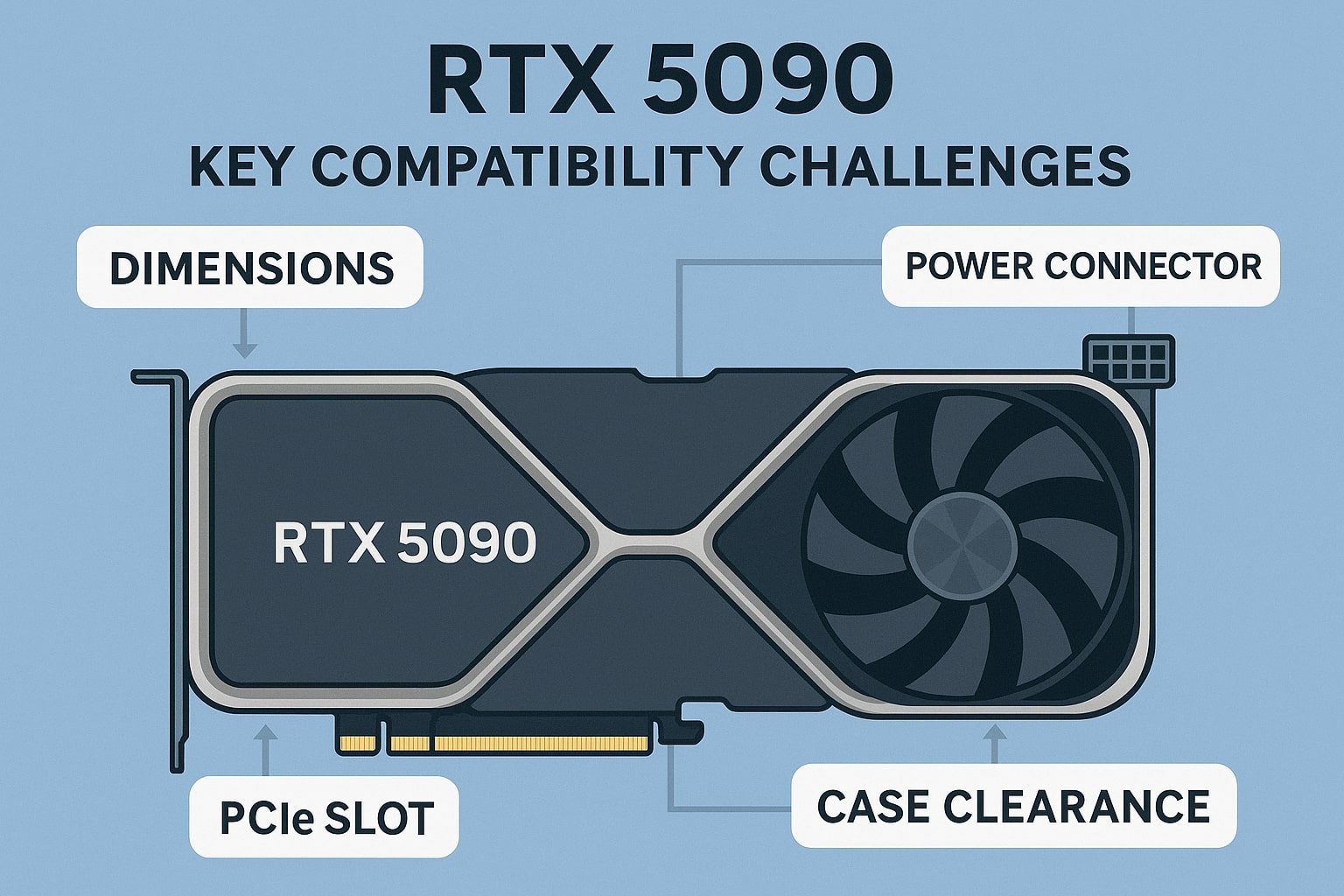
Opting for premium hardware like the RTX 5090 is tempting, but compatibility problems with RTX 5090 PC parts can arise faster than many expect, often undermining the potential that such a powerful card promises. A common oversight is assuming “bigger is always better” without ensuring that the rest of the system, motherboard, case, PSU, and even memory, is suited for the specific physical and technical demands of the RTX 5090. For example, modern graphics cards have grown considerably in size, and the RTX 5090 stands among the largest, making it vital to check that the chosen PC case offers enough clearance for installation and optimal airflow. Ignoring these factors isn’t just inconvenient; it can lead to system overheating, instability, or even permanent hardware damage.
Another frequent mistake involves underestimating the power requirements. The RTX 5090 draws significantly more wattage than previous generations, which means that not all power supply units (PSUs) will be up to the task, even those marketed as ‘gaming’ units. It’s essential to match the card with a high-quality PSU that offers not just adequate wattage but also the correct connectors and stable delivery under load. Memory performance and compatibility can also present issues, as certain motherboards and RAM modules might not play nicely together or with the latest GPUs, resulting in frustrating boot errors or random crashes.
Of course, the complexity increases when considering firmware and BIOS updates. Many users overlook the need for the latest BIOS, which is often required for full compatibility with RTX 5090, particularly on motherboards released prior to the GPU’s debut. Ignoring this step can mean your expensive card won’t run optimally, or at all. At Ginger6, we always recommend checking official compatibility lists and speaking directly with experts when in doubt. We’ve spent over two decades guiding PC buyers through these choices, ensuring a smooth process and saving them from headaches down the line. If you want your RTX 5090 build to work as intended, a careful, considered approach is the best way forward, don’t hesitate to get expert advice before you purchase your next set of parts.
Selecting the Right Motherboard for Your RTX 5090
Choosing a motherboard when building around the RTX 5090 isn’t just about ticking boxes for chipset or socket type. With this calibre of GPU, it’s wise to focus on genuine compatibility and futureproofing to ensure long-term satisfaction and stability. At Ginger6, we often remind our customers that not all motherboards are created equally , especially when dealing with state-of-the-art graphics cards. The most immediate factor is PCIe support. Make sure your chosen board offers PCIe Gen 5, as this opens the full bandwidth required for the RTX 5090 to operate without bottlenecks, which is especially significant for high-frame-rate gaming or extensive creative workloads.
Physical space is another concern that’s all too common with today’s larger GPUs. Many motherboards place their primary PCIe slot dangerously close to potential obstructions, or may not leave enough room for the hefty cooler shrouds of a modern card like the RTX 5090. Check that the board’s layout allows for adequate clearance, not only for the card itself but also for power connectors and supporting components. Additionally, look for reinforced PCIe slots, high-quality boards feature steel reinforcement which helps support heavier cards and protects the slot during installation or if the PC is moved.
It’s equally important to review memory and BIOS compatibility. Some motherboards need a BIOS update for proper RTX 5090 support, especially if they weren’t released with this GPU in mind. Ginger6 always checks and, if needed, updates the BIOS so our customers don’t run into issues during first boot. Similarly, aim for a board that supports high-speed DDR5 memory, as this can work in tandem with the RTX 5090 to deliver the system’s full potential. With the right advice and a bit of planning, you can avoid common frustrations and enjoy a smooth build experience, if unsure, the Ginger6 team is always ready to guide you through these technicalities to make sure you get the most out of your investment.
Ensuring Adequate Power and Cooling Solutions
Alongside selecting a compatible motherboard, it’s vital not to overlook the importance of robust power and cooling solutions when building a system around the RTX 5090. This card’s substantial power draw surpasses that of many previous GPUs, and a system starved of reliable, steady power is one that risks unexpected shutdowns, instability, or even component failure. At Ginger6, we advise choosing a power supply unit (PSU) that doesn’t just meet the RTX 5090’s wattage requirements on paper, but also provides ample headroom to support your entire build, considering CPU, peripherals, and any future expansion. Look for a unit from a reputable brand that offers features such as high efficiency ratings (80 PLUS Gold or better) and the correct mix of power connectors, especially since the latest GPUs often require new standards like 12VHPWR.
Equally, thermal management is a genuine concern in a high-end build of this calibre. The RTX 5090’s thermal output can challenge almost any standard cooling configuration, making it essential to invest in a case with superior airflow and high-quality cooling solutions. We often recommend mid- or full-tower cases with a good number of pre-installed fans and proper cable management features to streamline airflow. Depending on your setup, you might want to consider an aftermarket GPU brace to help support the weight of the card and prevent sag, which can affect both the slot and cooling performance over time. For the CPU, all-in-one liquid coolers or hefty air coolers are sensible choices, especially if you’re pairing the RTX 5090 with a high-performance processor, as heat can quickly become a limiting factor.
It’s worth taking the time to map out your power and cooling solutions early, ideally before you lock in your case and PSU. If you’re unsure about which components will best support your build, the Ginger6 team is always available to assess your requirements and recommend parts that work in harmony for both stability and longevity. Paying close attention to these details helps to prevent future headaches and maximises your investment in premium hardware, setting a solid foundation for the rest of your system.
Avoiding Memory and Storage Configuration Issues
When building a powerhouse system around the RTX 5090, successful memory and storage selection goes beyond simply buying the most expensive options available. At Ginger6, we regularly see how misconfigured RAM or incompatible storage setups can stop a high-end PC from reaching its true potential or even cause frustrating boot failures and crashes. RAM compatibility, in particular, is a nuanced subject; newer motherboards supporting the latest DDR5 modules may demand specific speeds or module configurations. Always consult the QVL (Qualified Vendor List) provided by your motherboard’s manufacturer, just because RAM is DDR5 doesn’t mean it’s supported or stable with every board and CPU combination.
Memory stability hinges on correct module pairing and using matching kits, especially if you're aiming for high capacities or running demanding applications. Mixing different brands or speeds can sometimes work, but often leads to system instability or prevents the PC from posting altogether. If you’re considering overclocking, remember that not every board or CPU can reliably sustain high frequencies with all RAM kits, so it pays to research validated pairings or seek advice from a trusted builder like Ginger6.
Storage is just as important in a high-performance build. Modern motherboards offer various M.2 NVMe slots, but not all support Gen 4 or Gen 5 speeds, and some share bandwidth with PCIe slots, impacting graphics or storage performance if too many devices are connected. For optimal boot and loading speeds, opt for an NVMe SSD with high sequential read/write capabilities, ideally on a dedicated CPU lane. Take care with physical placement, as densely packed systems around large GPUs like the RTX 5090 can make access and cooling tricky. To avoid bottlenecks, check for firmware updates and never hesitate to ask the Ginger6 team about the storage configuration that truly matches your intended use. Building smart from the start sets the stage for peak reliability and future upgradability.
Ensuring compatibility when building your RTX 5090 PC doesn’t have to be overwhelming. At Ginger6, we're dedicated to making sure every customer can confidently create a reliable system tailored to their needs. If you ever have questions or need reassurance around part selection, our experienced team is ready to help. Visit our site for expert advice, helpful resources, or speak directly with Kevin for a friendly, knowledgeable recommendation. Enjoy peace of mind knowing your custom build is in trusted hands, start your optimal PC journey with Ginger6 today.