




How to Upgrade Your Custom Gaming PC: A Step-by-Step Guide
Upgrading your Custom Gaming PC can unlock higher performance, support the latest games, and extend the life of your system. Regular upgrades ensure you’re making the most out of your investment, whether it’s boosting graphics power, improving speed, or adding storage. At Ginger6, we combine expert advice with years of experience, making the upgrade process straightforward and rewarding, whether you’re a seasoned enthusiast or new to custom builds. Let’s make your gaming machine truly future-proof with step-by-step guidance tailored for individuals seeking that competitive advantage.
Preparing Your Custom Gaming PC for Upgrades
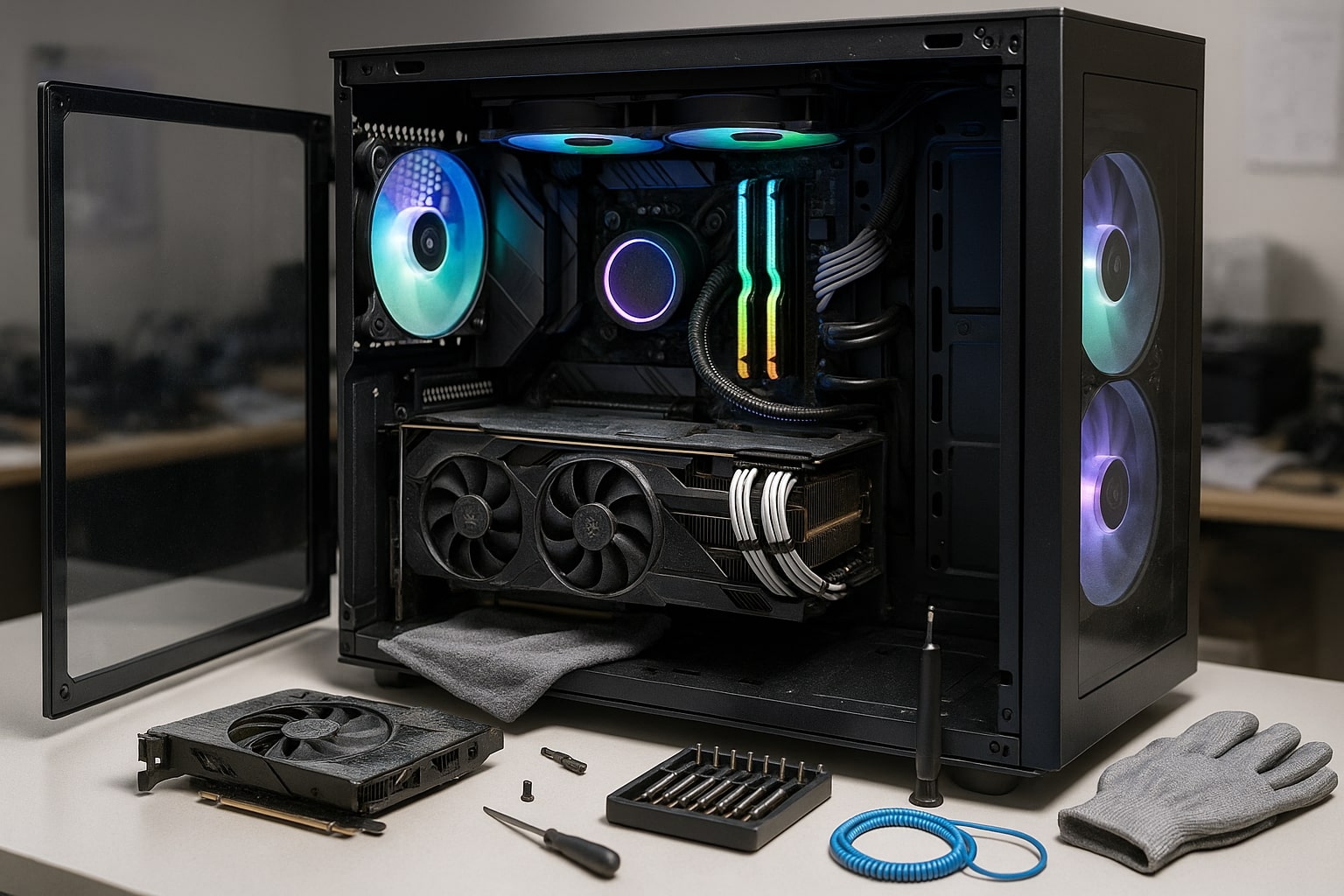
Getting your custom gaming PC ready for upgrades sets a solid foundation for boosting performance, extending its lifespan, and ensuring smoother gameplay. Taking the time to assess your existing hardware and software means you’ll make smarter decisions when adding new parts. Setting upgrade goals helps you target the components that truly matter for your style of gaming, while careful preparation can prevent unnecessary expenses and downtime. Ginger6’s decades of expertise show that successful upgrades always start with an informed strategy. Understanding the current state of your gaming machine means you’ll unlock real benefits from every tweak or addition.
Assessing Current Performance and Setting Upgrade Goals
Before changing any components in your custom gaming PC, it’s worth thoroughly reviewing your system’s current performance. Begin by noting the games you play and the performance levels you expect, fast frame rates, high-quality visuals, or perhaps both? Using benchmarking tools can help you track how your system manages demanding gaming titles. Pay attention to load times, graphics settings, and whether your machine handles new releases without lag. This information offers clear evidence of where improvements are needed in your custom gaming system.
Next, think strategically about your upgrade goals. Are you looking to support the newest AAA titles, or keen to future-proof your PC for upcoming gaming technologies? Write down your priorities, perhaps a smoother multiplayer experience, quieter operation, or advanced streaming capability. Defining your objectives keeps your upgrades focused and relevant. With custom gaming, goals can be as individual as your favourite games, ensuring the changes you make are meaningful. Ginger6’s years of experience suggest that clarity here helps avoid over-spending and targets your budget where it matters, making every pound count.
When setting these goals, consider the age and specifications of your current components. Are your graphics card, memory, or storage slowing you down? Sometimes issues can come from outdated drivers or inefficient cooling, so it’s worthwhile checking your system’s health before purchasing any new parts. Remember, a truly high-performing gaming setup isn’t just about the latest parts, but about synergy between components, something Ginger6 prioritises through testing and expert assembly. Finally, balance your ambition with practicality. By establishing where your custom gaming PC currently stands and where you want it to be, you’ll create an upgrade pathway that’s effective, satisfying, and expertly tailored to your gaming needs.
Choosing the Right Components for Your Gaming Needs
Selecting the perfect components for your custom gaming PC requires careful thought, especially after identifying your performance goals and assessing your system’s current limitations. The right upgrades can greatly improve your gaming experience, making everything from load times to visuals noticeably better. Balancing investment between graphics card, cpu amd, or intel core hardware ensures your PC remains competitive with the latest gaming titles while matching your unique style of play. By focusing on compatibility and longevity, you set yourself up for a smooth upgrade path. Ginger6’s insight guides you toward performance-driven choices that truly elevate your gaming sessions.
When to Upgrade Your Graphics Card for Optimal Gameplay
The graphics card is often the heart of any custom gaming PC, making it one of the most impactful upgrades for improved gameplay. If you’ve noticed your favourite games stutter, frame rates dropping below expectations, or visuals falling short despite tweaking in-game settings, it’s often a sign that your current graphics card is struggling to keep up. As modern titles continue to push visual boundaries, upgrading to a newer nvidia rtx or latest amd card becomes increasingly important for players wanting high-resolution, buttery-smooth performance. For competitive titles, this upgrade can mean the difference between a subpar experience and consistent, visually exciting gameplay that keeps pace with the action.
Keeping an eye on the system requirements for upcoming releases helps time your upgrade wisely. If you’re aiming to play new AAA games at their recommended settings or feel your graphics card fan’s working overtime on every session, a newer gpu can provide immediate tangible results. With Ginger6, upgrading means selecting from thoroughly vetted options, ensuring every custom-built gaming rig houses quality graphics hardware. Our testing process, shaped by years of hands-on experience, guarantees compatibility whether you lean towards nvidia rtx or the power of amd cards. The result is a balanced, future-ready rig, tailored to your needs and tested to withstand demanding gaming marathons.
It’s also essential to consider how the new graphics card pairs with your cpu amd or intel core processor. An unbalanced setup could bottleneck your performance, wasting some of your investment. Ginger6 experts help you avoid such pitfalls, matching graphics capability with processing power for steady gains across all your games. When you’re ready to upgrade, it’s not just about swapping out old for new, but ensuring the chosen component fits seamlessly with your entire system. By choosing wisely, and with a little expert advice, you’ll unlock higher resolutions and faster response times, making every gaming session more immersive and enjoyable.
Ensuring Compatibility and Quality in a Custom Gaming Build
Compatibility is at the heart of a reliable custom gaming PC upgrade. Once you’ve identified performance goals and selected potential components, it’s vital to ensure that each new part will work harmoniously within your system. Start by checking that your intended motherboard, such as a motherboard MSI model, fully supports modern technologies like NVMe PCIe SSDs. These fast storage drives dramatically decrease loading times in today’s most demanding games, but only if your motherboard has the right slots and firmware updates. Avoiding compatibility pitfalls ensures every upgrade delivers its full promise, with none of the headaches of mismatched equipment.
Expert craftsmanship, the foundation of every Ginger6 build, means prioritising not just compatibility, but component quality. Sourcing only high-end hardware, such as efficient water cooled solutions, means your gaming PC can handle the heat generated by powerful CPUs and graphics cards, especially during extended play sessions or stress tests. Consider thermal requirements as you plan your upgrades; enhanced water cooled systems can preserve high frame rates and keep temps steady, preventing performance drops and extending hardware lifespan. Quality isn’t just about branded boxes, but proven performance after thorough, real-world testing, precisely what Ginger6 delivers for every custom gaming machine.
Detailed research should also go into pairing your graphics card and storage devices with a suitable motherboard MSI option. For example, the addition of a new NVMe PCIe SSD or a power-hungry graphics card can strain older boards or underpowered power supplies. Always check manufacturer specifications and compatibility lists before buying, and seek help if you’re unsure, our Ginger6 experts provide honest advice with over 22 years of gaming PC experience. If you want your gaming experience to be seamless, headache-free, and future-ready, never underestimate the benefit of expert support, tailored testing, and informed hardware choices. Ready to raise the quality and longevity of your gaming machine? Our team is here to help you upgrade with confidence.
Upgrading your custom gaming PC gives you the edge to stay ahead in performance, reliability, and future-readiness. With Ginger6’s expertise and lifetime support, you can confidently elevate your gaming setup to meet tomorrow’s challenges. Whether you’re chasing higher frame rates or smoother multitasking, we’re here to help every step of the way. Looking for tailored advice or a component check? Contact our UK-based team for personal recommendations or download our step-by-step upgrade checklist to get started. Your next level gaming experience is just an upgrade away.