




Recommended Cooling for High Performance Ryzen 9 PC
Choosing the right cooling solution is essential when building a high performance Ryzen 9 PC. Recommended cooling for high performance Ryzen 9 PC not only prolongs the lifespan of your components but also ensures consistent performance, even during the most demanding gaming sessions or intensive workloads.
At Ginger6, our decades of experience guide you to make smart decisions tailored to your needs and budget. Whether you are curious about air coolers, liquid cooling, or all-in-one systems, this guide covers practical advice and product recommendations, helping you find the best way to keep your Ryzen 9 system running reliably and efficiently.
Understanding the Demands of Ryzen 9 Gaming PCs
The Ryzen 9 series from AMD is known for pushing the boundaries of performance, making it a popular choice amongst gaming enthusiasts seeking exceptional speed and multitasking capabilities. With more cores and threads than most consumer CPUs, these powerful chips promise outstanding gaming and productivity experiences. However, their unique architecture means the right cooling strategy is not just a luxury but a necessity.
Here at Ginger6, our experience shows that picking the recommended cooling for high performance Ryzen 9 PC builds can make all the difference in getting the best from your hardware, ensuring it runs efficiently and reliably during intensive gaming sessions or demanding creative workloads.
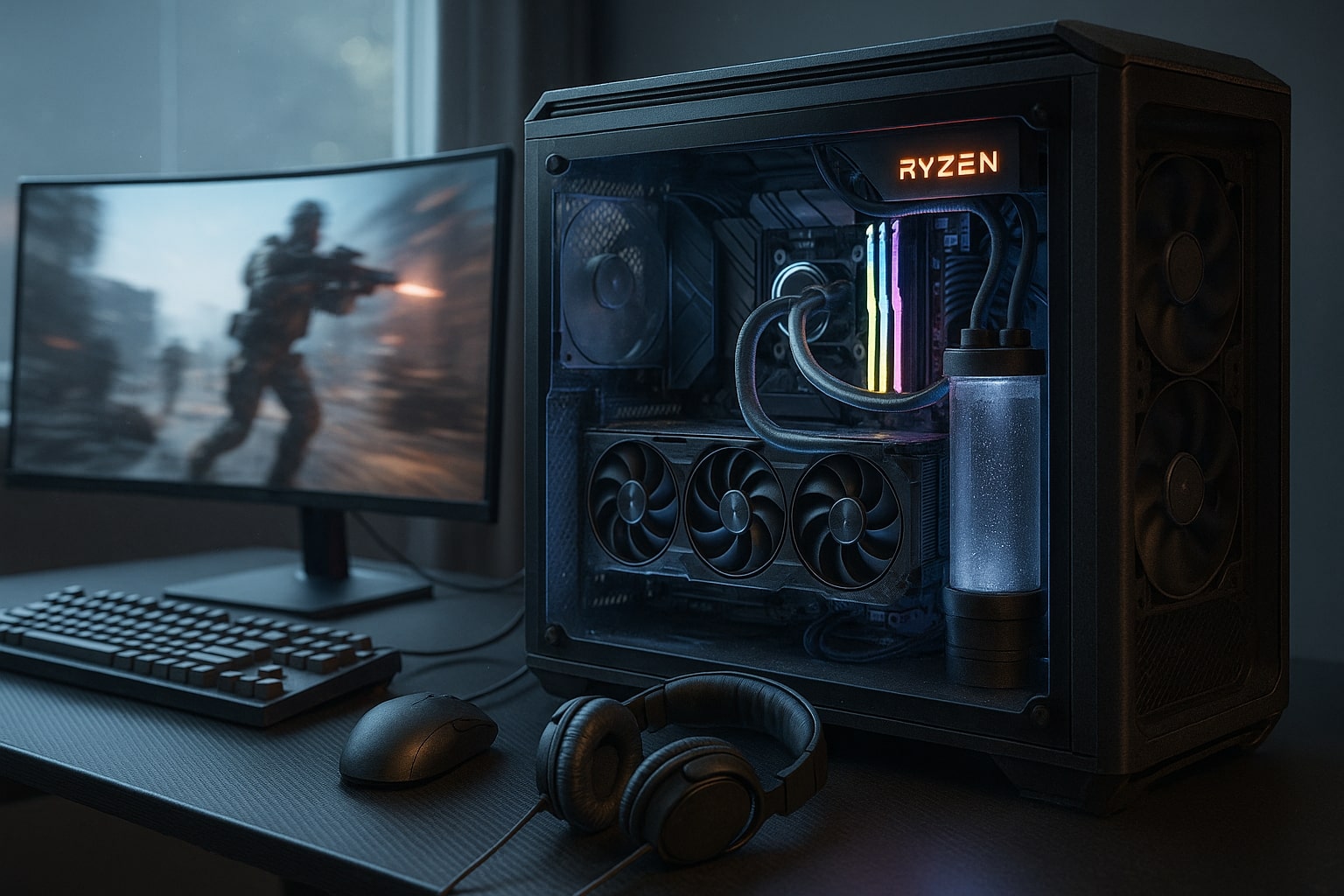
Why Cooling Matters for Ryzen 9
Ryzen 9 processors offer high core counts and fast boost behaviour that can generate significant heat during long gaming sessions or heavy tasks such as rendering and code compiles. Good cooling prevents thermal throttling, supports stable boost clocks, and keeps noise predictable. In real builds we see the biggest wins when the cooler, case airflow, and fan tuning are chosen as one plan rather than as separate parts. That approach suits the Ginger6 way of advising customers who want strong performance without fuss.
What this means for you
-
Expect better sustained performance when the cooler is sized for the chip rather than just rated for peak wattage.
-
A balanced plan usually pairs a capable CPU cooler with a front to back airflow path and calm fan profiles.
-
If you want extra quiet or you plan to push clocks, move up a size in cooler selection.
Air Coolers that Just Work
Modern twin tower air coolers are still a smart choice for many Ryzen 9 builds. They are simple to install, require almost no upkeep, and have no pump noise. Look for models with wide fin stacks and quality fans from trusted makers such as Noctua, be quiet, and Cooler Master. These coolers handle gaming loads well and hold their own in mixed use where the CPU spikes and recovers frequently.
Pros
-
Excellent reliability and low maintenance
-
Often lower cost for the performance you get
-
Predictable acoustics with well tuned fan curves
Watch outs
-
Height and memory clearance vary, so check your case and RAM layout
-
Heat can recirculate in cramped cases, so airflow planning matters
Liquid Cooling for Extra Headroom
All in one liquid coolers move heat away from the socket to a radiator that sits where case airflow is strongest. With a larger surface area, they can keep temperatures steadier during long, all core loads. Popular choices include Arctic Liquid Freezer, NZXT Kraken and options from Corsair and DeepCool. A well chosen AIO is a good fit if you want a tidier look around the motherboard, lower CPU socket temperatures, or a quieter system under sustained loads.
Pros
-
Strong performance during intensive gaming and content creation
-
Keeps the busy area around the CPU free of bulk
-
Larger radiators allow slower fan speeds for the same cooling
Watch outs
-
Ensure your case supports the radiator length and thickness you select
-
Set pump and fan curves sensibly to avoid sudden ramping
-
As with any liquid solution, occasional checks for dust and fan condition are wise
Picking the Right Size and Case Fit
The right size depends on your performance goals, case support, and noise target.
-
Premium air cooler: suitable for most Ryzen 9 gaming builds, particularly when you value simplicity and reliability.
-
AIO 240 mm: balanced choice for compact cases, good for gaming and light production tasks.
-
AIO 280 mm or 360 mm: best for quiet operation during long heavy workloads, or when you want extra thermal margin.
If you are considering the Ginger6 £1500 Gaming PC, think in terms of premium air or a 280 to 360 millimetre radiator, depending on space and your noise preference. This aligns with the aim of delivering steady performance without unnecessary complexity.
Build and Setup Tips for Better Airflow
Small decisions add up. Use these practical steps during the build:
-
Plan a clean front to back airflow path. Intake at the front, exhaust at the rear or roof.
-
Keep cables tidy to prevent dead zones. Route them behind the tray where possible.
-
Match fan quantity to case design. Two front intakes and one rear exhaust is a strong baseline, with a roof exhaust added for hot GPUs.
-
Set calm curves. Aim for gradual ramps in fan speed to avoid sudden noise spikes.
-
Refresh thermal paste every couple of years, or sooner if you move the system often.
-
Dust is the silent performance killer. Clean filters and radiator fins on a regular schedule.
These steps mirror the emphasis in the original draft on case airflow, cable management, and simple, reliable maintenance.
Quick Cooler Recommendations at a Glance
Best value and low upkeep
-
Cooler type: Premium air cooler
-
Suggested size: Twin tower with two fans
-
Notes: Check RAM height and case clearance
Balanced thermals in compact cases
-
Cooler type: All in one liquid
-
Suggested size: 240 mm radiator
-
Notes: Good choice for focused gaming use
Quiet during long heavy work
-
Cooler type: All in one liquid
-
Suggested size: 280 mm or 360 mm radiator
-
Notes: Extra surface area allows slower fans
Show build with a tidy motherboard area
-
Cooler type: All in one liquid
-
Suggested size: 280 mm or 360 mm radiator
-
Notes: Leaves sockets and DIMMs less crowded
Ryzen 9 Cooler Questions Answered
For most gaming and mixed use, a Ryzen 9 9950X runs comfortably with a premium twin tower air cooler, provided the case has strong intake and exhaust and the fan curves are set with care. If you expect long stretches of all core work, step up to a larger AIO for extra thermal margin and steadier acoustics.
A Ryzen 9 5900X is well served by a quality twin tower air cooler for gaming and everyday production tasks. Keep case airflow tidy so the processor can hold boost clocks without unnecessary noise.
A 240 millimetre AIO can manage a 9950X in a well ventilated case, especially for gaming. For lower noise during extended heavy workloads, consider a 280 or 360 millimetre radiator.
What to Do Next
If you want a no drama build that feels fast every day, match your cooler to your case and your noise target, then set calm fan curves. The Ginger6 team can recommend a suitable premium air cooler or an AIO of the right size and fit, and can assemble and test the system so you simply plug in and play.
If you are weighing parts for a new tower, compare your plan with the Ginger6 £1500 Gaming PC, then ask for advice on cooler fit and fan layout. You will leave with a system that runs cool, stays steady under pressure, and sounds refined.