




Top RGB Lighting Ideas for Custom Setups
Take your custom gaming PC to the next level with the right RGB setup.
Give your gaming room a personality all of its own with a lighting layout designed around your PC, desk and play style. Thoughtful RGB lighting ideas for custom setups turn a standard tower and monitor into a mood-setting gaming setup that feels tailored to you. Whether you like subtle underglow or animated colour waves that match every on-screen moment, a smart plan for strips, fans and panels will make your system look as good as it runs.
At Ginger6, every Custom PC already balances powerful components with neat cable work and tidy airflow. Add a well planned RGB-setup on top and you get a rig that looks as sharp as it performs. The ideas below show how to create that effect, along with where our team can step in to design and build it for you.
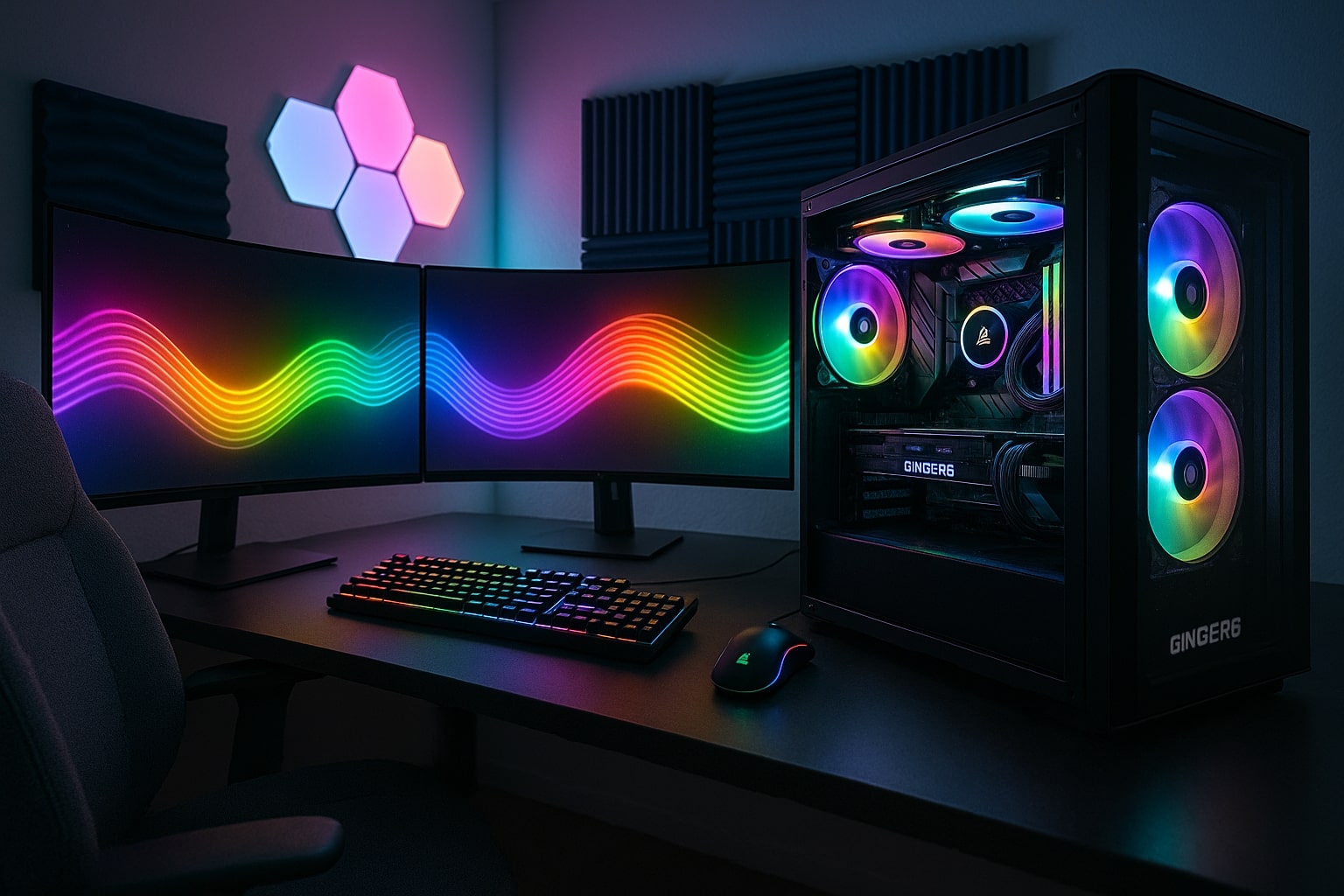
What Makes a Great RGB Gaming Setup?
Before you start sticking lights everywhere, it helps to know what you are trying to achieve. Good RGB lighting is less about quantity and more about balance, with each LED serving a purpose.
A strong layout usually:
-
Highlights the parts of the PC you are proud of, such as a powerful graphics card or custom loop
-
Links the case, desk and peripherals into one coherent look
-
Supports how you actually use the space, for instance cutting glare from the monitor or keeping a warm glow for late-night gaming
Think about the atmosphere you enjoy while playing.
-
Fast shooters often feel better with punchy, cooler tones such as blues and purples.
-
Longer RPG or strategy sessions can benefit from softer, warmer lighting that is easier on the eyes.
-
If you stream, your RGB choices also become part of your on-camera brand.
It is also worth considering practical factors. RGB lighting should never introduce distracting hotspots or bare spots. Cables need to be hidden, controllers must be reachable for updates, and airflow inside the case has to stay clear. This is where a professionally built custom-PC can be helpful, because the lighting is designed alongside the rest of the hardware from the start.
RGB Lighting Ideas for Custom Setups
Once you understand the mood you want, you can start turning those plans into real RGB lighting ideas for custom setups. Here are some tried and tested approaches our Ginger6 builders love to use.
Under-case and desk underglow
Placing an RGB strip light along the bottom edge of the case creates a floating effect, especially if your tower sits on the desk. Running an LED strip under the front lip of your desk connects the case to your keyboard and mouse mat, so the whole station looks like one unit rather than separate items.
Inside-the-case highlights
Instead of only tracing the inner frame, think about targeted accents. For example:
-
A short strip along the motherboard tray to wash light across components
-
A tight RGB spotlight aimed at the GPU or reservoir
-
Small strips behind drive cages to fill blank areas with a gentle glow
These touches add depth without washing out the entire interior.
Monitor and wall lighting
LED lighting behind the monitor reduces harsh contrast between the screen and the wall, which can make longer sessions more comfortable. You can extend the strip around the back of the desk or pair it with LED wall panels to pull the eye outward and make a compact gaming room feel bigger.
Smart home style effects
Some gamers like their RGB setup to interact with the rest of the house. With the right controller and compatible light kit, you can link PC lighting with room lamps or smart bulbs, so a single profile changes everything together. This is ideal if your desk is in a shared office or lounge and you want a different look for work, movies and gaming.
If you would like to see what these ideas could look like in a Ginger6 chassis, our team can recommend layouts that suit your chosen case and components.
Planning Strip Lights, Kits and Controllers with Ginger6
Coordinated lighting starts with good hardware choices. Random kits bought at different times can be hard to synchronise, and mismatched LEDs often show different whites or colour temperatures. At Ginger6 we put time into selecting LED and RGB parts that work well together and with the motherboard software you plan to use.
Here is how we usually approach a custom RGB setup.
1. Choose compatible components
We look for:
-
RGB headers on the motherboard that match the lighting standard for your chosen strips, fans and wall panels
-
Quality LED strips with even spacing and good diffusion, to avoid visible hot spots
-
RGB fans that not only look good but move plenty of air for the CPU and GPU
By sticking to families of parts from trusted brands, we can keep colours and brightness levels consistent across the whole rig.
2. Map the lighting runs
Before we fit anything, we plan the cable runs and control layout:
-
Strip lights along the top and front edges of the case for a soft halo
-
Shorter runs behind the motherboard tray as hidden backlights
-
A main controller mounted where it can be accessed easily without spoiling the clean interior
This planning stage prevents tangled wires and keeps later upgrades simple.
3. Set up software control
Integrated RGB software lets you control every LED from one place. Once the PC has passed performance and temperature stress tests, we check each strip, fan and spotlight under different profiles to confirm everything switches cleanly and stays in sync. Ginger6 builds are only shipped after the lighting, cooling and performance tests all pass, so your RGB effects are ready from the first press of the power button.
If you already have a PC and want to add extra lighting, we can advise on suitable controllers and kits that complement what you own and avoid unnecessary duplication.
Practical Tips around Colours and Setup
RGB lighting is fun, but there are a few simple guidelines that help you avoid visual chaos and get a result you will still enjoy months from now. These ideas also answer some of the most common questions we hear from Ginger6 customers.
How Do I Customise My RGB Light?
Start with a handful of core profiles rather than dozens of similar ones. For example:
-
Focus mode
-
Static soft white or warm white backlighting
-
Very subtle colour accents on fans or RAM
-
Reduced brightness so the screen remains the brightest element
-
-
Gaming mode
-
Colours matched to your favourite title or peripherals
-
Gentle movement, such as slow colour shift, rather than fast strobe effects
-
-
Showpiece mode
-
Full animated effects that sweep across strip lights, fans and wall panels
-
Music or game reactive patterns for visitors or stream intros
-
You can then tweak each profile with different brightness levels for day and night.
How Should I Light up a Gaming Setup?
Think in layers:
-
Base layer: underglow from desk and case
-
Mid layer: interior case lighting and monitor backlight
-
Accent layer: smaller RGB spotlights, wall panels and peripherals
Setting each layer to a slightly different brightness stops any one element overpowering the rest.
What Is the Best RGB Light Colour?
There is no single best colour, but a few simple rules help:
-
Cooler tones (blue, cyan, magenta) feel energetic and work well with sci-fi games.
-
Warmer shades (amber, soft pink) suit cosy evening sessions.
-
A neutral backlight behind the monitor, such as a pale white with a hint of blue, can reduce eye strain.
If in doubt, use colour on a few components and keep the rest of the lighting neutral. This avoids clashing hues and lets your desk accessories stand out.
Why Do Gamers Love RGB Lights?
RGB lighting lets gamers express their personality, match their setup to favourite games and often see important hardware at a glance. When done well, lighting can even support performance by making the gaming room more comfortable and helping you quickly spot whether fans, pumps or other parts are running as expected.
If you would like hands-on help choosing your colours, Ginger6 can pre-load profiles on your custom build, ready for you to adjust once the PC arrives.
Building Your RGB Gaming Setup with Ginger6
Designing a striking RGB layout can be tricky if you are juggling different strips, hubs and bits of software. Ginger6 removes the guesswork by planning the lighting at the same time as the hardware, cabling and cooling. Our specialists select quality LED components and position each strip light, fan and spotlight with care so nothing is wasted or hidden behind clutter.
Every custom PC we ship goes through thorough hardware and lighting tests, including checks that all RGB effects synchronise correctly, profiles switch reliably and there are no random flickers. That way you can unpack, plug in and enjoy a polished RGB setup immediately. If you ever want to add a new light kit, extra fans or wall panels in future, our team is here to recommend compatible parts and layouts that keep your system looking cohesive.
If you are ready to turn your ideas into a tailored RGB gaming setup, talk to the Ginger6 team today. Whether you want a subtle glow for late-night raids or a bold colour showpiece for your streaming backdrop, we can design, build and support a custom UK-built PC that matches your style from the first LED to the last cable tie.