




The Ultimate Ryzen 9 Gaming PC Build Guide
Or let Ginger6 do it for you — explore our custom AMD gaming PCs.
Building a high-performance AMD Ryzen 9 gaming PC is a smart way to enjoy top-tier graphics, seamless gameplay, and future-ready technology. At Ginger6, we use our hands-on experience to guide you through selecting the right components, optimising performance, and staying within your budget.
This Ryzen 9 gaming PC build guide is designed for gamers who want the power and flexibility of a custom system built by experts. Whether you’re upgrading or starting fresh, discover the ideal Ryzen 9 build to suit your wishes, with practical tips, expert insights, and out-of-the-box solutions for true PC enthusiasts.
Why Choose a Ryzen 9 Gaming PC for Your Next Build?
If you’re looking to craft the ultimate gaming machine, choosing a Ryzen 9 gaming PC sets the foundation for an experience that’s second to none. Whether you’re chasing ultra-high frame rates, streaming your gameplay, or demanding peak multitasking capabilities, Ryzen 9 processors offer the advanced power and efficiency required for modern titles and creative workloads alike.
As you consider your options, understanding the real-world benefits of Ryzen 9 CPUs for gaming will give you confidence in your decision. Discover why these processors stand out as the first choice for custom PC builds with Ginger6’s industry insight and expertise.
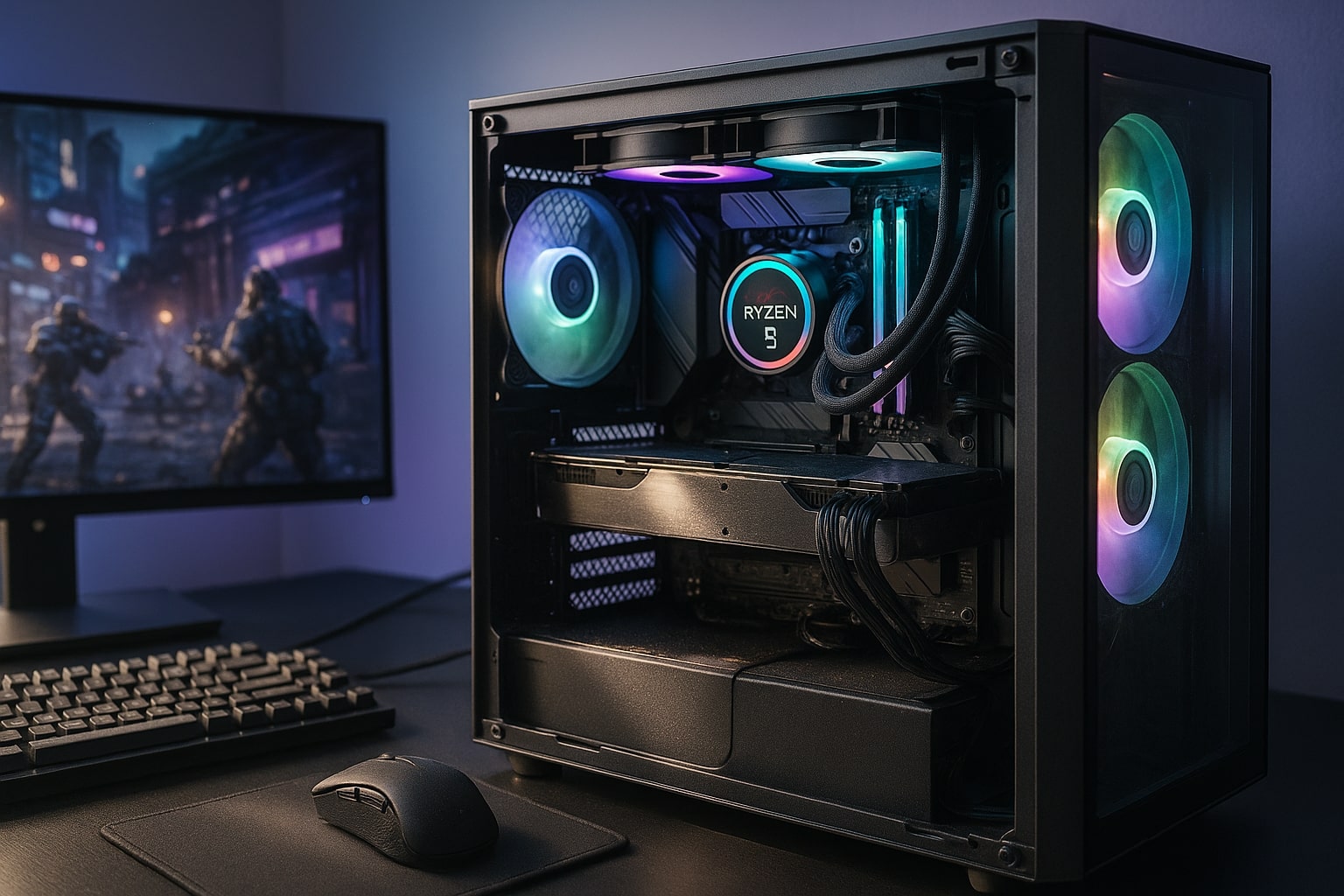
Why Choose AMD Ryzen 9 for Gaming
Ryzen 9 sits at the top of the AMD Ryzen desktop line. You get high core and thread counts, fast single-thread speed, and smart features such as Precision Boost that lift performance under load. In real games that means strong minimum frame rates, quick map loads, and smooth play while chatting, recording, or streaming. If you also create content, a Ryzen 9 CPU feels effortless during renders while a game or two sit in the background.
Core Parts and How They Work Together
Motherboard
Pick a board with an AM5 socket so you can drop in current and next gen Ryzen chips. Look for a reliable power design, four memory slots if you plan to expand later, and at least two M.2 slots for NVMe storage.
Memory
For gaming and streaming, 32 GB DDR5 offers a nice comfort zone. If the budget is tight, start with 16 GB and add more later as long as the board still has slots free.
Storage
Use one fast 1 TB NVMe for Windows and your main games. Add a second SSD for backups or a larger library. A small SATA SSD or HDD can hold captures and downloads.
Graphics card
The graphics card does most of the heavy lifting in modern titles. Match it to your monitor resolution and refresh so you are not overspending or underfeeding the screen.
Power and reliability
A quality power supply with an 80 Plus rating protects your parts and keeps fan noise down. Leave headroom for future upgrades so you do not need to replace it later.
Picking a Graphics Card for 1080p, 1440p and 4K
-
1080p high refresh
A card in the class of RTX 4060 Ti or similar will keep esports titles fast and responsive with competitive settings. -
1440p high detail
A card in the class of RTX 5070 or Radeon RX 9070 handles popular triple A games with high settings. -
4K or path tracing first
Step up a tier and temper settings or enable upscalers where available.
The CPU will not hold you back here. A modern Ryzen 9 keeps the GPU busy, which is exactly what you want for maximum value from your graphics card.
Memory and Storage That Keep Games Snappy
-
RAM: Aim for 32 GB DDR5 around 5200 to 6000 MHz for smooth alt tabbing, open browsers, and background tools.
-
Primary drive: A 1 TB NVMe keeps Windows quick and trims load screens in titles with heavy asset streaming.
-
Secondary drive: Add another NVMe or SATA SSD for recording, mods, and a larger library.
This mix gives you speed today and easy growth later.
Cooling That Stays Quiet
A capable tower air cooler or a 240 mm all in one liquid unit will keep a Ryzen 9 in its comfort zone. Focus on a cooler with a simple mount, a non flashy fan curve, and paste that is easy to apply. Remember that case airflow matters just as much as raw cooler size.
Power Supply and Mid Tower Case Choices
Power supply
Choose a reputable brand with the wattage your build needs plus spare capacity for a future graphics card upgrade. Fully modular cabling makes tidy routing easier and helps airflow.
Mid tower case
A good mid tower fits full size graphics cards, tall air coolers, and multiple SSDs without a squeeze. Look for two intake fans and one exhaust as a sensible base. Add a simple mesh front panel for cool, quiet running.
A Balanced Ryzen 9 Parts List
Below is a parts set that aligns with the Ginger6 range around the £1500 level and supports 1440p gaming with headroom.
-
CPU: AMD Ryzen 9 7900
-
Motherboard: AM5 board with two M.2 slots and Wi Fi
-
Memory: 32 GB DDR5 5200 or faster
-
Graphics card: Nvidia RTX 5070 class or AMD Radeon RX 9070 class
-
Storage: 1 TB NVMe plus room for a second drive later
-
Power supply: 750 W or above, 80 Plus rated, modular
-
Case: Air friendly mid tower with three fans
-
Cooler: Tower air or 240 mm AIO
On the Ginger6 £1500 Gaming PCs page you will find pre-built and custom options that line up with this parts profile, including builds with Ryzen 9 7900 paired with RTX 5070 or Radeon RX 9070, plus clear upgrade paths and visible component lists.
Simple Build and Setup Steps
-
Prepare the case and install the power supply.
-
Seat the CPU, fit the cooler, add RAM, then mount the board.
-
Install the NVMe storage.
-
Fit the graphics card and wire power.
-
Connect fans, front panel, and USB.
-
Update the BIOS, enable EXPO or XMP, and set a quiet fan curve.
-
Install Windows, drivers, and your game library.
If you would rather skip the tools, pick a system from the Ginger6 range and ask the team to configure it to your wish list.
What to Know About Ryzen 9 for Gaming
For straight gaming, Ryzen 9 7900 delivers excellent performance per pound and pairs well with an upper mid range graphics card. If you also create content or run demanding tools while you play, models with more cores shorten renders and keep everything responsive.
Against Intel Core i9, the picture is very close. Actual frame rates depend more on the graphics card and the game engine than on the badge on the processor. Pick the platform that gives you the features you want at the best price in your region.
You do not always need Ryzen 9 for a gaming PC. If you mainly play lighter esports at 1080p, a more modest processor will do the job and you will see better results by putting budget into the graphics card and a suitable monitor. If you stream, record, use lots of mods, or keep many apps open, Ryzen 9 makes day to day use feel smooth.
Is Ryzen 9 overkill? It can be for simple 1080p play. For 1440p and above, especially with background tasks running, Ryzen 9 helps hold strong minimum frame rates and gives headroom for new titles.
Ready to Build with Ginger6
If you want the fastest route to a well balanced gaming PC, head to the £1500 Gaming PCs page and pick a base that matches your target resolution.
Speak with the team for no pressure guidance by phone, email, or live chat, and ask about warranty choices and delivery timings.