




Office PCs for Word, Excel, Teams, and Outlook
A basic office PC should do one thing: work reliably every day without becoming a problem. Ginger6 builds straightforward office desktop computers in Wolverhampton for home workers, small offices, and anyone who needs a dependable machine for Microsoft 365, Google Workspace, web browsing, and video calls. Every build is stress-tested for 24 hours and backed by a 3-year warranty.
The difference between a Ginger6 office PC and a cheap retail box is not the brand name on the case. It is the specification underneath: 16GB RAM as standard, a fast NVMe SSD rather than a slow spinning drive, and a build that is configured to run reliably for three to five years rather than feeling sluggish by year two.
Browse the builds below or call Kevin on 01902 714533. Tell him the software you use, how many applications you run at once, and your budget, and he will confirm the right build.





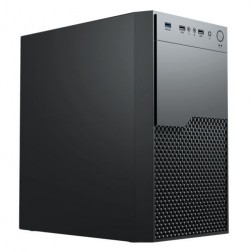

What an Office PC Actually Needs in 2026
The most common mistake when buying a basic office PC is treating all budget machines as equivalent. The components that determine day-to-day experience — RAM, storage type, and processor generation — vary significantly within the same price bracket.
How a Ginger6 Office PC Handles Your Daily Software
Performance descriptors are based on typical daily usage patterns at each spec tier. Actual experience depends on the number of applications open simultaneously and file sizes.
Performance descriptors are indicative. Actual performance depends on project complexity, settings, and system configuration.
Why a Properly Specced Office PC Costs Less Over Three Years
The cheapest office PC on the market in 2026 costs less at purchase than a Ginger6 build. The calculation changes over three years. A machine shipped with 8GB of RAM and a slow traditional hard drive performs acceptably on day one and becomes frustrating by month eighteen. Windows updates consume more RAM with each release. Office applications grow in complexity. Browser tabs multiply. The machine that was tolerable becomes the machine that makes people reluctant to sit down and start working.
The specification that matters most for everyday office performance is not the processor headline figure — it is the RAM capacity and the storage type. A Ginger6 basic office PC ships with 16GB of DDR4 or DDR5 RAM as standard and an NVMe SSD rather than a spinning hard drive. These two choices determine the daily experience more than any other component. Applications open faster, browser tabs do not cause the system to stall, and the machine remains comfortable to use with three or four applications open simultaneously — which is the normal working pattern for most office users.
This tier covers individual users and home office workers running Microsoft 365, Google Workspace, video calls, and web-based tools. If you run accounting software like Sage or Xero alongside your daily applications, the accounting and finance PCs page covers how that changes the recommended spec. If you need a machine for a small team rather than a single user, the small business PCs page addresses multi-application load and longer reliable service life.
Every Ginger6 office PC is assembled in Wolverhampton, not configured from a catalogue and shipped from a warehouse. Cable management inside the case supports airflow that keeps the machine running quietly and at stable temperatures during an eight-hour working day. BIOS settings and memory profiles are confirmed before dispatch to ensure the system starts correctly and maintains stable performance. The 24-hour stress test covers processor load, memory stability, and storage performance — confirming the machine is ready before it leaves, not after it arrives on a desk.
Kevin is available by phone after delivery. If Windows behaves unexpectedly after an update, if a new application causes a slowdown, or if your working pattern changes and the spec no longer fits, he will advise without charge. For a machine that is the tool through which someone does their job every day, that continuity matters. The 3-year warranty covers parts and return postage. Lifetime technical support means the relationship does not end at the point of delivery.
If your work goes beyond everyday productivity, one of these categories covers your specific requirements.
Describe what software you use daily and how many things you typically have open at once. He will confirm the right build for your budget. No pressure to buy.
01902 714533Office PC Buyers at Ginger6
You work from a home office running Word, Excel, Outlook, and Teams throughout the day. You need a machine that does not slow down when all four are open simultaneously. 16GB RAM and a fast NVMe SSD covers this comfortably. A current-generation Core i3 or i5 handles the processor side without you ever noticing the CPU.
Your current PC takes two minutes to boot and slows when more than three applications are open. A properly specced replacement with an NVMe SSD makes boot time irrelevant — the machine is ready in seconds. 16GB RAM removes the slowdown that happens when the old machine runs out of working memory and starts using the drive instead.
Browser-based working puts RAM under more pressure than most people expect. Google Docs, Sheets, and Gmail alongside a second browser window for research, and Zoom or Meet for calls, adds up to significant RAM usage. 16GB means this combination runs comfortably. 8GB means the browser starts competing with itself for memory, which shows up as tabs reloading and slow response.
A well-specced basic office PC is the right tool for everyday computing: email, web browsing, video calls with family, light document work, and photo viewing. The machine should start quickly, respond immediately, and run without needing attention. Ginger6 builds and tests each machine before dispatch, so it arrives ready to use.
The basic office tier covers single-user daily productivity. If you are speccing for a small team, running accounting software alongside standard office tools, or need a machine that copes with heavier concurrent application load, the small business or accounting finance categories offer a higher spec baseline. Kevin will confirm which tier suits your actual usage.
No charge for the conversation. No pressure to buy.
- The software you use most and the version
- How many applications you typically have open at once
- Whether you need to connect one or two monitors
- Your approximate budget
What Office PC Buyers Say About Ginger6
93% of Ginger6 customers leave five-star reviews on Trustpilot, compared to 80% for PCSpecialist and 84% for Chillblast. The same person who advises you on the spec supports the machine after delivery.
"Great service and prices. Just had 2 new desktops built for the office. Kevin and the team were great advising me on the spec I would need for our needs."
"Kevin has been above and beyond customer care taking the time to answer a problem I had installing a third party program which was at my end and nothing to do with the product which btw works and runs extremely well. Very satisfied and highly recommend."
"The price of my custom built PC was far less than the equivalent off the shelf PC from larger companies. Customer service is first rate and calls are answered expeditiously."
"The PC is excellent, with much speedier processing than I was previously experiencing. I have used Ginger 6 several times previously and will not hesitate to use them again as their service and follow up support is excellent."
Ginger6 has been building custom office and business PCs from the same Wolverhampton workshop since 2001. Same phone number. Same approach. Same focus on matching the spec to what you actually need.
Basic Office PC Questions Answered
16GB is the minimum for a comfortable office PC in 2026. With 8GB — common in budget retail machines — the system slows when Teams, a browser with several tabs, and an Office application are open at the same time. 16GB handles this standard working pattern without slowdown. 32GB is worthwhile if you plan to keep the machine for five or more years or run more applications simultaneously.
No. For word processing, email, web browsing, and video calls, integrated graphics handles everything without a dedicated GPU. A discrete graphics card adds cost without improving the experience for standard office use. If you need to run two or more monitors, integrated graphics on a current-generation processor handles dual-monitor output without needing a separate card. Kevin will confirm the right configuration for your monitor setup.
Branded office machines from Dell and HP are reliable hardware but they are configured to a price point that the manufacturer controls. Component choices — particularly RAM and storage — are driven by margin as much as performance. A Ginger6 build is configured to match what you actually need: 16GB RAM and an NVMe SSD as standard, rather than 8GB and a slower drive. Price per spec is typically better, and support after delivery is direct with Kevin rather than a call centre.
Builds are typically completed in 3 to 5 working days from order confirmation. The 24-hour stress test runs before dispatch, so the machine arrives confirmed and ready to use. Delivery is free to UK mainland addresses. Kevin will give you a specific timeframe when you confirm the order.
A Ginger6 office PC specced with 16GB RAM and a current-generation processor is built to remain comfortable for three to five years of everyday use. Windows updates and Office upgrades over that period will not cause the machine to feel slow the way they do on a machine shipped with 8GB. Kevin speccs for where you will be in two years, not just where you are today.
Every Ginger6 office PC includes a 3-year warranty covering parts and return postage. Lifetime technical support is included — if a Windows update causes a problem eighteen months after purchase, Kevin is still the person to call. No call centres, no scripts, no being passed between departments.
The basic office tier is right for single users doing standard productivity work. Consider the small business PC tier if you run accounting software like Sage or Xero regularly alongside standard office tools, if you are speccing for a staff member rather than yourself, or if the machine needs to handle a heavier concurrent application load over a longer expected service life.
Ready to Find the Right Office PC?
Whether you know exactly what you need or want a quick conversation about spec and budget, Ginger6 is here to help. No sales pressure. Honest advice from a team that has been building custom PCs in Wolverhampton since 2001.
Browse Office PCs
Browse our ready-configured office PCs. Each lists the full spec, RAM, storage, and processor so you can compare clearly.
Browse the BuildsTalk to Kevin
Tell him your software, how many things you run at once, and your budget. He will confirm the right spec. No pressure to buy.
Call 01902 714533Email or Callback
Include your software, typical usage, and budget. Kevin will come back with a recommendation and a quote.
Email Kevin