




Common Mistakes When Building Gaming PCs
Avoid these pitfalls with a professionally built custom gaming PC from Ginger6.
Building your own gaming PC can feel like the perfect way to stretch your budget and tailor performance to your favourite games. However, there are many common mistakes when building gaming PCs that can quickly turn the process from exciting to exhausting. A single missed screw, a mismatched part, or a rushed software setup can leave you with poor PC performance, random crashes, or a system that will not boot at all.
At Ginger6, we spend our days putting together gaming PCs for players across the UK. With over two decades of experience and thousands of builds behind us, we see the same building errors crop up time and time again. The good news is that a bit of planning, plus guidance from specialists, can prevent most issues.
Below, you will find the main building mistakes that catch gamers out, along with simple ways to avoid them and how Ginger6 handles each step for you.
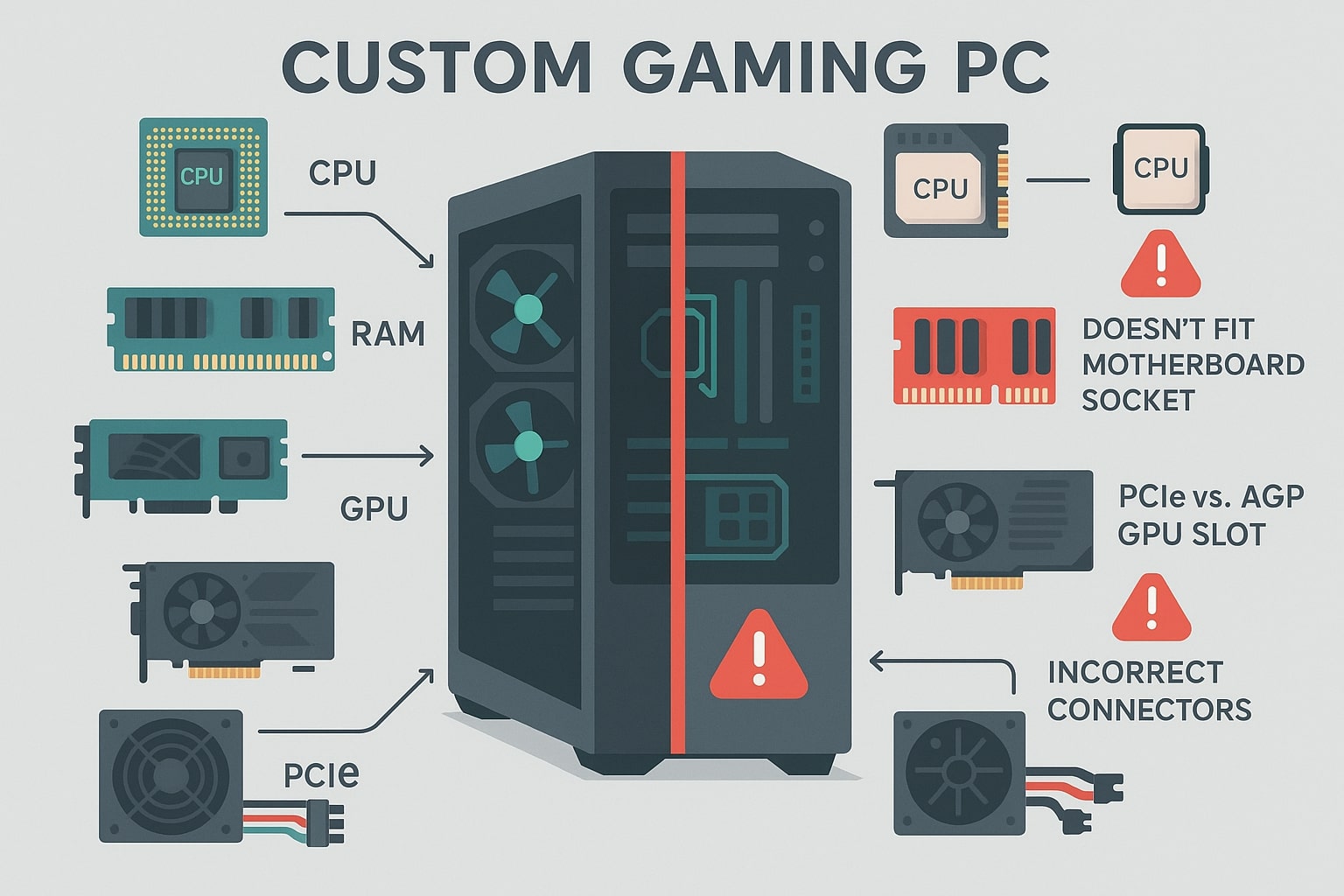
Mixing Incompatible Components and Unbalanced Specs
One of the biggest problems for first-time builders is choosing hardware components that will not work properly together. Compatibility issues are not always obvious from a product listing, and even experienced enthusiasts occasionally slip up.
Common pitfalls include:
-
A CPU that does not match the motherboard socket or chipset
-
A motherboard that needs a BIOS update before it can recognise a newer processor
-
RAM that runs at the wrong speed or voltage
-
A graphics card that does not physically fit the case or blocks other slots
-
A power supply with insufficient wattage or the wrong connectors
Any one of these issues can stop a new gaming PC from starting, or cause random lockups once you begin gaming. Even when the system does run, an unbalanced specification can hold you back. Pairing a top-tier GPU with a very modest CPU, for example, creates a bottleneck that limits system performance and wastes money.
Memory is another area where builders stumble. High-performance modules such as Kingston FURY RAM need the correct profile enabled in the BIOS to reach their advertised speeds. Leave this setting untouched and your gaming PC may be running a lot slower than you expect.
How Ginger6 Keeps Your Parts in Harmony
When you order a custom gaming PC from Ginger6, our team checks every combination of CPU, motherboard, memory, storage, graphics card and power supply before a single screw goes near a case. We match components to your target resolution and frame rate, and make sure there is plenty of headroom for future upgrades.
Instead of juggling socket names, power ratings and form factors, you simply choose your budget and preferred games. Our technicians handle the detail, set the correct memory profiles, and ensure the whole system is tuned for smooth, stable performance.
Underestimating Cooling, Airflow and Power
Heat and power are not as exciting as frame rates, yet they have a huge impact on both reliability and performance. A gaming PC filled with powerful hardware but cramped inside a poorly ventilated case is likely to run too hot and throttle during intense sessions.
Typical building mistakes in this area include:
-
Choosing a case with limited airflow or blocked front panels
-
Installing fans so that all of them pull air in or all push it out, rather than creating a front-to-back flow
-
Allowing cablesto hang in front of fans and vents
-
Relying on the stock cooler for a high-end CPU that regularly boosts above base speeds
-
Using a low-quality power supply that struggles under load
High temperatures over long periods shorten component lifespans and cause erratic behaviour. Sudden shutdowns during games, coil whine, or a GPU that never reaches its advertised boost clock are all signs that cooling or power is not up to scratch.
How Ginger6 Designs Cool, Quiet Gaming PCs
Ginger6 systems are built with airflow in mind. We select cases that allow fresh air in at the front and push warm air out at the rear and top. Fans are positioned to create a smooth path through the system, and cables are neatly tied back to avoid blockage.
We also insist on reliable power supplies from trusted brands, sized correctly for your configuration and future upgrades. This approach helps maintain stable voltages under heavy loads, improving both PC performance and component longevity.
The result is a gaming PC that stays cooler and quieter during long sessions, so you can focus on winning rather than watching temperature graphs.
Skipping Motherboard Standoffs and Other Assembly Details
Physical assembly looks straightforward in online videos, yet small oversights can cause major motherboard mistakes. One of the most damaging is forgetting motherboard standoffs.
Standoffs are small metal or plastic spacers that sit between the motherboard and the case tray. Their job is simple: hold the board at the right height and prevent the solder points on the back from touching the metal chassis. Install the board without these, or in the wrong positions, and you risk:
-
Electrical shorts when the system powers on
-
Permanent damage to the motherboard or other components
-
Intermittent crashes that are extremely hard to diagnose
Other physical building errors include overtightening screws and warping the board, misaligning the I/O shield, using too much thermal paste on the CPU, or forcing connectors into the wrong headers. Many builders find this the hardest part of building a PC because the mistakes are invisible until something goes wrong.
How Ginger6 Protects Your Investment during Assembly
Our technicians assemble gaming PCs every day, following proven checklists for each stage. Motherboard standoffs are placed only where there are matching holes in the board, the correct screws are used in each location, and cable runs are checked before panels go on.
Thermal paste is applied in the right amount, CPU coolers are tightened evenly, and all front-panel, USB and fan connections are double-checked. This level of care removes the risk of small physical mistakes causing big problems later. You receive a gaming PC that looks tidy inside and is ready to run from the first press of the power button.
Ignoring Stress Testing and Software Setup
Many PC builders breathe a sigh of relief once the system boots to the desktop. However, a machine that starts once is not necessarily ready for extended gaming. Skipping thorough stress-testing is one of the most common mistakes when building gaming PCs.
Without testing, you might miss problems such as:
-
RAM that passes a quick boot but throws errors under load
-
A CPU cooler that handles idle temperatures but overheats during sustained tasks
-
A graphics card that appears fine on the desktop but crashes in modern titles
-
Power supplies that shut down under peak draw
A sensible stress-testing routine should include:
-
Memory testing to check RAM stability.
-
CPU load tests to confirm temperatures and clock speeds stay within safe limits.
-
GPU benchmarking that reflects the games you actually play.
-
Monitoring tools that let you watch temperatures, voltages and fan speeds during these tests.
On top of this, drivers and firmware need attention. A system may run on default settings, yet a BIOS update or the correct chipset and graphics drivers can significantly improve PC performance and stability.
How Ginger6 Proves Your System Is Ready to Game
Every custom gaming PC built by Ginger6 goes through a lengthy stress-testing process. Your system is powered on, checked for any hardware issues, and then subjected to demanding workloads for extended periods. Technicians watch for anything unusual, from minor temperature spikes to rare error codes.
During this stage, operating system updates are installed, drivers are configured, memory profiles are activated, and fan curves are tuned. By the time your gaming PC leaves our workshop, it has already completed the sort of tasks that would normally reveal hidden faults. That gives you confidence that your new machine can handle long gaming sessions from day one.
Building Your Own Gaming PC vs Letting Ginger6 Handle It
Putting together a gaming PC yourself can be rewarding, especially if you enjoy learning about hardware and solving problems. For some, that learning process is part of the fun. For others, it feels stressful, time-consuming, and risky.
Common questions we hear from new builders include:
-
What could go wrong when building a PC?
Plenty, from compatibility issues and motherboard mistakes to overheating and unstable power. -
What should I consider when building a gaming PC?
A balanced specification, reliable cooling, quality components, future upgrades and, of course, your budget. -
What is the hardest thing to do when building a PC?
Many people struggle with cable management, motherboard standoffs and other fiddly tasks inside the case. -
Is it difficult to build a gaming PC?
With patience and research it is achievable, but it still carries the risk of building mistakes that may void warranties or shorten component life.
If you want the fun of choosing parts but prefer professionals to handle the fiddly details, Ginger6 offers the best of both worlds. You decide how your gaming PC should look and perform, and our specialists take care of compatibility checks, assembly, cable routing, stress-testing and software setup.
Every Ginger6 gaming PC is built in the UK using quality components, tested for at least 24 hours, and supported for its lifetime. Whether you aim for an affordable first build or a high-end 4K machine, our team can recommend suitable configurations and tailor them to your favourite games.
When you are ready for a new system, speak with the Ginger6 team or use our custom gaming PC builder to outline your ideal specification. Tell us the games you love, the resolution you play at, and your budget. We will create a gaming PC that avoids the usual building errors, protects your investment, and delivers smooth performance from the moment it arrives.