




Gaming PCs for
Sandbox and Creative Games
Sandbox and creative games test your PC differently to shooters. Minecraft with shaders pushes VRAM. Cities Skylines with a large city pushes CPU and RAM beyond what most builds can handle. The right spec depends on how you play. Find your game below.
Select a game below for specific hardware thresholds and tier breakdowns. Or call Kevin on 01902 714533 — tell him the game you play, how you play it, and your budget.


Grid List
12 Item(s)
-
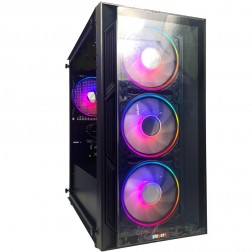 Intel Core i3 12100F RTX 3050 Gaming PC - G6 Vortex X1
Intel Core i3 12100F Quad core
H610M Motherboard
16GB+ DDR5 5200MHz Memory
1TB+ M.2 NVMe SSD
6GB Nvidia RTX 3050 Graphics
300mbps Wifi
Windows 11 Home£1,062.98
£999.99
Intel Core i3 12100F RTX 3050 Gaming PC - G6 Vortex X1£1,062.98
£999.99
Intel Core i3 12100F Quad core
H610M Motherboard
16GB+ DDR5 5200MHz Memory
1TB+ M.2 NVMe SSD
6GB Nvidia RTX 3050 Graphics
300mbps Wifi
Windows 11 Home
-
 Intel Core i5 12400F Nvidia RX 7600 Gaming PC - G6 Infinity X4
Intel Core i5 12400F 6 core
H610M Motherboard
16GB+ DDR5 5200MHz
1TB+ M.2 NVMe SSD
8GB Radeon RX 7600 Graphics
300mbps Wifi
Windows 11 Home£1,242.73
£1,169.99
Intel Core i5 12400F Nvidia RX 7600 Gaming PC - G6 Infinity X4£1,242.73
£1,169.99
Intel Core i5 12400F 6 core
H610M Motherboard
16GB+ DDR5 5200MHz
1TB+ M.2 NVMe SSD
8GB Radeon RX 7600 Graphics
300mbps Wifi
Windows 11 Home
-
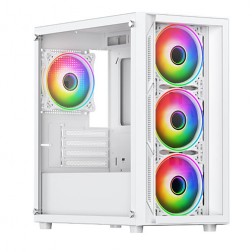 AMD Ryzen 5 8400f Nvidia RTX 5060 Gaming PC - G6 Fusion 600 X4
AMD Ryzen 5 8400f 6 core
A620M Motherboard
16GB+ DDR5 5200MHz
FAST 1TB M.2 NVMe SSD
8GB Nvidia RTX 5060 Graphics
300mbps Wifi
Windows 11 Home£1,253.21
£1,179.99
AMD Ryzen 5 8400f Nvidia RTX 5060 Gaming PC - G6 Fusion 600 X4£1,253.21
£1,179.99
AMD Ryzen 5 8400f 6 core
A620M Motherboard
16GB+ DDR5 5200MHz
FAST 1TB M.2 NVMe SSD
8GB Nvidia RTX 5060 Graphics
300mbps Wifi
Windows 11 Home
-
 Intel Core i7 14700f RTX 5060 Ti Pre-Built Next Day PC - G6 ND 1500
Intel Core i7 14700f Twenty Core
Gigabyte B760M DS3H AX
32GB 5200mhz DDR5
1TB M.2 NVMe SSD Drive
16GB Nvidia RTX 5060 Ti Graphics
1733mbps Wifi & Bluetooth
Windows 11 Home£2,118.57
£1,849.99
Intel Core i7 14700f RTX 5060 Ti Pre-Built Next Day PC - G6 ND 1500£2,118.57
£1,849.99
Intel Core i7 14700f Twenty Core
Gigabyte B760M DS3H AX
32GB 5200mhz DDR5
1TB M.2 NVMe SSD Drive
16GB Nvidia RTX 5060 Ti Graphics
1733mbps Wifi & Bluetooth
Windows 11 Home
-
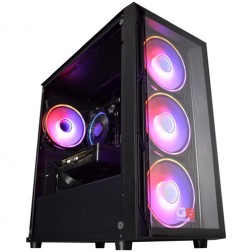 Intel Core i5 12400f RTX 5060 Pre Built Next Day Gaming PC - G6 ND 800
Intel Core i5 12400F 6 Core
H610 Motherboard
16GB DDR5 Memory
1TB M.2 NVMe SSD Drive
8GB Nvidia RTX 5060 Graphics
300MBPs Wifi
Windows 11 Home£1,191.53
£999.99
Intel Core i5 12400f RTX 5060 Pre Built Next Day Gaming PC - G6 ND 800£1,191.53
£999.99
Intel Core i5 12400F 6 Core
H610 Motherboard
16GB DDR5 Memory
1TB M.2 NVMe SSD Drive
8GB Nvidia RTX 5060 Graphics
300MBPs Wifi
Windows 11 Home
-
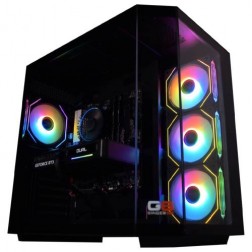 AMD Ryzen 7 8700f Nvidia RTX 5070 Gaming PC - G6 Fusion 800 X5
AMD Ryzen 7 8700f 8 core
A620M Motherboard
16GB+ DDR5 5200MHz
FAST 1TB M.2 NVMe SSD
12GB Nvidia RTX 5070 Graphics
300mbps Wifi
Windows 11 Home£1,735.41
£1,629.99
AMD Ryzen 7 8700f Nvidia RTX 5070 Gaming PC - G6 Fusion 800 X5£1,735.41
£1,629.99
AMD Ryzen 7 8700f 8 core
A620M Motherboard
16GB+ DDR5 5200MHz
FAST 1TB M.2 NVMe SSD
12GB Nvidia RTX 5070 Graphics
300mbps Wifi
Windows 11 Home
-
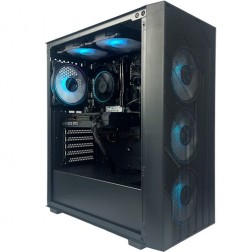 Intel Core i5 12400F Nvidia 8GB RTX 5050 Gaming PC - G6 Infinity X2
Intel Core i5 12400F 6 core
H610M Motherboard
16GB+ DDR5 5200MHz
1TB+ M.2 NVMe SSD
8GB Nvidia RTX 5050 Graphics
300mbps Wifi
Windows 11 Home£1,165.79
£1,094.99
Intel Core i5 12400F Nvidia 8GB RTX 5050 Gaming PC - G6 Infinity X2£1,165.79
£1,094.99
Intel Core i5 12400F 6 core
H610M Motherboard
16GB+ DDR5 5200MHz
1TB+ M.2 NVMe SSD
8GB Nvidia RTX 5050 Graphics
300mbps Wifi
Windows 11 Home
-
 AMD Ryzen 5 8400f RTX 3050 Gaming PC - G6 Fusion 600 X1
AMD Ryzen 5 8400f 6 core
a620M Motherboard
16GB+ DDR5 5200MHz
FAST 1TB M.2 NVMe SSD
6GB Nvidia RTX 3050 Graphics
300mbps Wifi
Windows 11 Home£1,138.71
£1,069.99
AMD Ryzen 5 8400f RTX 3050 Gaming PC - G6 Fusion 600 X1£1,138.71
£1,069.99
AMD Ryzen 5 8400f 6 core
a620M Motherboard
16GB+ DDR5 5200MHz
FAST 1TB M.2 NVMe SSD
6GB Nvidia RTX 3050 Graphics
300mbps Wifi
Windows 11 Home
-
 AMD Ryzen 5 8400f RTX 5050 Gaming PC - G6 Fusion 600 X2
AMD Ryzen 5 8400f 6 core
a620M Motherboard
16GB+ DDR5 5200MHz
FAST 1TB M.2 NVMe SSD
8GB Nvidia RTX 5050 Graphics
300mbps Wifi
Windows 11 Home£1,225.91
£1,154.99
AMD Ryzen 5 8400f RTX 5050 Gaming PC - G6 Fusion 600 X2£1,225.91
£1,154.99
AMD Ryzen 5 8400f 6 core
a620M Motherboard
16GB+ DDR5 5200MHz
FAST 1TB M.2 NVMe SSD
8GB Nvidia RTX 5050 Graphics
300mbps Wifi
Windows 11 Home
-
 AMD Ryzen 7 8700f RTX 5060 Ti Gaming PC - G6 Fusion 800 X3
AMD Ryzen 7 8700f 8 core
A620M Motherboard
16GB+ DDR5 5200MHz
FAST 1TB M.2 NVMe SSD
8GB Nvidia RTX 5060 Ti Graphics
300mbps Wifi
Windows 11 Home£1,476.71
£1,389.99
AMD Ryzen 7 8700f RTX 5060 Ti Gaming PC - G6 Fusion 800 X3£1,476.71
£1,389.99
AMD Ryzen 7 8700f 8 core
A620M Motherboard
16GB+ DDR5 5200MHz
FAST 1TB M.2 NVMe SSD
8GB Nvidia RTX 5060 Ti Graphics
300mbps Wifi
Windows 11 Home
-
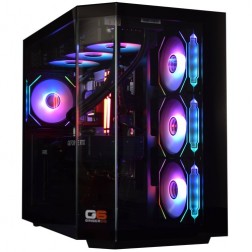 Intel Core Ultra 7 265K Nvidia RTX 5070 Ti Gaming PC - G6 Genesis U2
Intel Core Ultra 7 265Kf 20 core
B860 Motherboard
32GB+ DDR5 5200MHz Memory
FAST 1TB+ M.2 NVMe SSD
16GB Nvidia RTX 5070 Ti Graphics
FAST Wifi & Bluetooth
Windows 11 Home£2,573.49
£2,419.99
Intel Core Ultra 7 265K Nvidia RTX 5070 Ti Gaming PC - G6 Genesis U2£2,573.49
£2,419.99
Intel Core Ultra 7 265Kf 20 core
B860 Motherboard
32GB+ DDR5 5200MHz Memory
FAST 1TB+ M.2 NVMe SSD
16GB Nvidia RTX 5070 Ti Graphics
FAST Wifi & Bluetooth
Windows 11 Home
-
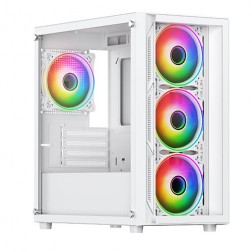 Intel Core i5 12400F Nvidia RTX 5060 Gaming PC - G6 Infinity X3
Intel Core i5 12400F 6 core
H610M Motherboard
16GB+ DDR5 5200MHz
1TB+ M.2 NVMe SSD
8GB Nvidia RTX 5060 Graphics
300mbps Wifi
Windows 11 Home£1,193.09
£1,119.99
Intel Core i5 12400F Nvidia RTX 5060 Gaming PC - G6 Infinity X3£1,193.09
£1,119.99
Intel Core i5 12400F 6 core
H610M Motherboard
16GB+ DDR5 5200MHz
1TB+ M.2 NVMe SSD
8GB Nvidia RTX 5060 Graphics
300mbps Wifi
Windows 11 Home
Grid List
12 Item(s)
Select Your Game
Each page covers the specific hardware thresholds, tier-by-tier performance breakdowns, and Ginger6 builds chosen for that title.




Why Sandbox Games Are CPU and RAM Driven
Sandbox and creative games share one hardware characteristic that separates them from competitive shooters and GPU-benchmark titles: the CPU and RAM determine your experience far more than the GPU. A large Cities Skylines city will stutter on any GPU if the processor cannot simulate all those agents, buildings, and road connections in real time. Adding a better GPU does nothing. Upgrading to a faster CPU and moving from 16GB to 32GB RAM is the fix.
Minecraft follows a similar pattern for vanilla play. Java Edition is notoriously single-core dependent. A fast single-core CPU delivers smooth chunk loading and responsive gameplay in ways that a high core-count server processor cannot. The exception is shaders. Once Optifine or Iris loads a shader pack, the GPU workload increases significantly and VRAM starts to matter — a shader-focused build needs more GPU than a vanilla one.
Palworld and Valheim are more balanced. Both use the GPU for scene rendering while the CPU handles world simulation, NPC behaviour, and world generation on exploration. Modded Valheim — with graphical enhancement mods active — pushes the GPU considerably harder than the base game. Each game page below explains where the hardware limits are for that specific title.
Ginger6 Builds for Sandbox and Creative Games
Three tiers covering vanilla Minecraft through to large-city Cities Skylines and modded Valheim.
Fast Core i5 or Ryzen 5 with 16GB DDR5. Smooth vanilla Minecraft at any render distance. Valheim at 1080p high settings with no mods. Cities Skylines works for small-to-medium cities before the CPU ceiling shows.
Core i7 or Ryzen 7 with 32GB DDR5 and RTX 5060 Ti. This is the right tier for Minecraft with shaders at 1440p, Cities Skylines large cities without stuttering, Palworld at full settings, and modded Valheim with graphics packs active.
Fast Core i7 or Ryzen 7 X3D with 32GB DDR5 and RTX 5070. Minecraft with demanding shader packs at 4K, ultra-large Cities Skylines maps with minimal simulation slowdown, and Valheim heavily modded with visual enhancement packs at 1440p ultra.
Not sure which tier is right? Call Kevin on 01902 714533. Tell him the game you play, how large your worlds or cities tend to get, whether you use mods or shaders, and your budget. He will confirm the right build.
What Do Ginger6 Customers Say?
Over 1,100 verified reviews with a 93% five-star rating.
Every review is from a real customer. Common themes: honest advice on which spec to choose, builds that perform exactly as specified, and support that continues after delivery.
Read All Trustpilot ReviewsI chose Ginger6 to build me a gaming pc and was given such a fantastic service from start to finish. They were never too busy to answer any questions or give me advice on my build. The delivery time was fast and the PC was packaged really well. The build looks fantastic and runs like a dream.
Kevin went out of his way to patiently address each of my queries. The build was completed with care and an eye to attention. The cabling was neatly secured, even in places where you would not normally look. There just aren't any negatives.
Purchased a gaming PC for my teenage son. Superb value, advice and service. I was recommended to Ginger6 by a friend and I am now recommending to my friends.
Common Questions About Sandbox and Creative Builds
For vanilla Minecraft, the GPU is not the priority. Java Edition is CPU-bound, specifically on single-core performance. A fast Core i5 or Ryzen 5 handles vanilla play at any render distance. Once you add shaders via Optifine or Iris, the GPU load increases significantly and VRAM starts to matter. A mid-range GPU with 8GB VRAM handles most popular shader packs at 1080p. 4K with demanding shaders needs a higher-tier GPU.
Cities Skylines is one of the most CPU-intensive games relative to its visual complexity. The simulation — agents, traffic, building states, road connections — runs on the CPU, not the GPU. A large city with detailed traffic can saturate a CPU that handles every other game perfectly. Adding a better GPU does not fix stuttering in Cities Skylines. Upgrading to a faster processor and more RAM does. If your city is growing and performance is falling, the CPU and RAM are where to focus.
For small to medium cities, 16GB is workable. For large cities with detailed districts and active traffic, 32GB is strongly recommended. Cities Skylines loads simulation data into RAM and holds it there while the city runs — a large city with mods can consume over 20GB. Running that on 16GB means the system starts paging to storage, which causes slowdowns that look similar to CPU stuttering but are caused by memory pressure.
Palworld is moderately demanding and better optimised than most early access titles. A mid-range build handles it well at 1440p. The GPU draws the open world and Pal models, while the CPU handles world simulation and Pal AI. In multiplayer sessions with many players and Pals active simultaneously, CPU load increases. Performance figures should be treated as indicative — as an early access title, optimisation continues with updates.
Vanilla Valheim runs well on mid-range hardware at 1440p high settings. World generation on first visit to a new biome creates a brief CPU load spike, but settled areas run smoothly. Modded Valheim is a different picture: graphical enhancement mods push GPU demand considerably and increase VRAM use. If you plan to run visual overhaul mods, size the GPU accordingly. A mid-range GPU handles most popular mods at 1080p; a high-end GPU is needed for 1440p with demanding mod combinations.
A mid-range sandbox build — Core i7, 32GB DDR5, RTX 5060 Ti — handles most gaming genres well. It covers open-world RPGs at 1440p high settings, competitive shooters at 240fps, and simulation titles. If you also want to play GPU-demanding games like Cyberpunk 2077 at 4K ultra or Battlefield 6 at 1440p maximum settings, a higher-tier GPU is the right investment alongside the CPU and RAM that sandbox games need.
Find the Right Build for Your Game
Browse the range or call Kevin directly. Tell him the game you play, whether you use mods or shaders, how large your worlds get, and your budget. He will confirm the right spec.