




Guide to Upgrading AMD Gaming PC for Better Performance
A well-planned upgrade can extend the life of an AMD Gaming PC, improve gaming performance, and support newer titles without the need for a full replacement. Knowing which components to upgrade and how those upgrades affect the rest of the system helps avoid wasted spend and compatibility issues. Guide to upgrading AMD gaming PC focuses on practical decisions that improve performance, stability, and value. It covers preparation, processor and graphics upgrades, power considerations, and validation steps to ensure upgrades deliver real gains.
Preparing Your AMD Gaming PC for The Update
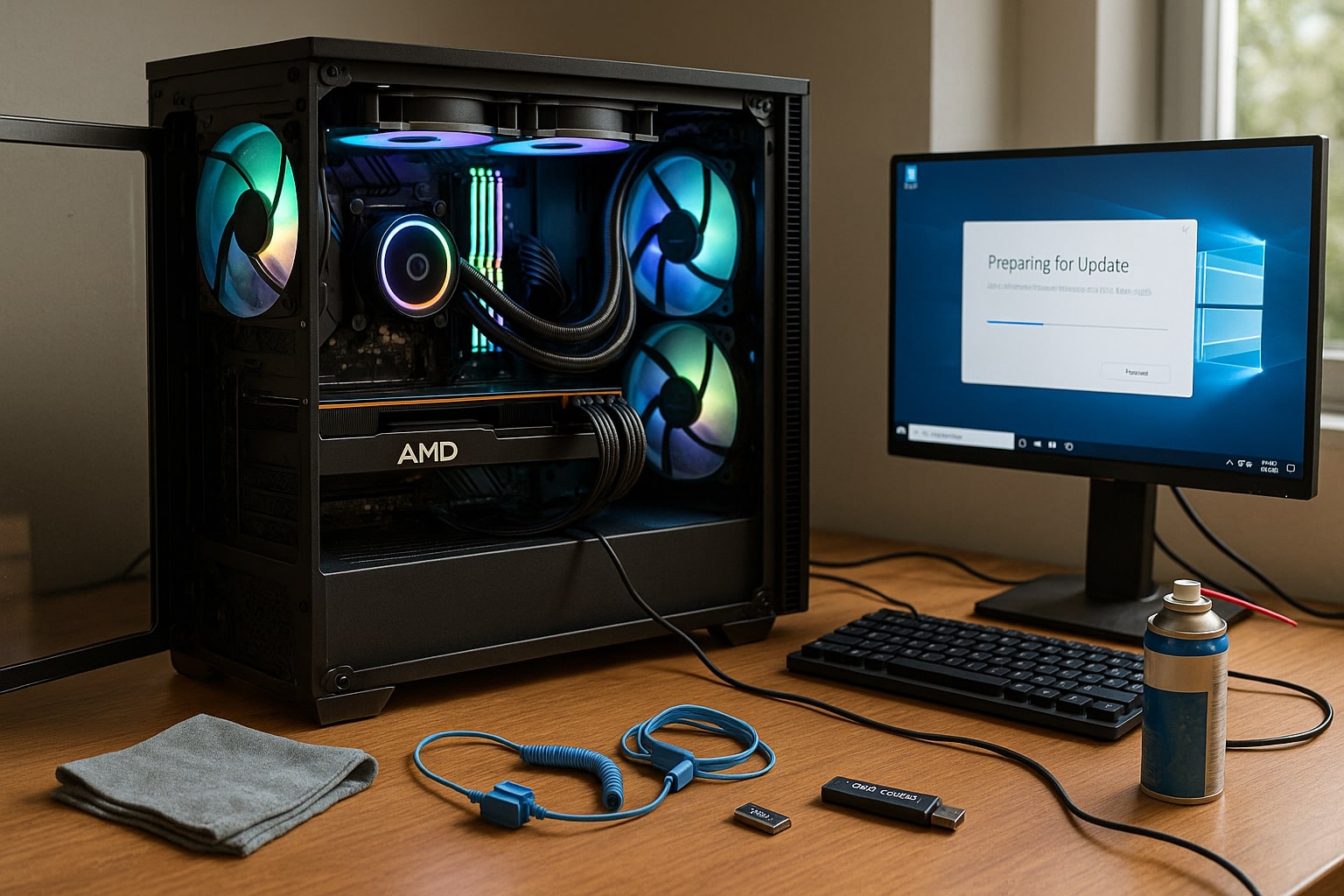
Preparation is a necessary step before upgrading any AMD gaming PC. Understanding current system limits helps identify where performance is being held back and which upgrades will deliver meaningful improvements rather than marginal gains.
Start by reviewing your existing system specifications. This includes the AMD Ryzen processor model, motherboard chipset, installed memory, graphics card, storage type, and power supply rating. Monitoring tools can help reveal whether performance limits come from CPU load, GPU saturation, memory usage, or slow storage access during gaming.
It is also important to consider how and what you play. Competitive games often benefit from higher frame consistency, while newer AAA titles may demand stronger graphics hardware or additional memory capacity. Identifying these needs early helps guide upgrade priorities.
Checks to complete before upgrading
-
Confirm motherboard compatibility with newer Ryzen processors
-
Check BIOS version and update if required for CPU support
-
Review power supply wattage and connector availability
-
Measure case clearance for larger graphics cards or coolers
-
Back up important data before making hardware changes
Running benchmarks before upgrading creates a useful performance baseline. Testing games you play regularly makes it easier to confirm whether an upgrade delivers the expected improvement. Preparation reduces the risk of incompatibility and ensures each upgrade step moves the system closer to defined performance goals.
Choosing the Right Ryzen Processor Upgrade
Upgrading the CPU can improve performance, frame stability, and multitasking capability, especially in CPU-heavy titles and modern game engines. Ryzen processors vary widely in core count, boost behaviour, and platform support, which makes selecting the right upgrade a matter of balance rather than choosing the highest model number.
For gaming-focused systems, boost frequency and sustained clock stability often have greater influence on real-world performance than maximum core count. Many games still rely heavily on a small number of fast cores, allowing a well-balanced Ryzen processor to outperform higher-core options during gameplay.
Compatibility should always be checked before upgrading. AM4 systems may support Ryzen 5000 series processors with the correct BIOS update, offering a strong performance uplift without changing the motherboard. AM5 platforms provide access to newer Ryzen generations and faster memory, though they usually require a full platform update. Players weighing long-term platform value may find it useful to review an am5 vs am4 for gaming desktops comparison before deciding which upgrade path best suits their gaming needs and future plans.
Factors to consider when upgrading a Ryzen CPU
-
Single-core performance and boost frequency
-
Core count based on gaming and background workload needs
-
Cooling requirements to maintain stable boost behaviour
-
Memory support and achievable RAM speeds
-
Platform lifespan and future upgrade flexibility
Thermal management plays a major role in gaming CPU performance. Even a high-end Ryzen gaming processor can underperform if cooling is inadequate. Ensuring proper airflow and a capable cooler helps the CPU maintain boost clocks during long gaming sessions. A CPU upgrade should always be evaluated as part of the wider system rather than in isolation.
Selecting a Graphics Card That Matches Gaming Goals
Graphics card upgrades often provide the most visible improvements in performance. Higher frame rates, improved resolution support, and smoother visuals all depend on GPU capability.
When upgrading graphics hardware, real-world gaming benchmarks offer clearer insight than specifications alone. Performance varies depending on game engine, resolution, and graphics settings, and results can also change based on how well you optimize AMD settings for each title, so matching the card to your usage remains important.
Points to review before upgrading a graphics card
-
Target resolution and monitor refresh rate
-
VRAM requirements for current and upcoming games
-
Physical space and airflow within the case
-
Power supply capacity and cable compatibility
A graphics card upgrade should also be balanced with the CPU. Pairing a high-end GPU with an older processor can limit performance, particularly in CPU-bound games. Reviewing both components together helps avoid uneven upgrades.
Power Supply and System Balance
Power supply quality and capacity are often overlooked during upgrades, yet they play a major role in system stability. As CPUs and graphics cards draw more power under load, consistent delivery becomes increasingly important.
An ageing or undersized power supply can restrict upgrade options and introduce instability. Choosing a unit with sufficient wattage and efficiency headroom helps support both current and future components.
Power considerations during upgrades
-
Combined power draw under gaming load
-
Efficiency rating and internal build quality
-
Headroom for future CPU or GPU upgrades
-
Modern connector support for newer hardware
Upgrading the power supply alongside major components reduces the risk of crashes, throttling, or voltage-related issues during extended gaming sessions.
Testing Performance After Upgrading
Once upgrades are complete, testing confirms that the system operates correctly and that performance gains are real. Stress testing and benchmarking help validate stability under sustained load.
Running the same benchmarks used before upgrading provides a clear comparison. Monitoring temperatures and clock behaviour during long sessions helps identify cooling or airflow limitations.
Post-upgrade checks
-
Confirm all components are detected correctly
-
Run stability and stress tests
-
Monitor temperatures during gaming
-
Re-test baseline games and benchmarks
Consistent results across multiple sessions indicate a successful upgrade and a well-balanced AMD Ryzen gaming PC.
Expert Help With AMD Gaming PC Upgrades
Upgrading an AMD gaming PC works best when components are selected with compatibility and balance in mind. For players who want tailored advice or a custom-built system, professional guidance helps reduce the risk of costly mistakes.
Ginger6 builds custom AMD gaming PCs in the UK and provides an online configurator to help match components correctly. Their services include custom builds, upgrade advice, warranty-backed systems, and UK-based support. Whether planning targeted upgrades or a full rebuild, Ginger6 offers practical guidance based on real gaming system experience.