




Multi-Monitor PCs for Dual, Triple, and Four-Screen Office Work
Running two to four monitors is a GPU task before it is a CPU task. Ginger6 builds desktop computers in Wolverhampton specifically configured for multi-monitor office setups: traders, data analysts, finance professionals, developers, and project managers who need simultaneous visibility across multiple applications without the desktop stuttering or the system slowing under display load. Every build is stress-tested for 24 hours and backed by a 3-year warranty.
Most standard office PCs are not configured for more than two monitors. The GPU output ports, the VRAM capacity, and the driver configuration all affect how a multi-screen setup performs under sustained office use. Kevin confirms the specific GPU and output configuration based on your monitor count and resolution before the order is placed.
Browse the builds below or call Kevin on 01902 714533. Tell him how many monitors you need, their resolution, and your primary work applications, and he will confirm the right configuration.


Grid List
3 Item(s)
-
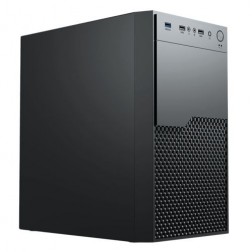 G6 Quadro RTX A400 AMD Ryzen 5 Graphical Workstation
£1,132.51
£1,064.99
-
-


Grid List
3 Item(s)
What a Multi-Monitor Office PC Actually Needs
Multi-monitor setups expose the limits of low-spec machines quickly, particularly on the GPU side. The number of monitors, their resolution, and the applications running across them all determine the right configuration.
How a Ginger6 Multi-Monitor PC Handles Your Screens
Performance descriptors reflect typical multi-monitor professional use patterns. Actual performance depends on monitor count, resolution, and the applications running across all screens simultaneously.
Performance descriptors are indicative. Actual performance depends on project complexity, settings, and system configuration.
Three or Four Monitors Expose Problems That Two Monitors Do Not
A standard office PC handles two monitors without difficulty on integrated graphics. The step from two monitors to three introduces the first failure point that most standard office machines are not configured to handle: a GPU with insufficient output ports, VRAM that is shared with the CPU and reduced when display load increases, or driver configuration that causes instability when a third screen is connected. The result is typically a third monitor that flickers, drops its connection intermittently, or causes the desktop to stutter when windows are moved between screens.
The specification that determines multi-monitor capability is the GPU, and specifically its output configuration. Most entry-level discrete GPUs provide three to four outputs — HDMI and DisplayPort in various combinations — but the active output count and the resolution combination supported differs by model. A GPU that supports three monitors at 1080p may not support three monitors when one of them is 4K. Kevin confirms the exact output configuration for your monitor count and resolution before the order is placed, not as an afterthought when a monitor fails to connect on arrival.
RAM is the second variable that multi-monitor setups make immediately apparent. Running four application windows on four screens — a trading platform, a data feed, a spreadsheet, and a communication tool — is more RAM-intensive than running the same applications in a single-screen window-switching pattern. Applications in the background continue to consume memory even when they are not the active window. 32GB handles a serious four-screen professional setup without paging. For demanding use cases such as live data feeds with large history windows, or complex development environments with multiple services running simultaneously, Kevin will advise on whether additional RAM is warranted. Users who also need accounting software as part of their multi-screen workflow should read the accounting and finance PCs page for how Sage and Xero affect the recommended RAM configuration.
The build process for a multi-monitor workstation includes specific GPU configuration. Cable management ensures the GPU stays cool under the sustained display output load that multiple screens create. BIOS settings are configured before dispatch, and the 24-hour stress test includes the display output under sustained load so that stability is confirmed before the machine leaves Wolverhampton. This step matters because display-related stability issues sometimes only appear under sustained use, not in a brief initial test.
Kevin's post-sale involvement is particularly relevant for multi-monitor setups because display configuration changes — a new monitor added, a monitor replaced at a different resolution, a different output type required — can need driver and output reconfiguration. For professionals where the screen arrangement is central to how they work, knowing the same person who configured the machine is available by phone when the setup changes is a practical benefit. The 3-year warranty covers parts and return postage. For a setup investment of this kind, lifetime support means a display configuration question two years after purchase still gets a direct answer.
If your work involves more than display management, one of these categories covers the additional requirements.
Tell Kevin how many monitors you need, their resolution and connection type, and what applications run across them. He will confirm the right GPU and output configuration. No pressure to buy.
01902 714533Multi-Monitor PC Buyers at Ginger6
Your trading platform, live data feeds, order management system, and news feed each occupy a dedicated screen. The machine needs to drive all four simultaneously without any screen flickering or the desktop stuttering when a data update arrives. Kevin will confirm the GPU with the right output count and VRAM for your specific monitor configuration and the data load the applications generate.
Your workflow involves database outputs on one screen, analysis tools on the second, and documentation or communication on the third. Three screens with active applications on each requires a discrete GPU and 32GB RAM to remain responsive throughout the working day. Kevin will configure the output arrangement based on your monitor connection types and whether any screen is at a higher resolution than the others.
A code editor on one screen and a browser with the application running on the second is a standard development pattern. A third screen for documentation or communication adds significantly less overhead than a trading four-screen setup. 32GB RAM and a mid-range discrete GPU handles this configuration comfortably. Kevin will confirm the right spec based on your development stack and whether you compile large projects locally.
Project management tools, spreadsheets, email, and video calls across two screens is more RAM-intensive than it appears. 32GB handles this without the system paging. Two screens at 1080p is within reach of well-configured integrated graphics, but a discrete GPU provides more reliable long-term output stability as the display setup evolves.
If you are moving from a single monitor to two or more, the main question is whether your current machine will support the additional screens reliably. A machine not configured for multi-monitor use from the outset often needs a GPU upgrade for reliable support beyond two screens. Kevin will advise on whether your current machine is worth upgrading or whether a new build is the better investment for the number of screens you need.
No charge for the conversation. No pressure to buy.
- The software you use most and the version
- How many monitors you need and their resolution
- Whether you need to run multiple applications simultaneously and which ones
- Your approximate budget
What Business Buyers Say About Ginger6
93% of Ginger6 customers leave five-star reviews on Trustpilot, compared to 80% for PCSpecialist and 84% for Chillblast. For multi-monitor setups where the display configuration needs to be right from day one, pre-order advice makes all the difference.
"Great friendly service, added bonus of personal delivery as they are so local which means they can be on hand if there are any issues. No problems with the computer hardware we've purchased, very professional and thorough addressing our requirements. Highly recommended."
"Great service and prices. Just had 2 new desktops built for the office. Kevin and the team were great advising me on the spec I would need for our needs."
"Kevin at Ginger was extremely helpful and looked at various options based on my needs. The machine was delivered and is working perfectly. I would highly recommend using them."
"The PC is excellent, with much speedier processing than I was previously experiencing. I have used Ginger 6 several times previously and will not hesitate to use them again as their service and follow up support is excellent."
Ginger6 has been building custom business and office PCs from the same Wolverhampton workshop since 2001. The same people who advise on the spec build the machine and support it afterwards.
Multi-Monitor PC Questions Answered
The number of monitors supported depends on the GPU configuration. Two monitors at 1080p are within the reach of integrated graphics on a current-generation processor. Three or more monitors, or two monitors at 4K, require a discrete GPU with appropriate output ports. Kevin will confirm the exact GPU, output count, and port types — HDMI and DisplayPort combinations — based on your specific monitor count and resolution before the order is placed.
Not necessarily. Current-generation Intel and AMD processors include integrated graphics capable of driving two monitors simultaneously at 1080p or 1440p for standard office applications. A discrete GPU becomes necessary for three or more monitors, 4K displays, or high-refresh-rate setups. Kevin will confirm whether integrated graphics covers your configuration or whether a discrete card is needed before the order is placed.
A four-screen trading setup requires a GPU with at least four active outputs, sufficient VRAM for four simultaneous displays, and driver stability under sustained multi-screen output. Kevin will confirm the specific GPU recommendation based on your monitor resolutions and the data-intensive nature of trading platform use. This is a configuration Kevin confirms before the order is placed — not a detail left to chance on delivery.
32GB is the recommended baseline for a multi-monitor setup where multiple applications are open across all screens simultaneously. The RAM demand is proportional to the number of active applications, not directly to the number of screens — but more screens typically means more applications open at once. For four-screen setups with data-intensive applications such as trading platforms with live feeds, Kevin will advise on whether more RAM is warranted based on the specific applications involved.
Yes, within the limits of the GPU fitted. If the machine was built with a GPU that has four outputs and you are currently using two, adding a third or fourth monitor is straightforward. If you need more outputs than the original GPU provides, adding a second GPU or replacing the existing one is possible — Kevin will advise on the upgrade path. If you know you may add monitors in the next two years, mention this when ordering. Configuring the right GPU from the start is cheaper than upgrading later.
Builds are typically completed in 3 to 5 working days from order confirmation. For multi-monitor setups, Kevin confirms the GPU and output configuration before the build starts. The 24-hour stress test includes display output stability under sustained load. Delivery is free to UK mainland addresses. Kevin will give you a specific timeframe when you confirm the order.
Every Ginger6 PC includes a 3-year warranty covering parts and return postage, plus lifetime technical support. If a driver update changes display behaviour, if a monitor is replaced and the connection type changes, or if a new screen is added, Kevin is available to advise on the reconfiguration. For a professional setup where the screen arrangement is part of how work gets done, that continuity of support is worth having.
Ready to Configure Your Multi-Monitor Setup?
Whether you need dual screens for productivity or four screens for trading and data work, Ginger6 will confirm the right GPU and output configuration before the order is placed. No sales pressure. Honest advice from a team building custom PCs in Wolverhampton since 2001.
Browse Multi-Monitor PCs
Browse our configured multi-monitor desktops. Each lists the full spec including GPU and output configuration.
Browse the BuildsTalk to Kevin
Tell him how many monitors you need, their resolution, and what you run across them. He will confirm the right GPU and output spec. No pressure to buy.
Call 01902 714533Email or Callback
Include your monitor count, resolution, and primary applications. Kevin will come back with a GPU recommendation and a quote.
Email Kevin