




Remote Working PCs for Teams, Zoom, and Your VPN
A remote working PC is used in a home environment but doing professional work. Ginger6 builds desktop computers in Wolverhampton for home workers, remote employees, freelancers, and consultants who need a machine that handles full-day video calls, VPN-connected business applications, and concurrent office tools without fan noise disrupting a call or the system slowing by mid-afternoon. Every build is stress-tested for 24 hours and backed by a 3-year warranty.
The right home office PC is not a gaming machine. It is not the cheapest available. It is reliable, quiet under sustained load, connected well enough for screen sharing and video calls, and specced to keep performing for three to five years as your software requirements grow.
Browse the builds below or call Kevin on 01902 714533. Tell him the software you use, how many applications you run at once, and your budget, and he will confirm the right build.


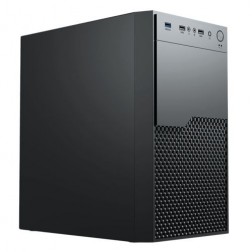

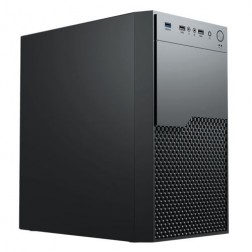


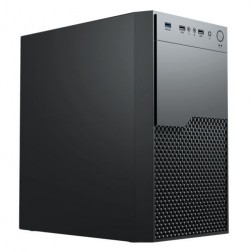

What a Remote Working PC Actually Needs
A home office machine has different priorities from a standard office desktop. Quiet operation, reliable video call performance, VPN handling, and the ability to run a full working day without thermal slowdown are the metrics that matter.
How a Ginger6 Remote Working PC Handles Your Daily Tools
Performance descriptors reflect typical home office usage patterns. Actual performance depends on concurrent application load and network conditions.
Performance descriptors are indicative. Actual performance depends on project complexity, settings, and system configuration.
A Gaming PC Is Not the Right Tool for a Home Office
The gaming PC is a common choice for home workers who want a capable desktop. It is powerful, it is well-marketed, and it often represents good value for its GPU and processor. It is also louder than a home office machine should be, draws more power than a sustained office workload requires, and is specced for a burst performance model that gaming demands and office use does not. A home office machine needs sustained quiet operation under moderate load. A gaming machine is built for intermittent peak performance and makes no particular effort to minimise fan noise under sustained use.
The specification that matters most for remote working is RAM alongside a modern current-generation processor, not raw clock speed or GPU performance. Teams video call encoding, screen sharing, VPN traffic handling, and three or four business browser tabs represent a sustained moderate load. A machine with 16GB or 32GB RAM and a processor that operates well within its thermal envelope handles this load quietly. The same load on a machine with 8GB of RAM causes constant paging, which adds latency to everything and forces the storage system to work harder, which in turn produces more heat and more fan activity.
Connectivity is also a differentiator that gaming builds often neglect. Gigabit Ethernet is more reliable than Wi-Fi for VPN-connected working — fewer dropped packets, more consistent throughput, and no interference from other devices on the home network. Most gaming builds include Wi-Fi as standard and Ethernet as an afterthought. A Ginger6 remote working PC is configured with Gigabit Ethernet as the primary connection. Kevin confirms the connectivity configuration based on how your home office is set up before the order is placed. For those who also need dual-monitor support, the multi-monitor office PCs page covers how to configure two or more displays correctly.
The build process for a remote working PC focuses on thermal stability during sustained moderate load rather than peak performance. Cable management supports consistent airflow for a machine that runs from first thing in the morning to the end of the working day. BIOS settings are configured so the processor does not run at unnecessarily high voltages for light office loads, which reduces heat and fan activity during the periods when quietness matters most — video calls. The 24-hour stress test confirms the machine maintains stable thermal performance under the kind of sustained moderate load that a full working day represents.
Kevin's involvement after delivery is as relevant for a remote working PC as for any other business machine. If a Teams update changes how much processor the call uses, if a VPN client update causes a conflict, or if an employer's IT management software introduces unexpected overhead, Kevin is available to advise. The 3-year warranty covers parts and return postage. For a machine that is the instrument through which someone does their job, directness of support matters — particularly for remote workers who cannot simply walk down a corridor to an IT department when something goes wrong.
If your work goes beyond standard remote working tools, one of these categories covers the specific requirements.
Describe your typical day: which applications you use, how many monitors you need, whether you use a VPN, and your budget. Kevin will confirm the right build. No pressure to buy.
01902 714533Remote Working PC Buyers at Ginger6
You spend the majority of your working week on Teams or Zoom calls, with a VPN connection to your employer's systems running throughout the day. You need a machine that keeps calls clear and stable, handles the VPN overhead without the system slowing, and is quiet enough that fan noise does not carry on calls. 16GB or 32GB RAM depending on your employer's IT software overhead, and a processor that operates comfortably within its limits.
Your home office machine is your primary work tool. It needs to handle client video calls, project management tools, document creation, and invoicing software simultaneously without slowing down. You do not have an IT department to call when something goes wrong — so the machine needs to be reliable, and when you need support, the person you call needs to know what they are talking about. That is Kevin.
You use a work laptop in the office and want a desktop at home for the days you work remotely. A dedicated home desktop with a proper keyboard, full-size monitor, and better connectivity handles the full working day more comfortably than a laptop screen. The desktop stays at home and handles the remote work pattern while the laptop goes to the office.
Working in a shared home where fan noise is audible to others — or where your video call audio picks up background noise from the room — means quiet operation is a real requirement, not a preference. A machine that runs the home office workload at low CPU utilisation stays cool with minimal fan activity. Kevin speccs for quiet sustained operation, not just peak performance.
The remote working tier focuses on video call reliability, VPN handling, and quiet sustained operation. The small business tier adds headroom for heavier concurrent application load and is better suited to users running accounting software or team-scale business tools alongside remote working. If your workload feels closer to small business than standard remote working, call Kevin to confirm the right tier for your usage pattern.
No charge for the conversation. No pressure to buy.
- The software you use most and the version
- Your typical file sizes or project scales you work with
- Whether you need to run multiple applications simultaneously and which ones
- Your approximate budget
What Home Office Buyers Say About Ginger6
93% of Ginger6 customers leave five-star reviews on Trustpilot, compared to 80% for PCSpecialist and 84% for Chillblast. For remote workers without an IT department, post-sale support from someone who knows the build is not a bonus — it is the point.
"Great service and prices. Just had 2 new desktops built for the office. Kevin and the team were great advising me on the spec I would need for our needs."
"Kevin has been above and beyond customer care taking the time to answer a problem I had installing a third party program which was at my end and nothing to do with the product which btw works and runs extremely well. Very satisfied and highly recommend."
"Kevin at Ginger was extremely helpful and looked at various options based on my needs. The machine was delivered and is working perfectly. I would highly recommend using them."
"The PC is excellent, with much speedier processing than I was previously experiencing. I have used Ginger 6 several times previously and will not hesitate to use them again as their service and follow up support is excellent."
Ginger6 has been building custom PCs from the same Wolverhampton workshop since 2001. Same phone number. Same team. Same direct approach to support.
Remote Working PC Questions Answered
For a dedicated home office setup, a desktop offers more performance per pound, better thermal headroom for sustained all-day use, and more comfortable ergonomics with a full-size monitor and keyboard. A laptop makes sense when portability is required. If you work primarily from home with occasional office or client visits where you bring your work laptop, a home desktop for the remote days and a laptop for travel is the most practical combination.
Yes. The recommended spec handles VPN and Teams simultaneously without either one degrading the other. The key variable is whether your employer's IT management software — endpoint protection, device management, or remote monitoring tools — adds significant RAM overhead. If it does, 32GB rather than 16GB is the right choice. Kevin will advise based on the specific tools your employer uses if you can identify them.
The main determinant of fan noise during a video call is CPU utilisation. A processor running at 30 to 40% capacity on a Teams call produces significantly less heat and fan activity than one running at 80% because it was not adequately specced for the workload. Kevin speccs the processor so the remote working load runs well within its capacity, which keeps temperatures low and fans quiet. The 24-hour stress test confirms thermal behaviour before the machine leaves Wolverhampton.
Current-generation integrated graphics handles dual-monitor output without a discrete GPU. If you need three or more monitors, or if both monitors are 4K, Kevin will advise on whether a discrete graphics card is required. For specific multi-monitor home office setups, the multi-monitor office PCs page covers how the GPU and output configuration changes as display count and resolution increase.
Builds are typically completed in 3 to 5 working days from order confirmation. The 24-hour stress test runs before dispatch. Delivery is free to UK mainland addresses. Kevin will give you a specific timeframe when you confirm the order.
Every Ginger6 PC includes a 3-year warranty covering parts and return postage, plus lifetime technical support. For remote workers without an IT department, this matters particularly. If a Teams update changes how the audio routing behaves, if a Windows update causes a connectivity issue with a VPN client, or if the machine needs attention for any reason, Kevin is the person to call — directly, without a ticket system or a wait queue.
Ready to Find Your Home Office PC?
Whether you work from home full-time or need a dedicated desktop for remote days, Ginger6 will confirm the right build for your setup. No sales pressure. Honest advice from a team that has been building custom PCs in Wolverhampton since 2001.
Browse Remote Working PCs
Browse our configured home office desktops. Each lists the full spec so you can compare RAM, processor, and connectivity clearly.
Browse the BuildsTalk to Kevin
Describe your working day: software, video call frequency, VPN use, and budget. He will confirm the right build. No pressure to buy.
Call 01902 714533Email or Callback
Include your software, how you work from home, and your budget. Kevin will come back with a recommendation and a quote.
Email Kevin