




Gaming PCs for
Competitive Shooters
In competitive shooters, frame rate matters more than visual fidelity. The difference between 144fps and 240fps is the difference between a build that matches your monitor and one that holds you back. Find the right build for your game.
Select a game below for specific hardware thresholds and tier breakdowns. Or call Kevin on 01902 714533 — tell him the game you play, your monitor refresh rate, and your budget.


No builds here right now.
We update our range regularly as new components arrive. If you know what you are looking for, call Kevin on 01902 714533 and he will tell you what is available or build something to order.
Select Your Game
Each page covers hardware thresholds, tier-by-tier performance breakdowns, and Ginger6 builds chosen for that specific title.

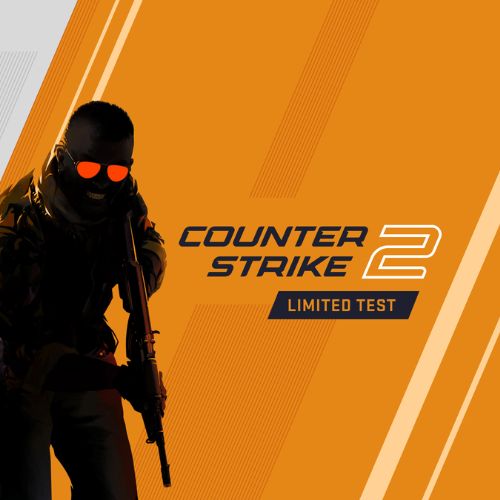




Why Competitive Shooters Are Different
Every game in this category shares the same core hardware requirement: consistent, high frame rates. Visual quality is secondary. Competitive shooter players do not run ultra settings — they run the settings that produce the most stable, highest frame rate their hardware allows.
High refresh rate monitors — 144Hz, 240Hz, 360Hz — require the CPU to sustain frame delivery at that rate continuously, not on average. A spike in frame time, even at 200fps average, introduces visible inconsistency. That inconsistency costs reaction time in a genre where outcomes are measured in milliseconds.
This is why competitive shooter builds are CPU-led rather than GPU-led. An expensive GPU paired with a slow CPU produces poor frame time consistency. A fast CPU paired with a mid-range GPU delivers better sustained performance in Valorant, CS2, and Fortnite than the reverse configuration. The G6 Storm X1 is built on that principle: a Core i7 with an RTX 5060 for high-refresh 1080p.
Battlefield 6 is the exception within this category. Its large outdoor maps, destruction physics, and high draw call counts stress the GPU much harder than the other titles here. It needs a stronger GPU and more VRAM than a pure Valorant build would carry. Each game page explains these differences in detail.
Ginger6 Builds for Competitive Shooters
Three tiers covering the full range of competitive shooter buyers — from first build to 360Hz target.
RTX 5060 paired with a fast Core i5 or Ryzen 5. Covers Valorant, CS2, and Fortnite at 200fps+ on 1080p competitive settings. A 144Hz monitor is well served. A 240Hz monitor is fed close to its limit.
RTX 5060 Ti with a Core i7 or Ryzen 7. Delivers 240fps+ with consistent frame times on Valorant, CS2, and Fortnite. Handles Apex Legends and Warzone at 1440p. A 240Hz monitor is fully matched. Ready for 360Hz territory without frame drops.
RTX 5070 with a fast Core i7 or Ryzen 7 X3D. Pushes 360fps+ in Valorant and CS2. Also covers Battlefield 6 at 1440p ultra and Warzone with VRAM headroom. The right build if your game list spans multiple genres.
Not sure which tier is right? Call Kevin on 01902 714533. Tell him the game you play, your monitor refresh rate, and whether you stream. He will confirm the right build. No pressure to buy.
What Do Ginger6 Customers Say?
Over 1,100 verified reviews with a 93% five-star rating.
Every review is from a real customer. Common themes: honest advice on which spec to choose, builds that perform exactly as specified, and support that continues after delivery.
Read All Trustpilot ReviewsI chose Ginger6 to build me a gaming PC and was given such a fantastic service from start to finish. They were never too busy to answer any questions or give me advice on my build. The delivery time was fast and the PC was packaged really well. The build looks fantastic and runs like a dream.
Purchased a gaming PC for my teenage son. Superb value, advice and service. Kevin and his team at Ginger 6 were extremely helpful and patient. The PC arrived well packaged and promptly. My son is absolutely delighted with it. Would highly recommend to anyone.
Inside looks super neat, runs very quiet and the fans keep the computer super cool. Haven't had a problem with it.
Common Questions About Competitive Shooter Builds
Target a frame rate that matches or exceeds your monitor's refresh rate. On a 144Hz monitor, aim for 144fps minimum — 200fps or above gives headroom for dips. On a 240Hz monitor, a mid-range build sustains 240fps comfortably in Valorant and CS2. On a 360Hz monitor, a high-end build with a fast Core i7 or Ryzen 7 is required — frame delivery rate is the limiting factor, not the GPU.
No — not for Valorant, CS2, and Fortnite. These games are CPU-bound at high frame rates. A fast Core i7 with a mid-range GPU outperforms a slow CPU with an expensive GPU in these titles. Battlefield 6 and Warzone are exceptions — their larger scenes and higher VRAM requirements make the GPU more important. See each game's individual page for the specific spec breakdown.
High single-core clock speed matters most — not core count. The Intel Core i7 and AMD Ryzen 7 are the sweet spot. They deliver the clock speeds needed for 240fps and above without the premium of i9 or Ryzen 9. For 360fps targets in Valorant and CS2, a fast Ryzen 7 X3D or Core i7 with a high base clock is the recommended spec. Kevin will confirm the right pairing for your monitor and budget.
16GB DDR5 is sufficient for Valorant, CS2, and Fortnite if you are playing only. If you stream while gaming, 32GB removes the risk of RAM becoming a bottleneck for encoding processes alongside the game. Apex Legends and Battlefield 6 benefit from 32GB if you also run Discord, a browser, and streaming software at the same time. All Ginger6 builds can be specified with 32GB — call Kevin if you are unsure.
The monitor and the build need to match. A 240Hz monitor fed 144fps still cycles at 240Hz — but displays only 144 unique frames per second, limiting the advantage of the high-refresh panel. To get the full benefit of a 240Hz monitor, the build needs to sustain 240fps in the game you play. Tell Kevin your monitor spec when you call — he will confirm whether the build you are considering is matched to it.
Valorant needs CPU speed over GPU power — the GPU is secondary. Battlefield 6 is the opposite: large outdoor maps with destruction physics and high draw calls stress the GPU heavily, and it needs 12GB VRAM minimum at 1440p ultra. A Valorant-optimised build runs Battlefield 6 — but at reduced settings compared to a build chosen for that game specifically. If you play both, the mid-range or high-end tier covers both without compromise.
Ready to Find the Right Build?
Browse the gaming PC range or call Kevin directly. Tell him the game you play, your monitor's refresh rate, and your budget. He will confirm the right build for you.