




Gaming PCs for
Call of Duty
Warzone, Modern Warfare, and Black Ops 7 have different hardware demands. Warzone's open map needs more VRAM and GPU power than multiplayer modes. A build spec'd for Warzone covers all three titles. Select your game below for the detailed breakdown.
Select a CoD title below for hardware thresholds and tier breakdowns. Or call Kevin on 01902 714533 — tell him which modes you play, your monitor resolution, and your budget.


Grid List
12 Item(s)
-
 AMD Ryzen 5 8400f RTX 3050 Gaming PC - G6 Fusion 600 X1
AMD Ryzen 5 8400f 6 core
a620M Motherboard
16GB+ DDR5 5200MHz
FAST 1TB M.2 NVMe SSD
6GB Nvidia RTX 3050 Graphics
300mbps Wifi
Windows 11 Home£1,138.71
£1,069.99
AMD Ryzen 5 8400f RTX 3050 Gaming PC - G6 Fusion 600 X1£1,138.71
£1,069.99
AMD Ryzen 5 8400f 6 core
a620M Motherboard
16GB+ DDR5 5200MHz
FAST 1TB M.2 NVMe SSD
6GB Nvidia RTX 3050 Graphics
300mbps Wifi
Windows 11 Home
-
 AMD Ryzen 5 8400f RTX 5050 Gaming PC - G6 Fusion 600 X2
AMD Ryzen 5 8400f 6 core
a620M Motherboard
16GB+ DDR5 5200MHz
FAST 1TB M.2 NVMe SSD
8GB Nvidia RTX 5050 Graphics
300mbps Wifi
Windows 11 Home£1,225.91
£1,154.99
AMD Ryzen 5 8400f RTX 5050 Gaming PC - G6 Fusion 600 X2£1,225.91
£1,154.99
AMD Ryzen 5 8400f 6 core
a620M Motherboard
16GB+ DDR5 5200MHz
FAST 1TB M.2 NVMe SSD
8GB Nvidia RTX 5050 Graphics
300mbps Wifi
Windows 11 Home
-
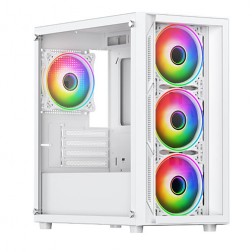 AMD Ryzen 5 8400f Nvidia RTX 5060 Gaming PC - G6 Fusion 600 X4
AMD Ryzen 5 8400f 6 core
A620M Motherboard
16GB+ DDR5 5200MHz
FAST 1TB M.2 NVMe SSD
8GB Nvidia RTX 5060 Graphics
300mbps Wifi
Windows 11 Home£1,253.21
£1,179.99
AMD Ryzen 5 8400f Nvidia RTX 5060 Gaming PC - G6 Fusion 600 X4£1,253.21
£1,179.99
AMD Ryzen 5 8400f 6 core
A620M Motherboard
16GB+ DDR5 5200MHz
FAST 1TB M.2 NVMe SSD
8GB Nvidia RTX 5060 Graphics
300mbps Wifi
Windows 11 Home
-
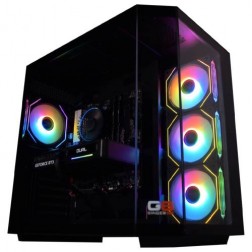 AMD Ryzen 7 8700f Nvidia RTX 5070 Gaming PC - G6 Fusion 800 X5
AMD Ryzen 7 8700f 8 core
A620M Motherboard
16GB+ DDR5 5200MHz
FAST 1TB M.2 NVMe SSD
12GB Nvidia RTX 5070 Graphics
300mbps Wifi
Windows 11 Home£1,735.41
£1,629.99
AMD Ryzen 7 8700f Nvidia RTX 5070 Gaming PC - G6 Fusion 800 X5£1,735.41
£1,629.99
AMD Ryzen 7 8700f 8 core
A620M Motherboard
16GB+ DDR5 5200MHz
FAST 1TB M.2 NVMe SSD
12GB Nvidia RTX 5070 Graphics
300mbps Wifi
Windows 11 Home
-
 AMD Ryzen 7 8700f Nvidia 16GB RTX 5060 Ti Gaming PC - G6 Fusion 800 X4
AMD Ryzen 7 8700f 8 core
A620M Motherboard
16GB+ DDR5 5200MHz
FAST 1TB M.2 NVMe SSD
16GB Nvidia RTX 5060 Ti Graphics
300mbps Wifi
Windows 11 Home£1,657.41
£1,559.99
AMD Ryzen 7 8700f Nvidia 16GB RTX 5060 Ti Gaming PC - G6 Fusion 800 X4£1,657.41
£1,559.99
AMD Ryzen 7 8700f 8 core
A620M Motherboard
16GB+ DDR5 5200MHz
FAST 1TB M.2 NVMe SSD
16GB Nvidia RTX 5060 Ti Graphics
300mbps Wifi
Windows 11 Home
-
 Intel Core i7 12700F 16GB Nvidia RTX 5060 Ti Gaming PC - G6 Storm X5
Intel Core i7 12700F 12 core
H610 Motherboard
16GB+ DDR5 5200MHz
1TB+ M.2 NVMe SSD
16GB Nvidia RTX 5060 Ti Graphics
300mbps Wifi
Windows 11 Home£1,709.20
£1,604.99
Intel Core i7 12700F 16GB Nvidia RTX 5060 Ti Gaming PC - G6 Storm X5£1,709.20
£1,604.99
Intel Core i7 12700F 12 core
H610 Motherboard
16GB+ DDR5 5200MHz
1TB+ M.2 NVMe SSD
16GB Nvidia RTX 5060 Ti Graphics
300mbps Wifi
Windows 11 Home
-
 Intel Core i7 12700F Nvidia RTX 5070 Gaming PC - G6 Storm X6
Intel Core i7 12700F 12 core
H610 Motherboard
16GB+ DDR5 5200MHz
1TB+ M.2 NVMe SSD
12GB Nvidia RTX 5070 Graphics
300mbps Wifi
Windows 11 Home£1,786.42
£1,679.99
Intel Core i7 12700F Nvidia RTX 5070 Gaming PC - G6 Storm X6£1,786.42
£1,679.99
Intel Core i7 12700F 12 core
H610 Motherboard
16GB+ DDR5 5200MHz
1TB+ M.2 NVMe SSD
12GB Nvidia RTX 5070 Graphics
300mbps Wifi
Windows 11 Home
-
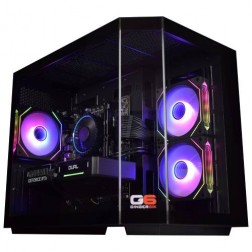 Intel Core i7 12700F 16GB RX 9060 XT Gaming PC - G6 Storm X4
Intel Core i7 12700F 12 core
H610 Motherboard
16GB+ DDR5 5200MHz
1TB+ M.2 NVMe SSD
16GB Radeon RX 9060 XT Graphics
300mbps Wifi
Windows 11 Home£1,637.97
£1,539.99
Intel Core i7 12700F 16GB RX 9060 XT Gaming PC - G6 Storm X4£1,637.97
£1,539.99
Intel Core i7 12700F 12 core
H610 Motherboard
16GB+ DDR5 5200MHz
1TB+ M.2 NVMe SSD
16GB Radeon RX 9060 XT Graphics
300mbps Wifi
Windows 11 Home
-
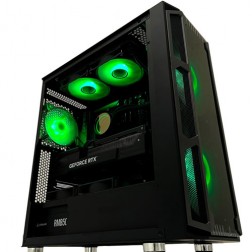 Intel Core i9 Nvidia 16GB RTX 5060 Ti Gaming PC - G6 Typhoon X3
Intel Core i9 12900KF 16 core
H610M Motherboard
16GB+ DDR5 5200MHz Memory
FAST 1TB+ M.2 NVMe SSD
16GB Nvidia RTX 5060 Ti Graphics
300mbps Wifi
Windows 11 Home£1,833.98
£1,724.99
Intel Core i9 Nvidia 16GB RTX 5060 Ti Gaming PC - G6 Typhoon X3£1,833.98
£1,724.99
Intel Core i9 12900KF 16 core
H610M Motherboard
16GB+ DDR5 5200MHz Memory
FAST 1TB+ M.2 NVMe SSD
16GB Nvidia RTX 5060 Ti Graphics
300mbps Wifi
Windows 11 Home
-
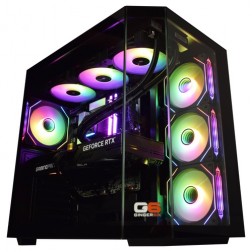 Intel Core Ultra 9 285K Nvidia RTX 5070 Ti Gaming PC - G6 Genesis U3
Intel Core Ultra 9 285K 24 core
B860 Motherboard
32GB+ DDR5 5200MHz Memory
FAST 1TB+ M.2 NVMe SSD
16GB Nvidia RTX 5070 Ti Graphics
FAST Wifi & Bluetooth
Windows 11 Home£2,944.02
£2,764.99
Intel Core Ultra 9 285K Nvidia RTX 5070 Ti Gaming PC - G6 Genesis U3£2,944.02
£2,764.99
Intel Core Ultra 9 285K 24 core
B860 Motherboard
32GB+ DDR5 5200MHz Memory
FAST 1TB+ M.2 NVMe SSD
16GB Nvidia RTX 5070 Ti Graphics
FAST Wifi & Bluetooth
Windows 11 Home
-
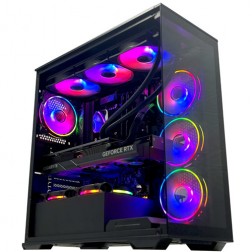 Intel Core i9 14900K Nvidia RTX 5080 Gaming PC - G6 Galactic U3
Intel Core i9 14900KF 24 core
Z790 Motherboard
32GB+ DDR5 5200MHz
FAST 1TB+ M.2 NVMe SSD
16GB Nvidia RTX 5080 Graphics
FAST Wifi & Bluetooth
Windows 11 Home£3,153.51
£2,959.99
Intel Core i9 14900K Nvidia RTX 5080 Gaming PC - G6 Galactic U3£3,153.51
£2,959.99
Intel Core i9 14900KF 24 core
Z790 Motherboard
32GB+ DDR5 5200MHz
FAST 1TB+ M.2 NVMe SSD
16GB Nvidia RTX 5080 Graphics
FAST Wifi & Bluetooth
Windows 11 Home
-
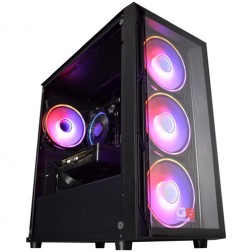 Intel Core i5 12400f RTX 5060 Pre Built Next Day Gaming PC - G6 ND 800
Intel Core i5 12400F 6 Core
H610 Motherboard
16GB DDR5 Memory
1TB M.2 NVMe SSD Drive
8GB Nvidia RTX 5060 Graphics
300MBPs Wifi
Windows 11 Home£1,191.53
£999.99
Intel Core i5 12400f RTX 5060 Pre Built Next Day Gaming PC - G6 ND 800£1,191.53
£999.99
Intel Core i5 12400F 6 Core
H610 Motherboard
16GB DDR5 Memory
1TB M.2 NVMe SSD Drive
8GB Nvidia RTX 5060 Graphics
300MBPs Wifi
Windows 11 Home
Grid List
12 Item(s)
Select Your CoD Title
Each page covers the hardware profile for that specific mode — Warzone, multiplayer, or the fast-paced action of Black Ops 7.


Why Warzone and Multiplayer Need Different Conversations
The three titles in this sub-hub share a game engine but have meaningfully different hardware demands. Warzone is played on a large open map with long draw distances and high-resolution outdoor environments. The GPU is under sustained load in a way that smaller multiplayer maps do not produce. VRAM matters more in Warzone than in any other CoD mode — 12GB is the minimum at 1440p, 16GB is preferred for sustained ultra performance in demanding zones.
Modern Warfare and Black Ops 7 multiplayer take place on smaller, more contained maps. The GPU workload per frame is lower, which means the same hardware delivers significantly higher frame rates in multiplayer than in Warzone. For a player who splits time between both modes, the right approach is to spec for Warzone — which then covers multiplayer with headroom. An RTX 5060 Ti covers all three CoD modes at 1080p; an RTX 5070 moves the whole range to 1440p.
Black Ops 7 is the CoD title where 240fps is most consistently achievable. Its smaller map sizes and engine optimisation for fast-paced play make it the least demanding of the three titles. A mid-range build delivers 240fps+ in Black Ops 7 multiplayer at 1080p, which a 240Hz monitor can fully exploit. Call of Duty is one of several gaming PCs by game categories available at Ginger6 — select the title below that matches your primary mode for a specific hardware breakdown.
Ginger6 Builds for Call of Duty
Three tiers covering the full CoD range — from competitive multiplayer to Warzone at 1440p.
RTX 5060 Ti with Core i7. Consistent 144fps+ at 1080p high in Warzone and 200fps+ in Black Ops 7 multiplayer. 12GB VRAM covers Warzone's texture demands at 1080p. DLSS extends headroom on demanding Warzone maps. The right starting point for a 144Hz monitor.
RTX 5070 with fast Core i7. 1440p high in Warzone with DLSS Quality and consistent frame delivery. 16GB VRAM covers sustained ultra performance in Warzone's most demanding zones. 240fps+ in Black Ops 7 and Modern Warfare multiplayer. The build that covers all three CoD titles without compromise.
RTX 5070 Ti with Core i9. Warzone at 1440p ultra with DLSS. 16GB VRAM for the most texture-intensive Warzone zones. 300fps+ in Black Ops 7 multiplayer. The right build if CoD sits alongside Battlefield 6 or Apex Legends at 1440p in your game library.
Not sure which tier is right? Call Kevin on 01902 714533. Tell him which CoD modes you play, your monitor refresh rate, and your budget. No pressure to buy.
What Do Ginger6 Customers Say?
Over 1,100 verified reviews with a 93% five-star rating.
Gaming buyers consistently note the same things: honest advice before purchase, builds that perform as specified from day one, and a team that picks up the phone after delivery.
Read All Trustpilot ReviewsI bought a gaming PC from Ginger6. And honestly, if I was going to buy a PC again, I'd definitely choose them. Quick service, great quality and the customer service is excellent. Can't recommend enough!
Purchased a gaming PC for my teenage son. Superb value, advice and service. I was recommended to Ginger6 by a friend and I am now recommending to my friends.
Verbal communication is very important to me when dealing with a lot of money for a PC I had no idea about. My teenage son was unsure what parts he would need for a gaming PC. With Ginger6 my son ordered his dream PC and I was kept fully informed through the whole process.
Common Questions About Call of Duty Builds
Yes. Warzone's large open map with long draw distances requires more VRAM than the smaller maps in Modern Warfare or Black Ops 7 multiplayer. 12GB VRAM is the minimum for Warzone at 1440p high. Multiplayer modes are less demanding and run comfortably on 8GB to 12GB at the same resolution. Spec for Warzone and all three modes are covered.
A mid-range to high-end build with an RTX 5070 and 16GB VRAM. Warzone at 1440p high with DLSS Quality enabled delivers consistent frame rates on this hardware. The CPU needs to be a Core i7 or Ryzen 7 to handle Warzone's engine load without frame drops in busy zones. See the Warzone page for the full breakdown.
Black Ops 7 multiplayer. Its smaller maps and engine optimisation for fast-paced play make it the least GPU-intensive of the three. A mid-range build delivers 240fps+ in Black Ops 7 at 1080p. Modern Warfare sits between Black Ops 7 and Warzone in terms of hardware demand. Warzone is the most demanding CoD title.
Both work and both provide meaningful gains in Warzone at 1440p. DLSS Quality on Nvidia builds or FSR Quality on AMD builds typically recovers 25 to 40 percent frame rate in Warzone. In multiplayer modes, upscaling is less necessary on mid-range hardware at 1440p, but provides useful headroom at ultra settings on demanding maps.
Yes. Spec for Warzone and all three modes are covered — Warzone is the most demanding. A mid-range build with an RTX 5060 Ti or RTX 5070 and a Core i7 handles all three CoD titles at 1080p to 1440p with consistent frame rates. Tell Kevin which resolution you target and whether you primarily play Warzone or multiplayer — he will confirm the right spec.
A Core i7 or Ryzen 7 with a high single-core clock speed. CoD multiplayer modes are less CPU-intensive than CS2 or Valorant at equivalent frame rates, but Warzone's large map generates more CPU load during busy engagements. A Core i7 handles both modes without becoming the bottleneck. For 240fps targets in Black Ops 7 specifically, a Core i7 is sufficient — a Core i9 is not necessary for this title.
Find the Right Build for Call of Duty
Browse the gaming PC range or call Kevin directly. Tell him which CoD modes you play, your monitor resolution, and your budget. He will confirm the right spec.