




Gaming PCs Built for
Modern Warfare
Modern Warfare multiplayer sits between Black Ops 7 and Warzone in hardware demand. Smaller maps than Warzone reduce VRAM requirements — 8GB covers multiplayer at 1080p, 12GB at 1440p. A mid-range build delivers 144fps+ on every multiplayer map with consistent frame delivery through fast-paced engagements.
Browse the builds below or call Kevin on 01902 714533. Tell him whether you also play Warzone, your monitor resolution, and your budget — he will confirm the right spec.


Grid List
8 Item(s)
-
 AMD Ryzen 5 8400f RTX 3050 Gaming PC - G6 Fusion 600 X1
AMD Ryzen 5 8400f 6 core
a620M Motherboard
16GB+ DDR5 5200MHz
FAST 1TB M.2 NVMe SSD
6GB Nvidia RTX 3050 Graphics
300mbps Wifi
Windows 11 Home£1,138.71
£1,069.99
AMD Ryzen 5 8400f RTX 3050 Gaming PC - G6 Fusion 600 X1£1,138.71
£1,069.99
AMD Ryzen 5 8400f 6 core
a620M Motherboard
16GB+ DDR5 5200MHz
FAST 1TB M.2 NVMe SSD
6GB Nvidia RTX 3050 Graphics
300mbps Wifi
Windows 11 Home
-
 AMD Ryzen 5 8400f RTX 5050 Gaming PC - G6 Fusion 600 X2
AMD Ryzen 5 8400f 6 core
a620M Motherboard
16GB+ DDR5 5200MHz
FAST 1TB M.2 NVMe SSD
8GB Nvidia RTX 5050 Graphics
300mbps Wifi
Windows 11 Home£1,225.91
£1,154.99
AMD Ryzen 5 8400f RTX 5050 Gaming PC - G6 Fusion 600 X2£1,225.91
£1,154.99
AMD Ryzen 5 8400f 6 core
a620M Motherboard
16GB+ DDR5 5200MHz
FAST 1TB M.2 NVMe SSD
8GB Nvidia RTX 5050 Graphics
300mbps Wifi
Windows 11 Home
-
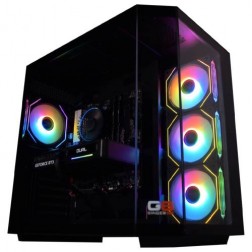 AMD Ryzen 7 8700f Nvidia RTX 5070 Gaming PC - G6 Fusion 800 X5
AMD Ryzen 7 8700f 8 core
A620M Motherboard
16GB+ DDR5 5200MHz
FAST 1TB M.2 NVMe SSD
12GB Nvidia RTX 5070 Graphics
300mbps Wifi
Windows 11 Home£1,735.41
£1,629.99
AMD Ryzen 7 8700f Nvidia RTX 5070 Gaming PC - G6 Fusion 800 X5£1,735.41
£1,629.99
AMD Ryzen 7 8700f 8 core
A620M Motherboard
16GB+ DDR5 5200MHz
FAST 1TB M.2 NVMe SSD
12GB Nvidia RTX 5070 Graphics
300mbps Wifi
Windows 11 Home
-
 AMD Ryzen 7 8700f Nvidia 16GB RTX 5060 Ti Gaming PC - G6 Fusion 800 X4
AMD Ryzen 7 8700f 8 core
A620M Motherboard
16GB+ DDR5 5200MHz
FAST 1TB M.2 NVMe SSD
16GB Nvidia RTX 5060 Ti Graphics
300mbps Wifi
Windows 11 Home£1,657.41
£1,559.99
AMD Ryzen 7 8700f Nvidia 16GB RTX 5060 Ti Gaming PC - G6 Fusion 800 X4£1,657.41
£1,559.99
AMD Ryzen 7 8700f 8 core
A620M Motherboard
16GB+ DDR5 5200MHz
FAST 1TB M.2 NVMe SSD
16GB Nvidia RTX 5060 Ti Graphics
300mbps Wifi
Windows 11 Home
-
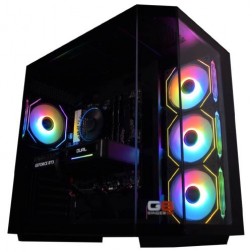 Intel Core i7 12700F 16GB Nvidia RTX 5060 Ti Gaming PC - G6 Storm X5
Intel Core i7 12700F 12 core
H610 Motherboard
16GB+ DDR5 5200MHz
1TB+ M.2 NVMe SSD
16GB Nvidia RTX 5060 Ti Graphics
300mbps Wifi
Windows 11 Home£1,709.20
£1,604.99
Intel Core i7 12700F 16GB Nvidia RTX 5060 Ti Gaming PC - G6 Storm X5£1,709.20
£1,604.99
Intel Core i7 12700F 12 core
H610 Motherboard
16GB+ DDR5 5200MHz
1TB+ M.2 NVMe SSD
16GB Nvidia RTX 5060 Ti Graphics
300mbps Wifi
Windows 11 Home
-
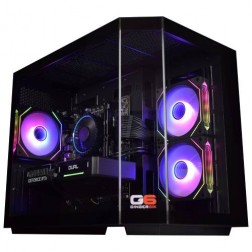 Intel Core i7 12700F 16GB RX 9060 XT Gaming PC - G6 Storm X4
Intel Core i7 12700F 12 core
H610 Motherboard
16GB+ DDR5 5200MHz
1TB+ M.2 NVMe SSD
16GB Radeon RX 9060 XT Graphics
300mbps Wifi
Windows 11 Home£1,637.97
£1,539.99
Intel Core i7 12700F 16GB RX 9060 XT Gaming PC - G6 Storm X4£1,637.97
£1,539.99
Intel Core i7 12700F 12 core
H610 Motherboard
16GB+ DDR5 5200MHz
1TB+ M.2 NVMe SSD
16GB Radeon RX 9060 XT Graphics
300mbps Wifi
Windows 11 Home
-
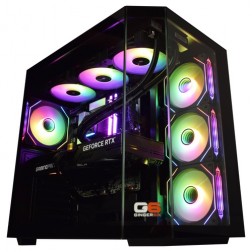 Intel Core Ultra 9 285K Nvidia RTX 5070 Ti Gaming PC - G6 Genesis U3
Intel Core Ultra 9 285K 24 core
B860 Motherboard
32GB+ DDR5 5200MHz Memory
FAST 1TB+ M.2 NVMe SSD
16GB Nvidia RTX 5070 Ti Graphics
FAST Wifi & Bluetooth
Windows 11 Home£2,944.02
£2,764.99
Intel Core Ultra 9 285K Nvidia RTX 5070 Ti Gaming PC - G6 Genesis U3£2,944.02
£2,764.99
Intel Core Ultra 9 285K 24 core
B860 Motherboard
32GB+ DDR5 5200MHz Memory
FAST 1TB+ M.2 NVMe SSD
16GB Nvidia RTX 5070 Ti Graphics
FAST Wifi & Bluetooth
Windows 11 Home
-
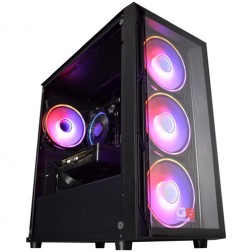 Intel Core i5 12400f RTX 5060 Pre Built Next Day Gaming PC - G6 ND 800
Intel Core i5 12400F 6 Core
H610 Motherboard
16GB DDR5 Memory
1TB M.2 NVMe SSD Drive
8GB Nvidia RTX 5060 Graphics
300MBPs Wifi
Windows 11 Home£1,191.53
£999.99
Intel Core i5 12400f RTX 5060 Pre Built Next Day Gaming PC - G6 ND 800£1,191.53
£999.99
Intel Core i5 12400F 6 Core
H610 Motherboard
16GB DDR5 Memory
1TB M.2 NVMe SSD Drive
8GB Nvidia RTX 5060 Graphics
300MBPs Wifi
Windows 11 Home
Grid List
8 Item(s)
What Does Modern Warfare Need?
Modern Warfare multiplayer is less demanding than Warzone due to its smaller maps and lower draw distances. The same hardware delivers meaningfully higher frame rates in multiplayer than in Warzone at identical settings.
Figures are estimates based on available benchmark data. Actual performance varies by CPU pairing, RAM speed, and system configuration. Kevin will confirm expected performance for your setup before you order.
What Each Budget Delivers in Modern Warfare
Modern Warfare multiplayer is accessible at every budget tier. The key question is whether you also play Warzone — which changes the VRAM recommendation.

Consistent 144fps to 180fps at 1080p high settings across all Modern Warfare multiplayer maps. 8GB VRAM covers the game's multiplayer texture demands comfortably at 1080p. A 144Hz monitor is well matched. If Warzone is also in the library, the mid-range tier is the better starting point — 12GB VRAM is the Warzone minimum at 1080p.

240fps+ at 1080p with consistent frame delivery on every Modern Warfare map. 12GB VRAM provides headroom over the minimum and covers Warzone at 1080p on the same machine. The Core i7 handles frame delivery consistently through close-quarters engagements — the moments where a Core i5 may produce slight frame time variance. A 240Hz monitor is fully utilised. This is the most versatile CoD multiplayer build — covers Modern Warfare, Black Ops 7, and Warzone at 1080p without compromise.

140fps to 160fps at 1440p high settings. 16GB VRAM for Warzone at 1440p on the same machine. The right build for players who want the visual step up to 1440p across the full CoD range — Modern Warfare, Warzone, and Black Ops 7 — without needing separate builds for different modes.

200fps+ at 1440p ultra with DLSS. The enthusiast tier is overspecified for Modern Warfare multiplayer alone — the value is in covering every CoD mode at 1440p ultra, alongside Battlefield 6 and other demanding titles in the library. If the game list spans Modern Warfare, Warzone, Battlefield 6, and Apex Legends, this is the build that handles all four at 1440p without compromise.
Why the Right Modern Warfare Build Depends on Whether You Also Play Warzone
Modern Warfare multiplayer shares a game engine with Warzone, but its hardware demands are meaningfully lower. The multiplayer maps are smaller. Draw distances are shorter. The number of objects the GPU renders per frame is a fraction of what Warzone's open environment requires. The result is that the same hardware delivers significantly higher frame rates in Modern Warfare multiplayer than in Warzone at identical settings — often 30 to 50 percent higher at equivalent quality levels. Modern Warfare is one of three Call of Duty titles covered in the competitive shooters section.
This gap changes the build recommendation. For a player who only plays Modern Warfare multiplayer, a budget build with an RTX 5060 and Core i5 delivers 144fps at 1080p high with room to spare. The VRAM requirement at 1080p in multiplayer is within the range of an 8GB card — the smaller maps do not exhaust it. For a player who splits time between Modern Warfare multiplayer and Warzone, the VRAM requirement shifts to 12GB minimum at 1080p — and the CPU tier shifts to Core i7 for Warzone's more demanding physics and simulation load. The question Kevin will ask when you call is not just "what game?" but "which modes?"
Frame rate consistency in Modern Warfare matters more than peak fps. Fast-paced close-quarters maps — Shipment, Shoot House, and their equivalents — generate CPU spikes during dense engagements that a slower processor handles with momentary frame time variance. The difference between a Core i5 and Core i7 in these moments is not frame rate on average, but frame delivery consistency when ten players converge on a corridor simultaneously. This is where mid-range builds earn their cost over budget alternatives.
DLSS and FSR provide useful frame rate headroom at 1440p ultra settings in Modern Warfare. An RTX 5060 Ti covers the game at 240fps at 1080p; moving to an RTX 5070 opens 1440p high with 140fps to 160fps. At 1080p, neither DLSS nor FSR is necessary — the game runs at high frame rates natively on mid-range hardware.
1080p Medium vs 1440p High: How Modern Warfare's Maps Reward Higher Settings
Drag to compare. Modern Warfare's detailed environmental assets and lighting show clear improvements at 1440p high settings — particularly in the game's outdoor and mixed-environment maps.


Three Types of Modern Warfare Buyer

Plays Modern Warfare multiplayer exclusively and has no interest in Warzone. The budget build — RTX 5060, Core i5 — covers every multiplayer map at 144fps+ at 1080p high. A 144Hz monitor is the right match. The mid-range build covers 240fps at 1080p and is the upgrade if a 240Hz monitor is in the setup or planned.

Plays both Modern Warfare multiplayer and Warzone. The mid-range build — RTX 5060 Ti, Core i7 — covers both modes at 1080p: 240fps+ in multiplayer and consistent 120fps+ in Warzone with DLSS. 12GB VRAM handles both modes without texture streaming issues. This is the correct spec when Warzone is in the library alongside multiplayer.

Currently playing at 1080p and wants the step up to 1440p across the full CoD range. The high-end build — RTX 5070, Core i7, 16GB VRAM — covers Modern Warfare at 140fps to 160fps and Warzone at 100fps+ at 1440p with DLSS, all on the same machine. The 16GB VRAM is required for Warzone at 1440p — Modern Warfare multiplayer would run on 12GB at this resolution, but Warzone needs the headroom.
Call Kevin on 01902 714533 or email [email protected]. Tell him:
1. The games you play most often
2. Your monitor resolution and refresh rate
3. Whether you stream, record, or edit alongside gaming
4. Your approximate budget
No charge for the conversation. No pressure to buy.
Will This Build Cover Your Other Games?
Recommended Ginger6 Builds for Modern Warfare
Three builds matched to Modern Warfare frame rate targets — with VRAM matched to whether Warzone is also in the library.
RTX 5060 with Core i5. Consistent 144fps to 180fps at 1080p high settings across all multiplayer maps. 8GB VRAM covers multiplayer texture demands. The right build if Modern Warfare is the primary title and Warzone is not in the library. A 144Hz monitor is the right match.
RTX 5060 Ti with Core i7. 240fps+ in Modern Warfare multiplayer at 1080p. 12GB VRAM covers Warzone at 1080p on the same machine. The Core i7 delivers consistent frame timing through close-quarters maps. The right build when both multiplayer and Warzone are in the library.
RTX 5070 with fast Core i7. 140fps to 160fps in Modern Warfare at 1440p. 16GB VRAM covers Warzone at 1440p. Black Ops 7 at 200fps+ at 1440p. One build for the full CoD range at 1440p without any mode requiring a separate spec.

Built for the Frame Delivery That Fast Maps Demand at Peak Load
Modern Warfare multiplayer's fast-paced close-quarters maps generate CPU load spikes that are brief but consequential. The moments where frame delivery matters most — a dense Shipment engagement, a rotation through a contested junction — are the same moments where a build with marginal CPU headroom produces frame time variance. Kevin specs every Modern Warfare multiplayer build with a CPU tier that absorbs these spikes without affecting frame delivery, not a CPU chosen to pass a benchmark under controlled conditions.
Cable management inside the case supports better airflow around both the CPU and GPU during extended multiplayer sessions. Modern Warfare is less thermally demanding than Warzone or Battlefield 6 under sustained load, but correct airflow routing still ensures the CPU maintains its boost clock speed throughout long sessions rather than briefly reducing it as the case temperature rises. The same clean build that protects performance in Modern Warfare is the one that handles Warzone and Battlefield without thermal compromise if those titles are also in the library.
BIOS settings, memory profiles, and firmware stability are confirmed before dispatch. XMP or EXPO DDR5 profiles are enabled and tested. For Modern Warfare specifically, the memory latency matters more than raw capacity — faster RAM reduces CPU bottleneck at high frame rate targets. Every build runs a 24-hour stress test covering thermal behaviour under load, processor and GPU stability, memory responsiveness, storage performance, and firmware stability before leaving the workshop.
Kevin backs every build with a 3-year warranty. If a season update introduces a new map that runs differently from the current pool, a call to 01902 714533 gets you current advice — not a support queue.
What Do Ginger6 Customers Say?
Over 1,100 verified reviews with a 93% five-star rating.
Long-term customers are among the most consistent source of feedback — machines that keep working years after purchase, and a team that answers the phone when something needs attention.
Read All Trustpilot ReviewsOutstanding company. 3 years ago I bought from them, service and making sure I knew what was going on throughout the build was spot on. Nearly three years later with no issues I called for advice about an upgrade. They talked me through the options and suggested that perhaps I didn't need to upgrade the graphics card yet and suggested some free and cheaper ways to improve performance. Just great support.
This is the 2nd time I have bought a gaming pc from Ginger 6. Both machines have been excellent quality and value for money, and I wouldn't go anywhere else to buy pcs and parts. Their customer service is also excellent. I had many questions about which parts are compatible with which, and all was patiently explained to me through a telephone call. Once bought, delivery was prompt and hassle free.
The 2 PCs bought by myself and my son have been top class. My son has had contact with the team and been happy with the response. I am now ordering another one. Thank you for top class service.
Common Questions About Modern Warfare Gaming PCs
A budget build with an RTX 5060 and fast Core i5 or Ryzen 5 delivers consistent 144fps to 180fps at 1080p high settings across all Modern Warfare multiplayer maps. If Warzone is also in the library, step up to the mid-range tier — 12GB VRAM and a Core i7 are needed for Warzone at 1080p on the same machine.
No — Modern Warfare multiplayer is significantly less demanding than Warzone. Smaller maps with shorter draw distances place lower GPU and VRAM demand. The same hardware delivers 30 to 50 percent higher frame rates in Modern Warfare multiplayer than in Warzone at identical settings. Spec for Warzone and Modern Warfare is covered with room to spare.
8GB covers Modern Warfare multiplayer at 1080p high settings without texture streaming issues. 12GB is recommended if you also play Warzone — the larger map needs 12GB minimum at 1080p. At 1440p high settings in multiplayer, 12GB is preferred. The VRAM recommendation for Modern Warfare depends primarily on whether Warzone is also in the library.
Both work in Modern Warfare. At 1440p high to ultra settings, DLSS Quality or FSR Quality recovers useful frame rate headroom. At 1080p on mid-range hardware, neither is necessary — the game delivers high frame rates natively in multiplayer. Upscaling is more beneficial in Warzone mode than in Modern Warfare multiplayer due to the open map's higher GPU load.
Yes. Spec for Warzone — the most demanding mode — and both Modern Warfare and Black Ops 7 are covered with headroom. A mid-range build with an RTX 5060 Ti and Core i7 covers all three at 1080p. A high-end build with an RTX 5070 and Core i7 covers all three at 1440p. Tell Kevin which modes you play and at what resolution — he will confirm the right spec.
A 144Hz monitor at 1080p suits a budget build well. A 240Hz monitor at 1080p is the right match for a mid-range build targeting consistent 240fps. At 1440p, a 144Hz monitor is the most common pairing — the resolution step is the primary upgrade at this tier. Modern Warfare at 1440p on a high-end build delivers frame rates well above 144fps, so a 144Hz monitor at 1440p is not a limiting factor.
More balanced than pure competitive titles like CS2, with the CPU mattering more on fast-paced close-quarters maps. At competitive low settings targeting 240fps, the CPU is the primary consideration. At high to ultra settings at 1440p, the GPU takes over. A fast Core i7 paired with an RTX 5060 Ti or RTX 5070 covers both scenarios — the CPU handles the fast-map load and the GPU handles the quality settings.
Yes. A mid-range Modern Warfare build — RTX 5060 Ti, Core i7 — covers Apex Legends at 144fps to 240fps and Fortnite at high settings at 1080p. The GPU and CPU balance that covers Modern Warfare fast-map loads is well suited to both those games. For Fortnite at Epic settings or Apex at 1440p, the high-end tier with an RTX 5070 is the better choice.
Find the Right Build for Modern Warfare
Browse the gaming PC range or call Kevin directly. Tell him whether you also play Warzone, your monitor resolution, and your budget. He will confirm the right VRAM and CPU spec for your setup.