




3D Rendering Workstations for Blender, V-Ray, and KeyShot
Ginger6 builds custom 3D rendering workstations for 3D artists, motion graphics designers, architectural visualisers, and VFX artists who need hardware that reduces render times and handles complex scene files. Every build is hand-assembled in Wolverhampton, stress-tested for 24 hours under sustained render load, and backed by a 3-year warranty.
Render time is production time. A machine that cuts a 4-hour render to 90 minutes pays for the spec upgrade on the second deadline. The right spec depends entirely on whether you render on GPU, CPU, or both — and Kevin's conversation before the order identifies which pipeline you use before speccing the machine.
Browse the builds below or call Kevin on 01902 714533. Tell him your rendering software, whether you GPU render or CPU render, and your budget, and he will confirm the right workstation for your pipeline.
.jpg)

Grid List
4 Item(s)
-
 G6 Graphite — Engineering and Developer Workstation
A 16-core professional workstation for microservices development, engineering simulation, large data science workflows, and AI/ML entry-level fine-tuning — built in Wolverhampton.
AMD Ryzen 9 9950X (16 Cores)
64GB DDR5 RAM
Nvidia RTX 5060 Ti 16GB
2TB NVMe SSD
Windows 11 Pro
3-Year Warranty£2,904.74
£2,729.99
G6 Graphite — Engineering and Developer Workstation£2,904.74
£2,729.99
A 16-core professional workstation for microservices development, engineering simulation, large data science workflows, and AI/ML entry-level fine-tuning — built in Wolverhampton.
AMD Ryzen 9 9950X (16 Cores)
64GB DDR5 RAM
Nvidia RTX 5060 Ti 16GB
2TB NVMe SSD
Windows 11 Pro
3-Year Warranty
-
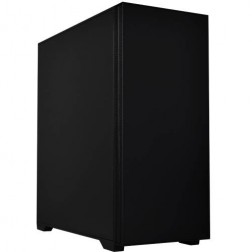 G6 Onyx — Video Editing and Creative Workstation
A mid-range creative workstation for 4K H.264/H.265 video editing in DaVinci Resolve and Premiere Pro, After Effects, GPU rendering, and graphic design — built in Wolverhampton.
Intel Core Ultra 7 265K
64GB DDR5 RAM
Nvidia RTX 5070 12GB
2TB NVMe + 2TB NVMe
Windows 11 Pro
3-Year Warranty£3,020.38
£2,814.99
G6 Onyx — Video Editing and Creative Workstation£3,020.38
£2,814.99
A mid-range creative workstation for 4K H.264/H.265 video editing in DaVinci Resolve and Premiere Pro, After Effects, GPU rendering, and graphic design — built in Wolverhampton.
Intel Core Ultra 7 265K
64GB DDR5 RAM
Nvidia RTX 5070 12GB
2TB NVMe + 2TB NVMe
Windows 11 Pro
3-Year Warranty
-
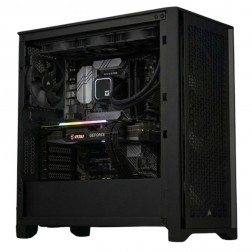 G6 Titanium — AI/ML and High VRAM Workstation
A high-VRAM professional workstation for PyTorch LoRA fine-tuning, large GPU rendering scenes, 8K video editing, and GPU-intensive development — powered by the Nvidia RTX 5080.
AMD Ryzen 9 9950X (16 Cores)
64GB DDR5 RAM
Nvidia RTX 5080 16GB VRAM
2TB NVMe + 2TB NVMe
Windows 11 Pro
3-Year Warranty£3,839.64
£3,604.99
G6 Titanium — AI/ML and High VRAM Workstation£3,839.64
£3,604.99
A high-VRAM professional workstation for PyTorch LoRA fine-tuning, large GPU rendering scenes, 8K video editing, and GPU-intensive development — powered by the Nvidia RTX 5080.
AMD Ryzen 9 9950X (16 Cores)
64GB DDR5 RAM
Nvidia RTX 5080 16GB VRAM
2TB NVMe + 2TB NVMe
Windows 11 Pro
3-Year Warranty
-
 G6 Cobalt — RTX 5090 AI and Rendering Workstation
A flagship 32GB VRAM workstation for training 13B+ parameter AI models and production-scale GPU rendering — powered by the Nvidia RTX 5090.
AMD Ryzen 9 9950X (16 Cores)
64GB DDR5 RAM
Nvidia RTX 5090 32GB VRAM
2TB NVMe + 4TB NVMe
Windows 11 Pro
3-Year Warranty
G6 Cobalt — RTX 5090 AI and Rendering Workstation
A flagship 32GB VRAM workstation for training 13B+ parameter AI models and production-scale GPU rendering — powered by the Nvidia RTX 5090.
AMD Ryzen 9 9950X (16 Cores)
64GB DDR5 RAM
Nvidia RTX 5090 32GB VRAM
2TB NVMe + 4TB NVMe
Windows 11 Pro
3-Year Warranty
Grid List
4 Item(s)
What a 3D Rendering Workstation Actually Needs
The correct spec for a rendering workstation depends on whether you render on GPU, CPU, or both. GPU rendering needs VRAM. CPU rendering needs core count. Both need 64GB RAM and fast storage for complex scene files.
How a Ginger6 3D Workstation Handles Your Render Pipeline
Performance descriptors reflect typical scene complexity at each hardware tier. Actual render times depend on poly count, textures, volumetrics, and sample counts.
Performance descriptors are indicative. Actual render times depend on scene complexity, sample count, and output resolution.
The Right Rendering Spec Depends on Your Pipeline, Not Your Budget
Rendering workstations divide into two distinct hardware requirements depending on whether you render on GPU or CPU, and the specification for each is very different. Buying a high-core-count CPU for GPU rendering wastes budget. Buying a GPU without sufficient VRAM for your scene size produces render failures. The conversation Kevin has before an order is placed starts with which renderer you use, not which component is most expensive.
GPU rendering in Blender Cycles OptiX, Redshift, Octane, and V-Ray GPU scales with two variables: VRAM and CUDA core count. VRAM is the hard constraint. A scene whose geometry, textures, and displacement maps exceed the GPU's VRAM will not render on GPU — it will fail with an out-of-memory error or fall back to CPU. For most product visualisation and character work, 16GB VRAM on an RTX 5070 Ti is sufficient. For large architectural scenes with extensive texture sets, 16GB may limit scene complexity. An RTX 5080 with 16GB or RTX 5090 with 32GB removes that constraint entirely. Kevin identifies which tier covers your scene sizes before the order is placed.
CPU rendering in Blender Cycles CPU, V-Ray CPU, and Cinema 4D's CPU renderer scales linearly with core count. A Ryzen 9 9950X with 16 cores renders approximately twice as fast as a Ryzen 7 with 8 cores at the same frequency across most CPU rendering workloads. For artists who primarily CPU render, or who mix CPU and GPU rendering for scenes that exceed VRAM, core count determines how long the workday feels. This is also where the CAD workstation and the rendering workstation diverge: the CAD machine needs single-core speed; the rendering machine needs total core count.
3D rendering workstations carry the highest sustained thermal load of any workstation type Ginger6 builds. A GPU render that takes four hours runs the GPU at close to maximum utilisation for that entire period. Thermal management inside the case is not a cosmetic concern — it is the difference between a machine that maintains its rated GPU frequency throughout a render and one that throttles under sustained load, adding time to every job. Cable routing for airflow, case fan configuration, and GPU clearance are all considered during the build process. The 24-hour stress test runs at the sustained GPU load level the machine will encounter during a production render, not at the lower load of a benchmark run. Architectural visualisers who combine rendering with Revit modelling should read the architecture workstations page — the RAM spec for large BIM models differs from the RAM spec for rendering alone, and getting both right requires a different starting point.
Kevin is reachable after delivery. For a renderer working to deadline, a problem mid-render is a problem mid-project. The 3-year warranty covers parts and return postage. Lifetime technical support means that when a Blender major version or a renderer update changes GPU requirements, Kevin is still the first call. For artists who also work with AI-generated assets or run local diffusion models alongside rendering pipelines, the AI and machine learning workstations page covers how VRAM requirements overlap between rendering and AI inference workloads.
3D rendering overlaps with AI and ML on GPU VRAM requirements. Architecture visualisation often combines Revit with rendering pipelines.
GPU rendering needs VRAM. CPU rendering needs core count. Tell Kevin which renderer you use and he will weight the spec correctly for your pipeline.
01902 7145333D Rendering Workstation Buyers at Ginger6
GPU rendering in Blender OptiX scales with VRAM. An RTX 5070 Ti with 16GB VRAM covers most product visualisation and character work. For complex environments with extensive texture sets, the RTX 5080 or RTX 5090 removes the scene size constraint. Kevin identifies the right tier based on your typical scene complexity before the order.
Architectural visualisation scenes with extensive IES lighting, displacement, and high-resolution texture sets need 16GB VRAM minimum. The system RAM spec matters for scene preparation in Blender and 3ds Max. A Ryzen 9 or Core i9 handles scene preparation and CPU-side operations alongside the GPU render. See also Architecture Workstations if Revit is your primary modelling tool.
Redshift GPU in Cinema 4D renders motion graphics sequences efficiently on RTX hardware. An RTX 5070 Ti handles most motion graphics scenes. For sequences with complex volumes, particles, or large texture maps, the RTX 5080 adds VRAM headroom that keeps scene complexity options open as projects grow.
KeyShot GPU rendering on RTX hardware cuts product turntable and still render times significantly. An RTX 5070 Ti with 16GB VRAM covers most KeyShot scene types for product visualisation. The CPU spec matters for KeyShot CPU rendering mode, which some artists use for specific material types that behave differently in CPU mode.
Unreal Engine 5 with Lumen and Nanite needs a strong GPU for interactive viewport performance. An RTX 5070 Ti or RTX 5080 handles UE5 at production settings for environment walkthrough and virtual production work. The same GPU handles Blender rendering. System RAM at 64GB covers both UE5's working set and Blender's scene data simultaneously.
No charge for the conversation. No pressure to buy.
- The software you use and the version
- Whether you GPU render, CPU render, or both
- Your typical scene complexity and texture set size
- Your approximate budget
What 3D Artists Say About Ginger6
93% of Ginger6 customers leave five-star reviews on Trustpilot, compared to 80% for PCSpecialist and 84% for Chillblast. The person who advises you on the spec is the same person who builds the workstation and supports it afterwards.
"Great service and prices. Just had 2 new desktops built for the office. Kevin and the team were great advising me on the spec I would need for our needs."
"I have used Ginger6 several times both for myself, on behalf of my friends and my wife's business. Their prices are extremely good and their service is likewise. It's a strong recommend from me!"
"Kevin at Ginger was extremely helpful and looked at various options based on my needs. The machine was delivered and is working perfectly. I would highly recommend using them."
"Great friendly service, added bonus of personal delivery as they are so local which means they can be on hand if there are any issues. No problems with the computer hardware we've purchased, very professional and thorough addressing our requirements. Highly recommended."
Ginger6 has been building custom workstations from the same Wolverhampton workshop since 2001. Same phone number. Same approach. Same focus on getting the right spec into the right hands.
3D Rendering Workstation Questions Answered
12GB VRAM covers most product visualisation and character renders in Blender Cycles OptiX. 16GB is the practical standard for architectural scenes with displacement, volumetrics, and high-resolution textures. 24GB or 32GB removes scene size constraints for very large environments or 8K output. Kevin will identify the right tier based on your typical scene complexity.
GPU rendering is faster than CPU rendering for most scenes on modern Nvidia RTX hardware with OptiX. The exception is scenes that exceed GPU VRAM — these fall back to CPU rendering or fail entirely on GPU. CPU rendering also handles specific displacement and simulation features that some renderers still process on CPU. For most workflows, GPU rendering is the faster choice. For scenes that push beyond VRAM, a high core-count CPU is the better investment.
Blender Cycles OptiX supports multi-GPU rendering across cards of different VRAM capacities, though the effective VRAM limit is typically the smaller card's capacity when both are used together. Adding a second GPU is possible on the right motherboard and PSU combination. Kevin confirms whether the build supports a future second GPU at the spec stage, not after delivery.
A self-build with the same components performs identically — hardware is hardware. The difference is build time, thermal configuration, BIOS optimisation, and the 24-hour stress test. A Ginger6 workstation arrives confirmed and configured to run at its rated performance. A self-build requires the builder to identify and resolve thermal issues, BIOS settings, and driver configuration themselves. For a professional who bills by the hour, the time saved in setup and troubleshooting typically exceeds the cost difference.
A gaming PC and a rendering workstation can share the same GPU model. The difference is in the rest of the build: system RAM, storage layout, thermal configuration, and build and test process. A gaming PC is optimised for peak burst performance and is tested for gaming workloads. A Ginger6 rendering workstation is configured for sustained GPU and CPU load over hours, with airflow and BIOS settings confirmed to maintain performance throughout a long render rather than just during a short benchmark.
Builds are completed in 3 to 5 working days from order confirmation. The 24-hour stress test runs at sustained render-equivalent load before dispatch. Delivery is free to UK mainland addresses.
Every Ginger6 workstation includes a 3-year warranty covering parts and return postage, plus lifetime technical support. For rendering work where the machine runs at high load for extended periods, a warranty that covers parts for 3 years matters.
Ready to Cut Your Render Times?
Whether you know exactly what GPU VRAM and CPU core count your pipeline needs or want expert guidance, Ginger6 is here to help. No sales pressure. No upselling. Honest advice from a team that has been building custom workstations in Wolverhampton since 2001.
Browse 3D Rendering Workstations
Browse our ready-configured 3D rendering workstations for Blender, V-Ray, KeyShot, and Cinema 4D.
Browse 3D Rendering WorkstationsTalk to Kevin
Tell him your software, your typical project scale, and your budget. He will confirm the right spec or suggest a better fit. No pressure to buy.
Call 01902 714533Email or Callback
Include your software, typical project scale, and budget. Kevin will come back with a recommendation and a quote.
Email Kevin