




Custom Workstation PCs for Video Editing, Graphic Design, and CAD
Ginger6 builds custom workstation PCs in Wolverhampton for creative professionals, designers, and engineers who need hardware that keeps up with demanding software. Every workstation is hand-assembled, stress-tested for 24 hours under sustained CPU and GPU load, and backed by a 3-year warranty.
Whether you edit 4K or 8K video in DaVinci Resolve, design in Adobe Creative Suite, model in AutoCAD or SolidWorks, or run compute-heavy rendering pipelines, we will build a workstation matched to your actual workflow. Not a gaming PC with a different label.
Browse the workstations below or call Kevin on 01902 714533. Tell him the software you use, what projects you work on, and your budget, and he will confirm the right build for your workflow.


-
 G6 Cobalt — RTX 5090 AI and Rendering Workstation
A flagship 32GB VRAM workstation for training 13B+ parameter AI models and production-scale GPU rendering — powered by the Nvidia RTX 5090.
AMD Ryzen 9 9950X (16 Cores)
64GB DDR5 RAM
Nvidia RTX 5090 32GB VRAM
2TB NVMe + 4TB NVMe
Windows 11 Pro
3-Year Warranty
G6 Cobalt — RTX 5090 AI and Rendering Workstation
A flagship 32GB VRAM workstation for training 13B+ parameter AI models and production-scale GPU rendering — powered by the Nvidia RTX 5090.
AMD Ryzen 9 9950X (16 Cores)
64GB DDR5 RAM
Nvidia RTX 5090 32GB VRAM
2TB NVMe + 4TB NVMe
Windows 11 Pro
3-Year Warranty
-
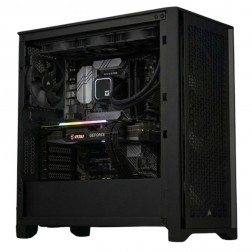 G6 Titanium — AI/ML and High VRAM Workstation
A high-VRAM professional workstation for PyTorch LoRA fine-tuning, large GPU rendering scenes, 8K video editing, and GPU-intensive development — powered by the Nvidia RTX 5080.
AMD Ryzen 9 9950X (16 Cores)
64GB DDR5 RAM
Nvidia RTX 5080 16GB VRAM
2TB NVMe + 2TB NVMe
Windows 11 Pro
3-Year Warranty£3,707.12
£3,479.99
G6 Titanium — AI/ML and High VRAM Workstation£3,707.12
£3,479.99
A high-VRAM professional workstation for PyTorch LoRA fine-tuning, large GPU rendering scenes, 8K video editing, and GPU-intensive development — powered by the Nvidia RTX 5080.
AMD Ryzen 9 9950X (16 Cores)
64GB DDR5 RAM
Nvidia RTX 5080 16GB VRAM
2TB NVMe + 2TB NVMe
Windows 11 Pro
3-Year Warranty
-
 G6 Onyx — Video Editing and Creative Workstation
A mid-range creative workstation for 4K H.264/H.265 video editing in DaVinci Resolve and Premiere Pro, After Effects, GPU rendering, and graphic design — built in Wolverhampton.
Intel Core Ultra 7 265K
64GB DDR5 RAM
Nvidia RTX 5070 12GB
2TB NVMe + 2TB NVMe
Windows 11 Pro
3-Year Warranty£2,650.00 Configure from: £548.21
£2,650.00 Configure from: £548.21G6 Onyx — Video Editing and Creative WorkstationA mid-range creative workstation for 4K H.264/H.265 video editing in DaVinci Resolve and Premiere Pro, After Effects, GPU rendering, and graphic design — built in Wolverhampton.
Intel Core Ultra 7 265K
64GB DDR5 RAM
Nvidia RTX 5070 12GB
2TB NVMe + 2TB NVMe
Windows 11 Pro
3-Year Warranty
-
 G6 Graphite — Engineering and Developer Workstation
A 16-core professional workstation for microservices development, engineering simulation, large data science workflows, and AI/ML entry-level fine-tuning — built in Wolverhampton.
AMD Ryzen 9 9950X (16 Cores)
64GB DDR5 RAM
Nvidia RTX 5060 Ti 16GB
2TB NVMe SSD
Windows 11 Pro
3-Year Warranty£2,509.99
£2,509.99G6 Graphite — Engineering and Developer WorkstationA 16-core professional workstation for microservices development, engineering simulation, large data science workflows, and AI/ML entry-level fine-tuning — built in Wolverhampton.
AMD Ryzen 9 9950X (16 Cores)
64GB DDR5 RAM
Nvidia RTX 5060 Ti 16GB
2TB NVMe SSD
Windows 11 Pro
3-Year Warranty
-
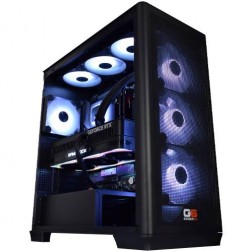 G6 Cobalt Max — RTX 5090 AI Workstation with CPU Offloading
A maximum-specification AI workstation with RTX 5090 32GB VRAM and 128GB system RAM for DeepSpeed ZeRO and PyTorch FSDP — training models beyond single-GPU VRAM capacity.
AMD Ryzen 9 9950X (16 Cores)
128GB DDR5 RAM
Nvidia RTX 5090 32GB VRAM
2TB NVMe + 4TB NVMe
Windows 11 Pro
3-Year Warranty
G6 Cobalt Max — RTX 5090 AI Workstation with CPU Offloading
A maximum-specification AI workstation with RTX 5090 32GB VRAM and 128GB system RAM for DeepSpeed ZeRO and PyTorch FSDP — training models beyond single-GPU VRAM capacity.
AMD Ryzen 9 9950X (16 Cores)
128GB DDR5 RAM
Nvidia RTX 5090 32GB VRAM
2TB NVMe + 4TB NVMe
Windows 11 Pro
3-Year Warranty
-
 G6 Forge H — RTX A4000 High Professional Workstation for ANSYS Fluent, CATIA, and COMSOL
A top-tier ISV-certified workstation for ANSYS Fluent GPU solver, CATIA V5/V6 complex surface modelling, COMSOL GPU-accelerated solver, and very large federated BIM.
Intel Core Ultra 9 285KF
128GB DDR5 RAM
Nvidia RTX A4000 Ada 20GB (ECC, ISV Certified)
2TB NVMe + 4TB NVMe
Windows 11 Pro
3-Year Warranty£5,320.80
£4,994.99
G6 Forge H — RTX A4000 High Professional Workstation for ANSYS Fluent, CATIA, and COMSOL£5,320.80
£4,994.99
A top-tier ISV-certified workstation for ANSYS Fluent GPU solver, CATIA V5/V6 complex surface modelling, COMSOL GPU-accelerated solver, and very large federated BIM.
Intel Core Ultra 9 285KF
128GB DDR5 RAM
Nvidia RTX A4000 Ada 20GB (ECC, ISV Certified)
2TB NVMe + 4TB NVMe
Windows 11 Pro
3-Year Warranty
-
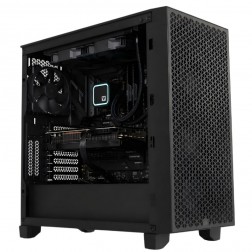 G6 Forge S — RTX A1000 Professional Workstation for SolidWorks and AutoCAD
An entry ISV-certified professional workstation for SolidWorks RealView, AutoCAD, and CATIA — with Nvidia professional GPU drivers and ECC GPU memory.
Intel Core Ultra 7 265KF
32GB DDR5 RAM
Nvidia RTX A1000 8GB (ECC, ISV Certified)
1TB NVMe + 1TB NVMe
Windows 11 Pro
3-Year Warranty
G6 Forge S — RTX A1000 Professional Workstation for SolidWorks and AutoCAD
An entry ISV-certified professional workstation for SolidWorks RealView, AutoCAD, and CATIA — with Nvidia professional GPU drivers and ECC GPU memory.
Intel Core Ultra 7 265KF
32GB DDR5 RAM
Nvidia RTX A1000 8GB (ECC, ISV Certified)
1TB NVMe + 1TB NVMe
Windows 11 Pro
3-Year Warranty
-
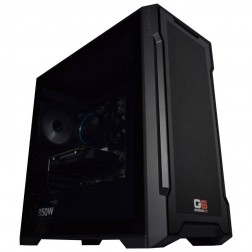 G6 Slate — Entry Professional Workstation
An entry-level professional workstation for AutoCAD 2D, Fusion 360, Lightroom Classic, and Photoshop.
Intel Core Ultra 5 245K
16GB DDR5 RAM
Nvidia RTX 5060 8GB
1TB NVMe SSD
3-Year Warranty£1,199.99
£1,199.99G6 Slate — Entry Professional WorkstationAn entry-level professional workstation for AutoCAD 2D, Fusion 360, Lightroom Classic, and Photoshop.
Intel Core Ultra 5 245K
16GB DDR5 RAM
Nvidia RTX 5060 8GB
1TB NVMe SSD
3-Year Warranty
-
 G6 Granite — CAD and Architecture Workstation
A mid-range professional workstation for SolidWorks, AutoCAD 3D, Revit, and multi-application creative use — built and stress-tested in Wolverhampton.
Intel Core Ultra 7 265K
32GB DDR5 RAM
Nvidia RTX 5060 Ti 8GB
1TB NVMe + 1TB NVMe
3-Year Warranty£1,829.99
£1,829.99G6 Granite — CAD and Architecture WorkstationA mid-range professional workstation for SolidWorks, AutoCAD 3D, Revit, and multi-application creative use — built and stress-tested in Wolverhampton.
Intel Core Ultra 7 265K
32GB DDR5 RAM
Nvidia RTX 5060 Ti 8GB
1TB NVMe + 1TB NVMe
3-Year Warranty
-
G6 Forge M — RTX A2000 Mid Professional Workstation for SolidWorks Large Assemblies and CATIA
A mid-tier ISV-certified workstation for SolidWorks large assemblies, CATIA, ANSYS Mechanical, and COMSOL — with 12GB ECC VRAM and a professional GPU driver stack.
Intel Core Ultra 9 285KF
64GB DDR5 RAM
Nvidia RTX A2000 12GB (ECC, ISV Certified)
2TB NVMe + 2TB NVMe
Windows 11 Pro
3-Year Warranty£3,397.69
£3,190.00
G6 Forge M — RTX A2000 Mid Professional Workstation for SolidWorks Large Assemblies and CATIA£3,397.69
£3,190.00
A mid-tier ISV-certified workstation for SolidWorks large assemblies, CATIA, ANSYS Mechanical, and COMSOL — with 12GB ECC VRAM and a professional GPU driver stack.
Intel Core Ultra 9 285KF
64GB DDR5 RAM
Nvidia RTX A2000 12GB (ECC, ISV Certified)
2TB NVMe + 2TB NVMe
Windows 11 Pro
3-Year Warranty
-
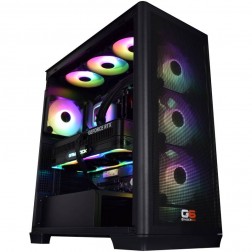 G6 Chromite — Large-Scale Engineering and Data Workstation
A high-capacity 16-core workstation for large ANSYS CFD simulation, very large data science datasets, local Kubernetes, and CPU rendering — built in Wolverhampton.
AMD Ryzen 9 9950X (16 Cores)
128GB DDR5 RAM
Nvidia RTX 5070 12GB
2TB NVMe + 2TB NVMe
Windows 11 Pro
3-Year Warranty£3,880.00
£3,880.00G6 Chromite — Large-Scale Engineering and Data WorkstationA high-capacity 16-core workstation for large ANSYS CFD simulation, very large data science datasets, local Kubernetes, and CPU rendering — built in Wolverhampton.
AMD Ryzen 9 9950X (16 Cores)
128GB DDR5 RAM
Nvidia RTX 5070 12GB
2TB NVMe + 2TB NVMe
Windows 11 Pro
3-Year Warranty
-
 G6 Basalt — Software Development Workstation
An entry 12-core developer workstation for Visual Studio, Docker, WSL2, and light data science — built and stress-tested in Wolverhampton.
AMD Ryzen 9 9900X (12 Cores)
32GB DDR5 RAM
Nvidia RTX 5060 Ti 8GB
2TB NVMe SSD
Windows 11 Home
3-Year Warranty£1,871.99
£1,871.99G6 Basalt — Software Development WorkstationAn entry 12-core developer workstation for Visual Studio, Docker, WSL2, and light data science — built and stress-tested in Wolverhampton.
AMD Ryzen 9 9900X (12 Cores)
32GB DDR5 RAM
Nvidia RTX 5060 Ti 8GB
2TB NVMe SSD
Windows 11 Home
3-Year Warranty
-
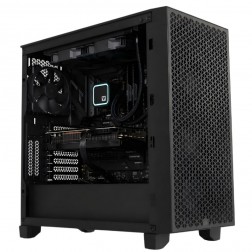 G6 Obsidian — Professional CAD and BIM Workstation
A high-performance professional workstation for SolidWorks large assemblies, Revit multi-discipline BIM, DaVinci Resolve, and orchestral music production — built in Wolverhampton.
Intel Core i9-14900KF
64GB DDR5 RAM
Nvidia RTX 5070 12GB
2TB NVMe + 2TB NVMe
Windows 11 Pro
3-Year Warranty£2,929.99 Configure from: £804.20
£2,929.99 Configure from: £804.20G6 Obsidian — Professional CAD and BIM WorkstationA high-performance professional workstation for SolidWorks large assemblies, Revit multi-discipline BIM, DaVinci Resolve, and orchestral music production — built in Wolverhampton.
Intel Core i9-14900KF
64GB DDR5 RAM
Nvidia RTX 5070 12GB
2TB NVMe + 2TB NVMe
Windows 11 Pro
3-Year Warranty
-
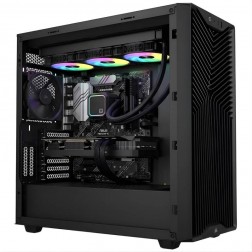 G6 Quartz — Photography and Graphic Design Workstation
An entry creative workstation for Lightroom Classic, Photoshop, Illustrator, and 4K H.264 video editing — Lightroom catalogue configured on the dedicated second NVMe as standard.
Intel Core Ultra 7 265K
32GB DDR5 RAM
Nvidia RTX 5060 Ti 16GB
1TB NVMe + 2TB NVMe (Lightroom drive)
Windows 11 Home
3-Year Warranty£2,099.99 Configure from: £83.40
£2,099.99 Configure from: £83.40G6 Quartz — Photography and Graphic Design WorkstationAn entry creative workstation for Lightroom Classic, Photoshop, Illustrator, and 4K H.264 video editing — Lightroom catalogue configured on the dedicated second NVMe as standard.
Intel Core Ultra 7 265K
32GB DDR5 RAM
Nvidia RTX 5060 Ti 16GB
1TB NVMe + 2TB NVMe (Lightroom drive)
Windows 11 Home
3-Year Warranty
-
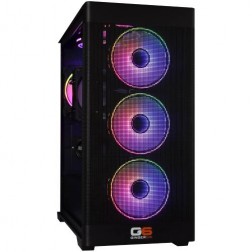 Intel Core Ultra Custom Gaming PC
Choice of Intel Core Ultra CPU
Choice of Motherboard
Up to 128Gb Memory
FAST M.2 NVMe SSD
AMD & Nvidia Graphics
300mbps+ Wifi
Windows 11 Home£1,030.00
£1,030.00Intel Core Ultra Custom Gaming PCChoice of Intel Core Ultra CPU
Choice of Motherboard
Up to 128Gb Memory
FAST M.2 NVMe SSD
AMD & Nvidia Graphics
300mbps+ Wifi
Windows 11 Home
-
 AMD Ryzen Workstation Custom Built PC
Choice of AMD Ryzen CPU
Choice of Motherboard
Up to 128Gb Memory
FAST M.2 NVMe SSD
AMD & Nvidia Graphics
300mbps+ Wifi
Windows 11 Home£959.99
£959.99AMD Ryzen Workstation Custom Built PCChoice of AMD Ryzen CPU
Choice of Motherboard
Up to 128Gb Memory
FAST M.2 NVMe SSD
AMD & Nvidia Graphics
300mbps+ Wifi
Windows 11 Home
Workstations Built for Your Workflow
The right workstation depends entirely on what software you run and what your workflow demands. A video editor rendering 4K timelines in DaVinci Resolve needs different hardware from a graphic designer working in Illustrator and InDesign. Browse by workflow below.
Creative Workstations
DaVinci Resolve is heavily GPU-accelerated. An RTX 5070 Ti or RTX 5080 handles 4K editing comfortably. For 8K or heavy colour grading, the RTX 5090 provides significantly faster render times.
Adobe Premiere Pro relies more on CPU performance. A Ryzen 9 or Core i9 with 64GB of RAM provides a smooth editing experience at 4K.
After Effects benefits from high single-thread clock speed. The Ryzen 7 9800X3D is a strong choice for AE-heavy workflows.
Minimum 32GB RAM, dedicated scratch disk, quality PSU for sustained GPU load.
Photoshop and Illustrator benefit from a strong single-thread CPU and 32GB of RAM. A dedicated GPU is not essential for 2D design, but it accelerates canvas rendering in Photoshop.
InDesign with large multi-page layouts benefits from fast NVMe storage and 32GB of RAM. CPU requirements are moderate.
Monitor colour accuracy often matters more than raw hardware power for this workflow.
Lightroom Classic and Capture One are CPU and RAM workloads. A fast multi-core processor with 32GB of RAM handles large RAW libraries and batch exports without slowdown.
NVMe storage makes a measurable difference when cataloguing and importing large shoots.
GPU acceleration is relevant in Lightroom's AI masking and Photoshop's neural filters.
Audio production needs reliable performance with minimal latency, not raw power. A well-configured mid-range build with a quality audio interface handles professional music production comfortably.
Works well with Ableton Live, FL Studio, and Pro Tools.
Low DPC latency, a quiet case, and stable drivers matter more than benchmark scores. We test for audio latency before shipping.
Engineering and 3D Workstations
AutoCAD runs well on moderate hardware. A Core i5 or Ryzen 5 with 16 to 32GB handles 2D drafting and light 3D modelling.
SolidWorks and Fusion 360 benefit from strong single-thread CPU and a capable GPU for real-time viewport rendering. 32 to 64GB is recommended for complex assemblies.
Blender and Cinema 4D for rendering are heavily GPU-accelerated. NVIDIA RTX with CUDA and OptiX offers the fastest render times.
GPU rendering in Blender Cycles, V-Ray GPU, and Redshift scales directly with VRAM and GPU core count. An RTX 5080 or RTX 5090 cuts render times significantly on complex scenes.
CPU rendering in V-Ray CPU benefits from high core counts. A Ryzen 9 9950X with 16 cores handles heavy multi-threaded render workloads efficiently.
Multi-drive storage keeps render outputs and scene files on separate drives.
Revit large BIM models demand strong single-core CPU performance and significant RAM. A Core i9 or Ryzen 9 with 64GB of RAM handles complex multi-discipline models without viewport slowdown.
AutoCAD Architecture and ArchiCAD have moderate requirements at smaller project scales.
Rendering workloads in Enscape or Lumion are GPU-accelerated and benefit from a capable RTX card alongside the CPU spec.
FEA and CFD simulation in ANSYS and COMSOL require high core counts, large RAM configurations, and fast NVMe storage for solving large model files.
These workloads run for hours continuously. Component reliability under sustained load is the primary specification concern.
Kevin will confirm the right CPU, RAM, and storage configuration for your simulation type before the order is placed.
Technical and Data Workstations
Training and inference workloads in PyTorch and TensorFlow benefit significantly from GPU VRAM. An RTX 5080 (16GB) or RTX 5090 (32GB) handles large model training locally.
CPU core count matters for data preprocessing. Fast NVMe storage and 64GB or more of system RAM rounds out a capable AI workstation.
Kevin will confirm the right GPU based on your model sizes and framework requirements.
Data science workloads in Python with pandas, R, and Power BI on large datasets are primarily CPU and RAM workloads.
A DataFrame that is 10GB on disk is larger in memory when loaded. A machine with 64 to 128GB of RAM removes the most common operational constraint in data science workflows without requiring a GPU workstation budget.
Fast NVMe storage benefits large ETL pipelines and dataset reads.
Compilation speed scales with CPU core count. A Ryzen 9 or Core i9 reduces build times measurably in Visual Studio, JetBrains IDEs, and large CMake or Gradle projects.
Running multiple Docker containers or virtual machines simultaneously requires 32 to 64GB of RAM.
Fast NVMe storage benefits large repositories and build caches. GPU is not a primary requirement for most development workloads.
What Makes a Workstation Different from a Gaming PC
A workstation is built for sustained professional workloads that run for hours or days at a time, while a gaming PC is built for short bursts of high-intensity performance. The hardware overlap is significant, but the configuration, component selection, and testing priorities are different.
The most common mistake workstation buyers make is purchasing a gaming PC and assuming it will perform equally well under professional software. It often does, until you run it continuously for 12 hours rendering a 4K timeline in DaVinci Resolve, or leave an overnight FEA solve running, and find that a cooling configuration designed for burst gaming loads is not adequate for sustained professional work.
RAM capacity is the other major difference. Gaming rarely needs more than 32GB. Video editing at 4K needs 64GB as a minimum. Complex 3D scenes and CAD assemblies with thousands of components can use 128GB. Workstation builds support higher RAM configurations as standard because the software demands it.
Storage architecture also differs. A gaming PC needs one fast SSD. A video editing workstation needs separate drives for the operating system, project files, cache data, and media assets. We configure multi-drive layouts matched to your workflow and your specific software's recommended disk configuration.
A workstation rendering a 4K timeline might hold full CPU and GPU load for 12 to 24 hours continuously. We choose power supplies, cooling, and cases that handle sustained load without throttling.
Gaming rarely needs more than 32GB. Video editing at 4K needs 64GB minimum. Complex 3D scenes can use 128GB. Workstation builds support higher configurations as standard.
A gaming PC needs one fast SSD. A video editing workstation needs separate drives for OS, project files, cache data, and media assets. We configure multi-drive layouts matched to your workflow.
GeForce RTX cards work well for most creative workloads. RTX Pro adds ECC memory and ISV certification. We recommend based on whether your workflow actually needs those features.
Every Ginger6 workstation is stress-tested for 24 hours under sustained CPU and GPU load that simulates professional workloads, not a gaming benchmark.
We choose components rated for sustained operation. Quality PSU, effective cooling, and proper cable management prevent the thermal issues that cause failures during overnight renders.
How to Spec a Workstation in 2026
The right workstation spec depends on your primary software, your typical project size, and whether you need to render in real time or can batch-render overnight. Browse our video editing workstations, CAD workstations, and 3D rendering workstations to find the right starting point.
AMD Ryzen 9 processors currently offer the best multi-threaded performance for rendering, video encoding, and simulation. The Ryzen 9 9950X with 16 cores handles heavy multi-threaded tasks efficiently while maintaining strong single-thread performance.
Intel Core i9 processors offer competitive multi-threaded performance and sometimes stronger single-thread speeds. Intel Core Ultra processors include a built-in NPU for AI-accelerated features in newer creative software.
The Ryzen 7 9800X3D is a strong alternative if your primary software benefits more from single-thread speed than core count.
RTX 5070 Ti is the sweet spot for most creative workstations. It handles 4K editing, GPU-accelerated rendering, and 3D viewport work at professional quality.
RTX 5080 adds headroom for 8K editing, complex 3D scenes, and heavy GPU rendering.
RTX 5090 is the flagship for maximum render performance. If render time directly affects your income, the investment pays for itself.
RTX Pro (Quadro) cards are worth considering if your software requires ISV certification or you need ECC GPU memory. For most creative professionals, a GeForce RTX card delivers equivalent or better performance at lower cost.
32GB handles graphic design, light video editing, and standard CAD.
64GB is the recommended minimum for professional 4K video editing and complex 3D scenes.
128GB is for 8K footage, large VFX compositions, or CAD assemblies with thousands of parts.
If you are unsure how much RAM your workflow needs, call Kevin and tell him your software and your typical project file sizes. He will recommend based on what your software actually consumes, not a round number.
We recommend a minimum of two NVMe SSDs for workstation builds. One for the OS and applications. One for active project files and cache data.
For video editors, a third drive dedicated to media assets keeps your timeline responsive when scrubbing through large files. DaVinci Resolve performs best when the media, project, and cache folders are on separate physical drives.
Call Kevin on 01902 714533 and tell him what software you run and what projects you work on. He will spec a storage layout that matches your workflow.
How Much Does a Custom Workstation Cost?
A Ginger6 custom workstation costs between £1200 and £4000 or more depending on the workload, software requirements, and GPU tier. Most creative professionals spend between £1800 and £2800. See our graphic design workstations from £1200, video editing workstations from £1800, and 3D rendering and simulation workstations from £2800.
Ryzen 7 or Core i7
RTX 5060 Ti or integrated graphics
32GB DDR5
1TB NVMe SSD
Photoshop, Illustrator, InDesign, light Premiere Pro, 2D CAD.
Ryzen 9 or Core i9
RTX 5070 Ti
64GB DDR5
2TB NVMe (OS and project)
DaVinci Resolve 4K, Premiere Pro, Blender, SolidWorks, After Effects. Most Ginger6 creative professionals land here.
Ryzen 9 or Core i9
RTX 5080 or RTX 5090
64 to 128GB DDR5
Multi-drive NVMe
8K footage, heavy colour grading, complex Blender scenes, demanding simulation workloads.
Call Kevin on 01902 714533 and tell him what software you run and what projects you work on. No pressure to buy. No charge for the conversation.
Ginger6 in Their Own Words
Two workstation customers. Unscripted. Watch what they say about the hardware and the service.
Mike, Megatrend Media
Video editing workstation. Mike has used Ginger6 for his production workflow across multiple builds over the years.
Jack, Emagic Studios
3D effects and video production workstation. Jack reviews the hardware and the Ginger6 service across multiple years of use.
What Workstation Buyers Say About Ginger6
93% of Ginger6 customers leave five-star reviews on Trustpilot, compared to 80% for PCSpecialist and 84% for Chillblast. That gap comes down to one thing. The person who specs your workstation is the same person who builds it and supports it afterwards.
Over 1,100 verified reviews. 93% five-star.
Ginger6 has been building custom PCs and workstations from the same Wolverhampton workshop since 2001. Whether it is a £1200 design workstation or a £4000 rendering machine, the build quality, testing, and support are identical. Read our full customer reviews.
Great friendly service, added bonus of personal delivery as they are so local which means they can be on hand if there are any issues. No problems with the computer hardware we have purchased, very professional and thorough addressing our requirements. Highly recommended.
Great service and prices. Just had 2 new desktops built for the office. Kevin and the team were great advising me on the spec I would need for our needs.
I have used Ginger6 several times both for myself, on behalf of my friends and my wife's business. Their prices are extremely good and their service is likewise. It is a strong recommend from me.
How Ginger6 Builds and Tests Your Workstation
Every Ginger6 workstation is built to order in our Wolverhampton workshop, stress-tested for 24 hours under sustained CPU and GPU load that mirrors professional workloads, and shipped via tracked courier within 5 to 7 working days.
Call Kevin on 01902 714533, email [email protected], or configure online. Tell him what software you run, what your typical project file sizes are, whether you need to run multiple applications simultaneously, and your budget. We will recommend a spec based on what your software actually demands, not a generic tier. If you are overspending for your workflow, we will say so.
Your workstation is assembled by hand in Wolverhampton with thermal paste application, secure component mounting, and clean cable management. Cables are routed to support better airflow inside the case, reduce dust build-up around components, and make future maintenance straightforward. This matters more on a workstation than a gaming PC: a machine running overnight renders needs reliable airflow, not just sufficient airflow at peak. We choose power supplies with headroom for sustained operation, not for peak gaming load.
Every workstation runs for a full day under sustained CPU and GPU load before it ships. The test replicates professional workload conditions, not a gaming benchmark. BIOS settings, memory profiles, and firmware stability are confirmed before dispatch to prevent configuration conflicts and startup issues. Windows, drivers, and storage configuration are verified. Your workstation is then packed with internal bracing to protect components in transit, and shipped via tracked courier with free delivery across the UK mainland.
- Thermal behaviour under sustained load
- Processor and graphics stability during extended use
- Memory responsiveness and system stability
- Storage performance and consistency
- BIOS and firmware stability
- System stability under extended use
Talk to Kevin Before You Order
The workstation that is right for you depends on factors that a product listing cannot fully capture. Before you order, tell Kevin:
- 1 The software you use most and the version
- 2 The typical file sizes or project scales you work with
- 3 Whether you need to run multiple applications simultaneously and which ones
- 4 Your approximate budget and whether this is for one machine or a team
No charge for the conversation. No pressure to buy.
Workstation PC Questions
The best video editing workstation in 2026 pairs a Ryzen 9 or Core i9 processor with an NVIDIA RTX 5070 Ti or RTX 5080, 64GB of DDR5 RAM, and a multi-drive NVMe storage layout. DaVinci Resolve users should prioritise GPU power. Premiere Pro users should prioritise CPU and RAM. Call Kevin on 01902 714533 and tell him which editing software you use.
No. NVIDIA GeForce RTX cards handle most professional creative workloads as well as or better than Quadro (now RTX Pro) cards at a lower cost. RTX Pro cards are only worth considering if your software requires ISV certification, if you need ECC GPU memory, or if you work with extremely large datasets. Kevin will flag this if it applies to your software and workflow.
64GB of DDR5 RAM is the recommended minimum for professional 4K video editing in 2026. 32GB works for short-form content and light editing. 128GB is worth considering if you edit 8K footage, work with large After Effects compositions, or run multiple creative applications simultaneously.
AMD Ryzen 9 processors currently offer the best multi-threaded performance for rendering and encoding. Intel Core i9 processors are competitive and sometimes faster in single-threaded workloads like After Effects. We recommend based on your primary software, not brand preference. Call Kevin and tell him what you run, and he will explain which platform suits your specific workflow.
A workstation is configured for sustained professional workloads with higher RAM capacity, multi-drive storage, and components chosen for reliability under continuous load. A gaming PC is configured for short bursts of high performance. The GPU may be similar, but the CPU, RAM, storage layout, cooling, and testing are different. A workstation running a 12-hour overnight render needs a power supply, cooling system, and case that a gaming PC is rarely specced to provide.
Yes, most workstations with a GeForce RTX GPU handle gaming as well as a dedicated gaming PC. The hardware that renders 4K video easily handles modern games. If gaming is a secondary use case, a workstation with a GeForce GPU gives you the best of both uses in one machine.
A well-built workstation lasts 4 to 7 years for professional work before major upgrades are needed. Software demands increase over time, but a workstation specced for current 4K workflows will handle those same workflows for years. GPU upgrades extend the useful life further, and the 3-year warranty covers the period where professional machines are most likely to encounter component issues.
Yes. Ginger6 builds custom workstations for studios, agencies, architecture firms, and engineering companies across the UK. We can spec multiple machines to the same configuration and offer volume pricing for larger orders. Call Kevin on 01902 714533 to discuss your requirements.
A minimum of two NVMe SSDs is recommended for video editing. One drive for the OS and applications. One for active projects and cache data. A third drive dedicated to media assets keeps your timeline responsive when scrubbing through large files. We configure multi-drive storage layouts matched to your editing software and typical project scale.
Yes. Ginger6 offers 0% finance through PayPal Pay in 3 on orders over £500. Finance is subject to status and approval. Call Kevin on 01902 714533 to discuss payment options.
Still have questions? Kevin is on 01902 714533 during working hours, or email [email protected] anytime.
Ready to Build Your Workstation?
Whether you know exactly what spec you need or want expert guidance on matching hardware to your workflow, Ginger6 is here to help. No sales pressure. No upselling. Honest advice from a team that has been building custom PCs in Wolverhampton since 2001.
Browse Workstations
See our range of custom workstation PCs for video editing, graphic design, CAD, and creative production.
Browse WorkstationsTalk to Kevin
Tell him your software, what projects you work on, and your budget. He will confirm the right workstation spec or suggest a better fit for your workflow. No pressure to buy.
Call 01902 714533Email or Callback
Include your software, typical project scale, and budget. Kevin will come back with a recommendation and a quote.
Email Us