




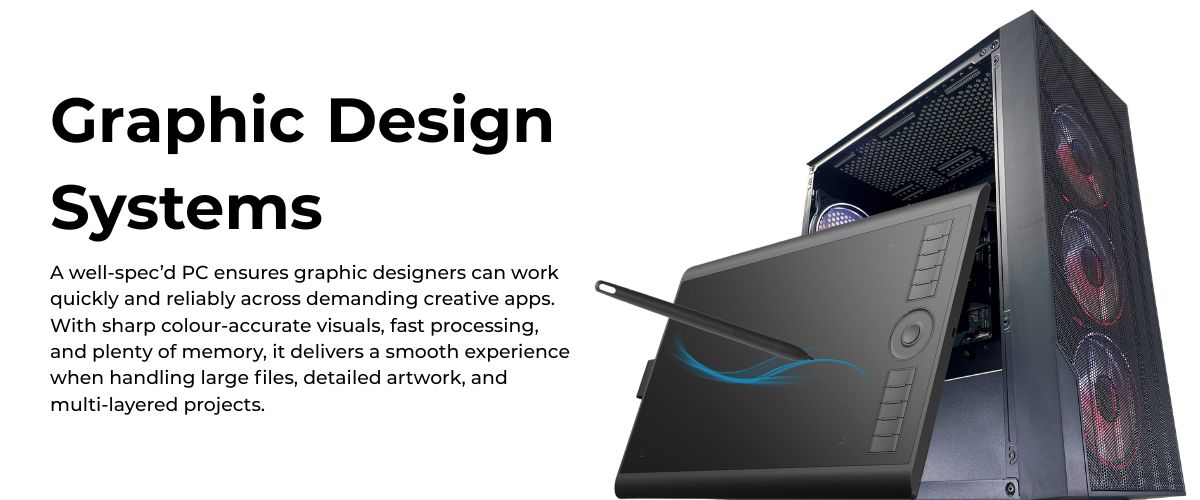
Best Graphic Design PCs UK – Custom Desktop Computers for Creative Professionals
find graphic design PCs UK creatives can truly rely on. Ginger6 builds custom desktop PCs that handle demanding design software, high-resolution monitors, and multi-application workflows without breaking a sweat. With over 24 years of experience building performance systems in the UK, our team designs, assembles, and stress-tests each machine so you can concentrate on your build, not your computer.
Whether you are editing huge Photoshop files, laying out print campaigns, animating in After Effects, or rendering 3D scenes, a Ginger6 system is tuned to match the way you work. From AMD Ryzen and Intel processors to NVIDIA RTX graphics, fast NVMe SSD drives, and colour-accurate monitors, every part is chosen with creative professionals in mind.
Need help choosing your Custom Graphic Design PC? Then Call now on 01902 714533.

Grid List
9 Item(s)
-
 G6 Obsidian — Professional CAD and BIM Workstation
A high-performance professional workstation for SolidWorks large assemblies, Revit multi-discipline BIM, DaVinci Resolve, and orchestral music production — built in Wolverhampton.
Intel Core i9-14900KF
64GB DDR5 RAM
Nvidia RTX 5070 12GB
2TB NVMe + 2TB NVMe
Windows 11 Pro
3-Year Warranty£2,929.99 Configure from: £804.20
£2,929.99 Configure from: £804.20G6 Obsidian — Professional CAD and BIM WorkstationA high-performance professional workstation for SolidWorks large assemblies, Revit multi-discipline BIM, DaVinci Resolve, and orchestral music production — built in Wolverhampton.
Intel Core i9-14900KF
64GB DDR5 RAM
Nvidia RTX 5070 12GB
2TB NVMe + 2TB NVMe
Windows 11 Pro
3-Year Warranty
-
 G6 Onyx — Video Editing and Creative Workstation
A mid-range creative workstation for 4K H.264/H.265 video editing in DaVinci Resolve and Premiere Pro, After Effects, GPU rendering, and graphic design — built in Wolverhampton.
Intel Core Ultra 7 265K
64GB DDR5 RAM
Nvidia RTX 5070 12GB
2TB NVMe + 2TB NVMe
Windows 11 Pro
3-Year Warranty£2,650.00 Configure from: £548.21
£2,650.00 Configure from: £548.21G6 Onyx — Video Editing and Creative WorkstationA mid-range creative workstation for 4K H.264/H.265 video editing in DaVinci Resolve and Premiere Pro, After Effects, GPU rendering, and graphic design — built in Wolverhampton.
Intel Core Ultra 7 265K
64GB DDR5 RAM
Nvidia RTX 5070 12GB
2TB NVMe + 2TB NVMe
Windows 11 Pro
3-Year Warranty
-
 G6 Quartz — Photography and Graphic Design Workstation
An entry creative workstation for Lightroom Classic, Photoshop, Illustrator, and 4K H.264 video editing — Lightroom catalogue configured on the dedicated second NVMe as standard.
Intel Core Ultra 7 265K
32GB DDR5 RAM
Nvidia RTX 5060 Ti 16GB
1TB NVMe + 2TB NVMe (Lightroom drive)
Windows 11 Home
3-Year Warranty£2,099.99 Configure from: £83.40
£2,099.99 Configure from: £83.40G6 Quartz — Photography and Graphic Design WorkstationAn entry creative workstation for Lightroom Classic, Photoshop, Illustrator, and 4K H.264 video editing — Lightroom catalogue configured on the dedicated second NVMe as standard.
Intel Core Ultra 7 265K
32GB DDR5 RAM
Nvidia RTX 5060 Ti 16GB
1TB NVMe + 2TB NVMe (Lightroom drive)
Windows 11 Home
3-Year Warranty
-
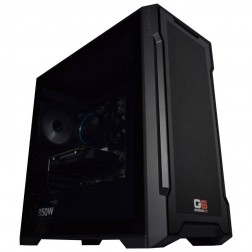 G6 Slate — Entry Professional Workstation
An entry-level professional workstation for AutoCAD 2D, Fusion 360, Lightroom Classic, and Photoshop.
Intel Core Ultra 5 245K
16GB DDR5 RAM
Nvidia RTX 5060 8GB
1TB NVMe SSD
3-Year Warranty£1,199.99
£1,199.99G6 Slate — Entry Professional WorkstationAn entry-level professional workstation for AutoCAD 2D, Fusion 360, Lightroom Classic, and Photoshop.
Intel Core Ultra 5 245K
16GB DDR5 RAM
Nvidia RTX 5060 8GB
1TB NVMe SSD
3-Year Warranty
-
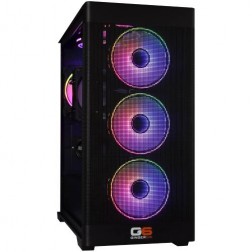 Intel Core Ultra Custom Gaming PC
Choice of Intel Core Ultra CPU
Choice of Motherboard
Up to 128Gb Memory
FAST M.2 NVMe SSD
AMD & Nvidia Graphics
300mbps+ Wifi
Windows 11 Home£1,030.00
£1,030.00Intel Core Ultra Custom Gaming PCChoice of Intel Core Ultra CPU
Choice of Motherboard
Up to 128Gb Memory
FAST M.2 NVMe SSD
AMD & Nvidia Graphics
300mbps+ Wifi
Windows 11 Home
Grid List
9 Item(s)
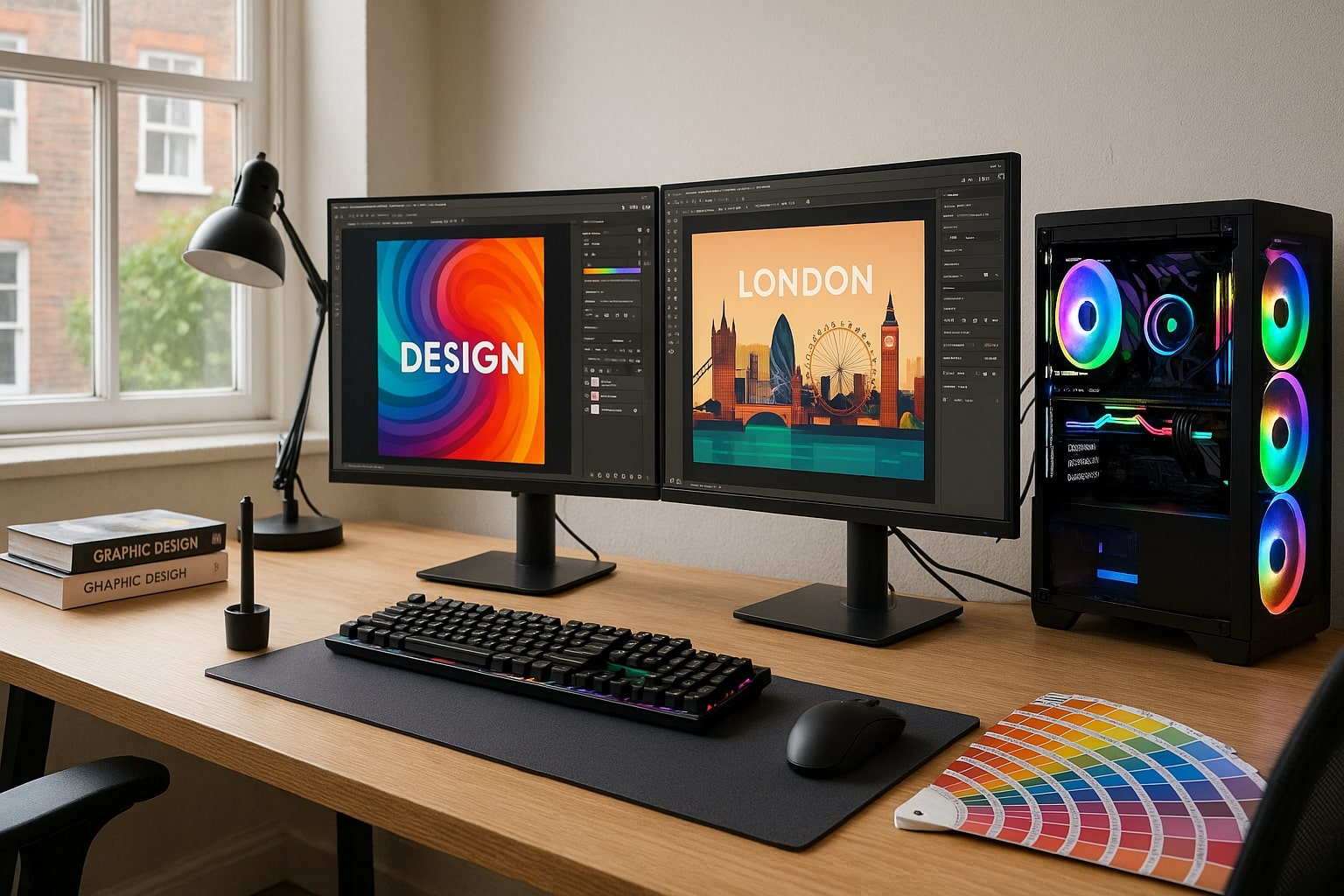
Why Graphic Designers Across the UK Choose Custom PCs
Off-the-shelf desktops and pre-built gaming systems often look impressive on paper, yet fall short once real client work starts. Graphic design places unique demands on a PC. Multiple apps stay open all day, project files eat storage, and colour accuracy matters as much as speed. Ginger6 builds desktop PCs that are designed around those realities, not only headline specifications.
With Ginger6 you are working with a small UK team that has been designing and building desktop PCs since 2001. Every machine is built to order in the West Midlands, assembled by people who work with these components every day and who understand how creative workloads behave. Each system is stress-tested for a full 24 hours before it leaves the workshop and is backed by a three-year warranty and lifetime UK technical support, so you are not left on your own once the box arrives. Instead of a generic import, you get a carefully built PC from a company you can call or email whenever you need help or want to talk about an upgrade.
Designed for Professional Design Software
Graphic designers use a mixture of tools:
-
Adobe Photoshop, Illustrator, InDesign and Lightroom
-
Affinity Photo, Designer and Publisher
-
CorelDRAW and other vector suites
-
3D and motion tools such as Blender, Cinema 4D and After Effects
Each of these tools stresses hardware in different ways. Some lean on CPU cores, others on GPU acceleration or fast SSD scratch disks. A generic machine may perform well in games, yet struggle once you open a 3 GB-layered PSD on a 4K monitor. Custom graphic design PCs avoid that mismatch by matching components to actual software requirements.
Because Ginger6 regularly builds systems for photographers, illustrators, brand designers and studios, the team knows how those applications behave under pressure. That experience helps you avoid overspending on parts that do little for your workflow while still giving you a PC that feels fluid when deadlines close in.
Built around the Way You Work
No two designers run identical workflows. Some work on detailed photo retouching, others on brand identity systems or motion graphics. Ginger6 builders listen first, then recommend hardware that supports the way you actually earn a living:
-
Freelancers needing a silent PC that fits in a small home studio
-
Agencies with teams sharing large project libraries over a network
-
In-house designers who need reliable systems for print, web, social and video
Budget is always part of the conversation. Instead of forcing you into a fixed pre-built specification, we help you allocate your budget where it has the greatest impact: CPU, GPU, RAM, storage, and monitor quality. If you prefer to talk things through, you can speak directly to the people who build the systems, not a call centre reading from a script.
Tell us about your design workflow and budget, and we will propose a custom configuration that suits your projects today and leaves room for tomorrow.
Built by UK Experts for Demanding Design Software
Choosing Ginger6 means working with a UK team that has spent decades building custom desktop PCs for designers, photographers, video editors, and 3D artists. Every system is built to order in the West Midlands by technicians who work with creative software users every day. They understand how design workloads behave under pressure and how important it is for a professional workstation to start up cleanly every morning and stay stable through long days of editing, layout and rendering.
Before a PC leaves the workshop it goes through extended testing to ensure all components work together smoothly and that temperatures, noise levels and performance sit within expected limits. The same people who build and test your machine are also available to answer questions later, which keeps advice grounded in real hardware experience rather than scripted responses.
Local Knowledge, Local Support
Working with a UK builder brings practical advantages:
-
No overseas shipping for warranty support
-
Fast assistance from specialists who understand local internet providers, plug standards, and delivery timelines
-
Advice from people who are familiar with the demands of UK design agencies, universities, and in-house teams
If you hit a tight deadline and something feels off, you can speak to someone who understands both your hardware and your software tools. That direct access is especially helpful if you rely on a stack that includes Adobe Creative Cloud, Affinity apps, 3D software, and colour-managed print workflows.
Because support is based in the UK, contact hours line up with your working day, and communication is clear and straightforward. You can discuss upgrades, troubleshoot issues, or ask for configuration advice without worrying about time zones or language barriers.
Built with Premium Components
Ginger6 systems are assembled using parts from brands we have trusted for years:
-
AMD Ryzen and Intel processors with strong single and multi-core performance
-
NVIDIA GeForce RTX graphics cards suited to GPU-accelerated filters and renders
-
High-quality RAM from established manufacturers
-
PCIe NVMe SSDs for system and project drives, supported by additional SSDs or HDDs where required
-
Reliable power supplies and cooling systems sized for your configuration
Everything is assembled by hand, with neat cable routing for better airflow and easier servicing. The result is a machine that looks as refined as it feels to use, whether it sits under your desk in a home office or in the middle of a busy studio. Careful part selection also makes future upgrades simpler, so adding more RAM, storage or a new graphics card later is straightforward.
Prefer to speak with a person rather than pick parts yourself? Call our team to discuss processor, RAM and GPU options before you order.
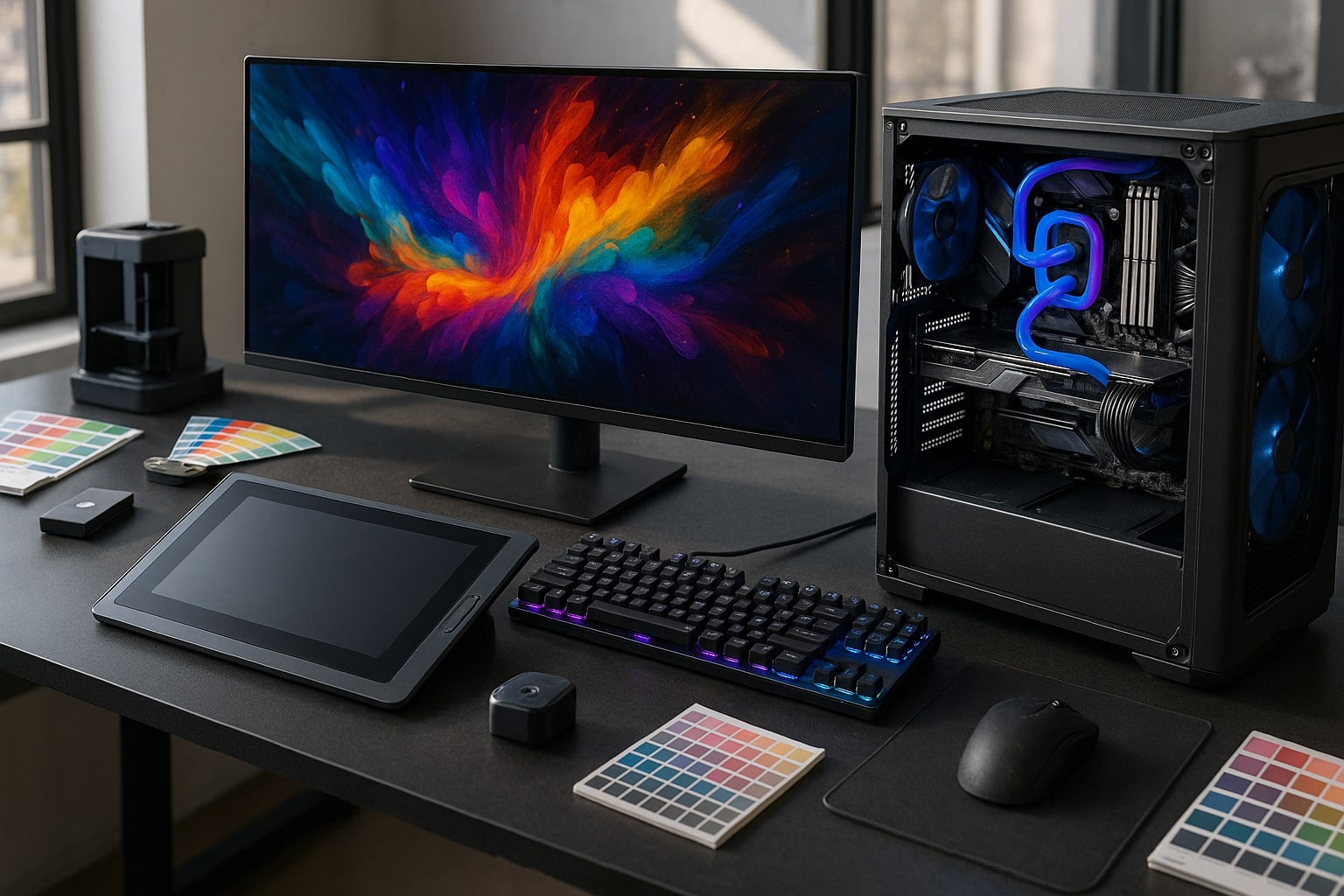
Custom Hardware Options Tailored To Your Workflow
A Ginger6 graphic design PC is never a random mix of parts. Every choice supports real-world tasks such as retouching, layout work, animation, and 3D rendering.
Each build starts with a conversation about the type of work you do, how many applications you keep open, and the kind of files you handle. From there, the team selects components that work together smoothly rather than chasing impressive numbers on a product sheet. That approach produces systems that feel responsive in daily use, stay stable under pressure, and remain straightforward to upgrade when your workload grows.
Processors That Keep Creative Software Moving
Modern design software runs background tasks while you work: previews render, smart filters update, assets sync to cloud storage. That is why we recommend processors such as:
-
AMD Ryzen chips with high core and thread counts for heavy multitasking, batch processing, and rendering
-
Intel Core processors that deliver very strong single-core performance, ideal for apps that depend on pure per-core speed
Our team can advise on which family best suits your mix of design software and how many cores you genuinely need, so you do not overspend where it brings little real gain. They also consider turbo behaviour and cooling so the processor can sustain performance during long editing sessions, not just short benchmark bursts.
RAM Sizes for Your Project Load
Opening a large InDesign document, several massive PSD files, and a browser full of reference tabs will quickly expose limited memory. To keep everything responsive we usually recommend:
-
32 GB RAM as a starting point for professional designers
-
64 GB or more for photographers, retouchers, illustrators and packaging designers working with huge files
-
Up to 128 GB for studios integrating 3D, motion graphics or complex video timelines
Our systems are built with spare RAM slots so you can add memory in the future instead of replacing the entire machine. This gives you room to grow as file sizes increase, teams expand, or new software features place extra demands on your system.
Storage Built around SSD Speed
Traditional hard drives are slow at reading and writing many small files, which is exactly how design projects behave. That is why Ginger6 builds use:
-
PCIe NVMe SSD drives for the operating system and active projects
-
Additional SSD or HDD drives for archives and backup
-
Optional dedicated SSDs for Adobe scratch disks or cache locations
This structure keeps launch times short, file saving snappy, and scrub bars responsive, even with heavy design software. The team can also advise on backup strategies, such as pairing internal drives with external storage or cloud services, so your work remains safe as project libraries grow.
Graphics Cards for Design, Animation and 3D
A styling project may not need an extreme GPU, but motion and 3D certainly do. We match NVIDIA RTX or other graphics cards to your needs:
-
For 2D graphic design and digital illustration, mid-range GeForce RTX models are perfect for GPU-accelerated filters and canvas smoothness
-
For 3D, video work and simulation, higher-tier RTX cards support fast render previews and smoother timelines
-
For multi-monitor setups or ultrawide displays, we select GPUs with the right outputs such as DisplayPort and HDMI
Choosing the right GPU is particularly important for pre-built gaming buyers who are moving into design, since not all gaming cards are equal in creative workloads. We tailor your gaming PC style system so it behaves like a powerful workstation, with stable drivers, suitable display connections and performance tuned for creative tools rather than only games. If you need a machine that is already set up for professional design work, the G6 Forge S is an ISV-certified professional workstation built around exactly this approach.
Monitors and Peripherals
Design accuracy depends on the screen in front of you. We can recommend:
-
IPS or similar panels with strong colour coverage and calibration support
-
Dual monitor or ultrawide configurations for layout work
-
Ergonomic stands and colour calibration tools for consistent proofing
We can also help you plan for card readers, external drives, audio interfaces and any specialist control surfaces you use. By looking at your whole setup, including desk space and cable routing, the Ginger6 team can create a layout that feels comfortable to work with for long periods and keeps important devices close at hand.
Performance That Keeps up with Modern Design Software
The right graphic design PCs UK creators choose share one trait: they stay fast under pressure. A machine that looks impressive in benchmarks is little use if it stutters when you switch from Illustrator to After Effects while Teams and a browser run in the background.
Ginger6 systems are configured to avoid the bottlenecks that cause those slowdowns. Instead of relying on a single powerful component, we balance processor, graphics card, memory, and storage so the whole system feels responsive from first boot. Each PC is built to order, tested thoroughly, and tuned so that design software launches quickly, previews render smoothly, and exports complete without random freezes.
Built for Serious Multitasking
A typical day for a professional designer might include:
-
Editing RAW photos in Lightroom while Photoshop is open in the background
-
Working on an InDesign layout connected to a large image library
-
Running a browser with reference material, email, and project management tools
-
Exporting assets and preflighting print files
Our PCs pair powerful processors with ample RAM and SSD storage so all of this feels natural rather than frustrating. High-core-count Ryzen or multi-threaded Intel CPUs keep background work moving, while RAM and NVMe storage prevent constant swapping and loading.
Because each Ginger6 build is tailored, we can prioritise smooth multitasking for your exact mix of apps. That might mean more cores, extra RAM, or a different storage layout, depending on whether you spend more time in layout tools, photo editing software, or video timelines.
Tuned for GPU-Accelerated Workflows
Modern apps now push more work onto the GPU:
-
Photoshop and Lightroom use GPU support for zoom, pan, and certain filters
-
After Effects and Premiere Pro use GPU acceleration for effects and playback
-
3D apps like Blender lean on the GPU for viewport preview and final rendering
We match NVIDIA RTX cards to software requirements so you gain real speed improvements, not just big numbers on a spec sheet. This approach works whether you are moving from a laptop to a tower, or upgrading an older desktop that struggles with current creative suites.
Our team also considers monitor choices and colour workflows when recommending a card, making sure you have the right outputs for 4K or ultrawide displays and enough headroom for future upgrades or additional screens.
Networking and Collaboration
Creative work today rarely happens in isolation. Designers share assets via cloud storage, internal servers, and version control tools. We can configure:
-
2.5 GB or 10 GB network options for studios with shared storage
-
Fast Wi-Fi for home offices and flexible workspaces
-
Plenty of USB-C and USB-A ports for external drives, tablets and cameras
This means less time copying files and more time designing. Reliable networking also supports smooth collaboration with colleagues and clients, whether you are pushing large video files to shared storage or syncing design assets across multiple locations.
Want a PC that can handle today’s workload and still feel fast in three years? Chat with a Ginger6 specialist about your software stack and future plans.
Lifetime UK Support for Designers and Studios
Buying a custom PC is the beginning of a relationship with Ginger6, not the end of the story. Every system includes lifetime UK support so you always have an expert to talk to if something changes in your workflow or software stack.
From the first conversation through to future upgrades, you deal with a team that builds these machines every day and understands how they behave in real studios and home offices. Support is available by phone and online, so whether you need quick advice about adding another drive or help diagnosing an issue, you can reach someone who knows your system and can talk you through the options in clear, practical language.
Support That Understands Creative Work
Because Ginger6 has worked with UK creatives for over two decades, our team understands:
-
How colour accuracy and print output relate to monitor configuration
-
How to manage Adobe Creative Cloud installations across multiple machines
-
How to size storage for large photo libraries, brand assets and video
-
How to balance performance and quiet operation in shared studios or home offices
You are not speaking to a generic help desk. You are talking to people who deal with professional design tools every day. They can suggest settings, upgrades and workflow tweaks that come from long experience supporting photographers, designers, video editors and 3D artists, not just from a script.
Help That Adapts as Your Career Grows
As your client base grows, your hardware needs will change:
-
A photographer might move from 24 MP cameras to 50 MP or higher
-
A brand designer might add video production to their services
-
A studio might take on staff and need consistent systems across several desks
Ginger6 advisers can recommend RAM upgrades, extra SSDs, new graphics cards or even entirely new systems when the time is right. Because your original PC was built with upgradability in mind, changes are straightforward and cost-effective.
You can ask for a check of your current specification against new software versions, discuss the impact of higher resolution cameras or extra monitors, and get clear recommendations on what to change now and what to plan for later.
Minimal Downtime
If a problem appears, we aim to keep your downtime as short as possible. Depending on your location and support level, we can:
-
Provide remote troubleshooting and configuration help
-
Arrange return-to-base repairs carried out by the same team that built your system
-
Advise on backup strategies so you are protected even if hardware fails
Warranty cover and ongoing support are designed to work together, so you have both hardware protection and practical guidance on hand. The goal is always to get you back to billable work quickly, with clear communication about what is happening at each step.
Rigorous 24-Hour Stress Testing for Reliable Creative Work
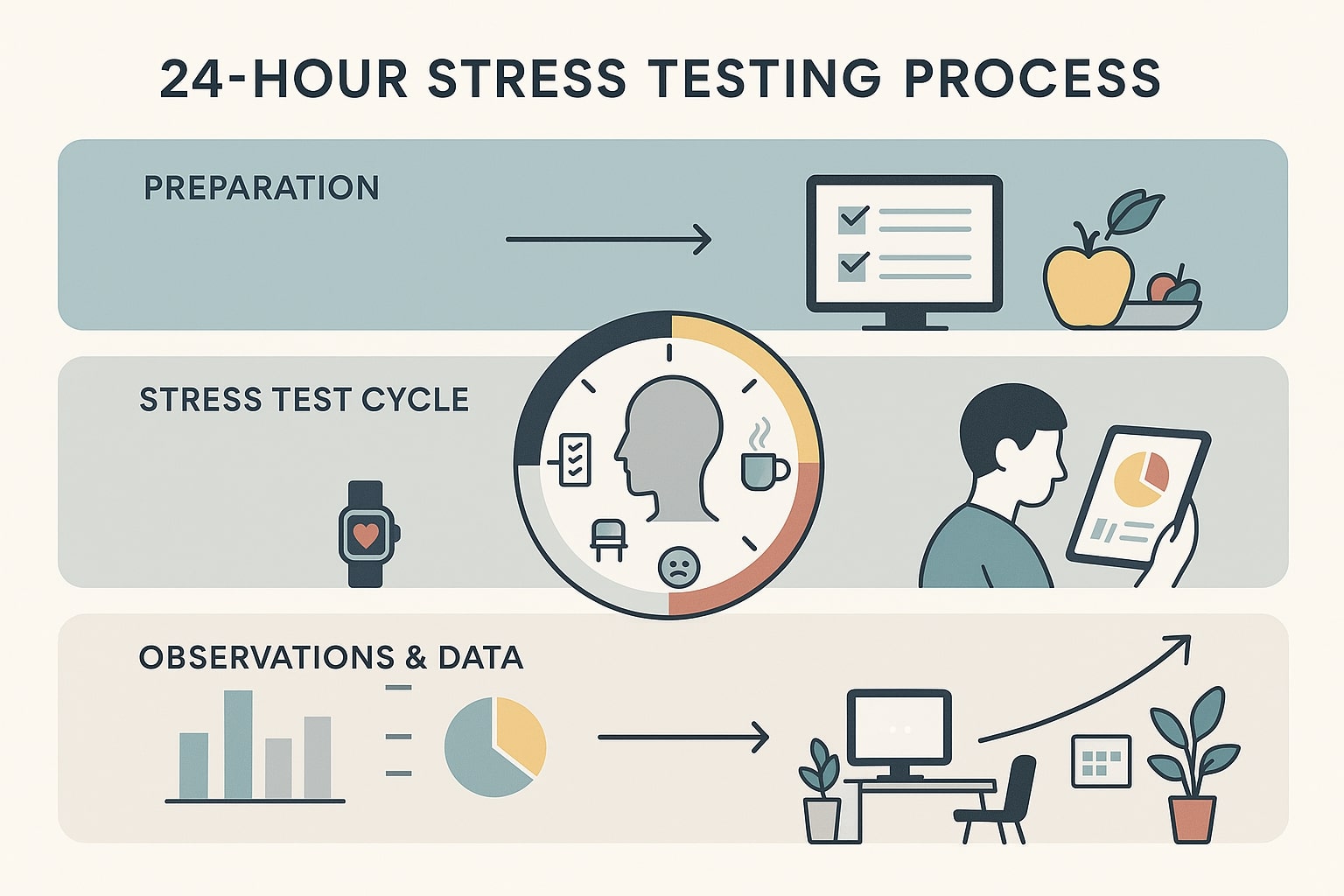
Designers depend on their PCs for client deadlines and income. A crash during export or a failing SSD is more than an inconvenience, it risks missed handovers and unhappy clients. Ginger6 minimises those risks with a thorough 24-hour stress test on every custom build.
This testing is not a quick power-on check. The system is treated as if it already lives in a busy studio, with long sessions, demanding workloads and constant access to files. By the time it reaches your desk, it has already shown that it can cope with the sort of tasks you run every day, from large Photoshop projects to long video timelines and 3D previews.
What Happens During Stress-Testing
Once your custom PC is assembled, it is powered on and subjected to a full-day of testing with professional diagnostic tools. During this process we:
-
Drive the CPU and RAM to high sustained loads to check thermal behaviour and stability
-
Exercise the graphics card with demanding 3D scenes and GPU workloads
-
Run continuous read and write cycles on SSDs and any HDDs
-
Test USB ports, network interfaces, and display outputs
-
Monitor system temperatures and error logs for any sign of instability
Any component that fails, or even behaves suspiciously, is replaced and tested again before shipment. We also check that fan curves and cooling solutions keep noise and temperatures at sensible levels, so the system stays comfortable to work next to for long periods.
Why This Matters for Designers
This testing regime is designed around the way UK creatives actually work. You might not push your PC to 100 percent usage each day, yet deadlines have a habit of forcing heavy loads at the worst possible moment. Knowing your desktop has already survived harsher treatment than anything you are likely to throw at it will give you confidence during complex projects.
It also supports long-term reliability. Components that are going to fail early tend to do so under stress. By identifying those issues before your PC reaches your desk, Ginger6 prevents countless hours of lost productivity for designers, photographers and studios. Combined with warranty cover and lifetime support, this approach means fewer unexpected interruptions and a smoother experience throughout the life of the machine.
Every Ginger6 graphic design PC is shipped only after passing full stress-testing. Ask our team for details of the tests used on your chosen configuration.
How to Choose the Right Ginger6 Graphic Design PC
With so many configuration options, it can be tricky to know where to start. Use the steps below as a guide when building or requesting a quote for graphic design PCs UK designers can trust. Think of this as a quick checklist you can work through before you call, so our team can give you focused, practical advice from the first conversation.
1. List Your Main Software Tools
Write down the tools you use weekly, for example:
-
Photoshop, Illustrator, InDesign
-
Figma or other interface design tools
-
After Effects, Premiere Pro or DaVinci Resolve
-
Blender or other 3D packages
Share this list with us so we can prioritise the parts that those programmes rely on. Some thrive on higher GPU performance, others care more about CPU cores or RAM. If you also use tools for colour grading, 3D rendering or audio, add those as well. The more complete your list, the easier it is for us to recommend a system that feels smooth in everyday use rather than only in synthetic benchmarks.
2. Decide How Many Monitors You Need
Think about:
-
Screen size and resolution
-
Single ultrawide display versus dual monitors
-
Whether you need a dedicated grading or proofing display
This decision influences your graphics card choice and the type of outputs required. It also affects desk layout, ergonomics and colour workflow. Let us know if you already own monitors you want to keep, or if you plan to upgrade screens at the same time as the PC, so we can make sure your new system supports your preferred configuration.
3. Estimate Storage Needs
Look at the size of your current project folder and photo library. If you are already close to full, it is time to increase capacity. For graphic designers, a common layout is:
-
1 fast NVMe SSD for Windows and design software
-
1 fast SSD for active projects and scratch disks
-
1 large SSD or HDD for archives and backup
We can also advise on external drives and cloud backup tools so important work is protected. If you collaborate with others or hand projects over to clients, we can suggest storage layouts that make it easy to organise, share and archive files without constant housekeeping.
4. Think About Noise and Case Size
Home offices and shared studios often demand quieter systems. We can recommend cases and cooling solutions that keep fan noise low, along with compact designs for tight spaces or larger cases for studios that prefer space for future upgrades.
Tell us where the PC will sit, how close it is to your mic or seating position, and whether you work late at night in a quiet room. Those details help us choose parts that deliver strong performance without distracting background noise.
5. Set Budget Brackets Rather Than a Fixed Figure
Instead of a single number, give us a comfortable range. We can then show you what each level delivers, for example:
-
Entry professional level for freelancers starting out
-
Mid-level for busy designers running several programmes all day
-
High-level for studios combining 2D, video and 3D work
This makes it easier to compare value at different price points and decide where to invest more, such as extra RAM or storage.
Graphic Design PCs UK – Example Specifications
Every Ginger6 build is custom, yet it helps to see the sort of configurations we recommend for different creative roles. The examples below are starting points that can be adapted to your needs. Component names are illustrative and may change with current hardware availability, but the overall balance between CPU, GPU, memory and storage reflects how creative work actually behaves in practice.
Starter Professional Graphic Design PC
Ideal for freelancers, junior designers or small teams focused mainly on 2D work.
-
AMD Ryzen or Intel 6 to 8-core processor
-
32 GB DDR4 or DDR5 RAM
-
NVIDIA GeForce RTX mid-range card
-
1 TB NVMe SSD system drive
-
1 TB SSD or HDD project drive
-
Case and cooling tuned for quiet operation
-
Support for two 1440p monitors
This setup is far ahead of typical pre-built PCs or basic pre-built gaming desktops and handles standard design workloads with ease. It is well-suited to Adobe Creative Cloud, Affinity apps and web design tools, offering smooth multitasking without forcing you into higher price brackets too early.
Advanced Design and Motion Workstation
Built for designers who mix layout, illustration, animation and light 3D work.
-
AMD Ryzen or Intel 12 to 16-core processor
-
64 GB RAM with free slots for upgrade
-
NVIDIA GeForce RTX higher tier model
-
1 TB NVMe SSD system drive
-
2 TB NVMe SSD for active projects and cache
-
4 TB HDD or SSD for archive
-
Quiet, high-airflow case with quality cooling
-
Support for dual 4K monitors or a 4K plus ultrawide combination
This level suits busy professionals who regularly handle complex files, motion graphics and larger brand projects. There is plenty of headroom for rendering, previewing and working across several applications at once, along with space to grow storage and memory.
Studio-Grade 3D and Video System
For studios and agencies who handle 3D rendering, long-form video and complex visual projects.
-
High core count AMD Ryzen or comparable Intel processor
-
128 GB RAM
-
Powerful NVIDIA RTX card suitable for GPU rendering
-
Dual NVMe SSDs for system and working files, with further SSDs or HDDs for storage pools
-
Case ready for future GPU or drive additions
-
High-efficiency power supply to support demanding loads
-
10 GB networking option for shared storage environments
This class of system is aimed at teams who need dependable performance across multiple edit suites or 3D workstations, often connected to shared storage. It supports intensive rendering, high-resolution timelines and large collaborative projects without constant hardware upgrades.
All example PCs include the same careful assembly, 24-hour stress testing and lifetime support that define Ginger6 custom systems.
FAQs about Graphic Design PCs in the UK
Below are answers to questions UK designers often ask when choosing a new workstation.
What Is a Good PC Specification for Graphic Design?
A balanced specification is usually best. Aim for a modern 6 to 8-core AMD Ryzen or Intel processor, 32 GB RAM, an NVMe SSD for your system drive, and a mid-range NVIDIA RTX graphics card. This combination copes well with Adobe Creative Cloud and similar tools. Heavy 3D or video work benefits from extra cores, more RAM and a stronger GPU.
How Much SSD Storage Do I Need for Graphic Design?
For professional work, plan at least 1 TB NVMe SSD for Windows and design software, plus another 1 to 2 TB for active projects. If you shoot a lot of photos or video, you may need larger SSDs or a mix of SSD and HDD storage. We can help you choose a layout that suits your current library with space to grow.
Can You Do Graphic Design on a PC, or Is a Mac Required?
You can absolutely run professional graphic design workflows on a computer. Modern graphic design PCs use the same software as Macs, including Adobe Creative Cloud and Affinity tools. A custom PC offers stronger upgradability, greater choice of monitors, and excellent value, particularly at higher performance levels.
Is a Gaming PC Good for Graphic Design?
Some gaming computers work well for design thanks to strong GPUs and decent processors, but they are not always balanced for professional workloads. A prebuilt gaming desktop might ship with plenty of graphics power yet limited RAM or slow storage. Ginger6 adjusts those balances so you get a machine that plays games well if you wish, while still behaving as a reliable design workstation.
Do I Need a Dedicated Graphics Card for Design Work?
For basic illustration and layout, integrated graphics can cope, but performance and display options are limited. For professional work, especially if you use GPU-accelerated filters, video or 3D tools, a dedicated NVIDIA RTX card is strongly recommended for your computer. It helps keep previews smooth, speeds up rendering, and supports higher resolution or multiple monitors.
How Long Should a Graphic Design PC Last?
With the right specification and room for upgrades, a well-built desktop PC should serve a professional designer for many years. Ginger6 systems are designed with spare RAM slots, extra drive bays and powerful enough power supplies so you can add components as your workload grows, rather than replacing the entire machine.
Ready to invest in a custom graphic design PC built in the UK, tested for reliability, and supported for its entire working life? Contact Ginger6 today, share your software list and budget, and our experts will help you design a desktop that keeps your creativity flowing on every project.