




Optimal Custom PC Builds for 4K Editing
Plan the optimal custom PC build for 4K editing — or explore our dedicated custom workstations.
Editing 4K footage feels very different from cutting standard HD. Timelines are heavier, files are larger and every part of your system has to work harder. The most effective way to keep that workload under control is to plan optimal PC builds for 4K editing that balance processor power, graphics performance, storage speed and a dependable power supply. Ginger6 specialises in Custom PCs for content creators, so each build is tuned for real timelines rather than only synthetic benchmarks.
Why 4K Video Editing Needs a Carefully Planned PC
A 4K frame contains four times as many pixels as 1080p. Multiply that by multiple layers, colour correction, titles and effects, and it is easy to see why older or general purpose PCs start to struggle. Editing software has to decode each frame, apply your adjustments, composite the result, then present smooth playback on one or more monitors.
If the processor is too weak, scrubbing through the timeline feels sluggish and background renders take far longer than they should. If the graphics card cannot keep up, real time previews drop frames whenever you add colour grading or motion graphics. Slow hard drives add their own delays every time you open a project or switch between sequences.
A purpose-built 4K editing PC treats all of these parts as a single system. CPU, GPU, RAM and storage are chosen to match each other, with a power supply and cooling setup that keep everything stable during long editing sessions. That is the philosophy behind Ginger6 editing workstations, which are built from quality components and tested under sustained load before they leave the workshop.
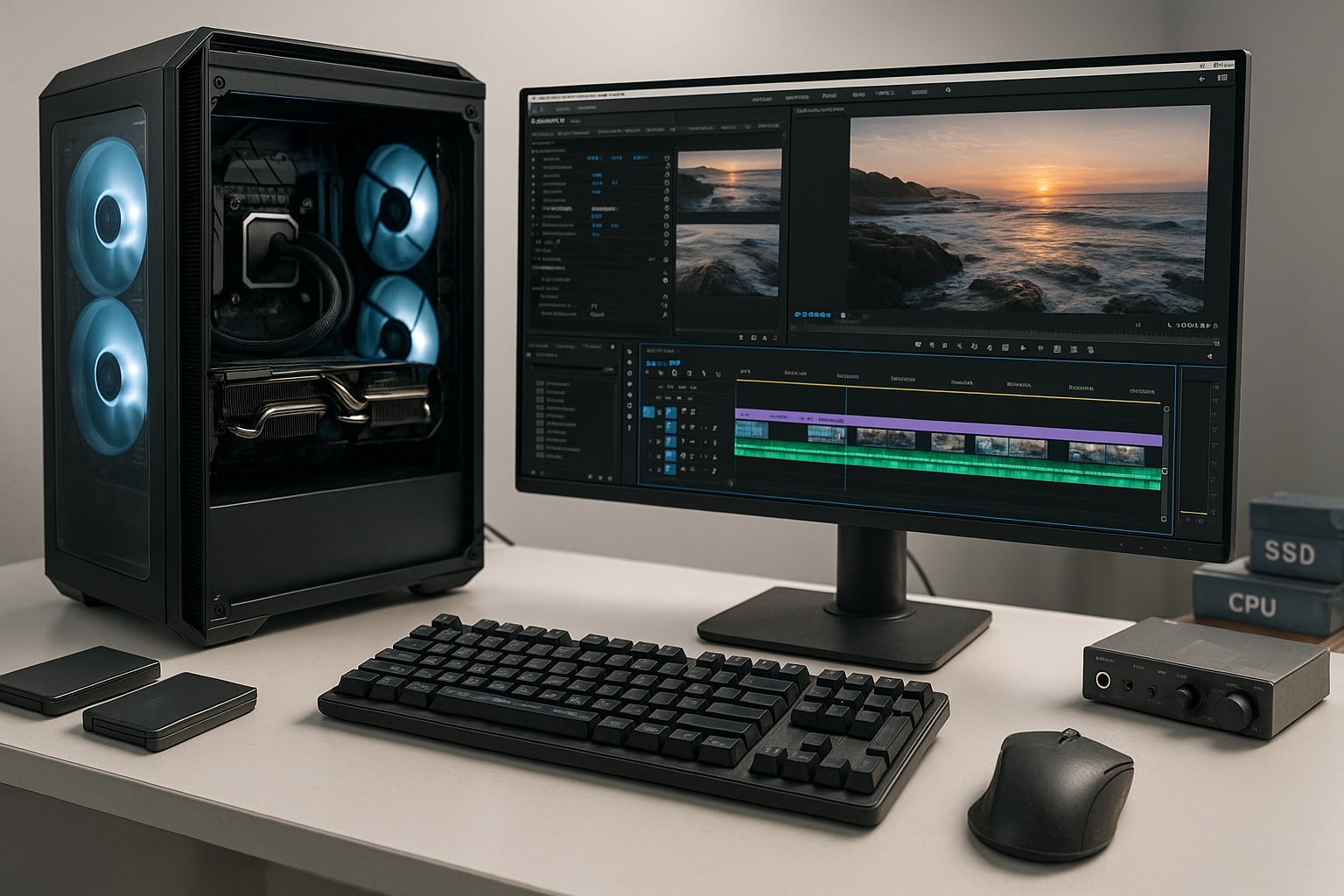
Core Components of an Optimal 4K Editing PC
The most successful optimal PC builds for 4K editing share a similar pattern of components. You can adjust the exact models to suit budget and software, but the underlying structure remains the same.
Processor (CPU)
Look for a modern multi-core processor such as an Intel Core i7 or i9, or an AMD Ryzen 7 or Ryzen 9. These chips handle multi-threaded workloads well, which is important when your editing software renders previews, generates proxies and exports while you continue to refine the cut. Cheaper quad core CPUs can open editing software, yet they soon feel strained on long or complex 4K projects.
Graphics card (GPU)
A dedicated graphics card is strongly recommended for 4K editing. NVIDIA GeForce RTX models are a popular choice because Premiere Pro, DaVinci Resolve and many other tools use CUDA and related technologies for GPU acceleration. A suitable RTX card helps with real-time playback, effects, colour-grading and in many cases hardware encoding and decoding. At the top end, the G6 Cobalt pairs an RTX 5090 with a rendering-focused build for editors who lean hard on the GPU.
Memory (RAM)
For 4K video editing, 32 GB RAM is a sensible starting point, with 64 GB making a noticeable difference for projects that mix long timelines, heavy grading and additional software such as After Effects. Adequate memory lets your system hold footage, caches and programme data in fast storage rather than constantly swapping to disk.
Storage
Solid state storage is central to smooth editing performance. A typical layout for an optimal 4K editing PC uses:
-
One fast NVMe SSD as a system drive for Windows and editing software
-
A second NVMe SSD for active projects, media and cache
-
Additional SSDs or high quality hard drives for archive and backup
Compared with traditional hard drives, NVMe SSDs offer much faster read and write speeds, which keeps load times short and helps your GPU receive frames without delay.
Power supply and cooling
High-performance components need clean, stable power. A reliable, efficient power supply sized with future upgrades in mind supports both CPU and GPU under full load. Pair that with a case that has good airflow and well planned cooling, and the system can maintain performance during long renders without becoming uncomfortably loud.
Example: Optimal PC Builds for 4K Editing
Exact parts change over time, but it helps to see how these ideas translate into example builds. Think of the outlines below as starting points that Ginger6 can adapt to your editing style.
Balanced 4K Editing PC
For editors handling regular 4K projects with moderate effects and grading, a balanced system might include:
-
8 to 10 core Intel Core or AMD Ryzen processor
-
32 GB DDR4 or DDR5 RAM
-
NVIDIA GeForce RTX mid range card
-
1 TB NVMe SSD for the system
-
2 TB NVMe SSD for projects and cache
-
Additional SSD or HDD for archives
-
Quality 650 W to 750 W power supply
This layout keeps timelines responsive in Premiere Pro or DaVinci Resolve, supports a pair of high-resolution monitors and offers clean upgrade paths for extra RAM or storage as work grows.
Advanced 4K and Light 6K Workstation
If you work with long-form 4K projects, occasional 6K footage, or heavier use of Fusion or After Effects, an advanced build might step up to:
-
12 to 16 core Ryzen 9 or Core i9 processor
-
64 GB RAM
-
Higher tier NVIDIA GeForce RTX card with ample VRAM
-
1 TB NVMe SSD for the system
-
2 TB or larger NVMe SSD dedicated to media and cache
-
4 TB or more SSD or HDD archive storage
-
750 W to 850 W power supply with plenty of headroom
This sort of system offers smoother playback on layered timelines, faster exports and more breathing room when you run several creative tools at once.
Studio 4K Editing and Grading System
Studios dealing with multiple client projects, heavy colour-grading and multi-camera 4K often look for a workstation with a higher ceiling:
-
High core count CPU platform such as top-tier Ryzen or comparable Intel chip
-
64 GB or 128 GB RAM
-
Professional grade NVIDIA RTX card matched to grading needs
-
Several NVMe SSDs for operating system, current projects and shared cache
-
Additional SSD and HDD pools for collaborative storage
-
High-efficiency power supply sized for future GPU upgrades
Ginger6 can tailor each of these outlines to your exact mix of software, from Adobe Creative Cloud through to DaVinci Resolve and other specialist tools.
Matching Your 4K Editing PC to Editing Software
Different editing software packages stress hardware in different ways, so an optimal 4K editing PC should reflect the programmes you actually use.
Premiere Pro and DaVinci Resolve both use multicore CPUs and benefit strongly from GPU acceleration. Resolve in particular can be demanding when you work heavily in the Colour and Fusion pages, so extra VRAM and RAM are worthwhile. If you rely on After Effects for motion graphics, additional memory and strong single core CPU performance also matter, because some parts of that engine do not parallelise as aggressively.
Codec choice influences how hard your system must work. Long GOP formats such as H.264 and HEVC are compact but press the processor harder. Editing-friendly codecs and proxies increase storage use but ease CPU load. The more often you work with compressed camera originals at 4K, the more you benefit from a capable processor and a GPU with support for hardware decoding.
Monitor setup is another consideration. Driving dual 4K displays or an ultrawide monitor plus a grading reference screen places further demand on the graphics card. Ginger6 can recommend GPUs with suitable outputs and performance for your preferred display layout so you do not discover limitations halfway through a project.
How Ginger6 Builds and Supports Optimal 4K Editing PCs
Optimal PC builds for 4K editing rely on more than individual components. Assembly quality, testing and support all shape how the system behaves once it reaches a busy studio or home office.
Every Ginger6 workstation is built to order in the UK. Components are chosen from trusted brands and combined in a way that suits your workflow, not only headline numbers. After assembly, each machine is subjected to extended stress-testing, typically for 24 hours or more, with sustained CPU and GPU load and continuous disk activity. That process is designed to expose weak parts and confirm that your power supply and cooling can cope with real editing workloads.
Support continues after delivery. Lifetime UK technical support means you can ask for help when new cameras change codec demands, when editing software updates introduce new performance features or when you want to plan a future upgrade path. Because the same type of team that builds the systems also handles advice, you are speaking to people who understand how different combinations of Intel Core, AMD, RTX graphics, SSD layouts and power supplies behave in practice.
If you are ready to move up to a workstation that feels comfortable with 4K from ingest to export, share your current setup, main editing software and project types with Ginger6. The team will design optimal PC builds for 4K editing that match your budget, answer common questions about specifications and leave room for your work to grow, so you can stay focused on content rather than on hardware limits.