




Gaming PCs Built to Your Budget
Ginger6 builds gaming PCs from £800 to £3000 and beyond. Every machine is hand-assembled in Wolverhampton, stress-tested for 24 hours, and backed by a 3-year warranty. Pick a budget below and browse PCs built to perform at that price.
Most Ginger6 gaming customers spend between £1000 and £1800. But the right budget depends on what you play, what resolution your monitor runs, and how long you want the build to last. We’ll recommend spending less if a cheaper spec handles your games perfectly.

Find the Right PC at the Right Price
Every budget tier below maps to a specific GPU, CPU, and gaming target. Click through to see the PCs built for that price point.


-
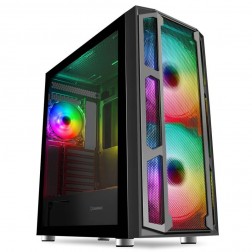 AMD Ryzen 5 8400f RX 9060 XT Gaming PC - G6 Fusion 600 X6
AMD Ryzen 5 8400f 6 core
A620M Motherboard
16GB+ DDR5 5200MHz
FAST 1TB M.2 NVMe SSD
8GB Radeon RX 9060 XT Graphics
300mbps Wifi
Windows 11 Home£1,346.03
£1,264.99
AMD Ryzen 5 8400f RX 9060 XT Gaming PC - G6 Fusion 600 X6£1,346.03
£1,264.99
AMD Ryzen 5 8400f 6 core
A620M Motherboard
16GB+ DDR5 5200MHz
FAST 1TB M.2 NVMe SSD
8GB Radeon RX 9060 XT Graphics
300mbps Wifi
Windows 11 Home
-
 G6 Office AMD Desktop PC
£817.81
£769.99
-
 AMD Performance Custom Built PC AMD Performance Custom Built PC
£817.81
£789.99
-
 AMD Home & Office Custom Built PC AMD Home & Office Custom Built PC
£817.81
£789.99
-
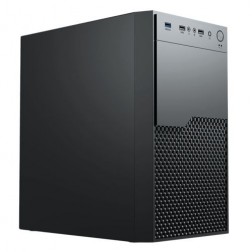 G6 Quadro RTX A400 AMD Ryzen 5 Graphical Workstation
£1,059.05
£994.99
-
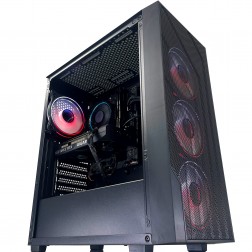 AMD Ryzen 7000 Custom Gaming PC
AMD Ryzen 7000 CPU
Choice of Motherboard
Up to 128Gb Memory
FAST M.2 NVMe SSD
AMD & Nvidia Graphics
300mbps+ Wifi
Windows 11 Home£1,103.61
£1,039.99
AMD Ryzen 7000 Custom Gaming PC£1,103.61
£1,039.99
AMD Ryzen 7000 CPU
Choice of Motherboard
Up to 128Gb Memory
FAST M.2 NVMe SSD
AMD & Nvidia Graphics
300mbps+ Wifi
Windows 11 Home
-
 AMD Custom Built Gaming PC
AMD Ryzen CPU
Choice of Motherboard
Up to 128Gb Memory
FAST M.2 NVMe SSD
AMD & Nvidia Graphics
300mbps+ Wifi
Windows 11 Home£1,103.61
£1,039.99
AMD Custom Built Gaming PC£1,103.61
£1,039.99
AMD Ryzen CPU
Choice of Motherboard
Up to 128Gb Memory
FAST M.2 NVMe SSD
AMD & Nvidia Graphics
300mbps+ Wifi
Windows 11 Home
-
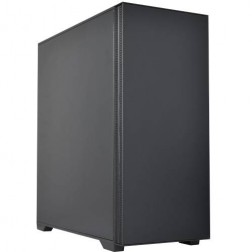 AMD Ryzen Workstation Custom Built PC
Choice of AMD Ryzen CPU
Choice of Motherboard
Up to 128Gb Memory
FAST M.2 NVMe SSD
AMD & Nvidia Graphics
300mbps+ Wifi
Windows 11 Home£1,119.99
£1,054.99
AMD Ryzen Workstation Custom Built PC£1,119.99
£1,054.99
Choice of AMD Ryzen CPU
Choice of Motherboard
Up to 128Gb Memory
FAST M.2 NVMe SSD
AMD & Nvidia Graphics
300mbps+ Wifi
Windows 11 Home
-
 AMD Ryzen 5 8400f RTX 3050 Gaming PC - G6 Fusion 600 X1
AMD Ryzen 5 8400f 6 core
a620M Motherboard
16GB+ DDR5 5200MHz
FAST 1TB M.2 NVMe SSD
6GB Nvidia RTX 3050 Graphics
300mbps Wifi
Windows 11 Home£1,138.71
£1,069.99
AMD Ryzen 5 8400f RTX 3050 Gaming PC - G6 Fusion 600 X1£1,138.71
£1,069.99
AMD Ryzen 5 8400f 6 core
a620M Motherboard
16GB+ DDR5 5200MHz
FAST 1TB M.2 NVMe SSD
6GB Nvidia RTX 3050 Graphics
300mbps Wifi
Windows 11 Home
-
 AMD Ryzen 5 8400f RTX 5050 Gaming PC - G6 Fusion 600 X2
AMD Ryzen 5 8400f 6 core
a620M Motherboard
16GB+ DDR5 5200MHz
FAST 1TB M.2 NVMe SSD
8GB Nvidia RTX 5050 Graphics
300mbps Wifi
Windows 11 Home£1,225.91
£1,154.99
AMD Ryzen 5 8400f RTX 5050 Gaming PC - G6 Fusion 600 X2£1,225.91
£1,154.99
AMD Ryzen 5 8400f 6 core
a620M Motherboard
16GB+ DDR5 5200MHz
FAST 1TB M.2 NVMe SSD
8GB Nvidia RTX 5050 Graphics
300mbps Wifi
Windows 11 Home
-
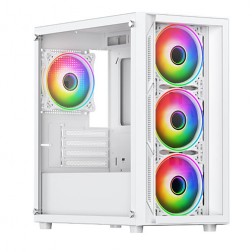 AMD Ryzen 5 8400f Nvidia RTX 5060 Gaming PC - G6 Fusion 600 X4
AMD Ryzen 5 8400f 6 core
A620M Motherboard
16GB+ DDR5 5200MHz
FAST 1TB M.2 NVMe SSD
8GB Nvidia RTX 5060 Graphics
300mbps Wifi
Windows 11 Home£1,253.21
£1,179.99
AMD Ryzen 5 8400f Nvidia RTX 5060 Gaming PC - G6 Fusion 600 X4£1,253.21
£1,179.99
AMD Ryzen 5 8400f 6 core
A620M Motherboard
16GB+ DDR5 5200MHz
FAST 1TB M.2 NVMe SSD
8GB Nvidia RTX 5060 Graphics
300mbps Wifi
Windows 11 Home
-
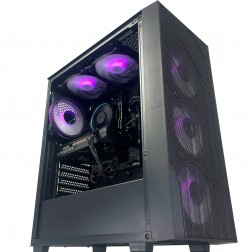 G6 GTA V 144hz Gaming PC - AMD Ryzen 5 8400f RTX 5060
AMD Ryzen 5 8400f 6 core
A620M Motherboard
16GB DDR5 5200MHz
1TB+ M.2 NVMe SSD
8GB Nvidia RTX 5060 Graphics
300mb
Windows 11 Home£1,269.59
£1,194.99
G6 GTA V 144hz Gaming PC - AMD Ryzen 5 8400f RTX 5060£1,269.59
£1,194.99
AMD Ryzen 5 8400f 6 core
A620M Motherboard
16GB DDR5 5200MHz
1TB+ M.2 NVMe SSD
8GB Nvidia RTX 5060 Graphics
300mb
Windows 11 Home
-
 AMD Ryzen 5 8400f RX 7600 Gaming PC - G6 Fusion 600 X3
AMD Ryzen 5 8400f 6 core
a620M Motherboard
16GB+ DDR5 5200MHz
FAST 1TB M.2 NVMe SSD
8GB Radeon RX 7600 Graphics
300mbps Wifi
Windows 11 Home£1,291.93
£1,214.99
AMD Ryzen 5 8400f RX 7600 Gaming PC - G6 Fusion 600 X3£1,291.93
£1,214.99
AMD Ryzen 5 8400f 6 core
a620M Motherboard
16GB+ DDR5 5200MHz
FAST 1TB M.2 NVMe SSD
8GB Radeon RX 7600 Graphics
300mbps Wifi
Windows 11 Home
-
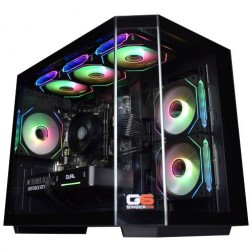 AMD Ryzen 5 8400f Nvidia RTX 5060 Ti Gaming PC - G6 Fusion 600 X5
AMD Ryzen 5 8400f 6 core
A620M Motherboard
16GB+ DDR5 5200MHz
FAST 1TB M.2 NVMe SSD
8GB Nvidia RTX 5060 Ti Graphics
300mbps Wifi
Windows 11 Home£1,374.11
£1,289.99
AMD Ryzen 5 8400f Nvidia RTX 5060 Ti Gaming PC - G6 Fusion 600 X5£1,374.11
£1,289.99
AMD Ryzen 5 8400f 6 core
A620M Motherboard
16GB+ DDR5 5200MHz
FAST 1TB M.2 NVMe SSD
8GB Nvidia RTX 5060 Ti Graphics
300mbps Wifi
Windows 11 Home
-
 AMD Ryzen 7 8700f Nvidia RTX 5060 Gaming PC - G6 Fusion 800 X2
AMD Ryzen 7 8700f 8 core
A620M Motherboard
16GB+ DDR5 5200MHz
FAST 1TB M.2 NVMe SSD
8GB Nvidia RTX 5060 Graphics
300mbps Wifi
Windows 11 Home£1,358.93
£1,279.99
AMD Ryzen 7 8700f Nvidia RTX 5060 Gaming PC - G6 Fusion 800 X2£1,358.93
£1,279.99
AMD Ryzen 7 8700f 8 core
A620M Motherboard
16GB+ DDR5 5200MHz
FAST 1TB M.2 NVMe SSD
8GB Nvidia RTX 5060 Graphics
300mbps Wifi
Windows 11 Home
-
 AMD Ryzen 7 8700f RTX 5060 Ti Gaming PC - G6 Fusion 800 X3
AMD Ryzen 7 8700f 8 core
A620M Motherboard
16GB+ DDR5 5200MHz
FAST 1TB M.2 NVMe SSD
8GB Nvidia RTX 5060 Ti Graphics
300mbps Wifi
Windows 11 Home£1,476.71
£1,389.99
AMD Ryzen 7 8700f RTX 5060 Ti Gaming PC - G6 Fusion 800 X3£1,476.71
£1,389.99
AMD Ryzen 7 8700f 8 core
A620M Motherboard
16GB+ DDR5 5200MHz
FAST 1TB M.2 NVMe SSD
8GB Nvidia RTX 5060 Ti Graphics
300mbps Wifi
Windows 11 Home
-
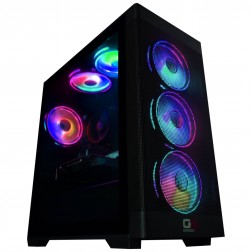 AMD Ryzen 7 8700f RX 9060 XT Gaming PC - G6 Fusion 800 X1
AMD Ryzen 7 8700f 8 core
A620M Motherboard
16GB+ DDR5 5200MHz
FAST 1TB M.2 NVMe SSD
8GB Radeon RX 9060 XT Graphics
300mbps Wifi
Windows 11 Home£1,442.39
£1,354.99
AMD Ryzen 7 8700f RX 9060 XT Gaming PC - G6 Fusion 800 X1£1,442.39
£1,354.99
AMD Ryzen 7 8700f 8 core
A620M Motherboard
16GB+ DDR5 5200MHz
FAST 1TB M.2 NVMe SSD
8GB Radeon RX 9060 XT Graphics
300mbps Wifi
Windows 11 Home
-
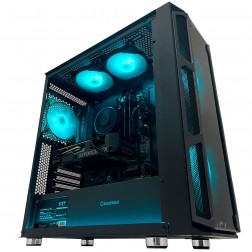 G6 GTA 5 1440p Gaming PC - AMD Ryzen 7 8700f RTX 5060 Ti
AMD Ryzen 7 8700f 8 core
A620 Motherboard
16GB DDR5 5200MHz
1TB M.2 NVMe SSD
8GB Nvidia RTX 5060 Ti Graphics
300mbps Wifi
Windows 11 Home£1,496.99
£1,404.99
G6 GTA 5 1440p Gaming PC - AMD Ryzen 7 8700f RTX 5060 Ti£1,496.99
£1,404.99
AMD Ryzen 7 8700f 8 core
A620 Motherboard
16GB DDR5 5200MHz
1TB M.2 NVMe SSD
8GB Nvidia RTX 5060 Ti Graphics
300mbps Wifi
Windows 11 Home
-
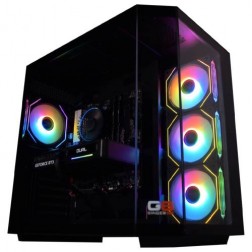 AMD Ryzen 7 8700f Nvidia RTX 5070 Gaming PC - G6 Fusion 800 X5
AMD Ryzen 7 8700f 8 core
A620M Motherboard
16GB+ DDR5 5200MHz
FAST 1TB M.2 NVMe SSD
12GB Nvidia RTX 5070 Graphics
300mbps Wifi
Windows 11 Home£1,735.41
£1,629.99
AMD Ryzen 7 8700f Nvidia RTX 5070 Gaming PC - G6 Fusion 800 X5£1,735.41
£1,629.99
AMD Ryzen 7 8700f 8 core
A620M Motherboard
16GB+ DDR5 5200MHz
FAST 1TB M.2 NVMe SSD
12GB Nvidia RTX 5070 Graphics
300mbps Wifi
Windows 11 Home
-
 AMD Ryzen 7 8700f Radeon RX 9070 Gaming PC - G6 Fusion 800 X6
AMD Ryzen 7 8700f 8 core
A620M Motherboard
16GB+ DDR5 5200MHz
FAST 1TB M.2 NVMe SSD
16GB Radeon RX 9070 Graphics
300mbps Wifi
Windows 11 Home£1,773.63
£1,664.99
AMD Ryzen 7 8700f Radeon RX 9070 Gaming PC - G6 Fusion 800 X6£1,773.63
£1,664.99
AMD Ryzen 7 8700f 8 core
A620M Motherboard
16GB+ DDR5 5200MHz
FAST 1TB M.2 NVMe SSD
16GB Radeon RX 9070 Graphics
300mbps Wifi
Windows 11 Home
What Gamers Say About Ginger6
93% of Ginger6 customers leave five-star reviews on Trustpilot, compared to 80% for PCSpecialist and 84% for Chillblast. That gap comes down to one thing. The person who sells you the PC is the same person who builds it and supports it afterwards.
Kevin carefully chose the exact right components at extremely competitive prices. He took the time to design and build the ultimate PC and burn-in and test every component for excellent stability.
Verbal communication is very important to me when dealing with a lot of money for a PC I had no idea about. My teenage son was unsure what parts he would need for a gaming PC. With Ginger6 my son ordered his dream PC and I was kept fully informed through the whole process.
Can’t recommend Ginger6 highly enough. Kevin was brilliant at answering my questions and recommending the best machine for my budget and purpose. It was exactly one week between ordering and delivery.
I emailed Kevin to be sure if what I put down to order was suitable, Kevin supported me to change a few things around and since having the PC for a few weeks it is absolutely amazing and a stunning looking PC. Also fast service and delivery too. I recommend Ginger6 as I will be upgrading from them in the future.
Ginger6 has been building gaming PCs from the same Wolverhampton workshop since 2001. Same phone number. Same approach. Same focus on getting the right gaming PC into the right hands.
What Each Budget Actually Delivers
These are real-world outcomes, not marketing claims. Every figure is based on the components Ginger6 fits at each price point in 2026. Chasing the lowest price? Start with the cheap gaming PC range.
Solid 1080p gaming at a sensible price.
- RTX 5050 to RTX 5060 Ti
- Intel Core i5 or Ryzen 5
- 16GB DDR5, 1TB NVMe
- 1080p at high settings
High frame rates at 1440p on most titles.
- RTX 5060 Ti or RTX 5070
- Intel Core i5 or Ryzen 5
- 16GB DDR5, 1TB NVMe
- 1440p at high settings
Strong 1440p and capable 4K gaming.
- RTX 5070 or RTX 5070 Ti
- Intel Core i7 or Ryzen 7 X3D
- 32GB DDR5, 2TB NVMe
- 1440p and 4K gaming
4K at high refresh rates with ray tracing on.
- RTX 5080 or RTX 5090
- Intel Core i9 or Ryzen 9 X3D
- 32GB DDR5, 2TB+ NVMe
- 4K ultra and flight sim
What Separates a Good Budget Gaming PC from a Bad One
A good budget gaming PC puts money into the components that affect your gaming experience and doesn’t cut corners on the parts that affect reliability. A bad one looks the same on a spec sheet but uses a cheap power supply, skips proper testing, and ships with thermal paste applied by someone who’s already assembling their next unit. The difference shows up six months later when the cheap build starts crashing under load.
Components That Matter Most When Money Is Tight
When your budget is fixed, where you put the money matters more than the total you spend. For gaming, the priority order is the graphics card first, then the processor, then storage, then RAM.
The GPU determines how your games look and how fast they run. It’s the single component with the biggest impact on your gaming experience. Dropping from an RTX 5070 to an RTX 5060 Ti saves you £150 to £200, but the difference at 1440p is visible. Dropping from 32GB of RAM to 16GB saves you £40 and makes no noticeable difference in most games. That trade-off is obvious once you know it, but most budget buyers don’t.
The processor matters, but less than most people think for pure gaming. An AMD Ryzen 5 or Intel Core i5 handles modern games perfectly well. Spending £150 more on a Ryzen 7 or Core i7 won’t give you noticeably better frame rates in most titles. That money is almost always better spent on a stronger GPU or a larger SSD.
Storage has become a real factor. Modern games regularly exceed 100GB each. A 512GB NVMe SSD fills up after four or five AAA titles. We recommend 1TB as the minimum for gaming and 2TB if you play more than a handful of large games.
What Budget Builders Cut Corners On
The power supply is the first thing budget builders downgrade, and it’s the worst place to save money. A no-name 500W PSU costs a builder £20 less than a quality unit from Corsair or Seasonic. That £20 saving creates a component that can fail catastrophically, potentially taking your motherboard and GPU with it.
Thermal paste application matters more than most people realise. Properly applied thermal compound keeps your CPU running cool and quiet under sustained load. A rushed application leaves hot spots that cause thermal throttling, which means your processor slows itself down to avoid overheating. That shows up as stuttering in games.
Stress testing is where the real gap sits. Most budget builders run a quick boot-up check. That test catches dead-on-arrival components but nothing else. Extended stress testing catches the marginal parts that work fine for five minutes but fail under sustained load. The kind of load a four-hour gaming session creates.
What Every Ginger6 Budget PC Includes
- 24-hour stress test under sustained CPU and GPU load before shipping
- Quality PSU from a reputable manufacturer with upgrade headroom
- NVMe SSD as standard (no spinning hard drives)
- Proper thermal paste application and cable management
- 3-year warranty covering parts and postage for the first year, labour for three years
- Lifetime technical support from the person who built the machine
Not sure if a build you’re looking at elsewhere is cutting corners? Call Kevin on 01902 714533 and describe the spec. He’ll tell you honestly.
What You Get at Every Price Point in 2026
A gaming PC under £1000 handles competitive titles at 1080p with high frame rates and runs AAA games at medium-high settings comfortably. This is where most first-time PC gamers and parents buying for their kids should start. You’re not getting 4K or ultra settings, but you’re getting a properly built machine that plays the games people actually play.
At this tier, expect an NVIDIA RTX 5060, an AMD Ryzen 5 or Intel Core i5, 16GB of DDR5 RAM, and a 1TB NVMe SSD. That combination runs Valorant, CS2, and Fortnite at 150fps or higher. Call of Duty and Fortnite hit 80 to 120fps at high settings. More demanding titles like Cyberpunk 2077 run at 50 to 70fps with settings dialled back slightly.
If you play competitive shooters and want raw frame rates over visual fidelity, this tier delivers. If you’re buying for a child who plays Fortnite and Minecraft, this is more than enough.
- GPU: RTX 5060
- CPU: Ryzen 5 / Core i5
- RAM: 16GB DDR5
- Storage: 1TB NVMe
- Target: 1080p, 80-300+ fps
The £1000 to £1500 range is where most Ginger6 customers land because it covers 1440p gaming at high settings with enough headroom for demanding titles. This is the tier where the GPU step-up from RTX 5060 to RTX 5060 Ti or RTX 5070 makes a visible difference. You move from “playable at 1440p” to “smooth at 1440p.”
An RTX 5060 Ti paired with a Ryzen 7 7800X3D or 9800X3D, 16 to 32GB of DDR5, and a 1 to 2TB NVMe SSD gives you high settings at 100fps or more in the majority of current titles. Games like Cyberpunk 2077 and Hogwarts Legacy look noticeably better at 1440p with ray tracing enabled through NVIDIA DLSS.
Worth the step up from under £1000 if you own or plan to buy a 1440p monitor. Overkill if you’re gaming at 1080p on a 24-inch screen.
- GPU: RTX 5060 Ti / RTX 5070
- CPU: Ryzen 7 X3D
- RAM: 16-32GB DDR5
- Storage: 1-2TB NVMe
- Target: 1440p, 100+ fps
Between £1500 and £2000, you get an RTX 5070 or RTX 5070 Ti that handles 1440p at ultra settings and starts to make 4K gaming genuinely playable. Ray tracing looks impressive at this tier. NVIDIA DLSS and frame generation technology add AI-boosted frame rates in supported titles, which means you can turn on ray tracing without the performance penalty that used to come with it.
Expect a Ryzen 7 9800X3D or Intel Core i7, 32GB of DDR5 RAM, and a 2TB NVMe SSD. This build handles everything from competitive shooters at 200fps+ to demanding single-player games like Starfield and Microsoft Flight Simulator 2024 at high-ultra settings.
Worth the step up if you want to play at ultra settings, use ray tracing regularly, or plan to upgrade to a 4K monitor within the next year. Overkill if you’re happy at 1440p high settings without ray tracing.
- GPU: RTX 5070 / RTX 5070 Ti
- CPU: Ryzen 7 / Core i7
- RAM: 32GB DDR5
- Storage: 2TB NVMe
- Target: 1440p / 4K, 80-200+ fps
A gaming PC between £2000 and £3000 runs any current game at 4K on high-ultra settings and handles VR, flight simulation, and professional creative work without compromise. This is where hardware stops being a limiting factor.
Expect an RTX 5070 Ti or RTX 5080, a high-end CPU (Ryzen 9 or Intel Core i7/i9), 32 to 64GB of DDR5, and 2TB or more of fast NVMe storage. Microsoft Flight Simulator 2024 at high settings, Star Citizen at playable frame rates, Cyberpunk 2077 with full path tracing.
Worth the spend if you game at 4K, use VR, fly flight sims, or edit video professionally. If you game at 1440p and don’t do creative work, the £1500 to £2000 tier gives you 90% of the experience for significantly less money.
- GPU: RTX 5070 Ti / RTX 5080
- CPU: Ryzen 9 / Core i7 / i9
- RAM: 32-64GB DDR5
- Storage: 2TB+ NVMe
- Target: 4K / VR, 60+ fps ultra
Above £3000, you’re paying for the best available hardware in 2026 with no compromises on any component. RTX 5090, top-tier CPU, 64GB of DDR5, multi-drive NVMe storage, custom water cooling, and a case built for maximum airflow and aesthetics.
The diminishing returns at this tier are real. Going from an RTX 5080 to an RTX 5090 costs significantly more but delivers 15 to 25% more performance, not double. You’re paying a premium for the final increment of capability.
That said, if you want the best and budget isn’t the constraint, this is the tier. Kevin will spec the build to your exact use case and make sure every component is matched properly.
- GPU: RTX 5090
- CPU: Ryzen 9 / Ultra 9
- RAM: 64GB DDR5
- Storage: 2-4TB NVMe
- Target: 4K Ultra, maximum settings
Not sure which tier fits? Tell Kevin what you play and what you want to spend. Call 01902 714533 or email [email protected].
Where to Put Your Money and Where to Save
The single most important budget rule for a gaming PC is to put the largest share of your money into the graphics card. The GPU determines your frame rates, your resolution, and your visual settings more than any other component. Everything else plays a supporting role.
▲ Spend More On
Graphics Card
The difference between an RTX 5060 and an RTX 5060 Ti at 1440p is the difference between “playable at medium” and “smooth at high.” That jump costs £100 to £150 and it’s felt every time you play.
Storage Capacity
A 1TB NVMe SSD sounds like a lot until you install four or five modern games. Spending £30 to £50 more for 2TB saves you from constantly uninstalling games.
Power Supply Quality
A quality unit from Corsair, Seasonic, or be quiet! protects everything else in the system and leaves headroom for future GPU upgrades.
▬ Save On
RAM Above 16GB
Going from 16GB to 32GB of DDR5 costs around £40 and won’t give you a single extra frame per second in the vast majority of games. Exception is if you stream while gaming.
The Case
A £150 tempered glass case with eight RGB fans runs the same games as a £50 case with good airflow. Spend the difference on a better GPU.
RGB Lighting
Entirely optional. None of it affects performance. You can always add lighting later.
▼ Skip at This Budget
Water Cooling Under £1200
A quality air cooler handles any mid-range processor quietly and effectively. Liquid cooling starts making sense at higher budgets.
4K Monitor with a Budget GPU
If your GPU is an RTX 5060, a 1080p or 1440p monitor at 144Hz gives a far better experience than a 4K panel at 40fps.
64GB RAM for Gaming
Even 32GB is more than most games use in 2026. The titles that need 64GB are professional applications, not games.
Still not sure where to put your budget? Call Kevin on 01902 714533. He does this every day.
Ready-Built or Custom at Your Budget
A ready-built Ginger6 gaming PC ships within 1 to 2 working days and costs less at the entry level because we’ve already negotiated component pricing for proven configurations. A custom build lets you choose every component and typically ships within 5 to 7 working days. Both get the same 24-hour stress test and 3-year warranty.
Ready-Built PCs
Proven configurations that balance performance and cost. No component decisions required. Ships in 1-2 working days. For parents buying a first gaming PC, or anyone who wants a solid machine without the decision fatigue.
Browse Ready-BuiltCustom-Configured
Choose every component to match your exact use case. Ships in 5-7 working days. For gamers who know they want 1440p or higher, or who play specific demanding titles that benefit from targeted hardware choices.
Configure CustomThe crossover point sits around £1000 to £1200. Below that, ready-built is usually the smarter buy. Above that, custom lets you get more from every pound.
What Games Can You Play at Each Budget
Your budget determines your resolution and settings, not whether you can play a particular game. Every gaming PC on this page runs every current game. The difference is whether you’re running Cyberpunk 2077 at medium settings on a 1080p monitor or at ultra with ray tracing on a 4K display.
FPS figures assume DLSS or FSR enabled where available, as most players use these free AI upscaling features in practice.
Flight Simulator 2024 is the toughest test on this list. If flight simulation is your primary use case, we’d recommend budgeting £2000 or more and prioritising CPU performance. Give Kevin a call on 01902 714533 and tell him what sims you fly.
Want to know how a specific game runs at your budget? Check our PCs by Game section or call Kevin.
Rated Higher Than PCSpecialist. Here Is Why.
93% Five-Star Reviews
More than 90% of Ginger6 customers leave five-star reviews on Trustpilot. The person who answers your call is the same person who builds your PC. That accountability shows in the reviews.
3-Year Warranty, Lifetime Support
Every Ginger6 PC includes a 3-year warranty covering parts and postage, with labour covered for the full three years. Lifetime technical support is included at no extra cost.
Honest Advice, Not Upsells
If a cheaper GPU handles your games at your resolution, Kevin will say so. If the spec you want is more than you need, you’ll hear that before you pay. Check Trustpilot for the phrase “talked me out of.”
Budget Gaming PC Questions
The best budget gaming PC in 2026 pairs an NVIDIA RTX 5060 or RTX 5060 Ti with a current-generation AMD Ryzen 5 or Intel Core i5 processor, 16GB of DDR5 RAM, and a 1TB NVMe SSD. That combination handles 1080p gaming at high settings comfortably and starts to reach into 1440p territory with the RTX 5060 Ti. Most Ginger6 customers looking for a budget build spend between £800 and £1200.
Most gamers get the performance they want between £1000 and £1800. Under £1000 handles 1080p well. The £1000 to £1500 range covers 1440p at high settings, which is where most Ginger6 customers land. Over £1800 is for 4K gaming, VR, or professional workloads. If you’re not sure, tell Kevin what you play and what monitor you use.
Yes, building your own gaming PC can save 10 to 15% on component costs. You give up the 24-hour stress test, 3-year system warranty, and lifetime technical support that come with a Ginger6 build. You also take on the risk of component incompatibility, faulty parts, and troubleshooting without professional support.
Yes, a gaming PC under £1000 from Ginger6 runs competitive titles like Valorant, CS2, and Fortnite at 150fps or higher at 1080p. More demanding games like Call of Duty and GTA V run at 80 to 120fps at high settings. Every build at this price gets the same 24-hour stress test and 3-year warranty as a £3000 machine.
The NVIDIA RTX 5060 is the best graphics card for budget gaming in 2026, handling 1080p at high settings across all current games. The RTX 5060 Ti costs roughly £100 to £150 more and opens up smooth 1440p gaming. If your budget stretches above £1200, the step up to the RTX 5060 Ti is worth it for the resolution jump.
Yes, a budget gaming PC between £800 and £1200 plays every current game and delivers a better experience than any current-generation console at the same price point. PC gaming also gives you access to a larger game library, free online multiplayer, and the ability to upgrade individual components rather than replacing the entire system.
A £1000 gaming PC runs every current game. Competitive titles like Valorant and CS2 hit 200fps or more at 1080p. Single-player games like Cyberpunk 2077 and Hogwarts Legacy run at 50 to 80fps at medium-high settings. The difference between a £1000 PC and a £2000 PC is resolution and visual settings, not which games you can play.
Yes, Ginger6 offers 0% finance through PayPal Pay in 3 on orders over £500. Finance is subject to status and approval. You can select your payment option at checkout or call Kevin on 01902 714533 to discuss finance options before ordering.
A budget gaming PC (under £1200) handles 1080p gaming at high settings, while a mid-range build (£1200 to £1800) moves into 1440p at high-ultra settings. The main differences are GPU tier (RTX 5060 vs RTX 5060 Ti or RTX 5070), RAM amount (16GB vs 32GB), and storage capacity (1TB vs 2TB).
A well-built budget gaming PC lasts 4 to 6 years before you need to think about major upgrades. After 2 to 3 years, you might want a GPU upgrade to keep up with new game releases at higher settings. Every Ginger6 build uses a power supply with headroom for future GPU upgrades, so swapping the graphics card later doesn’t require replacing the PSU.
Still have questions? Kevin’s on 01902 714533 during working hours, or email [email protected] anytime.
Not Sure What Budget Makes Sense?
Whether you know exactly what you want or you’ve got no idea where to start, there are three ways to begin.
Browse by Budget
Use the price tiers above to find gaming PCs at your budget. Every tier is stress-tested, warrantied, and ready to play.
Browse PCs by BudgetTalk to Kevin
Tell him what you play and what you want to spend. He’ll tell you if you can spend less.
Call 01902 714533Email or Callback
Send your budget and use case. Include the games you play and Kevin will come back with a recommendation.
Email [email protected]