



Why Does My PC Keep Crashing? Causes and What to Check
The short answer: a PC which keeps crashing, freezing or restarting has a cause, and you find it by ruling things out. Start with the simple ones: push the power lead fully in, install the Windows and graphics driver updates and run the Windows memory test. Memory is the first thing we look at in the workshop. If the crashes come when the PC is working hard, heat and the power supply are next. This guide is written by Ginger6, building gaming PCs by hand in Wolverhampton since 2001 and supporting owners across the UK.
This guide is for any desktop PC, whoever built it. If your PC is one of ours, the software we tested it with should still be on it, and Kevin will talk you through running it. Call 01902 714533. Lifetime technical support comes with every Ginger6 build.
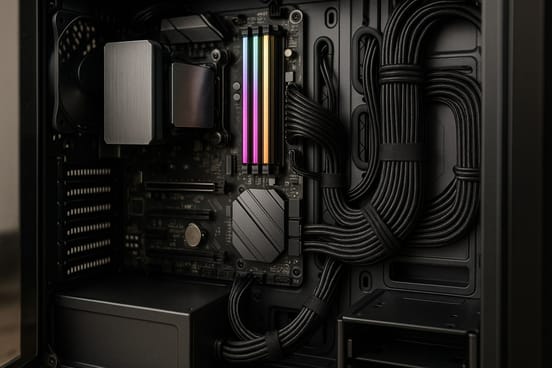
PC Keeps Crashing, Freezing or Restarting: Which Is It?
How the PC fails is the first clue to why. Note which of these you are seeing, and when.
A Blue Screen
Windows hits a serious problem, shows a blue screen and restarts. Microsoft calls it a stop code error. The code is printed at the bottom of the screen: write it down or photograph it.
A Restart With No Warning
The screen goes black and the PC starts again as if you had pressed the button. Check the power lead first. A faulty power supply and a processor running too hot do the same.
A Freeze
The picture locks, the mouse stops and only the power button brings the PC back. The causes are the same as for a crash, with memory at the top of the list.
One Game Only
The PC is fine everywhere else and falls over in one game. Look at the graphics driver and the game before you blame the PC.
When does it happen? Crashes only when the PC is working hard point towards heat or the power supply. Crashes at any time, even at the desktop, point towards memory. Neither is proof, and both are worth telling whoever looks at the PC.
PC Keeps Crashing: Seven Checks in Order
These are the things we ask an owner to look at before a PC comes back to us. None of them needs the case open.
How to Run the Windows Memory Test
Windows has a memory test built in, called Windows Memory Diagnostic. It is free and there is nothing to download.
Start It
Save your work and close your programs. Press the Windows key, type mdsched and press Enter. Choose Restart now and check for problems.
Watch It Run
The PC restarts into a blue test screen which shows the progress. Allow 20 to 30 minutes. Keep an eye on it: when the test finishes the PC restarts, and often it tells you nothing afterwards. Any problem it finds shows on this screen while it runs.
Find the Result Later
If you missed it, open Event Viewer from the Start menu, expand Windows Logs and click System. Look for the newest entry with MemoryDiagnostics-Results as its source.
In the workshop we use MemTest86. It runs from a USB stick you have to make up first, which is why we ask owners to use the Windows test. Whenever we fit memory, testing it with MemTest86 is the first thing we do.
Why Does My PC Keep Crashing? What We Look At in the Workshop
There are lots of things a crashing PC might be. This is the order we work through them.
Memory
The first thing we look at. Memory which is not seated perfectly gives errors, and errors mean crashes and restarts. The fix: the memory is seated again and tested with MemTest86.
A Processor Running Too Hot
A processor which overheats becomes unstable, and the PC crashes or restarts. The fix: find why it is running hot. Our PC overheating guide covers the causes.
The Power Supply
A faulty power supply makes a PC crash. The fix: the PC is tested with a power supply known to be good, and the old one is replaced.
The Graphics Card
It might be overheating, or it might have a fault which makes the PC crash under certain circumstances, such as in a demanding game. The fix: a test with a known good card.
The Motherboard
A faulty motherboard causes every problem on this page. The fix: it is proved by ruling out the other parts first, then replaced.
Drivers and Updates
Not a part at all. An out-of-date or faulty driver crashes a healthy PC. The fix: Windows updates and a current graphics driver, which is why they come first in the checks.
If Ginger6 built your PC: the software we tested it with should still be on it. Kevin will ask you to run IntelBurnTest on Maximum and FurMark at the same time. Together they push the processor and the graphics card to 100% load and the heat to its maximum, and work the memory as well. A PC which gets through it is a good indication the system is stable. It is not a perfect test, because it only ever runs flat out. Call Kevin on 01902 714533 before you start.
Any other PC: telling these parts apart means swapping in parts known to be good. If you are not sure, take the PC to a repair shop. If it is under warranty, go back to the maker or the shop you bought it from before you touch it.
When the Checks Do Not Fix It
You have done the checks and the PC still crashes. What happens next depends on who built it.
- Lifetime technical support
- 3-year warranty, unlimited repairs
- Returned from anywhere in the UK
- Do not open it up or change parts
- Bring it to WV10 9LE
- Diagnosis before any work
- Memory tested with MemTest86
- Local customers only
- Have the order number ready
- Tell them how and when it fails
- Give them any stop code
- Keep the box
Common Questions About a Crashing PC
There are a lot of things it might be, and you find the one by ruling the others out. In our workshop the first thing we look at is the memory. Next come a processor or graphics card running too hot, a faulty power supply, a faulty graphics card and a faulty motherboard. Out-of-date Windows and graphics drivers cause crashes as well, so update those first.
A PC which locks up and needs the power button to bring it back has the same list of causes as one which crashes: memory first, then heat, the power supply, the graphics card and the motherboard. Install the Windows and graphics driver updates, run the Windows memory test and check whether it freezes when the PC is working hard.
Check the power lead first. A lead not pushed in perfectly, or knocked while the PC is in use, makes it restart with no warning. If the lead is sound, a faulty power supply and a processor running too hot both cause sudden restarts. Our PC overheating guide covers the heat side.
When Windows hits a serious problem it shuts down or restarts and shows a blue screen. Microsoft calls it a stop code error. The code is printed at the bottom of the screen, such as MEMORY_MANAGEMENT. Write it down or photograph it, because it tells a repairer where to start.
Save your work, press the Windows key, type mdsched and press Enter, then choose Restart now and check for problems. Keep an eye on the screen while the test runs, because the PC restarts when it finishes and often tells you nothing. In the workshop we use MemTest86, which runs from a USB stick you have to make up first.
Yes. A processor which gets too hot becomes unstable, and the PC crashes or restarts. A graphics card does the same. If the crashes come during games and long sessions and never at the desktop, work through our PC overheating guide.
Look at the graphics driver and the game before the PC. Graphics card drivers have been known to cause instability in some games, and a new version has followed quickly. Update the driver, check the game for a patch and try again.
Open the Start menu, type reliab and choose View reliability history. Windows lists each day with its crashes marked by a red cross. Click one and choose View technical details to see what failed. A pattern, such as the same program or driver each time, is the clue.
More Help With Your PC
Why Is My PC Running Slow?
Nine free checks for a slow PC, and how to find what is holding it back.
Read the GuideWant a PC Built for the Games You Play?
Tell Kevin your games, your monitor and your budget and he will build the PC to match. Every Ginger6 PC is hand-built in Wolverhampton, stress-tested for 24 hours and backed by a 3-year warranty. The person who sells it is the person who builds it.