



PC Help: Guides From the People Who Build Them
Straight answers to the questions we get asked most after a PC leaves the workshop. The guides are free and written for any desktop PC, whoever built it. If your PC is one of ours and something is not right, skip the guides and call Kevin on 01902 714533. Every Ginger6 build has a 3-year warranty and lifetime technical support.
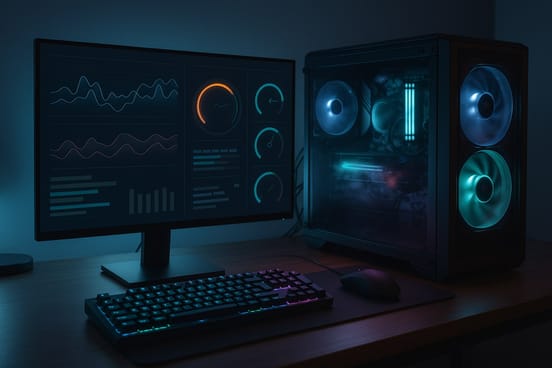
Common PC Problems and What to Check First
PC troubleshooting starts with the simple things. Find what your PC is doing, try the first check, then read the guide if it needs more.
Fix a PC Which Is Playing Up
Start with the guide which matches what the PC is doing. Every one begins with free checks.
PC Turns On But No Display
Seven checks for a PC with fans and lights and a blank screen.
Read the GuideWhy Does My PC Keep Crashing?
The causes of crashing, freezing and restarting, and how to test the memory.
Read the GuideWhy Is My PC Running Slow?
Nine free checks for a slow or stuttering PC, and how to find what is holding it back.
Read the GuidePC Overheating
The signs, seven free checks and what we find in the workshop when a PC runs hot.
Read the GuideSomething wrong with a Ginger6 PC? See how the 3-year warranty works, our returns policy and delivery information, or call Kevin on 01902 714533.
Keep It Clean, Cool and Set Up Properly
A few minutes of care now and then keeps a PC running the way it did on day one.
Keeping a PC Dust Free
How to clean a gaming PC safely with one can of compressed air, and everyday care.
Read the GuidePC Airflow and the Simulator
Switch case fans in and out and watch where the air goes, plus how to improve case airflow.
Read the GuideBIOS Settings for Gaming
What each setting does, and what to do when a change goes wrong.
Read the GuideAlso worth a read: settings for AMD gaming PCs and choosing a gaming monitor.
Upgrade It, Add to It or Build Your Own
What is worth changing in a PC you already own, and what goes into building one from parts.
What Should I Upgrade?
Which parts are worth changing in a PC you already own, and which are not.
Read the GuideHow to Build a Gaming PC
The parts, the order they go in and what to do if it does not start.
Read the GuideWhen It Needs a Workshop
If we built your PC, we will take it back from anywhere in the UK. If it is another make, we repair and upgrade for customers who are able to bring it to the workshop in Wolverhampton.
- Lifetime technical support
- 3-year warranty, unlimited repairs
- Returned from anywhere in the UK
- Do not open it up or change parts
- Hand-built in Wolverhampton
- Stress-tested for 24 hours
- 3-year warranty
- Free UK mainland delivery
Fitting your own parts and the warranty: anything you add or change inside a Ginger6 PC affects the warranty. If you want to add or change a part, speak to us first on 01902 714533. Better still, tell us when you order. If you have parts you want to reuse, we may be able to fit them for you, and you send them in to us.
Still stuck? Call Kevin on 01902 714533, email [email protected] or see the FAQ.
Want a PC Built for the Games You Play?
Tell Kevin your games, your monitor and your budget and he will build the PC to match. Every Ginger6 PC is hand-built in Wolverhampton, stress-tested for 24 hours and backed by a 3-year warranty. The person who sells it is the person who builds it.