



PC Overheating: Signs, Causes and How to Fix It
The short answer: an overheating PC shuts down or restarts in the middle of a game, slows down after a while, or runs its fans flat out at the desktop. A high temperature reading on its own is not a sign. Start with the free checks: give the PC room, blow the dust out and close whatever is working the processor in the background. If it still overheats, a part is usually to blame, most often a failed liquid cooler pump or dried thermal paste on an older PC. This guide is written by Ginger6, building gaming PCs by hand in Wolverhampton since 2001 and supporting owners across the UK.
Smell burning? Switch the PC off, unplug it and stop using it. This guide is for any overheating PC, whoever built it. If your PC is one of ours, call Kevin on 01902 714533. Lifetime technical support comes with every Ginger6 build.
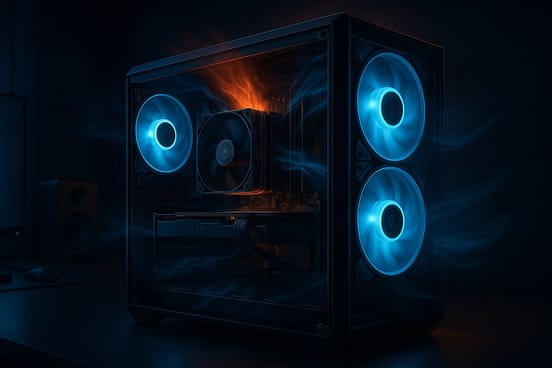
Is Your PC Overheating? The Four Signs
Go by what the PC does, not by a number on a screen. These are the four ways an overheating computer shows itself.
It Shuts Down or Restarts
The PC switches itself off or restarts part-way through a game, and behaves again once it has cooled. Every processor has built-in protection which shuts it down when it gets too hot. The shutdown is the protection working.
It Slows Down After a While
Games run well at first, then the frame rate falls away. This is thermal throttling: the processor or the graphics card slows itself down to shed heat. Throttling is built-in protection and, on its own, it is not a fault.
The Fans Run Flat Out
Fans speeding up in a game is normal. Fans roaring away while the PC sits idle at the desktop is not, and neither is a fan which grinds or rattles.
It Freezes or Locks Up
The picture freezes or Windows stops responding during heavy work, and a restart clears it for a while. Heat is one cause of several: our guide to why a PC keeps crashing covers the rest.
What is not a sign: a temperature reading. Top-end processors, the Intel Core i7 and Intel Core i9 chips especially, sit at 80 to 85 degrees Celsius under load by design. A hot reading with a PC which runs properly is a PC doing its job.
If Ginger6 built your PC: do the free checks below, then call Kevin on 01902 714533. Do not open the PC up beyond the one removable side panel, and do not change any part.
How to Stop a PC Overheating: Seven Free Checks
These PC overheating solutions are free. Work down the list in order, and nothing comes out of the PC.
For the cleaning steps in full, see our guide to keeping a gaming PC dust free. To see how fan layout changes the air through a case, try the simulator in our PC airflow guide.
How to Tell If Heat Is the Cause
Watching temperatures takes the guesswork out, as long as you watch the right thing.
Use a Real Game
Play the same game for 15 to 30 minutes. A long session in a real game tells you more than a short stress test.
Watch What the PC Does
What matters is whether the heat makes the processor slow down, the fans surge without stopping, or the frame rate fall away as the session goes on.
One Reading Proves Nothing
A single peak temperature does not signal a problem. Compare before and after each check, and see whether the PC behaves better.
Why Is My PC Overheating? What We Find in the Workshop
When a PC comes in overheating, it nearly always comes down to one of these. Three of the four mean a part has to be handled.
A Failed Liquid Cooler Pump
The sign: the fans are all turning and the PC still overheats. When the pump fails, the fans carry on running and no liquid moves round, so the heat stays on the processor. The fix: the whole cooler has to be replaced. A workshop job.
Dried Thermal Paste on an Older PC
The sign: an older PC, clean inside, running hotter as the years go by. The paste between the processor and its cooler dries out with age and stops passing heat across. The fix: the cooler comes off and fresh paste goes on.
A PC Kept in a Cupboard
The sign: the PC lives in a cupboard or a closed-in space under a desk. It pulls its own warm air back in. The fix: move it into the open. This one is free.
A Failed Fan
The sign: a fan standing still while the PC is hot, or one which grinds or rattles. The fix: a new fan, fitted by a repairer.
Thinking of changing the thermal paste yourself? Plenty of people do, and there are pitfalls. If you are not sure, take the PC to a repair shop. If it is under warranty, go back to the maker or the shop you bought it from before you touch it.
If Ginger6 built your PC: none of these is yours to fix. Anything you add or change inside a Ginger6 PC affects the warranty, so call Kevin on 01902 714533 first.
When the Checks Do Not Fix It
You have done the free checks and the PC still overheats. What happens next depends on who built it.
- Lifetime technical support
- 3-year warranty, unlimited repairs
- Returned from anywhere in the UK
- Do not open it up or change parts
- Bring it to WV10 9LE
- Diagnosis before any work
- Coolers, fans and thermal paste
- Local customers only
- Hand-built in Wolverhampton
- Stress-tested for 24 hours
- Built round the games you play
- Free UK mainland delivery
Do Gaming PCs Overheat? Not When They Are Built Properly
If you are choosing a gaming PC and heat is on your mind, these are the three things to ask any builder.
Is It Tested Under Load?
Every Ginger6 PC is stress-tested for 24 hours before it leaves the workshop. We run the processor and the graphics card at 100% load at the same time, to make as much heat as the PC is able to make. A PC which passes has managed its heat properly.
Who Sets the Fans Up?
We set the fan directions, route the cables clear of the airflow and tune the fan speeds on every build. When we fit a 360mm liquid cooler, the radiator goes in the side if the case takes it, then the front, then the top.
Who Do You Ring Afterwards?
The person who sells it is the person who builds it. If your Ginger6 PC ever runs hot, you call Kevin, with a 3-year warranty and lifetime technical support behind it.
Ready-built: prebuilt gaming PCs. Built to order: custom PCs and custom AMD gaming PCs. Browsing AMD: AMD gaming PCs and our pick of the best value AMD gaming PC. Keeping your current PC: what to upgrade first.
Common Questions About PC Overheating
The usual causes are dust on the fans and cooling fins, a PC kept in a cupboard or pushed against a wall, and a program working the processor hard in the background. If the free checks change nothing, the cause is usually a part. In our workshop the two we find most are a failed liquid cooler pump and dried thermal paste on an older PC.
Bring the PC out into the open, clear of walls and direct sunlight. Switch it off, unplug it and blow the dust out with compressed air. Then open Task Manager and close whatever is using most of the processor. Those three free jobs cool most PCs down. If yours still overheats, a part needs looking at.
Work through the seven free checks in this guide, then play the same game for 15 to 30 minutes and watch what the PC does. If it still shuts down, slows right down or runs its fans flat out, stop there and get the cooling looked at. Our PC airflow guide covers fan layout.
No. Top-end processors, the Intel Core i7 and Intel Core i9 chips especially, sit at 80 to 85 degrees Celsius under load by design. Temperature on its own is not a sign of a fault. Go by how the PC behaves: shutting down, slowing after a while and fans flat out at the desktop are the signs.
The processor protects itself first: it slows down and, if it has to, shuts the PC off. A single shutdown is the protection doing its job. Heat which carries on is different: continual heat takes its toll on components and contributes to failures. Do not keep restarting a PC which keeps shutting down. Find the cause.
The fans are all turning and the PC still overheats. When the pump in a liquid cooler fails, the fans carry on running and no liquid moves round, so the heat stays on the processor. The whole unit has to be replaced, which is a workshop job. If Ginger6 built the PC, call Kevin on 01902 714533.
Plenty of people do, and there are pitfalls. If you are not sure, take the PC to a repair shop. If it is under warranty, go back to the maker or the shop you bought it from before you touch it. On a Ginger6 PC, anything you add or change affects the 3-year warranty, so call us first.
A well-built one does not, whatever it costs. Every Ginger6 PC is stress-tested for 24 hours before it leaves the workshop, with the processor and the graphics card at 100% load at the same time to make as much heat as possible. A PC which passes has managed its heat properly. See our prebuilt gaming PCs for the ready-built range.
A hot reading on a Ryzen processor in a game is not proof of overheating. Go by how the PC behaves: shutdowns, slowing down in longer sessions and fans flat out at the desktop are the signs. Our guide to settings for AMD gaming PCs covers the settings worth checking.
More Help With Your PC
PC Airflow and the Simulator
Switch case fans in and out and watch where the air goes.
Read the GuideKeeping a PC Dust Free
How to clean a gaming PC safely with one can of compressed air.
Read the GuideWhy Is My PC Running Slow?
Nine free checks for a slow PC, and how to find what is holding it back.
Read the GuideWant a PC Built to Stay Cool?
Tell Kevin your games, your monitor and your budget and he will build the PC to match. Every Ginger6 PC is hand-built in Wolverhampton, stress-tested for 24 hours and backed by a 3-year warranty. The person who sells it is the person who builds it.