




VR Ready Gaming PCs Built for PCVR
PCVR demands more from a PC than any flat-screen game. The GPU needs headroom for high frame rates at high resolution inside the headset, the CPU needs spare cores for the VR runtime, and the platform needs the right ports. Ginger6 VR ready gaming PCs are hand-assembled in Wolverhampton, stress-tested for 24 hours, and backed by a 3-year warranty.
Browse the builds below or call Kevin on 01902 714533. Tell him your headset, the games you play in VR, and your budget, and he will confirm the right build.
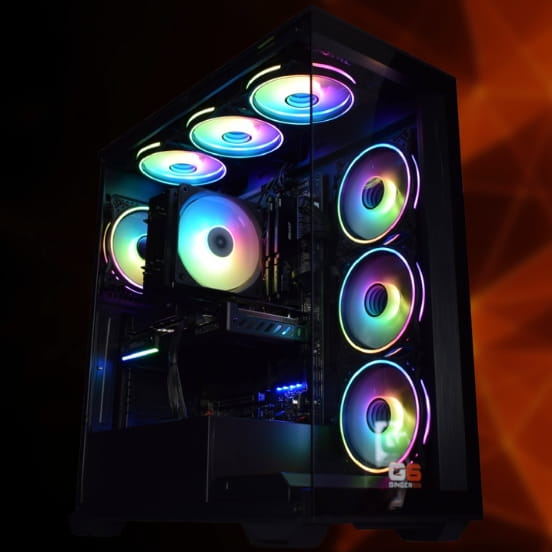


-
 Intel Core i5 12400F Nvidia RX 9060 XT Gaming PC - G6 Infinity X5
Intel Core i5 12400F 6 core
H610M Motherboard
16GB+ DDR5 5200MHz
1TB+ M.2 NVMe SSD
AMD Radeon RX 9060 XT 8GB Graphics
300mbps Wifi
Windows 11 Home£1,287.47
£1,209.99
Intel Core i5 12400F Nvidia RX 9060 XT Gaming PC - G6 Infinity X5£1,287.47
£1,209.99
Intel Core i5 12400F 6 core
H610M Motherboard
16GB+ DDR5 5200MHz
1TB+ M.2 NVMe SSD
AMD Radeon RX 9060 XT 8GB Graphics
300mbps Wifi
Windows 11 Home
-
 Intel Core i7 12700F 16GB Nvidia RTX 5060 Ti Gaming PC - G6 Storm X5
Intel Core i7 12700F 12 core
H610 Motherboard
16GB+ DDR5 5200MHz
1TB+ M.2 NVMe SSD
16GB Nvidia RTX 5060 Ti Graphics
300mbps Wifi
Windows 11 Home£1,709.20
£1,604.99
Intel Core i7 12700F 16GB Nvidia RTX 5060 Ti Gaming PC - G6 Storm X5£1,709.20
£1,604.99
Intel Core i7 12700F 12 core
H610 Motherboard
16GB+ DDR5 5200MHz
1TB+ M.2 NVMe SSD
16GB Nvidia RTX 5060 Ti Graphics
300mbps Wifi
Windows 11 Home
-
 Intel Core i7 12700F Nvidia RTX 5070 Gaming PC - G6 Storm X6
Intel Core i7 12700F 12 core
H610 Motherboard
16GB+ DDR5 5200MHz
1TB+ M.2 NVMe SSD
12GB Nvidia RTX 5070 Graphics
300mbps Wifi
Windows 11 Home£1,786.42
£1,679.99
Intel Core i7 12700F Nvidia RTX 5070 Gaming PC - G6 Storm X6£1,786.42
£1,679.99
Intel Core i7 12700F 12 core
H610 Motherboard
16GB+ DDR5 5200MHz
1TB+ M.2 NVMe SSD
12GB Nvidia RTX 5070 Graphics
300mbps Wifi
Windows 11 Home
-
 Intel Core i5 12400F Nvidia RTX 5060 Ti Gaming PC - G6 Infinity X6
Intel Core i5 12400F 6 core
H610M Motherboard
16GB+ DDR5 5200MHz
1TB+ M.2 NVMe SSD
8GB Nvidia RTX 5060 Ti Graphics
300mbps Wifi
Windows 11 Home£1,331.15
£1,249.99
Intel Core i5 12400F Nvidia RTX 5060 Ti Gaming PC - G6 Infinity X6£1,331.15
£1,249.99
Intel Core i5 12400F 6 core
H610M Motherboard
16GB+ DDR5 5200MHz
1TB+ M.2 NVMe SSD
8GB Nvidia RTX 5060 Ti Graphics
300mbps Wifi
Windows 11 Home
-
 AMD Ryzen 9 7900 RX 9070 XT Gaming PC - G6 Fusion 1200 X4
AMD Ryzen 9 7900 12 core
A620M Motherboard
16GB+ DDR5 5200MHz
FAST 1TB M.2 NVMe SSD
16GB Radeon RX 9070 XT Graphics
300mbps Wifi
Windows 11 Home£2,022.24
£1,899.99
AMD Ryzen 9 7900 RX 9070 XT Gaming PC - G6 Fusion 1200 X4£2,022.24
£1,899.99
AMD Ryzen 9 7900 12 core
A620M Motherboard
16GB+ DDR5 5200MHz
FAST 1TB M.2 NVMe SSD
16GB Radeon RX 9070 XT Graphics
300mbps Wifi
Windows 11 Home
-
 AMD Ryzen 9 7900 Nvidia RTX 5070 Gaming PC - G6 Fusion 1200 X2
AMD Ryzen 9 7900 12 core
A620M Motherboard
16GB+ DDR5 5200MHz
FAST 1TB M.2 NVMe SSD
12GB Nvidia RTX 5070 Graphics
300mbps Wifi
Windows 11 Home£1,812.63
£1,704.99
AMD Ryzen 9 7900 Nvidia RTX 5070 Gaming PC - G6 Fusion 1200 X2£1,812.63
£1,704.99
AMD Ryzen 9 7900 12 core
A620M Motherboard
16GB+ DDR5 5200MHz
FAST 1TB M.2 NVMe SSD
12GB Nvidia RTX 5070 Graphics
300mbps Wifi
Windows 11 Home
-
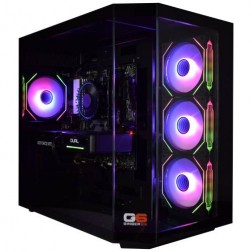 AMD Ryzen 9 7900 Nvidia RTX 5070 Ti Gaming PC - G6 Fusion 1200 X5
AMD Ryzen 9 7900 12 core
A620M Motherboard
16GB+ DDR5 5200MHz
FAST 1TB M.2 NVMe SSD
16GB Nvidia RTX 5070 Ti Graphics
300mbps Wifi
Windows 11 Home£2,248.12
£2,109.99
AMD Ryzen 9 7900 Nvidia RTX 5070 Ti Gaming PC - G6 Fusion 1200 X5£2,248.12
£2,109.99
AMD Ryzen 9 7900 12 core
A620M Motherboard
16GB+ DDR5 5200MHz
FAST 1TB M.2 NVMe SSD
16GB Nvidia RTX 5070 Ti Graphics
300mbps Wifi
Windows 11 Home
-
 AMD Ryzen 9 7900 Nvidia RTX 5080 Gaming PC - G6 Fusion 1200 X6
AMD Ryzen 9 7900 12 core
A620M Motherboard
16GB+ DDR5 5200MHz
FAST 1TB M.2 NVMe SSD
16GB Nvidia RTX 5080 Graphics
300mbps Wifi
Windows 11 Home£2,581.18
£2,424.99
AMD Ryzen 9 7900 Nvidia RTX 5080 Gaming PC - G6 Fusion 1200 X6£2,581.18
£2,424.99
AMD Ryzen 9 7900 12 core
A620M Motherboard
16GB+ DDR5 5200MHz
FAST 1TB M.2 NVMe SSD
16GB Nvidia RTX 5080 Graphics
300mbps Wifi
Windows 11 Home
-
 Intel i9 14900K - RTX 5080 Golf Sim Gaming PC - G6 Ace
Intel Core i9 14900Kf 24 core
240mm Liquid Cooler
Z790 D AX Motherboard
32GB+ DDR5 5200MHz
2x 1TB+ M.2 NVMe SSD
16GB Nvidia RTX 5080
1733mbps Wifi & Bluetooth
Windows 11 Home£3,327.82
£3,124.99
Intel i9 14900K - RTX 5080 Golf Sim Gaming PC - G6 Ace£3,327.82
£3,124.99
Intel Core i9 14900Kf 24 core
240mm Liquid Cooler
Z790 D AX Motherboard
32GB+ DDR5 5200MHz
2x 1TB+ M.2 NVMe SSD
16GB Nvidia RTX 5080
1733mbps Wifi & Bluetooth
Windows 11 Home
-
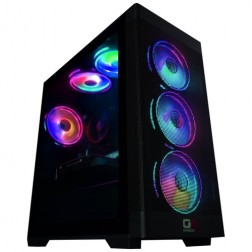 Intel Core i9 Nvidia RTX 5060 Gaming PC - G6 Typhoon X1
Intel Core i9 12900KF 16 core
H610M Motherboard
16GB+ DDR5 5200MHz Memory
FAST 1TB+ M.2 NVMe SSD
8GB Nvidia RTX 5060 Graphics
300mbps Wifi
Windows 11 Home£1,544.87
£1,449.99
Intel Core i9 Nvidia RTX 5060 Gaming PC - G6 Typhoon X1£1,544.87
£1,449.99
Intel Core i9 12900KF 16 core
H610M Motherboard
16GB+ DDR5 5200MHz Memory
FAST 1TB+ M.2 NVMe SSD
8GB Nvidia RTX 5060 Graphics
300mbps Wifi
Windows 11 Home
-
 Intel Core i9 Nvidia RTX 5060 Ti Gaming PC - G6 Typhoon X2
Intel Core i9 12900KF 16 core
H610M Motherboard
16GB+ DDR5 5200MHz Memory
FAST 1TB+ M.2 NVMe SSD
8GB Nvidia RTX 5060 Ti Graphics
300mbps Wifi
Windows 11 Home£1,646.27
£1,544.99
Intel Core i9 Nvidia RTX 5060 Ti Gaming PC - G6 Typhoon X2£1,646.27
£1,544.99
Intel Core i9 12900KF 16 core
H610M Motherboard
16GB+ DDR5 5200MHz Memory
FAST 1TB+ M.2 NVMe SSD
8GB Nvidia RTX 5060 Ti Graphics
300mbps Wifi
Windows 11 Home
-
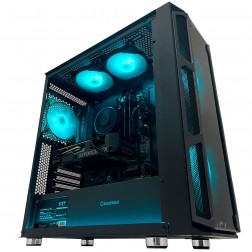 G6 GTA 5 1440p Gaming PC - AMD Ryzen 7 8700f RTX 5060 Ti
AMD Ryzen 7 8700f 8 core
A620 Motherboard
16GB DDR5 5200MHz
1TB M.2 NVMe SSD
8GB Nvidia RTX 5060 Ti Graphics
300mbps Wifi
Windows 11 Home£1,496.99
£1,404.99
G6 GTA 5 1440p Gaming PC - AMD Ryzen 7 8700f RTX 5060 Ti£1,496.99
£1,404.99
AMD Ryzen 7 8700f 8 core
A620 Motherboard
16GB DDR5 5200MHz
1TB M.2 NVMe SSD
8GB Nvidia RTX 5060 Ti Graphics
300mbps Wifi
Windows 11 Home
-
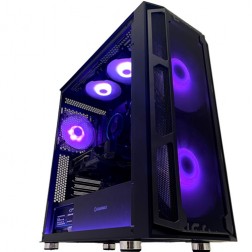 AMD Ryzen 9 7900 RX 9070 Gaming PC - G6 Fusion 1200 X3
AMD Ryzen 9 7900 12 core
A620M Motherboard
16GB+ DDR5 5200MHz
FAST 1TB M.2 NVMe SSD
16GB Radeon RX 9070 Graphics
300mbps Wifi
Windows 11 Home£1,860.99
£1,749.99
AMD Ryzen 9 7900 RX 9070 Gaming PC - G6 Fusion 1200 X3£1,860.99
£1,749.99
AMD Ryzen 9 7900 12 core
A620M Motherboard
16GB+ DDR5 5200MHz
FAST 1TB M.2 NVMe SSD
16GB Radeon RX 9070 Graphics
300mbps Wifi
Windows 11 Home
-
 AMD Ryzen 9 7900 RTX 5060 Ti 16GB Gaming PC - G6 Fusion 1200 X1
AMD Ryzen 9 7900 12 core
A620M Motherboard
16GB+ DDR5 5200MHz
FAST 1TB M.2 NVMe SSD
16GB Nvidia RTX 5060 Ti Graphics
300mbps Wifi
Windows 11 Home£1,733.07
£1,629.99
AMD Ryzen 9 7900 RTX 5060 Ti 16GB Gaming PC - G6 Fusion 1200 X1£1,733.07
£1,629.99
AMD Ryzen 9 7900 12 core
A620M Motherboard
16GB+ DDR5 5200MHz
FAST 1TB M.2 NVMe SSD
16GB Nvidia RTX 5060 Ti Graphics
300mbps Wifi
Windows 11 Home
-
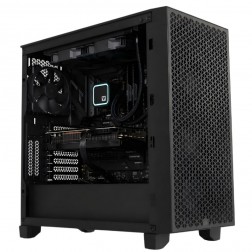 G6 Obsidian — Professional CAD and BIM Workstation
A high-performance professional workstation for SolidWorks large assemblies, Revit multi-discipline BIM, DaVinci Resolve, and orchestral music production — built in Wolverhampton.
Intel Core i9-14900KF
64GB DDR5 RAM
Nvidia RTX 5070 12GB
2TB NVMe + 2TB NVMe
Windows 11 Pro
3-Year Warranty
G6 Obsidian — Professional CAD and BIM Workstation
A high-performance professional workstation for SolidWorks large assemblies, Revit multi-discipline BIM, DaVinci Resolve, and orchestral music production — built in Wolverhampton.
Intel Core i9-14900KF
64GB DDR5 RAM
Nvidia RTX 5070 12GB
2TB NVMe + 2TB NVMe
Windows 11 Pro
3-Year Warranty
-
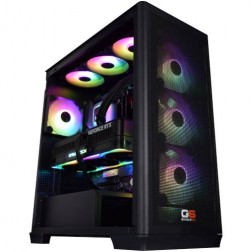 AMD Ryzen 9 9950X3D Nvidia RTX 5090 Gaming PC - G6 Apex 6
AMD Ryzen 9 9950X3D 16 core
X870 Motherboard
64GB+ DDR5 5200MHz
FAST 1TB M.2 NVMe SSD
32GB Nvidia RTX 5090 Graphics
FAST Wifi & Bluetooth
Windows 11 Home
AMD Ryzen 9 9950X3D Nvidia RTX 5090 Gaming PC - G6 Apex 6
AMD Ryzen 9 9950X3D 16 core
X870 Motherboard
64GB+ DDR5 5200MHz
FAST 1TB M.2 NVMe SSD
32GB Nvidia RTX 5090 Graphics
FAST Wifi & Bluetooth
Windows 11 Home
-
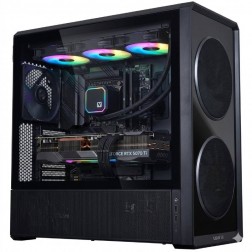 AMD Ryzen 9 9950X3D Nvidia RTX 5080 Gaming PC - G6 Apex 5
AMD Ryzen 9 9950X3D 16 core
X870 Motherboard
32GB+ DDR5 5200MHz
FAST 1TB M.2 NVMe SSD
12GB Nvidia RTX 5080 Graphics
FAST Wifi & Bluetooth
Windows 11 Home£3,417.59
£3,209.99
AMD Ryzen 9 9950X3D Nvidia RTX 5080 Gaming PC - G6 Apex 5£3,417.59
£3,209.99
AMD Ryzen 9 9950X3D 16 core
X870 Motherboard
32GB+ DDR5 5200MHz
FAST 1TB M.2 NVMe SSD
12GB Nvidia RTX 5080 Graphics
FAST Wifi & Bluetooth
Windows 11 Home
-
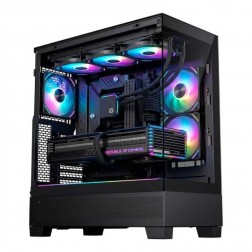 AMD Ryzen 7 9800X3D Nvidia RTX 5070 Ti Gaming PC - G6 Apex 4
AMD Ryzen 7 9800X3D 8 core
B650 Motherboard
32GB+ DDR5 5200MHz
FAST 1TB M.2 NVMe SSD
12GB Nvidia RTX 5070 Ti Graphics
FAST Wifi & Bluetooth
Windows 11 Home£2,765.65
£2,599.99
AMD Ryzen 7 9800X3D Nvidia RTX 5070 Ti Gaming PC - G6 Apex 4£2,765.65
£2,599.99
AMD Ryzen 7 9800X3D 8 core
B650 Motherboard
32GB+ DDR5 5200MHz
FAST 1TB M.2 NVMe SSD
12GB Nvidia RTX 5070 Ti Graphics
FAST Wifi & Bluetooth
Windows 11 Home
-
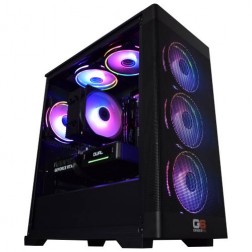 AMD Ryzen 5 7500X3D Nvidia RTX 5060 Gaming PC - G6 Apex 1
AMD Ryzen 5 7500X3D 6 core
A620 Motherboard
32GB+ DDR5 5200MHz
FAST 1TB M.2 NVMe SSD
8GB Nvidia RTX 5060 Graphics
FAST Wifi
Windows 11 Home£1,631.25
£1,534.99
AMD Ryzen 5 7500X3D Nvidia RTX 5060 Gaming PC - G6 Apex 1£1,631.25
£1,534.99
AMD Ryzen 5 7500X3D 6 core
A620 Motherboard
32GB+ DDR5 5200MHz
FAST 1TB M.2 NVMe SSD
8GB Nvidia RTX 5060 Graphics
FAST Wifi
Windows 11 Home
-
 AMD Ryzen 7 7800X3D AMD Radeon RX 9070 XT Gaming PC - G6 Apex3 Radeon
AMD Ryzen 7 7800X3D 8 core
B650 Motherboard
32GB+ DDR5 5200MHz
FAST 1TB M.2 NVMe SSD
16GB Radeon RX 9070 XT Graphics
FAST Wifi & Bluetooth
Windows 11 Home£2,383.62
£2,239.99
AMD Ryzen 7 7800X3D AMD Radeon RX 9070 XT Gaming PC - G6 Apex3 Radeon£2,383.62
£2,239.99
AMD Ryzen 7 7800X3D 8 core
B650 Motherboard
32GB+ DDR5 5200MHz
FAST 1TB M.2 NVMe SSD
16GB Radeon RX 9070 XT Graphics
FAST Wifi & Bluetooth
Windows 11 Home
What a VR Ready PC Actually Needs
PCVR is more demanding than flat-screen gaming at the same resolution. Four hardware factors determine whether a machine genuinely handles VR or just meets the listed minimum.
PCVR Headsets Supported
Every headset listed below works with a correctly configured Ginger6 PCVR build. Connection type and display resolution shown for each.
Headset specs based on manufacturer data as at . Call Kevin if your headset is not listed.
Why Minimum Specs Are Not Enough for VR
The official minimum specifications for most PCVR headsets have not changed in years, and they are misleading. A GPU that technically meets the minimum requirement for a Meta Quest 3 link connection will run VR titles, but it will spend a significant portion of its time in reprojection mode, artificially filling in missing frames rather than rendering them. That produces a visual artefacting effect that some users find uncomfortable and others find disorienting. The practical requirement for comfortable, stable PCVR is meaningfully higher than the headline minimum, and it varies by headset display resolution. A 1440p flat-screen build and a properly configured VR ready build at the same price are not the same machine, even when the spec sheet looks identical.
The GPU is the component that determines whether a PCVR experience is smooth or broken. Every VR headset renders two separate images simultaneously, one per eye, at a frame rate of 72Hz, 90Hz, or 120Hz depending on the headset and title. That is two to three times the rendering workload of the equivalent flat-screen game at any given resolution. An RTX 5070 has the VRAM and raw throughput to render demanding titles at headset resolution without defaulting to reprojection. DLSS 4 with frame generation can extend performance headroom further in supported titles, but the base render performance needs to be solid first. A well-matched GPU is not a luxury purchase for PCVR; it is the specification that determines whether the experience is usable.
The use cases where a properly specified VR ready PC delivers a clear advantage are varied. Half-Life: Alyx at full resolution with a Valve Index or HP Reverb G2 is one of the most GPU-demanding VR experiences currently available, and it is the title most often used to expose an underpowered build. Microsoft Flight Simulator with a VR headset is similarly demanding, and it adds CPU headroom as a secondary requirement because the simulation workload runs on the processor while the headset renders on the GPU. Sim racing in VR, specifically iRacing and Assetto Corsa Competizione with a Quest 3 or Pimax headset, is another workload where consistent frame rates at the headset refresh rate matter more than peak performance in a benchmark. For buyers who game across flat-screen and VR on the same machine, the same build covers both without compromise. Browse the full Ginger6 gaming PC range to compare configurations.
When Ginger6 builds a VR ready gaming PC, the configuration is checked against the specific headset the buyer intends to use. The GPU tier, USB port assignment, and DisplayPort routing are verified before build rather than assumed to be adequate. Cable management is done so that internal airflow is clean, which matters more on a VR build than a flat-screen gaming build because the GPU is under sustained load for the duration of a VR session rather than variable load across different game scenarios. BIOS settings and memory profiles are configured and confirmed stable before the machine enters the 24-hour stress test. A VR session that crashes two hours in because of a memory instability issue is not a VR problem; it is a configuration problem that a properly stress-tested machine does not produce.
Ginger6 has been building custom PCs in Wolverhampton since 2001. Kevin will tell you honestly whether the build you are considering will handle your headset and the titles you want to run before you commit to an order. If you already own a headset and want to confirm compatibility, call him on 01902 714533 or email [email protected]. The 3-year warranty covers parts, postage, and lifetime technical support. If a VR-related configuration issue arises after delivery, you deal with the person who built the machine, not a support queue.
Why Buyers Choose Ginger6 for VR
93% of Ginger6 customers leave five-star reviews on Trustpilot, compared to 80% for PCSpecialist and 84% for Chillblast. The person who sells you the PC is the same person who builds it and supports it afterwards.
Built to a very high standard with excellent cable management. Unbelievably quiet and without doubt the best pc I have ever purchased. Boots up in 20 seconds.
Kevin carefully chose the exact right components at extremely competitive prices. He took the time to design and build the ultimate PC and burn-in and test every component for excellent stability.
Nearly three years later with no issues I called for advice about an upgrade. They talked me through the options and suggested that perhaps I didn’t need to upgrade the graphics card yet and suggested some free and cheaper ways to improve performance. Just great support.
Is a VR Ready PC Right for You?
Four buyer profiles where a properly configured VR build is the right answer.
If you already own a Valve Index, HP Reverb G2, or Pimax headset, the machine needs to keep up with the headset display resolution at the headset refresh rate. A build at this tier handles Half-Life: Alyx, Microsoft Flight Simulator in VR, and current SteamVR titles at full resolution without defaulting to reprojection on most content.
A Meta Quest 3 used standalone is a capable device. Connected to a PCVR build via Link cable or Air Link, it becomes a full PCVR headset with access to the SteamVR library. The USB connection routes to a dedicated motherboard port rather than a hub, and the build is configured to handle the additional streaming workload on top of the game rendering.
iRacing, Assetto Corsa Competizione, and Microsoft Flight Simulator in VR are among the most demanding applications a consumer PC handles. The simulation workload runs on the CPU and the scene renders on the GPU simultaneously. A build at this tier has the CPU headroom and GPU performance to run these titles without consistent reprojection drops. Kevin can advise on whether the Ryzen 7 or Core i7 tier is worth the step up for your specific simulator.
A VR ready build at this tier performs at 1440p and above on a flat-screen monitor with no compromise. You do not need a second machine for VR. The GPU that handles PCVR comfortably is also the GPU that handles 1440p ultra settings and 4K gaming in the RTX 5070 to RTX 5080 range. It is the most versatile tier in the Ginger6 range for buyers who game across both formats.
Talk to Kevin Before You Order
Kevin will confirm whether a build handles your specific headset and the titles you want to run, before you spend anything.
Tell Kevin:
No charge for the conversation. No pressure to buy.
GET STARTED
Ready to Order Your VR Ready Gaming PC?
Browse current VR ready builds, call Kevin with your headset details, or email with your games list and budget.
Browse VR Ready PCs
See all current VR ready builds with full specs and pricing.
Browse VR Ready PCsTalk to Kevin
Call and tell him your headset, games, and budget. He will confirm the right build or suggest a better fit. No pressure to buy.
Call 01902 714533Email or Callback
Send your headset model, games list, and budget. Kevin will reply with a confirmed recommendation.
Email UsFAQ
Frequently Asked Questions
The practical minimum for comfortable PCVR in 2026 is an RTX 5070 or RX 9070, paired with a six-core processor, 16GB of DDR5 RAM, and a 1TB NVMe SSD. This configuration handles most current SteamVR titles at headset resolution without persistent reprojection. The listed manufacturer minimums are lower, but meeting only the minimum produces a noticeably degraded experience in demanding titles. If your budget sits below this tier, call Kevin before ordering to discuss which compromises are acceptable for the headset and titles you have in mind.
VR ready means the machine meets the requirements to run PCVR software. VR optimised means the machine is configured specifically for the headset and titles the buyer intends to use, with USB port assignment, BIOS settings, and component matching verified against that use case. Every Ginger6 VR build is configured for your specific headset, not assembled to a generic VR ready specification and shipped without verification.
Yes. A Meta Quest 3 connects to a PC via a Link cable or wirelessly via Air Link. In both modes, the headset runs SteamVR titles from the PC rather than from the headset's own processor. The USB connection for Link is routed to a dedicated motherboard port on Ginger6 builds to ensure reliable bandwidth. Air Link performance depends on your router and network setup, which is outside Ginger6's control, so a Link cable is the recommended connection for consistent results.
Yes, and it performs well at both. A build configured for PCVR at the RTX 5070 tier handles 1440p gaming at ultra settings and 4K gaming at high settings on a flat-screen monitor without compromise. You do not need separate machines for VR and flat-screen gaming. The GPU performance that makes VR smooth is the same performance that makes 1440p and 4K gaming excellent.
Possibly. The key question is whether your current processor, motherboard, and power supply can accommodate a GPU at the RTX 5070 tier. A GPU upgrade alone can make a machine VR ready if the rest of the platform is capable. Kevin can advise on whether your existing build is worth upgrading or whether a full replacement is the more cost-effective route. Call him on 01902 714533 with your current spec and he will give you an honest answer.
Yes. Ginger6 offers PayPal Pay in 3 on orders over £500, splitting the cost into three interest-free payments. Finance is subject to status and approval. Select your payment option at checkout or call Kevin to discuss before you place an order.
Still have questions? Kevin’s on 01902 714533 during working hours, or email [email protected] anytime.
Find Your VR Ready Gaming PC
Browse the current VR ready builds below, call Kevin on 01902 714533, or email with your headset and games list. He will confirm the right build before you spend anything.
Email Us
Send your headset model, games, and budget for a confirmed recommendation.
Email [email protected]