




RGB Gaming PCs Built to Perform and Look the Part
A well-built RGB gaming PC is not a compromise between looks and performance. The same cable management that makes the lighting effective is the cable management that keeps airflow clean. Ginger6 RGB gaming PCs are hand-assembled in Wolverhampton, stress-tested for 24 hours, and backed by a 3-year warranty. Builds from £900.
Browse the builds below or call Kevin on 01902 714533. Tell him your games, your budget, and any preferences on case style or lighting colour, and he will confirm the right build.

Grid List
16 Item(s)
-
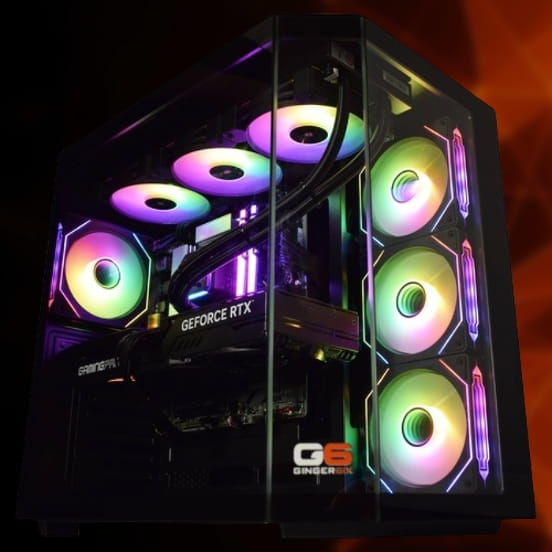
 AMD Ryzen 5 8400f RTX 5050 Gaming PC - G6 Fusion 600 X2
AMD Ryzen 5 8400f 6 core
a620M Motherboard
16GB+ DDR5 5200MHz
FAST 1TB M.2 NVMe SSD
8GB Nvidia RTX 5050 Graphics
300mbps Wifi
Windows 11 Home£1,225.91
£1,154.99
AMD Ryzen 5 8400f RTX 5050 Gaming PC - G6 Fusion 600 X2£1,225.91
£1,154.99
AMD Ryzen 5 8400f 6 core
a620M Motherboard
16GB+ DDR5 5200MHz
FAST 1TB M.2 NVMe SSD
8GB Nvidia RTX 5050 Graphics
300mbps Wifi
Windows 11 Home
-
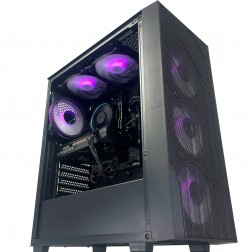 G6 GTA V 144hz Gaming PC - AMD Ryzen 5 8400f RTX 5060
AMD Ryzen 5 8400f 6 core
A620M Motherboard
16GB DDR5 5200MHz
1TB+ M.2 NVMe SSD
8GB Nvidia RTX 5060 Graphics
300mb
Windows 11 Home£1,269.59
£1,194.99
G6 GTA V 144hz Gaming PC - AMD Ryzen 5 8400f RTX 5060£1,269.59
£1,194.99
AMD Ryzen 5 8400f 6 core
A620M Motherboard
16GB DDR5 5200MHz
1TB+ M.2 NVMe SSD
8GB Nvidia RTX 5060 Graphics
300mb
Windows 11 Home
-
 AMD Ryzen 7 8700f Nvidia RTX 5060 Gaming PC - G6 Fusion 800 X2
AMD Ryzen 7 8700f 8 core
A620M Motherboard
16GB+ DDR5 5200MHz
FAST 1TB M.2 NVMe SSD
8GB Nvidia RTX 5060 Graphics
300mbps Wifi
Windows 11 Home£1,358.93
£1,279.99
AMD Ryzen 7 8700f Nvidia RTX 5060 Gaming PC - G6 Fusion 800 X2£1,358.93
£1,279.99
AMD Ryzen 7 8700f 8 core
A620M Motherboard
16GB+ DDR5 5200MHz
FAST 1TB M.2 NVMe SSD
8GB Nvidia RTX 5060 Graphics
300mbps Wifi
Windows 11 Home
-
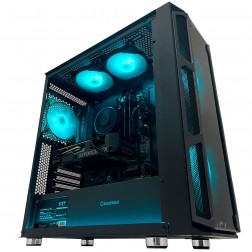 G6 GTA 5 1440p Gaming PC - AMD Ryzen 7 8700f RTX 5060 Ti
AMD Ryzen 7 8700f 8 core
A620 Motherboard
16GB DDR5 5200MHz
1TB M.2 NVMe SSD
8GB Nvidia RTX 5060 Ti Graphics
300mbps Wifi
Windows 11 Home£1,496.99
£1,404.99
G6 GTA 5 1440p Gaming PC - AMD Ryzen 7 8700f RTX 5060 Ti£1,496.99
£1,404.99
AMD Ryzen 7 8700f 8 core
A620 Motherboard
16GB DDR5 5200MHz
1TB M.2 NVMe SSD
8GB Nvidia RTX 5060 Ti Graphics
300mbps Wifi
Windows 11 Home
-
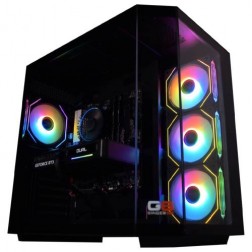 AMD Ryzen 7 8700f Nvidia RTX 5070 Gaming PC - G6 Fusion 800 X5
AMD Ryzen 7 8700f 8 core
A620M Motherboard
16GB+ DDR5 5200MHz
FAST 1TB M.2 NVMe SSD
12GB Nvidia RTX 5070 Graphics
300mbps Wifi
Windows 11 Home£1,735.41
£1,629.99
AMD Ryzen 7 8700f Nvidia RTX 5070 Gaming PC - G6 Fusion 800 X5£1,735.41
£1,629.99
AMD Ryzen 7 8700f 8 core
A620M Motherboard
16GB+ DDR5 5200MHz
FAST 1TB M.2 NVMe SSD
12GB Nvidia RTX 5070 Graphics
300mbps Wifi
Windows 11 Home
-
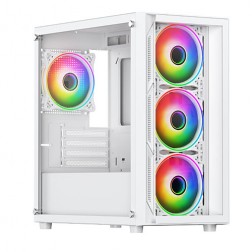 Intel Core i3 12100F RX 7600 Gaming PC - G6 Vortex X2
Intel Core i3 12100F Quad core
H610M Motherboard
16GB+ DDR5 5200MHz Memory
1TB+ M.2 NVMe SSD
8GB Radeon RX 7600 Graphics
300mbps Wifi
Windows 11 Home£1,198.27
£1,124.99
Intel Core i3 12100F RX 7600 Gaming PC - G6 Vortex X2£1,198.27
£1,124.99
Intel Core i3 12100F Quad core
H610M Motherboard
16GB+ DDR5 5200MHz Memory
1TB+ M.2 NVMe SSD
8GB Radeon RX 7600 Graphics
300mbps Wifi
Windows 11 Home
-
 Intel Core i5 12400F Nvidia RX 7600 Gaming PC - G6 Infinity X4
Intel Core i5 12400F 6 core
H610M Motherboard
16GB+ DDR5 5200MHz
1TB+ M.2 NVMe SSD
8GB Radeon RX 7600 Graphics
300mbps Wifi
Windows 11 Home£1,242.73
£1,169.99
Intel Core i5 12400F Nvidia RX 7600 Gaming PC - G6 Infinity X4£1,242.73
£1,169.99
Intel Core i5 12400F 6 core
H610M Motherboard
16GB+ DDR5 5200MHz
1TB+ M.2 NVMe SSD
8GB Radeon RX 7600 Graphics
300mbps Wifi
Windows 11 Home
-
 Intel Core i5 12400F Nvidia RX 9060 XT Gaming PC - G6 Infinity X5
Intel Core i5 12400F 6 core
H610M Motherboard
16GB+ DDR5 5200MHz
1TB+ M.2 NVMe SSD
AMD Radeon RX 9060 XT 8GB Graphics
300mbps Wifi
Windows 11 Home£1,287.47
£1,209.99
Intel Core i5 12400F Nvidia RX 9060 XT Gaming PC - G6 Infinity X5£1,287.47
£1,209.99
Intel Core i5 12400F 6 core
H610M Motherboard
16GB+ DDR5 5200MHz
1TB+ M.2 NVMe SSD
AMD Radeon RX 9060 XT 8GB Graphics
300mbps Wifi
Windows 11 Home
-
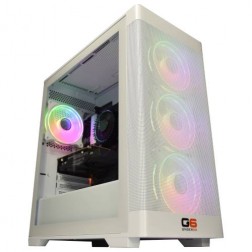 Intel Core i7 12700F Nvidia RTX 5060 Ti Gaming PC - G6 Storm X3
Intel Core i7 12700F 12 core
H610 Motherboard
16GB+ DDR5 5200MHz
1TB+ M.2 NVMe SSD
8GB Nvidia RTX 5060 Ti Graphics
300mbps Wifi
Windows 11 Home£1,530.06
£1,439.99
Intel Core i7 12700F Nvidia RTX 5060 Ti Gaming PC - G6 Storm X3£1,530.06
£1,439.99
Intel Core i7 12700F 12 core
H610 Motherboard
16GB+ DDR5 5200MHz
1TB+ M.2 NVMe SSD
8GB Nvidia RTX 5060 Ti Graphics
300mbps Wifi
Windows 11 Home
-
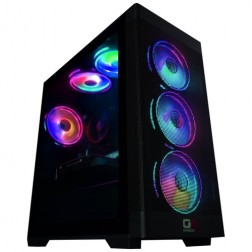 Intel Core i9 Nvidia RTX 5060 Gaming PC - G6 Typhoon X1
Intel Core i9 12900KF 16 core
H610M Motherboard
16GB+ DDR5 5200MHz Memory
FAST 1TB+ M.2 NVMe SSD
8GB Nvidia RTX 5060 Graphics
300mbps Wifi
Windows 11 Home£1,544.87
£1,449.99
Intel Core i9 Nvidia RTX 5060 Gaming PC - G6 Typhoon X1£1,544.87
£1,449.99
Intel Core i9 12900KF 16 core
H610M Motherboard
16GB+ DDR5 5200MHz Memory
FAST 1TB+ M.2 NVMe SSD
8GB Nvidia RTX 5060 Graphics
300mbps Wifi
Windows 11 Home
-
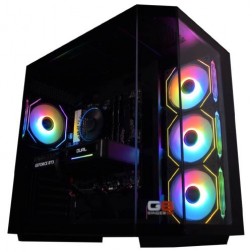 Intel Core i7 12700F 16GB Nvidia RTX 5060 Ti Gaming PC - G6 Storm X5
Intel Core i7 12700F 12 core
H610 Motherboard
16GB+ DDR5 5200MHz
1TB+ M.2 NVMe SSD
16GB Nvidia RTX 5060 Ti Graphics
300mbps Wifi
Windows 11 Home£1,709.20
£1,604.99
Intel Core i7 12700F 16GB Nvidia RTX 5060 Ti Gaming PC - G6 Storm X5£1,709.20
£1,604.99
Intel Core i7 12700F 12 core
H610 Motherboard
16GB+ DDR5 5200MHz
1TB+ M.2 NVMe SSD
16GB Nvidia RTX 5060 Ti Graphics
300mbps Wifi
Windows 11 Home
-
 Intel Core i9 Nvidia RTX 5060 Ti Gaming PC - G6 Typhoon X2
Intel Core i9 12900KF 16 core
H610M Motherboard
16GB+ DDR5 5200MHz Memory
FAST 1TB+ M.2 NVMe SSD
8GB Nvidia RTX 5060 Ti Graphics
300mbps Wifi
Windows 11 Home£1,646.27
£1,544.99
Intel Core i9 Nvidia RTX 5060 Ti Gaming PC - G6 Typhoon X2£1,646.27
£1,544.99
Intel Core i9 12900KF 16 core
H610M Motherboard
16GB+ DDR5 5200MHz Memory
FAST 1TB+ M.2 NVMe SSD
8GB Nvidia RTX 5060 Ti Graphics
300mbps Wifi
Windows 11 Home
-
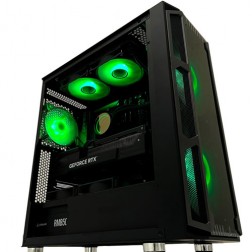 Intel Core i9 Nvidia 16GB RTX 5060 Ti Gaming PC - G6 Typhoon X3
Intel Core i9 12900KF 16 core
H610M Motherboard
16GB+ DDR5 5200MHz Memory
FAST 1TB+ M.2 NVMe SSD
16GB Nvidia RTX 5060 Ti Graphics
300mbps Wifi
Windows 11 Home£1,833.98
£1,724.99
Intel Core i9 Nvidia 16GB RTX 5060 Ti Gaming PC - G6 Typhoon X3£1,833.98
£1,724.99
Intel Core i9 12900KF 16 core
H610M Motherboard
16GB+ DDR5 5200MHz Memory
FAST 1TB+ M.2 NVMe SSD
16GB Nvidia RTX 5060 Ti Graphics
300mbps Wifi
Windows 11 Home
-
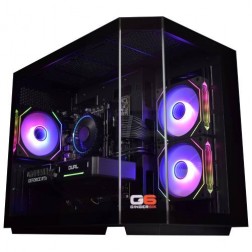 Intel Core i9 12900KF Nvidia RTX 5070 Gaming PC - G6 Typhoon X4
Intel Core i9 12900KF 16 core
B760M Motherboard
16GB+ DDR5 5200MHz Memory
FAST 1TB+ M.2 NVMe SSD
12GB Nvidia RTX 5070 Graphics
1733mbps Wifi & Bluetooth
Windows 11 Home£1,973.99
£1,854.99
Intel Core i9 12900KF Nvidia RTX 5070 Gaming PC - G6 Typhoon X4£1,973.99
£1,854.99
Intel Core i9 12900KF 16 core
B760M Motherboard
16GB+ DDR5 5200MHz Memory
FAST 1TB+ M.2 NVMe SSD
12GB Nvidia RTX 5070 Graphics
1733mbps Wifi & Bluetooth
Windows 11 Home
-
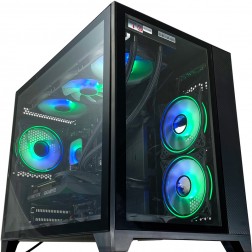 Intel Core i9 12900KF Nvidia RTX 5070 Ti Gaming PC - G6 Typhoon X5
Intel Core i9 12900KF 16 core
B760M Motherboard
16GB+ DDR5 5200MHz Memory
FAST 1TB+ M.2 NVMe SSD
16GB Nvidia RTX 5070 Ti Graphics
1733mbps Wifi & Bluetooth
Windows 11 Home£2,394.66
£2,249.99
Intel Core i9 12900KF Nvidia RTX 5070 Ti Gaming PC - G6 Typhoon X5£2,394.66
£2,249.99
Intel Core i9 12900KF 16 core
B760M Motherboard
16GB+ DDR5 5200MHz Memory
FAST 1TB+ M.2 NVMe SSD
16GB Nvidia RTX 5070 Ti Graphics
1733mbps Wifi & Bluetooth
Windows 11 Home
-
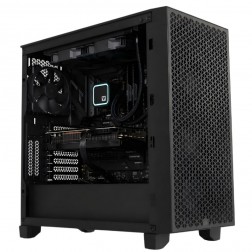 G6 Obsidian — Professional CAD and BIM Workstation
A high-performance professional workstation for SolidWorks large assemblies, Revit multi-discipline BIM, DaVinci Resolve, and orchestral music production — built in Wolverhampton.
Intel Core i9-14900KF
64GB DDR5 RAM
Nvidia RTX 5070 12GB
2TB NVMe + 2TB NVMe
Windows 11 Pro
3-Year Warranty
G6 Obsidian — Professional CAD and BIM Workstation
A high-performance professional workstation for SolidWorks large assemblies, Revit multi-discipline BIM, DaVinci Resolve, and orchestral music production — built in Wolverhampton.
Intel Core i9-14900KF
64GB DDR5 RAM
Nvidia RTX 5070 12GB
2TB NVMe + 2TB NVMe
Windows 11 Pro
3-Year Warranty
Grid List
16 Item(s)
What Goes Into a Ginger6 RGB Build
RGB in a Ginger6 build is not a sticker on a box. It is part of how the machine is configured, cabled, and finished.
RGB Gaming PCs Across Every Budget
Every tier in the Ginger6 range is available with RGB components and a tempered glass case. Browse by budget or call Kevin to discuss specific configurations.
Price ranges are estimates. Call Kevin on 01902 714533 to confirm current availability and exact pricing.
Why RGB and Performance Are Not in Conflict
There is a persistent assumption in PC building that RGB is what you add when you are not being serious about performance. The reality is that the components required for a well-lit build are precisely the same components required for a well-performing one. A case with a tempered glass panel and positive airflow pressure does not move heat less efficiently than a closed case. Addressable ARGB fans move as much air as non-RGB fans at the same RPM. The difference between an RGB build that looks good and one that does not is not the lighting hardware; it is the cable management and the case selection. Ginger6 has been selecting components for both performance and finish since 2001, and the approach to an RGB build is the same as the approach to any other: start with the hardware that handles the workload, then build around it correctly. You can browse the full Ginger6 gaming PC range if you want to compare builds across all configurations.
The distinguishing feature of a well-built RGB gaming PC is what happens behind the motherboard tray, not in front of it. Cable routing is what determines whether the front chamber looks clean or whether it looks like a cable arrived in a box and someone closed the side panel. Every Ginger6 RGB build is cabled with the same attention to routing that goes into any high-end custom build. Power cables go behind the tray through the nearest available routing channel. SATA and data cables follow the same logic. The result is a front chamber where the GPU, motherboard, and ARGB fans are the visible elements, not the cabling. Gigabyte Fusion software is configured on each build to set the initial lighting profile across the motherboard headers and compatible fan controllers. The software gives you full control to change colours, effects, and sync behaviour after the machine is with you, without needing to know anything about the hardware configuration underneath.
The buyers who order RGB builds from Ginger6 cover a wider range than the stereotype suggests. Setup builders who have invested in a monitor arm, desk mat, and peripherals want a PC that completes the visual alongside the function. Streamers and content creators who appear on camera in their setup need the machine to look deliberate rather than functional. Buyers purchasing a PC as a gift for a teenager or young adult often ask specifically for RGB because that is what the recipient cares about, and they want a builder who will take that seriously rather than treat it as a cosmetic add-on. The common thread is that the lighting is a considered part of the build rather than an afterthought. The performance requirement for any of these buyers is the same as for any other gaming PC at the same price point. Browse the 1440p gaming PC range if you want to see where most RGB builds at the mid-to-high tier sit in terms of gaming performance.
Building an RGB gaming PC takes longer than building the same spec without lighting components, and that additional time is part of the service. Addressable ARGB headers need to be correctly assigned on the Gigabyte motherboard so the Fusion software can address each connected device. Fan positioning affects both airflow direction and how the lighting fills the case. A fan installed facing the wrong direction moves air correctly or looks correct, but rarely both. Ginger6 plans the fan layout and cable routing before assembly begins, not during it. BIOS settings and memory profiles are confirmed stable after the full build is assembled, including the lighting load, before the 24-hour stress test starts. The stress test runs with the full system in the state it ships in, RGB active, so any thermal or stability issue that the lighting or fan configuration introduces is caught before the machine leaves the workshop.
If you want to change the lighting profile after the machine arrives, Gigabyte Fusion gives you full control. If a component connected to an ARGB header does not behave as expected, Kevin is reachable on 01902 714533 or at [email protected] and will help you resolve it. The 3-year warranty covers parts, postage, and lifetime technical support. The aesthetic you ordered is part of what Ginger6 stands behind, not a bonus that sits outside the warranty. If you are buying an RGB build as a gift and want to discuss the specific case, lighting colour, or finish before placing an order, call Kevin before you browse. He will tell you what is in stock and what is achievable at your budget without any pressure to proceed.
Why Buyers Choose Ginger6 for RGB
93% of Ginger6 customers leave five-star reviews on Trustpilot, compared to 80% for PCSpecialist and 84% for Chillblast. The person who sells you the PC is the same person who builds it and supports it afterwards.
Built to a very high standard with excellent cable management. Unbelievably quiet and without doubt the best pc I have ever purchased. Boots up in 20 seconds.
My Gaming PC is flawless, you can only just hear it running. The build quality is second to none. Why have all the problems building a PC? Leave it to the experts, Ginger 6 Limited.
From the start of buying the pc to the delivery fantastic service. When we had a problem they sorted it fast and efficiently with no problems. I have used the company for years now as they are really good on all fronts.
Is an RGB Gaming PC Right for You?
Four buyer profiles where an RGB build is the right choice, not a cosmetic upgrade.
If your desk, monitor, keyboard, and peripherals are part of a considered setup, a plain black box undermines the whole thing. An RGB build with a tempered glass panel and ARGB fans makes the PC part of the aesthetic rather than separate from it. The same performance at the same price, built to look as deliberate as everything else on your desk.
If your PC is visible on stream or in videos, the build is part of your channel's visual identity. An RGB build with consistent lighting and a clean interior looks far better on a wide-angle shot than a generic case with no panel. Gigabyte Fusion lets you set a lighting profile that stays consistent rather than cycling through colours at random every time you stream.
RGB is consistently one of the first things younger gaming PC buyers ask about. If you are buying a PC for a teenager or young adult and they have mentioned RGB, that preference is worth taking seriously rather than defaulting to a standard build. Call Kevin with the recipient's games, monitor, and budget and he will confirm a build that performs as well as it looks. No pressure to choose the most expensive option.
This is the most common concern from buyers who have seen RGB builds from other sources that look good in photos but run hot or are poorly constructed internally. Every Ginger6 build goes through the same 24-hour stress test and cable management process regardless of the lighting specification. The RGB is built around the hardware, not instead of it. The warranty and post-sale support are identical to any other Ginger6 build.
Talk to Kevin Before You Order
Kevin will confirm the right RGB configuration for your games, budget, and setup, and can discuss case options and lighting preferences before you place an order.
Tell Kevin:
No charge for the conversation. No pressure to buy.
GET STARTED
Ready to Order Your RGB Gaming PC?
Browse current RGB builds, call Kevin to discuss case and lighting options, or email with your games list and budget.
Talk to Kevin
Call and discuss case options, lighting colours, games, and budget. No pressure to buy.
Call 01902 714533Email or Callback
Send your games list, monitor spec, budget, and any lighting preferences. Kevin will reply with a recommendation.
Email UsFAQ
Frequently Asked Questions
No. Addressable ARGB components draw a negligible amount of power compared to the GPU and processor, and they generate negligible heat. The RGB lighting in a Ginger6 build has no measurable effect on gaming frame rates, thermals, or stability. The components that produce light are fans and LED strips, which run independently of the CPU and GPU workload. The thermal performance of an RGB build is determined by the case airflow and fan layout, which Ginger6 configures in the same way as any other build.
Ginger6 builds use Gigabyte Fusion software, which is the native lighting control application for Gigabyte motherboards. Fusion controls the motherboard ARGB headers and compatible fan controllers from a single interface, allowing you to set colours, effects, and sync behaviour for all connected components. It is installed and configured on the machine before dispatch. If you want to change the lighting profile after the machine arrives, Fusion gives you full control without needing to open the case or reconfigure the hardware.
Yes, within the capability of the ARGB components fitted to your build. Gigabyte Fusion lets you select static colours, gradients, and effects across all connected ARGB headers. If you have a specific colour preference, call Kevin before ordering and he can advise on which case and component options best support that choice. Some colours display better on certain fan designs and LED types than others, and Kevin will tell you honestly what is achievable rather than overpromise.
Yes. All RGB builds use cases with a tempered glass side panel so the internal lighting is visible. Case selection also takes airflow into account, as a glass-panel case with poor ventilation undermines both the lighting effect and the component thermals. The combination of tempered glass and a well-ventilated case is part of what Ginger6 configures rather than leaving to chance. Call Kevin if you have a specific case in mind and he will confirm whether it is a good fit for your build.
Peripheral RGB sync depends on the peripheral manufacturer's software and whether it supports integration with Gigabyte Fusion or offers its own standalone control. Razer Chroma, Corsair iCUE, and Logitech G Hub all manage their own lighting independently of the motherboard ARGB headers. Kevin can advise on whether a specific peripheral ecosystem is compatible with the build configuration he recommends. Call him with the peripherals you own and he will give you a clear answer before you place an order.
Yes. Ginger6 offers PayPal Pay in 3 on orders over £500, which splits your order into three interest-free payments. Finance is subject to status and approval. Select your payment option at checkout or call Kevin to discuss before you place an order.
Still have questions? Kevin’s on 01902 714533 during working hours, or email [email protected] anytime.
Find Your RGB Gaming PC
Browse the current RGB builds below, call Kevin on 01902 714533 to discuss case and lighting options, or email with your games list and budget. He will confirm the right build before you spend anything.
Call Kevin
Discuss case options, lighting colours, games, and budget. No pressure to buy.
Call 01902 714533Email Us
Send your games list, budget, and any lighting preferences for a confirmed recommendation.
Email [email protected]